1. Танилцуулга
Thank you for choosing the Norwii N76 Rechargeable Wireless Presentation Remote. This device is designed to enhance your presentations with seamless slide control and a powerful green laser pointer. It offers broad compatibility across various operating systems and presentation software, ensuring a smooth and engaging experience for your audience.
Please read this manual carefully to understand the features and proper operation of your new presentation remote. Keep this manual for future reference.
2. Багцын агуулга
Таны багцад бүх зүйл байгаа эсэхийг шалгана уу:
- Norwii N76 утасгүй нэвтрүүлэгч
- USB-A хүлээн авагч
- USB цэнэглэгч кабель
- Premium Portable Case
- Хэрэглэгчийн гарын авлага

3. Бүтээгдэхүүн дууссанview
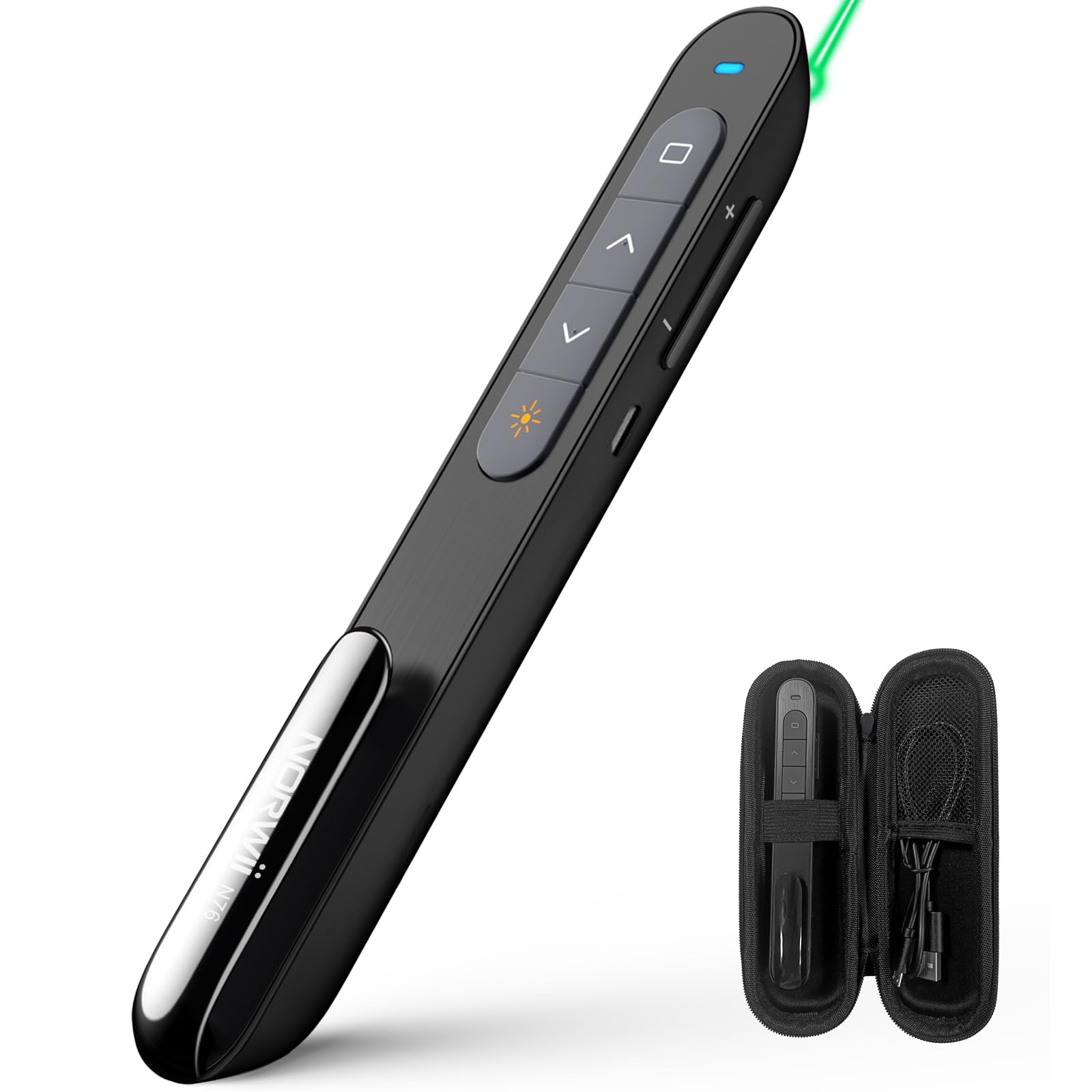
The Norwii N76 features an ergonomic design with clearly labeled, tactile buttons for intuitive control during presentations. The device includes a built-in USB-A receiver for convenient storage and connectivity.

Гол функцууд:
- Лазер заагч товч: Activates the green laser.
- Page Up/Down Buttons: Navigates through presentation slides.
- Full Screen/Black Screen Button: Toggles full screen mode or blacks out the screen.
- Hyperlink/Switch Window Button: Allows opening hyperlinks or switching between active windows.
- Дууны хяналт: Системийн дууны түвшинг тохируулна.
- ON/OFF унтраалга: Located on the side for power management.

4. Тохиргоо
4.1. Connecting the USB-A Receiver
- Locate the USB-A receiver stored inside the tail cap of the Norwii N76 presenter. Gently pull it out.
- Insert the USB-A receiver into an available USB-A port on your computer.
- The computer will automatically detect and install the necessary drivers. This is a plug-and-play device, so no manual driver installation is typically required.
- Turn on the Norwii N76 presenter using the ON/OFF switch on its side.

4.2. Төхөөрөмжийг цэнэглэж байна
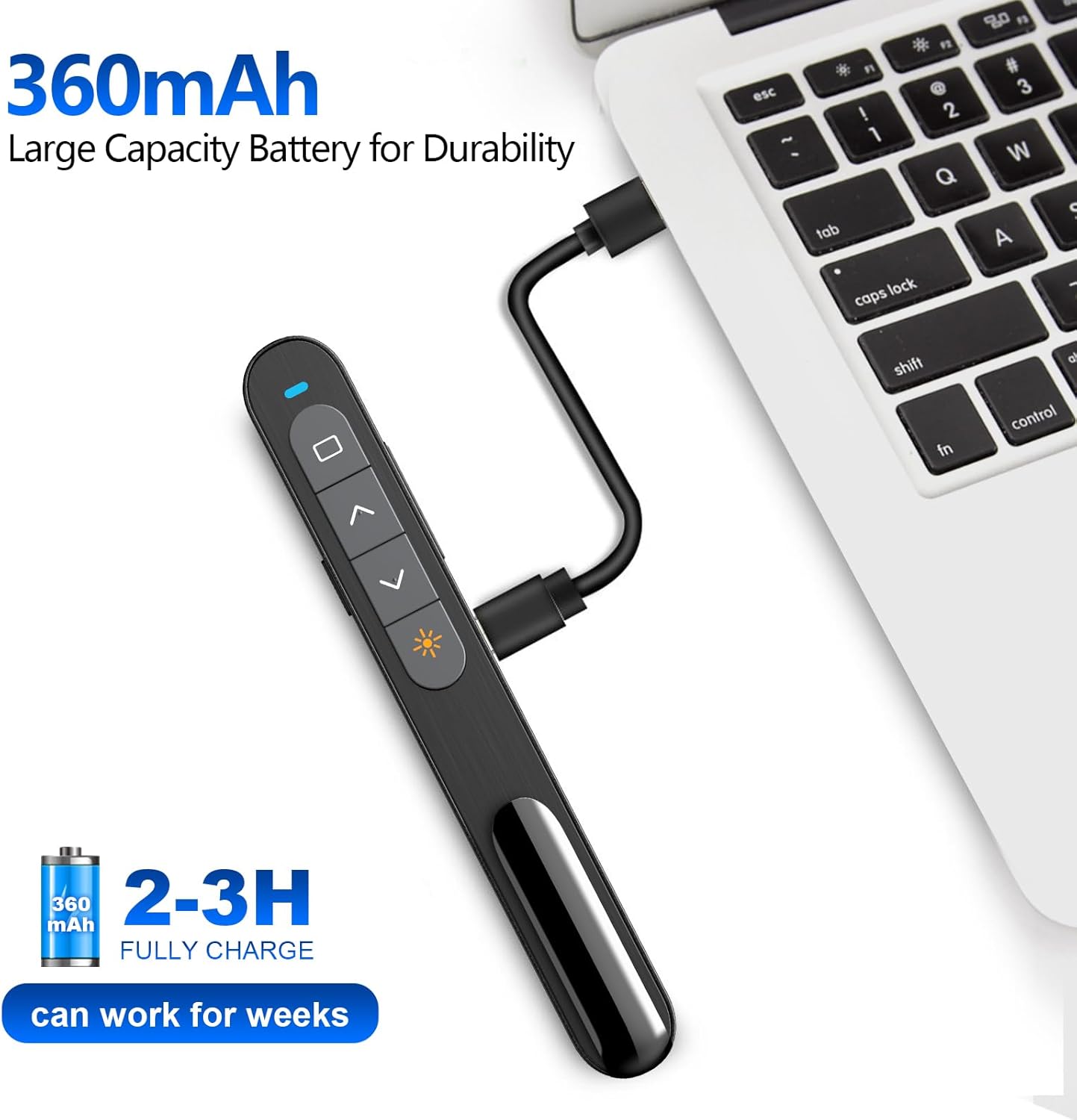
The Norwii N76 is equipped with a built-in 360mAh rechargeable Li-ion battery. To charge the device:
- Connect the provided USB charging cable to the charging port on the presenter.
- USB цэнэглэгч кабелийн нөгөө үзүүрийг USB тэжээлийн эх үүсвэрт (жишээ нь, компьютерын USB порт, USB ханын адаптер) холбоно уу.
- Цэнэглэх үед цэнэглэх заагч гэрэл асах бөгөөд бүрэн цэнэглэгдсэний дараа унтарна.
- Бүрэн цэнэглэхэд ихэвчлэн 1.5-2 цаг зарцуулдаг.

5. Ашиглалтын заавар
5.1. Асаах/унтраах
Slide the ON/OFF switch located on the side of the presenter to the 'ON' position to power on the device. Slide it to 'OFF' when not in use to conserve battery life.
5.2. Basic Slide Control
- дээр дарна уу Page Up (▲) button to move to the previous slide.
- дээр дарна уу Page Down (▼) button to move to the next slide.
5.3. Laser Pointer Function
-г удаан дар Лазер заагч button (often marked with a sun or star icon) to activate the green laser. Release the button to turn off the laser. The green laser is 8 times brighter than a red laser, providing clear visibility on most screens. Note: The laser is not intended for use on TV screens.
5.4. Нарийвчилсан функцууд
- Full Screen/Black Screen: Press the dedicated button (often a square icon) to toggle between full screen mode and a black screen.
- Hyperlink/Switch Window: Use the designated button (often a chain link or window icon) to activate hyperlinks within your presentation or switch between open applications.
- Дууны хяналт: Use the volume up (+) and volume down (-) buttons on the side of the presenter to adjust the audio output of your computer.

5.5. Тохиромжтой товчлуурууд
The Norwii N76 allows for button reprogramming via the Norwii Presenter software. This software enables you to assign custom functions to buttons for a personalized workflow. Refer to the Norwii webпрограм хангамж татаж авах болон дэлгэрэнгүй зааварчилгааны сайт.

6. Засвар үйлчилгээ
6.1. Зайны арчилгаа
- Эхний хэрэглээний өмнө төхөөрөмжийг бүрэн цэнэглэ.
- Батерейны ашиглалтын хугацааг уртасгахын тулд тогтмол бүрэн цэнэггүй болгохоос зайлсхий.
- If storing the device for an extended period, charge it to approximately 50% every few months.
6.2. Цэвэрлэгээ
Wipe the device with a soft, dry cloth. Do not use harsh chemicals or abrasive cleaners. Ensure no liquid enters the device openings.
7. Алдаа засах
If you encounter issues with your Norwii N76, refer to the following common problems and solutions:
| Асуудал | Шийдэл |
|---|---|
| Илтгэгч хариу өгөхгүй байна |
|
| Лазер заагч ажиллахгүй байна |
|
| Хязгаарлагдмал утасгүй хүрээ |
|
8. Техникийн үзүүлэлтүүд
| Онцлог | Дэлгэрэнгүй |
|---|---|
| Загварын дугаар | N76 |
| Холболт | 2.4GHz утасгүй (USB-A хүлээн авагч) |
| Утасгүй сүлжээ | 100 метр (328 фут) хүртэл |
| Лазер төрөл | Green Light (656 feet laser range) |
| Батерей | 360mAh цэнэглэдэг литийн полимер |
| Цэнэглэх хугацаа | 1.5-2 цаг |
| Бүтээгдэхүүний хэмжээс | 5.5 x 0.7 x 0.8 инч |
| Зүйлийн жин | 1.05 унц |
| Тохиромжтой үйлдлийн систем | Windows, macOS, Android, Linux |
| Тохиромжтой програм хангамж | PowerPoint, Google Slides, WPS Office, Prezi, Keynote |
9. Аюулгүй байдлын мэдээлэл
- Лазерын аюулгүй байдал: Do not point the laser beam directly at people or animals. Avoid direct eye exposure to the laser beam. Do not point the laser beam at highly reflective surfaces.
- Хүүхдүүд: Төхөөрөмжийг хүүхдэд хүрэхгүй газар хадгална уу.
- Зай: Do not attempt to replace the internal battery. Do not expose the device to extreme temperatures or direct sunlight.
- Устгах: Төхөөрөмж болон түүний зайг орон нутгийн дүрэм журмын дагуу устгана уу.
10. Баталгаат хугацаа ба дэмжлэг
Norwii products are designed for reliability and performance. For warranty information, technical support, or service inquiries, please refer to the warranty card included in your package or visit the official Norwii website. Please have your product model number (N76) and purchase details ready when contacting support.


