Танилцуулга
This manual provides comprehensive instructions for the setup, operation, and maintenance of your ORICO B5PLUS Portable SSD 2TB. Please read this manual carefully before using the device to ensure optimal performance and longevity.
Бүтээгдэхүүн дууссанview
The ORICO B5PLUS Portable SSD is a compact and high-speed external storage solution designed for various devices, including smartphones, PCs, and tablets. It offers quick data transfer and easy storage expansion.
Гол онцлогууд:
- Өргөтгөх боломжтой хадгалах сан: Easily expand your device's storage capacity.
- Өндөр хурдны өгөгдөл дамжуулах: Achieves speeds up to 460MB/s for efficient file шилжүүлэг.
- Хэт зөөврийн дизайн: Compact and lightweight, measuring 2.44 x 2.72 x 0.5 inches and weighing only 0.09 lb.
- 2-in-1 USB-C & USB-A Cable: Ensures broad compatibility with both USB-C and USB-A devices.
- Статусын үзүүлэлт: An LED indicator shows device activity.
Хайрцагт юу байгаа вэ:
- ORICO B5PLUS Portable SSD
- 2-in-1 USB-C to USB-A/USB-C Cable
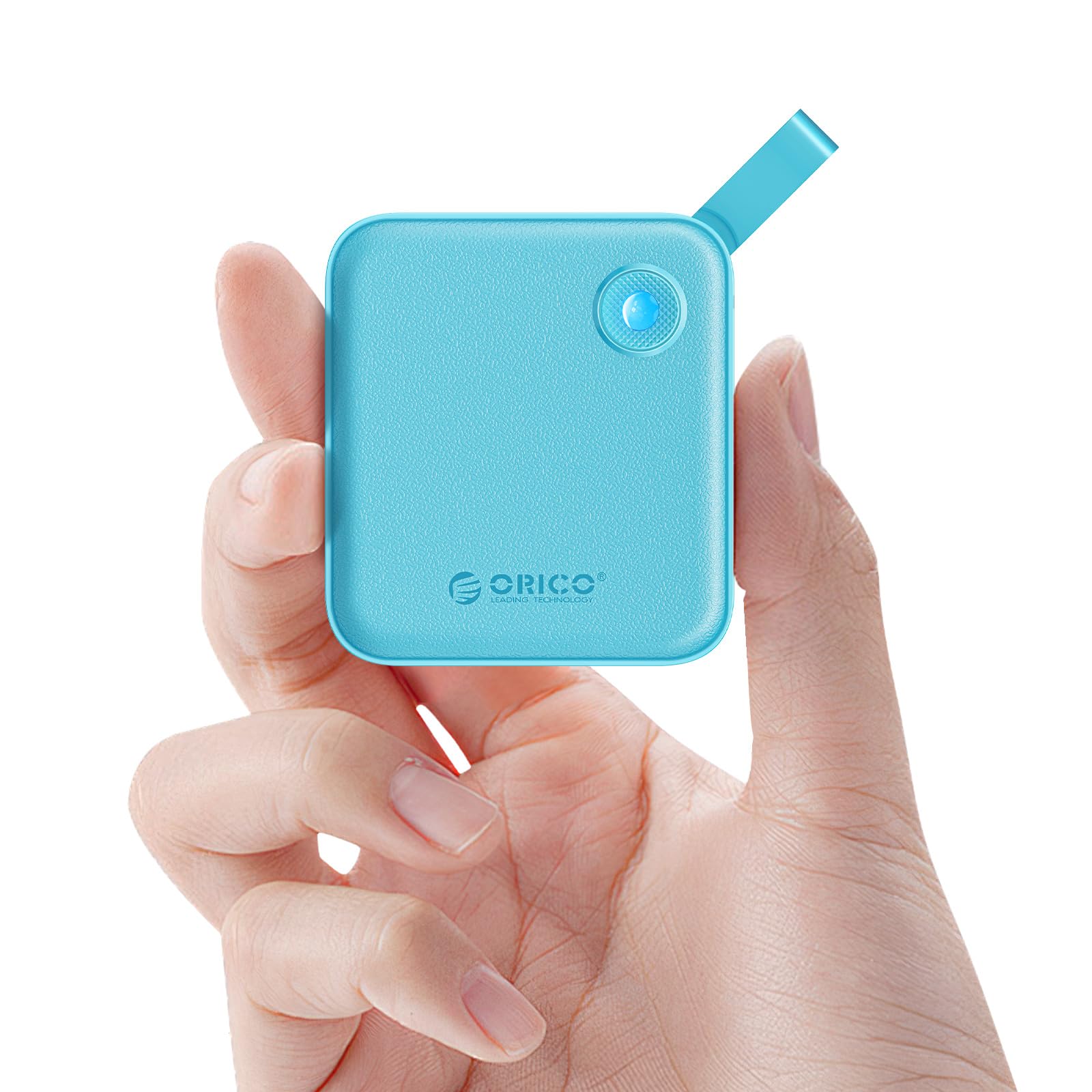
Figure 1: The ORICO B5PLUS Portable SSD in green, showcasing түүний авсаархан загвар.
Тохируулах заавар
- SSD-г холбоно уу:
Identify the appropriate port on your device (USB-C or USB-A). The included 2-in-1 cable features both connectors. For USB-C, use the USB-C end directly. For USB-A, attach the USB-A adapter to the USB-C end of the cable.

Figure 2: The versatile 2-in-1 USB-C and USB-A cable for broad device compatibility.
- Plug into Device:
Insert the connected cable into the corresponding USB port on your computer, smartphone, or tablet. The SSD's status indicator light will illuminate, confirming a successful connection.

Figure 3: The ORICO B5PLUS SSD connected to various devices for storage expansion.
- Анхны хүлээн зөвшөөрөлт:
Your operating system (Windows, macOS, Android, iOS) should automatically detect the SSD. If prompted, you may need to format the drive for first-time use, especially if moving between different operating systems. Follow your device's on-screen instructions for formatting.
Ашиглалтын заавар
Өгөгдөл дамжуулах:
- Хуулж байна Files: Чирэх, буулгах files or folders from your device to the ORICO SSD, or vice versa.
- Хурд: The SSD supports data transfer speeds up to 460MB/s. Actual speeds may vary based on your device's USB port, operating system, and file төрөл.

Figure 4: Illustration of the high-speed data transfer capabilities of the ORICO B5PLUS SSD.
Тохиромжтой байдал:
The ORICO B5PLUS is compatible with a wide range of devices, including:
- Laptops (MacBook, Dell XPS, Lenovo Pro, etc.)
- Smartphones (iPhone 15 Series, Samsung S22/S23 Series, Huawei Mate/P Series, etc.)
- Tablets (iPad Pro/Air, etc.)
- Desktop Computers, Routers, TVs, and other devices with USB-A or USB-C ports.

Figure 5: The ORICO B5PLUS SSD demonstrating compatibility with a range of devices.
LED статус үзүүлэлт:
The small LED light on the SSD indicates its operational status:
- Хатуу гэрэл: Device is connected and idle.
- Анивчих гэрэл: Data transfer is in progress. Do not disconnect the device during flashing to prevent data corruption.
Засвар үйлчилгээ
- Аюулгүй зайлуулах: Always safely eject the SSD from your operating system before physically disconnecting it to prevent data loss or corruption.
- Цэвэрлэгээ: SSD-ийн гадна талыг зөөлөн, хуурай даавуугаар цэвэрлэ. Шингэн цэвэрлэгч эсвэл зүлгүүрийн материалаас зайлсхий.
- Хадгалах: SSD-г сэрүүн, хуурай газар, нарны шууд тусгал болон хэт өндөр температураас хол хадгална уу.
- Бие махбодийн хамгаалалт: While durable, avoid dropping the SSD or subjecting it to strong impacts.
Алдааг олж засварлах
- SSD илрээгүй:
- Ensure the cable is securely connected to both the SSD and your device.
- Төхөөрөмж дээрээ өөр USB порт ашиглаж үзнэ үү.
- Test with another compatible cable if available.
- Компьютер эсвэл төхөөрөмжөө дахин эхлүүлнэ үү.
- Check your device's Disk Management (Windows) or Disk Utility (macOS) to see if the drive is recognized but unformatted.
- Удаан дамжуулах хурд:
- Ensure you are using a USB 3.0/3.1/3.2 compatible port on your device for optimal speeds. Older USB 2.0 ports will result in significantly slower transfers.
- Verify that your device's drivers are up to date.
- Олон жижиг зүйлийг зөөхөөс зайлсхий files simultaneously, as this can reduce overall speed compared to large files.
- Data Corruption/Loss:
- Always safely eject the SSD before disconnecting.
- Ensure the SSD is not exposed to extreme temperatures or physical shock.
- Regularly back up important data to multiple locations.
Үзүүлэлтүүд
| Онцлог | Дэлгэрэнгүй |
|---|---|
| Брэнд | ORICO |
| Загварын дугаар | B5PLUS-2TB |
| Дижитал хадгалах багтаамж | 2 TB |
| Хатуу дискний интерфейс | USB 1.1 (Note: This refers to the internal interface, external connectivity is USB 3.x for high speed) |
| Холболтын технологи | USB (USB-C and USB-A compatible) |
| Унших хурд (хамгийн их) | 460 МБ/с хүртэл |
| Зүйлийн жин | 3.17 унц (ойролцоогоор 90 гр) |
| Багцын хэмжээ | 5.91 x 4.25 x 0.98 инч |
| Өнгө | Ногоон |
| Онцлог шинж чанар | Portable, Status Indicator |
| Тохиромжтой төхөөрөмжүүд | Laptop, Smartphone, Tablet, PC |
Бүтээгдэхүүний албан ёсны видео
Видео 1: Албан тушаалтан дууссанview of the ORICO External Solid State Drive B5PLUS, highlighting its features and compact design. This video is provided by the manufacturer, ORICO Direct US Store.
Баталгаат болон дэмжлэг
For warranty information, technical support, or further assistance, please refer to the official ORICO webсайт эсвэл харилцагчийн үйлчилгээтэй шууд холбогдоно уу. Худалдан авалтын баримтаа аливаа баталгаат нэхэмжлэлийг худалдан авсан баримт болгон хадгална уу.
Та мөн зочилж болно ORICO Store on Amazon бүтээгдэхүүний талаарх дэлгэрэнгүй мэдээлэл, дэмжлэгийн эх сурвалжийг авна уу.


