1. Танилцуулга
Худалдан авалт хийсэнд баярлалааasing the Jazmm Model 213 Portable Multi-Band Radio. This device is designed to provide versatile audio entertainment and essential weather information. It features AM, FM, Shortwave (SW), and NOAA Weather Band (WB) reception, Bluetooth 5.4 connectivity, TF card playback, a powerful 5W speaker, and a built-in rechargeable battery with flashlight functionality. This manual provides detailed instructions for the proper use and maintenance of your radio.
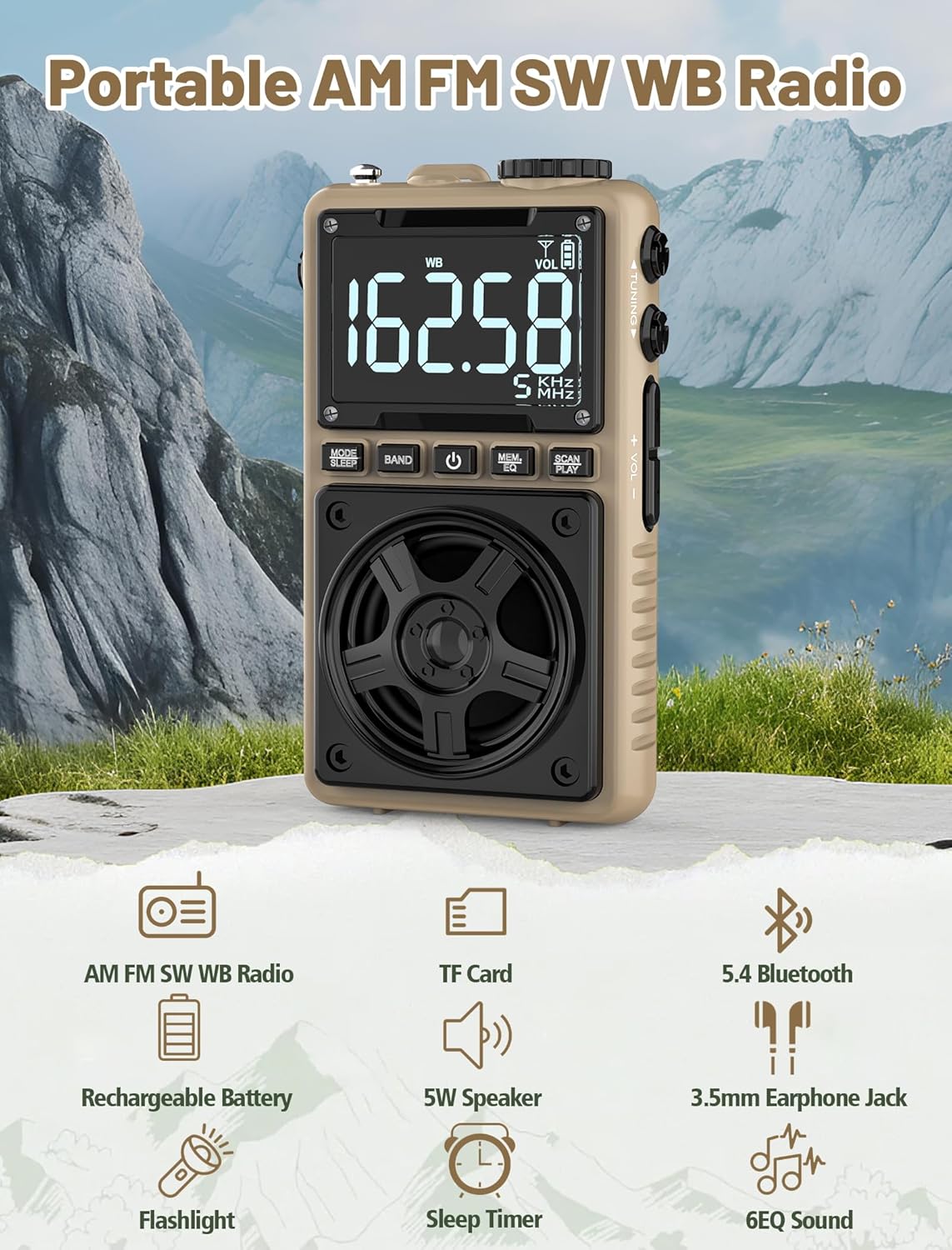
Image 1.1: The Jazmm Model 213 Portable Multi-Band Radio highlighting its key features including AM/FM/SW/WB radio, TF card support, Bluetooth 5.4, 5W speaker, rechargeable battery, flashlight, sleep timer, and 6 EQ sound effects.
2. Аюулгүй байдлын мэдээлэл
Энэ бүтээгдэхүүнийг хэрэглэхийн өмнө бүх аюулгүй байдлын зааврыг уншиж, ойлгоно уу. Эдгээр зааврыг ирээдүйд лавлах зорилгоор хадгална уу.
- Төхөөрөмжийг хэт өндөр температур, нарны шууд тусгал, өндөр чийгшилд бүү тавь.
- Төхөөрөмжийг унагах эсвэл хүчтэй нөлөөнд оруулахаас зайлсхий.
- Төхөөрөмжийг өөрөө задлах, засварлах, өөрчлөхийг хориглоно. Бүх үйлчилгээг мэргэшсэн боловсон хүчинд шилжүүлээрэй.
- Төхөөрөмжийг ус болон бусад шингэнээс хол байлга.
- Цэнэглэхийн тулд зөвхөн өгсөн цэнэглэгч кабель эсвэл баталгаажуулсан Type-C кабелийг ашиглана уу.
- Батерейг орон нутгийн дүрэм журмын дагуу хаяна уу. Шатааж болохгүй.
- Дууны өндөр түвшинд удаан хугацаагаар сонсох нь сонсголд гэмтэл учруулж болзошгүй. Дууны хэмжээг дунд зэрэгт тохируулна уу.
3. Багцын агуулга
Бүх зүйл багцад байгаа эсэхийг шалгана уу:
- Jazmm Model 213 AM FM SW WB Radio
- Эзэмшигчийн гарын авлага (энэ баримт бичиг)
- USB Type-C тэжээлийн утас
4. Бүтээгдэхүүн дууссанview
Радиогийн бүрэлдэхүүн хэсэг болон удирдлагуудтай танилцаарай.

Зураг 4.1: Урд ба хажуу view of the Jazmm Model 213 radio. The front features a large digital display, speaker, and control buttons (MODE/SLEEP, BAND, Power, MEM/EQ, SCAN/PLAY). The side shows the LOCK/LIGHT switch, TF card slot, DC 5V Type-C charging port, and a 1250mAh battery indicator.
Хяналт ба портууд:
- Дижитал дэлгэц: Shows frequency, band, volume, battery level, and other indicators.
- Илтгэгч: 5W output for clear audio.
- MODE/SLEEP Button: Switches between modes (Radio, Bluetooth, TF Card) and activates sleep timer.
- Товчлуурын товч: Selects radio bands (FM, AM, SW, WB).
- Цахилгаан товч: Радиог асаах/унтраах.
- MEM/EQ Button: Accesses memory functions and cycles through EQ sound effects.
- SCAN/PLAY Button: Initiates auto-scan for radio stations or plays/pauses in Bluetooth/TF card mode.
- Тохируулах товчлуур: Adjusts frequency.
- Дууны түвшин +/- Товчлуурууд: Аудио дууны хэмжээг тохируулна.
- LOCK/LIGHT Switch: Locks buttons or activates the flashlight.
- TF картын оролт: For Micro SD card playback (up to 128GB).
- DC 5V Type-C Charging Port: Дотоод зайг цэнэглэхэд зориулагдсан.
- 3.5 мм чихэвчний залгуур: Хувийн сонсох зориулалттай.
- Телескоп антен: Радио хүлээн авалтыг сайжруулах зорилгоор.
- Back Clip & Wrist Strap: For portability and secure carrying.
5. Тохиргоо
5.1 Анхны цэнэглэлт
Before first use, fully charge the radio's internal 1250mAh lithium polymer battery. Connect the provided USB Type-C power cord to the DC 5V charging port on the side of the radio and plug the other end into a compatible USB power adapter (not included) or a computer USB port. The charging indicator on the display will show charging status. A full charge typically takes approximately 1.5 hours and provides 10-12 hours of usage.

Image 5.1: The Jazmm Model 213 radio connected to a power adapter via its Type-C charging port, illustrating the charging process for its 1250mAh rechargeable battery.
5.2 Антенны тохируулга
For optimal radio reception, extend the telescopic antenna fully when listening to FM, SW, or WB bands. For AM reception, the internal antenna is generally sufficient, but adjusting the radio's orientation may improve signal strength.
6. Ашиглалтын заавар
6.1 Асаах/унтраах
-г удаан дар Цахилгаан товч ( ) for approximately 2 seconds to turn the radio on or off.
6.2 горимын сонголт
дээр дарна уу MODE/SLEEP Button to cycle through available modes: Radio (FM/AM/SW/WB), Bluetooth, and TF Card (if a card is inserted).
6.3 Radio Band Selection and Tuning
Радио горимд дээр дарна уу BAND товчлуур to switch between FM, AM, Shortwave (SW), and NOAA Weather Band (WB).
- FM: 87-108 МГц
- AM: 520-1710 кГц
- SW: 4.75-21.85 МГц
- WB: 162.400-162.550 МГц

Image 6.1: The radio displaying different frequencies across FM, AM, SW, and WB bands, illustrating its multi-band reception capability with an extended antenna.
Гараар тааруулах:
-г эргүүл Тохируулах товчлуур on the side of the radio to manually adjust the frequency.
Автомат хайлт:
дээр дарна уу SCAN/PLAY Button to automatically scan for and save available stations. The radio can store up to 100 preset stations.
Урьдчилан тохируулсан 6.4 станц
After an automatic scan, use the Тохируулах товчлуур эсвэл MEM/EQ Button to navigate through saved preset stations. Refer to the display for preset numbers (e.g., P01, P02).

Image 6.2: The radio positioned on a nightstand, illustrating the sleep timer function and the display of preset station numbers (P01, P05, P19, etc.).
6.5 Дууны хяналт
-г ашиглана уу Эзлэхүүн +/- Товчнууд on the side of the radio to increase or decrease the audio output.
6.6 Bluetooth горим
ашиглан Bluetooth горим руу шилжинэ үү MODE/SLEEP Button. The radio will enter pairing mode, indicated by a blinking Bluetooth icon on the display. On your smartphone, tablet, or laptop, search for Bluetooth devices and select "Jazmm 213" to connect. The radio acts as a Bluetooth speaker. Note: This radio does not support connection to Bluetooth earphones.
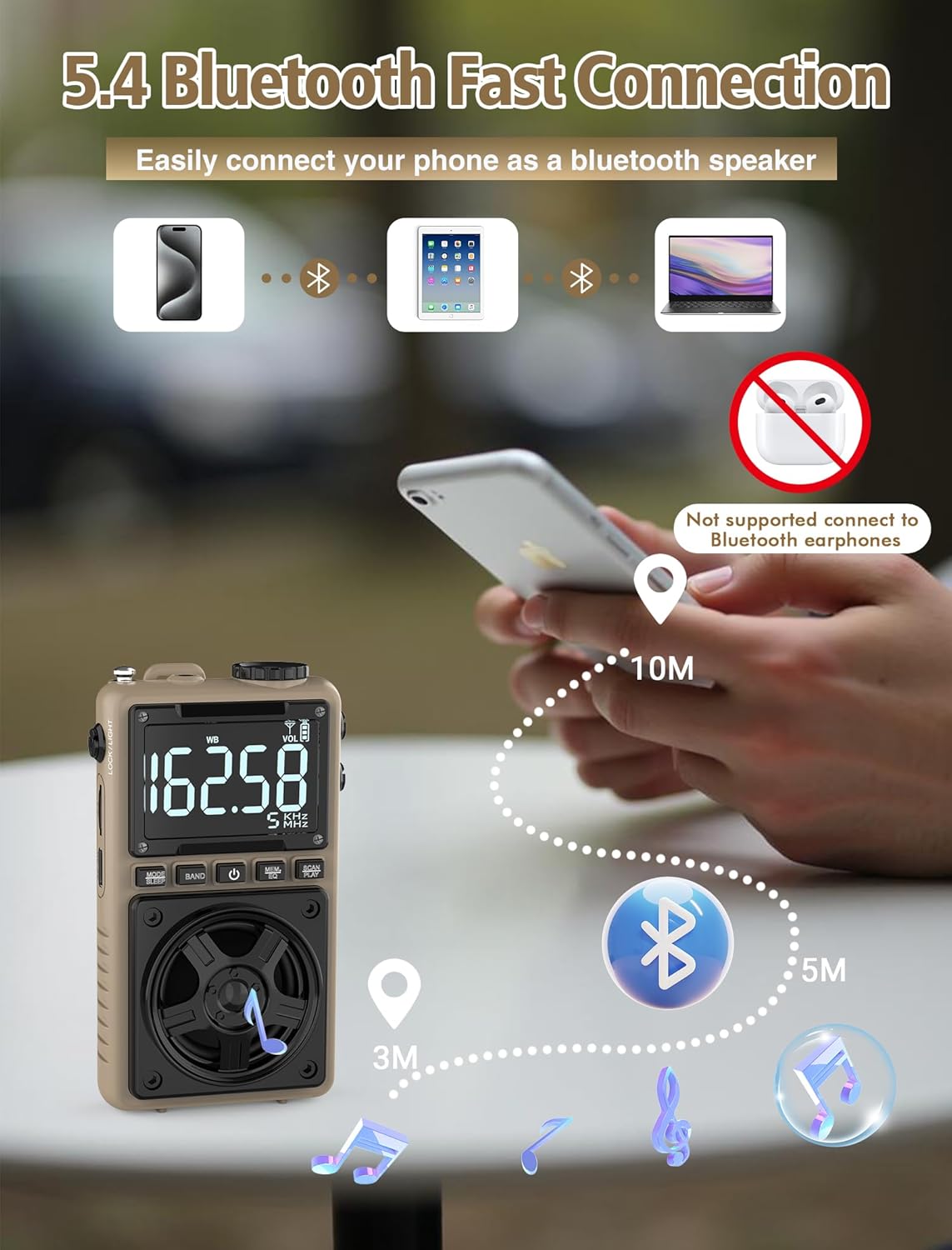
Image 6.3: A visual representation of the Jazmm Model 213 radio establishing a Bluetooth connection with various devices like smartphones, tablets, and laptops, functioning as a Bluetooth speaker.
6.7 TF Card Playback (MP3 Player)
Insert a Micro SD card (up to 128GB) with MP3 audio files руу TF картын оролт. Switch to TF Card mode using the MODE/SLEEP Button. The radio will automatically begin playing music from the card. Use the SCAN/PLAY Button to play/pause and the Тохируулах товчлуур зам алгасах.

Image 6.4: A user enjoying music through headphones connected to the Jazmm Model 213 radio, with an inset showing the TF card slot for Micro SD card insertion.
6.8 Чихэвчний хэрэглээ
Стандарт 3.5 мм чихэвчийг залгуурт залгаарай 3.5 мм чихэвчний залгуур for private listening. The radio's speaker will automatically mute when headphones are connected.
6.9 NOAA цаг агаарын сэрэмжлүүлэг
In WB (Weather Band) mode, the radio is capable of receiving real-time weather alerts and updates from the National Oceanic and Atmospheric Administration. This feature helps you prepare for potential weather hazards. Ensure the antenna is extended for best reception.

Image 6.5: The radio displaying a NOAA weather alert, with a flashlight beam illuminating the foreground and a stormy sky in the background, emphasizing its emergency preparedness features.
6.10 Гар чийдэнгийн функц
-г гулсуулна уу LOCK/LIGHT Switch to activate the built-in LED flashlight. This can be useful in low-light conditions or emergencies.
6.11 Унтах цаг хэмжигч
-г удаан дар MODE/SLEEP Button to activate the sleep timer. Repeated presses will cycle through available durations (e.g., 10, 60, 90, 120 minutes). The radio will automatically turn off after the selected time.
6.12 Түгжих түлхүүр
-г гулсуулна уу LOCK/LIGHT Switch to the 'LOCK' position to prevent accidental button presses. This is useful when carrying the radio in a pocket or bag.
6.13 EQ дууны эффектүүд
дээр дарна уу MEM/EQ Button (short press) to cycle through 6 preset EQ sound effects: Normal, Rock, Pop, Jazz, Class, and Village. Select the effect that best suits your audio preference.

Image 6.6: The radio's 5W speaker is highlighted, surrounded by icons representing the six available EQ stereo sound effects: Normal, Rock, Pop, Jazz, Class, and Village.
7. Техникийн үзүүлэлтүүд
| Онцлог | Дэлгэрэнгүй |
|---|---|
| Загварын дугаар | 213 |
| Бүтээгдэхүүний хэмжээс | 2.3 x 4 x 1.3 инч (5.84 x 10.16 x 3.3 см) |
| Зүйлийн жин | 4.6 унц (130 грамм) |
| Радио хамтлагуудыг дэмждэг | FM (87-108MHz), AM (520-1710KHz), SW (4.75-21.85MHz), WB (162.400-162.550MHz) |
| Холболтын технологи | Bluetooth 5.4 |
| Чанга яригчийн гаралт | 5W |
| Батерей | 1250mAh Lithium Polymer (Rechargeable, included) |
| Цэнэглэх порт | USB Type-C (DC 5V) |
| Цэнэглэх хугацаа | Ойролцоогоор 1.5 цаг |
| Хэрэглэх хугацаа | Approx. 10-12 hours (depending on usage) |
| Санах ойн картны дэмжлэг | Micro SD (TF Card) up to 128GB |
| Онцлог шинж чанарууд | NOAA Weather Alert, Built-In Flashlight, SOS Alarm, Sleep Timer, 100 Preset Stations, Digital Backlight Screen, Back Clip, Wrist Strap |
8. Алдаа засах
| Асуудал | Боломжит шалтгаан / шийдэл |
|---|---|
| Радио асахгүй байна. |
|
| Радио хүлээн авалт муу. |
|
| Bluetooth холбогдоогүй байна. |
|
| TF карт тоглогдохгүй байна. |
|
| Чанга яригч/чихэвчнээс дуу гарахгүй байна. |
|
9. Засвар үйлчилгээ
- Цэвэрлэгээ: Радиогийн гадна талыг цэвэрлэхийн тулд зөөлөн, хуурай даавуу ашиглаарай. Зүлгүүрийн цэвэрлэгч эсвэл уусгагч хэрэглэж болохгүй.
- Хадгалах: Радиог удаан хугацаагаар ашиглахгүй бол сэрүүн, хуурай газар хадгална уу.
- Батерейны арчилгаа: To prolong battery life, avoid fully discharging the battery frequently. Recharge the radio periodically even if not in use.
- Антен: Handle the telescopic antenna gently to prevent bending or breaking. Retract it when not in use.
10. Баталгаат хугацаа ба дэмжлэг
Jazmm products are designed for reliability and performance. For warranty information, please refer to the documentation provided at the time of purchase or contact your retailer. If you encounter any issues or require technical assistance, please contact Jazmm customer support through the retailer's platform or the official Jazmm webсайт.
Тусламж үйлчилгээтэй холбогдохдоо бүтээгдэхүүнийхээ загварын дугаар (213) болон худалдан авалтын дэлгэрэнгүй мэдээллийг бэлэн байлгана уу.


