Танилцуулга
Thank you for choosing the Haomuren K1 Mini Portable Bluetooth Karaoke Machine. This manual provides essential information for the safe and efficient operation of your new device. Please read it thoroughly before use and retain it for future reference.
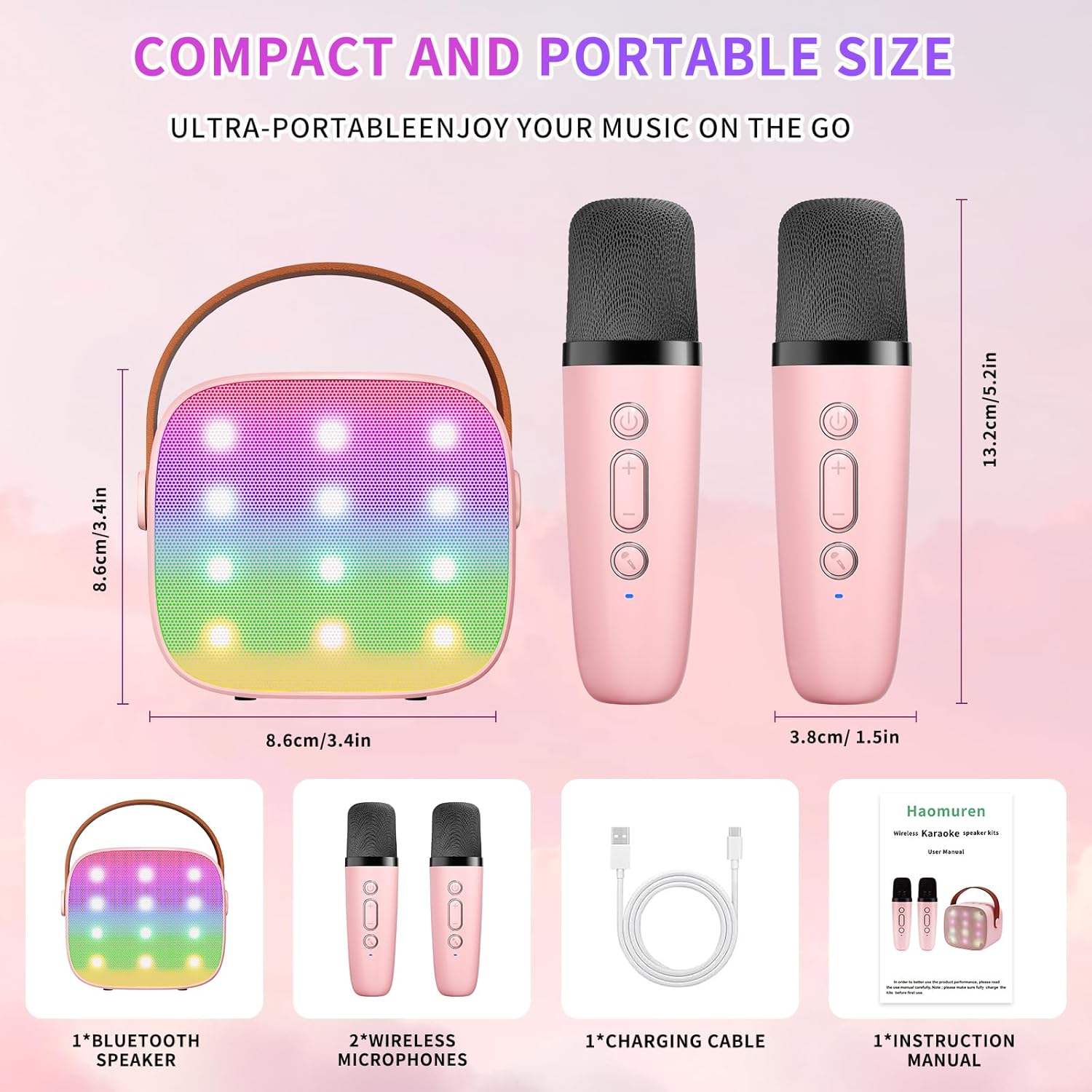
Хайрцагт юу байна
- Karaoke Machine (Speaker) x 1
- Утасгүй микрофон x 2
- Type-C цэнэглэх кабель x 1
- Хэрэглэгчийн гарын авлага x 1
Тохиргоо
1. Төхөөрөмжийг цэнэглэж байна
Before initial use, fully charge the karaoke machine and both microphones. Use the provided Type-C charging cable.
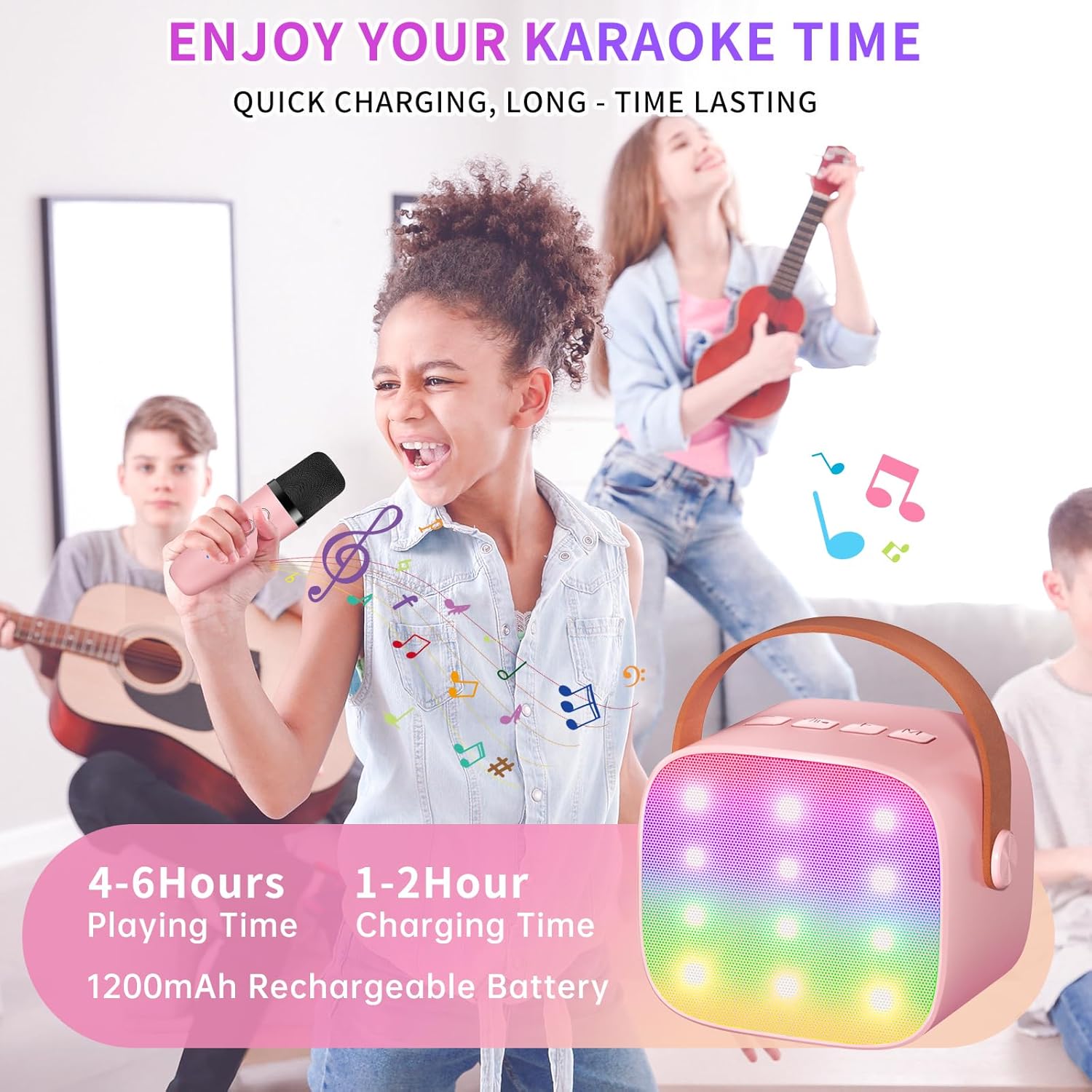
- Илтгэгч: Connect the Type-C cable to the speaker's charging port. The speaker has an 1800mAh battery and typically charges in 1-2 hours.
- Микрофонууд: Connect the Type-C cable to the charging port at the bottom of each microphone. Each microphone has a 600mAh battery.

2. Асаах/унтраах
- Илтгэгч: Press and hold the power button on the top panel of the speaker until the LED lights illuminate.
- Микрофонууд: Press and hold the power button on each microphone until the blue indicator light turns on.
3. Bluetooth хослол
The speaker and microphones are designed for instant pairing. Once both are powered on, they should automatically connect. To connect the speaker to an external device (smartphone, tablet, PC):
- Ensure the karaoke machine speaker is powered on and in Bluetooth mode (indicated by a voice prompt).
- Гадаад төхөөрөмж дээрээ Bluetooth-г идэвхжүүлж, боломжтой төхөөрөмжүүдийг хайж олоорой.
- Select "K1" (or similar model name) from the list to pair. A confirmation sound will indicate successful pairing.

Ашиглалтын заавар
1. Чанга яригчийн удирдлага
The speaker features intuitive buttons on its top panel:
- Дууг багасгах (-): Чанга яригчийн дууны түвшинг бууруулдаг.
- Асаах/Тоглуулах/түр зогсоох: Short press to play/pause music. Long press to power on/off the speaker.
- Дууны хэмжээг нэмэгдүүлэх (+): Чанга яригчийн дууны түвшинг нэмэгдүүлдэг.
- Горим (M): Switches between different input modes (Bluetooth, TF Card).
- LED гэрлийн хяналт: Short press to cycle through 6 different LED lighting modes.
- Original Vocal/Accompaniment: Press this button to remove or restore original vocals from a song, allowing you to sing along to the instrumental track.

2. Микрофоны удирдлага
Each wireless microphone has the following controls:
- Цахилгаан товч: Микрофоныг асаах/унтраахын тулд дараад барина уу.
- Дууны хэмжээг нэмэгдүүлэх (+): Increases microphone volume.
- Дууг багасгах (-): Decreases microphone volume.
- Дууг өөрчлөх товчлуур: Short press to cycle through 5 different voice effects.

3. Voice Changing Modes
The microphones offer 5 unique voice effects to enhance your karaoke experience:
- Жинхэнэ дуу хоолой
- Эмэгтэй дуу хоолой
- Эрэгтэй дуу хоолой
- Хүүхдийн дуу хоолой
- мангас хоолой
4. LED гэрэл
The speaker features built-in LED lights with 6 dynamic modes that synchronize with the music, creating an immersive atmosphere. Use the dedicated LED Light Control button on the speaker to cycle through these modes.

5. Music Playback Options
The Haomuren K1 supports various music playback methods:
- Bluetooth: Connect wirelessly to your smartphone, tablet, or PC.
- TF карт: Insert a TF (MicroSD) card into the designated slot on the back of the speaker to play stored music files.
- Чихэвчний гаралт: Use the 3.5mm headphone jack for private listening.
Засвар үйлчилгээ
- Цэвэрлэгээ: Use a soft, dry cloth to clean the exterior of the speaker and microphones. Do not use liquid cleaners or abrasive materials.
- Хадгалах: Төхөөрөмжийг нарны шууд тусгал, хэт температураас хол, сэрүүн, хуурай газар хадгална.
- Батерейны арчилгаа: To prolong battery life, avoid fully discharging the device frequently. Charge the device regularly, even if not in use for extended periods.
Алдааг олж засварлах
- Чанга яригчаас дуу алга:
- Чанга яригч асаалттай, цэнэглэгдсэн эсэхийг шалгаарай.
- Чанга яригчийн дууны түвшинг шалгана уу.
- Verify that the speaker is correctly paired via Bluetooth to your device.
- If using a TF card, ensure it is inserted correctly and contains compatible audio files.
- Микрофон ажиллахгүй байна:
- Ensure the microphone is powered on and charged.
- Check the microphone's volume level.
- Confirm the microphone is automatically paired with the speaker.
- Bluetooth салгах:
- Ensure the speaker and your device are within the effective Bluetooth range (typically 10 meters).
- Turn off and restart both the speaker and your device, then attempt to re-pair.
- Бусад утасгүй төхөөрөмжүүдээс ямар нэгэн хөндлөнгийн оролцоо байгаа эсэхийг шалгана уу.
- Гажуудсан дуу:
- Lower the volume on both the speaker and your connected device.
- Ensure the microphones are not too close to the speaker to avoid feedback.
- Чанарын асуудал байгаа эсэхийг аудио эх сурвалжаас шалгана уу.
Үзүүлэлтүүд
| Онцлог | Тодорхойлолт |
|---|---|
| Брэнд | Хаомүрэн |
| Загварын дугаар | K1 |
| Суурилуулах төрөл | Ширээний тавцан |
| Эрчим хүчний эх үүсвэр | Батерейгаар ажилладаг |
| Холбогч төрөл | 3.5mm headphone, Type-C Charging |
| Материал | Акрилонитрил бутадиен стирол (ABS) |
| Зүйлийн жин | 14.9 унц |
| Сувгийн тоо | 2 |
| Аудио оролт | Утасгүй микрофонууд |
| Давтамжийн хариу үйлдэл | 10 кГц |
| Бүтээгдэхүүний хэмжээс | 3.7 x 4.1 x 4.3 инч |
| Батерей | 1 AAA батерей шаардлагатай (дагсан) |
| Холболтын технологи | Bluetooth, USB, утасгүй |
Баталгаат болон дэмжлэг
Haomuren is committed to providing high-quality audio products. Your K1 Mini Portable Bluetooth Karaoke Machine comes with the following:
- Үнэгүй солих: In case of product defects.
- 365 хоногийн баталгаа: Covering manufacturing defects and malfunctions.
- Техникийн дэмжлэг: Dedicated support is available for any operational questions or issues.
For further assistance, please contact Haomuren customer service through your purchase platform or visit the official Haomuren webсайт.


