1. Танилцуулга
This manual provides detailed instructions for the installation, operation, and maintenance of your Loocam 5MP PoE Security Camera System. This system is designed for reliable 24/7 surveillance with advanced features such as full-color night vision, AI human and vehicle detection, and two-way audio communication.
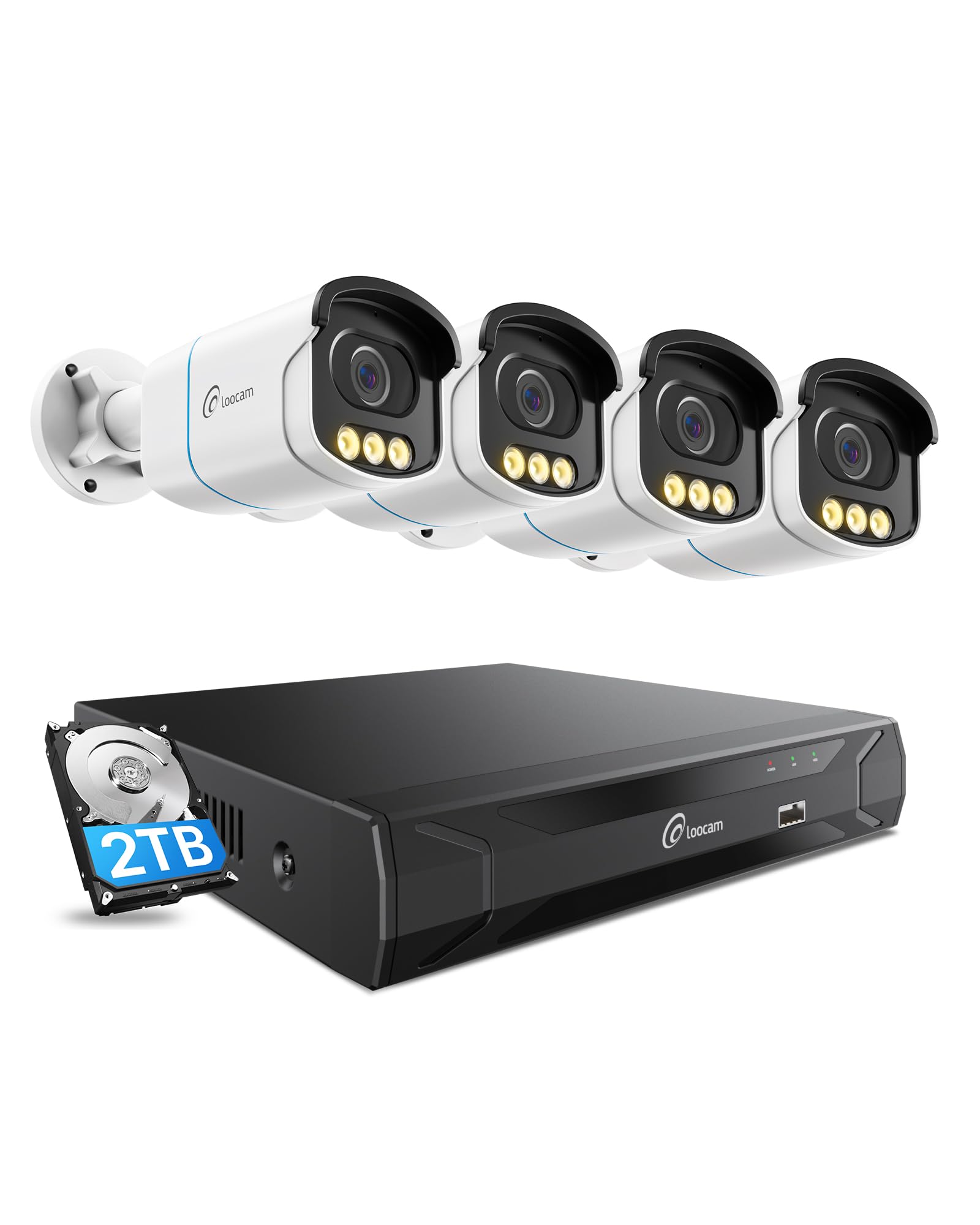
Figure 1: Loocam 5MP PoE Security Camera System components.
2. Багцын агуулга
Доор жагсаасан бүх зүйл таны багцад байгаа эсэхийг шалгаарай.
- 1x 8-Channel 8MP NVR with 2TB Hard Drive Pre-installed
- 4x 5MP PoE IP Cameras
- 4x 60ft Ethernet Cables
- 1x 1m Ethernet Cable
- 1x NVR Power Supply
- 1x USB хулгана
- 1x HDMI кабель
- 4x холбох боолт
- 4x Суурилуулалтын Загварууд
- 1х Түргэн эхлэх гарын авлага
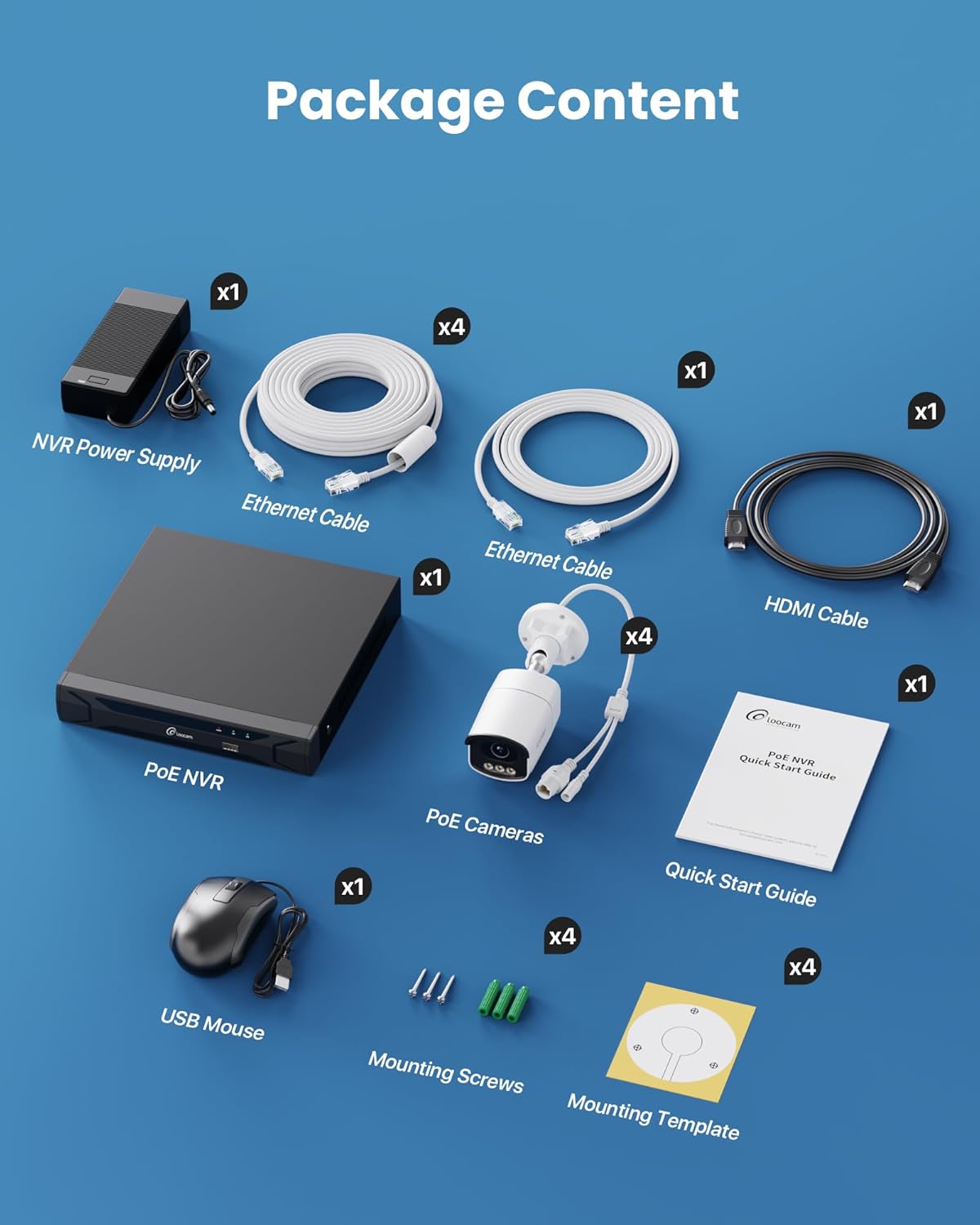
Figure 2: Contents included in the Loocam 5MP PoE Security Camera System package.
3. Системийн тохиргоо
Follow these steps to set up your Loocam PoE Security Camera System:
- Тоног төхөөрөмж бэлтгэх: Ensure you have a monitor, a router with network connection, and a power strip available.
- NVR-г холбох: Connect the NVR to your monitor using the HDMI cable. Connect the USB mouse to the NVR. Connect the NVR to your router using an Ethernet cable. Finally, connect the NVR power supply and turn on the NVR.
- Камеруудыг холбох: Connect each 5MP PoE IP camera to an available PoE port on the NVR using the provided Ethernet cables. The NVR will power the cameras and transmit video data.
- Анхны ачаалах: Wait for the NVR to boot up and display video feeds from the connected cameras on your monitor.
Video 1: Unboxing and Installation Guide for Loocam PoE Security Camera System. This video demonstrates the physical setup process.
4. Ашиглалтын заавар
4.1 Видеоны чанар ба шөнийн хараа
The system provides sharp 5MP HD video (2880x1620 resolution) for clear monitoring. It features advanced full-color night vision, ensuring vivid and detailed images even in low-light conditions, providing 24/7 surveillance.

Figure 3: Visual comparison illustrating the enhanced detail of 5MP HD resolution over 1080p.

Figure 4: Demonstration of true full-color night vision providing clearer, more vibrant images at night compared to standard night vision.
Video 2: Loocam 5MP PoE Camera System showcasing True Full Color Night Vision capabilities.
4.2 Smart AI Detection and Alerts
The system utilizes AI to accurately identify people and vehicles, reducing false alarms. When an event is detected, you will receive instant app notifications.
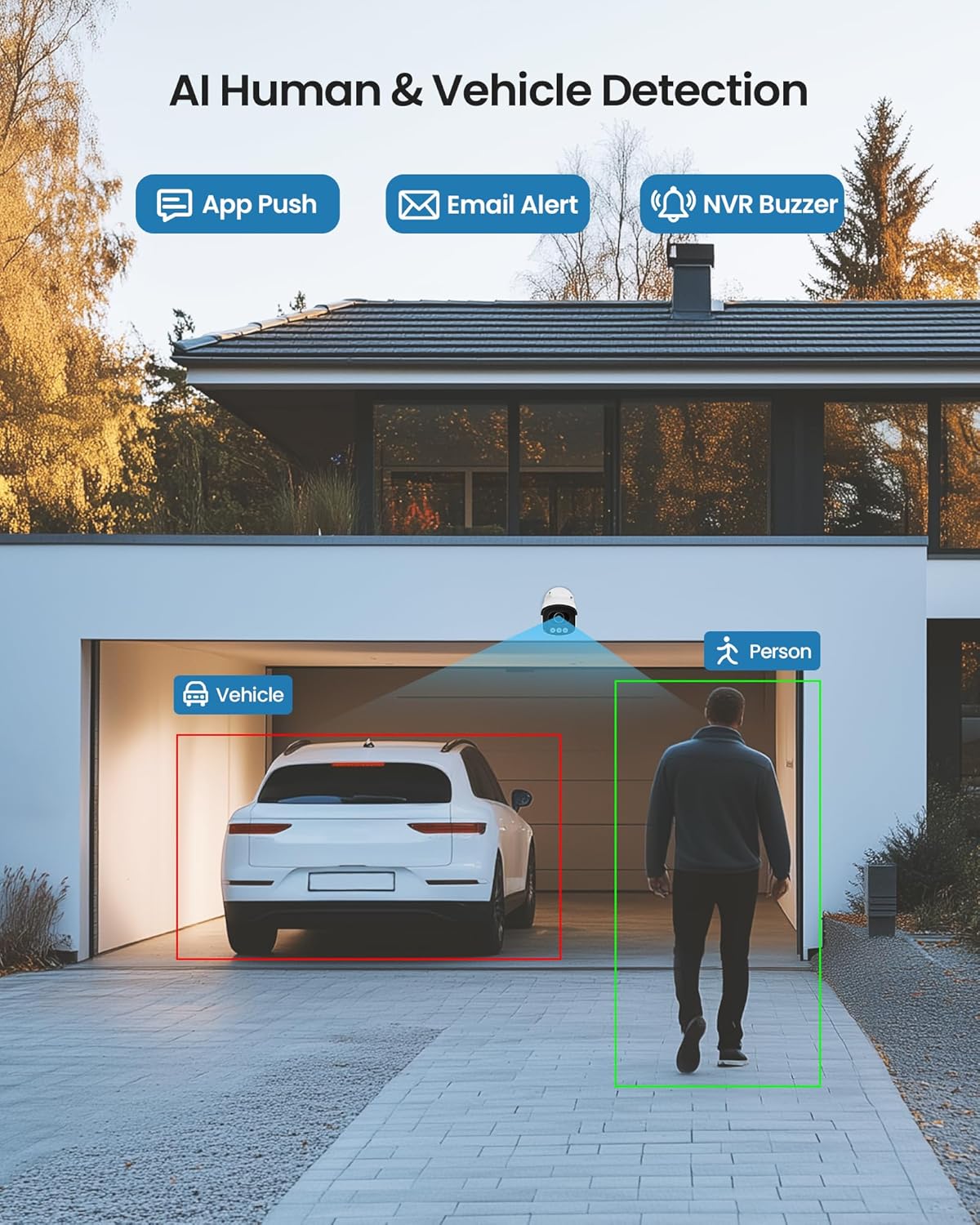
Figure 5: Illustrates the AI system detecting and outlining a person and a vehicle.
4.3 Spotlight and Siren Alarm
The cameras are equipped with a spotlight and siren alarm feature. These can be activated automatically upon detection or manually to deter intruders.
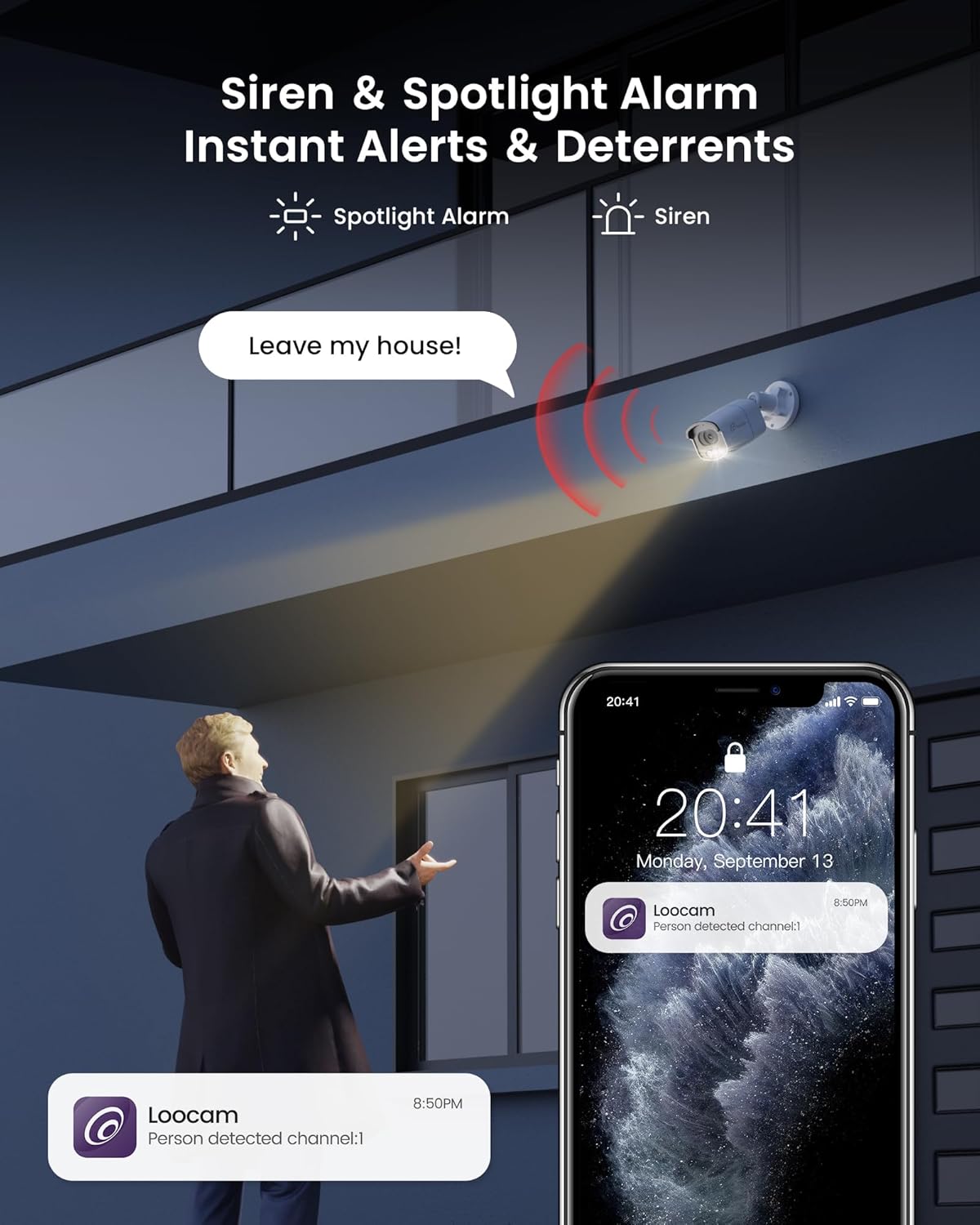
Figure 6: A security camera activating its spotlight and siren, with a corresponding notification on a smartphone.
4.4 Хоёр талын аудио
Communicate directly through the camera using the built-in two-way audio feature. This allows you to speak to visitors or warn off unwanted individuals from your smartphone.

Figure 7: A user interacting via two-way audio through the Loocam app on a smartphone.
4.5 Алсын Viewing болон Playback
Access live feeds and recorded video anytime, anywhere, using the Loocam app on your smartphone, tablet, or computer. The system supports 24/7 recording to the pre-installed 2TB HDD, which is expandable up to 8TB.

Figure 8: The Loocam app interface displaying continuous recording and smart playback options.
Video 3: Instructions on how to view your Loocam PoE Security Camera System via the mobile application.
4.6 Commercial Features: Zone Monitoring & Traffic Analysis
For business applications, the system offers advanced features such as setting up virtual boundaries for zone alerts and utilizing people counting functionality to analyze foot traffic patterns.

Зураг 9: Жишээ ньample of AI-driven passenger flow statistics, including a graph of statistical data.
5. Засвар үйлчилгээ
- Тогтмол цэвэрлэгээ: Камерын линзийг үе үе зөөлөн, d аргаар цэвэрлэж байгаарайamp тодорхой зургийн чанарыг хангах даавуу. Зүлгүүрийн цэвэрлэгчээс зайлсхий.
- Програм хангамжийн шинэчлэлтүүд: Check the Loocam official webоновчтой гүйцэтгэл болон аюулгүй байдлыг хангахын тулд боломжтой програм хангамжийн шинэчлэлтүүдийг авах сайт эсвэл апп.
- Кабелийн үзлэг: Regularly inspect all cables for any signs of wear or damage, especially for outdoor installations.
- Хатуу дискний удирдлага: 2TB HDD нь дараах боломжийг олгоно. ample storage. The system supports automatic overwrite when the disk is full. Consider backing up important footage үе үе.
6. Алдаа засах
- Видео дэлгэц байхгүй байна:
- Ensure the NVR is powered on and connected to the monitor.
- HDMI/VGA кабелийн холболтыг шалгана уу.
- Verify cameras are properly connected to PoE ports and NVR is powered.
- Сүлжээний холболтын асуудлууд:
- Confirm the NVR is connected to the router via Ethernet.
- Check router status and internet connectivity.
- Restart the NVR and router.
- Алсын удирдлага ViewАжиллахгүй байна:
- NVR идэвхтэй интернет холболттой эсэхийг шалгаарай.
- Verify the Loocam app is updated to the latest version.
- Check app settings for correct device addition and network configuration.
- Хуурамч дохиолол:
- Adjust AI detection sensitivity settings in the NVR or app.
- Хамааралгүй хэсгүүдийг хасахын тулд тодорхой илрүүлэх бүсүүдийг тодорхойл.
7. Техникийн үзүүлэлтүүд
| Онцлог | Дэлгэрэнгүй |
|---|---|
| Брэнд | Лукам |
| Загварын дугаар | LC8P8B-6W42S-186D |
| Холболтын технологи | Утастай (PoE) |
| Видео бичлэгийн нягтрал | 5 МП (1944p) |
| Онцлог шинж чанарууд | App Control, Full-Color Night Vision, Siren Alarm, Two-Way Audio, Weatherproof (IP66), AI Human/Vehicle Detection |
| Сувгийн тоо | 8 |
| Санах ойн хадгалах багтаамж | 2 TB HDD (Pre-installed), Expandable up to 8 TB |
| Өнгө | Цагаан |
| Эрчим хүчний эх үүсвэр | Утастай цахилгаан |
| Хэмжээ (L x W x H) | 17.2 x 12 x 7.8 инч |
| Зөвлөмж болгож буй хэрэглээ | Outdoor, Indoor, Home, Business, Human Detection, Automatic Overwrite, Audio Recording, IP66 Weatherproof, Smart Playback, Video Recording |
| Тохиромжтой төхөөрөмжүүд | Laptops, Personal Computers, Smartphones, TV, Tablets |
| Frame Rate | 15, 24, 30 FPS |
| Бичлэгийн горим | Event, Schedule |
| Тоног төхөөрөмжийн интерфейс | Ethernet |
| Линзний төрөл | Тогтсон |
| Видео оролт | BNC, RJ45 |
| Ухаалаг гэрийн нийцтэй байдал | Smart Home Compatible |
8. Баталгаат хугацаа ба дэмжлэг
Loocam products come with a standard manufacturer's warranty. For detailed warranty information, technical support, or service inquiries, please refer to the contact information provided in your Quick Start Guide or visit the official Loocam webсайт. Баталгаат зардлаа авахын тулд худалдан авалтын баримтаа хадгална уу.


