Танилцуулга
Welcome to your RCA Wave-68 True Wireless Earbuds. This manual provides detailed instructions on how to set up, operate, maintain, and troubleshoot your earbuds to ensure optimal performance and a seamless audio experience. Please read this manual thoroughly before using your device.
Багцын агуулга
- RCA Wave-68 True Wireless Earbuds (Left and Right)
- Цэнэглэх хайрцаг
- USB цэнэглэгч кабель
- Хэрэглэгчийн гарын авлага
Бүтээгдэхүүн дууссанview
Familiarize yourself with the components of your RCA Wave-68 earbuds and charging case.

Зураг: The RCA Wave-68 earbuds are shown inside their open charging case. The case features a digital display indicating the battery levels of both the case and individual earbuds.
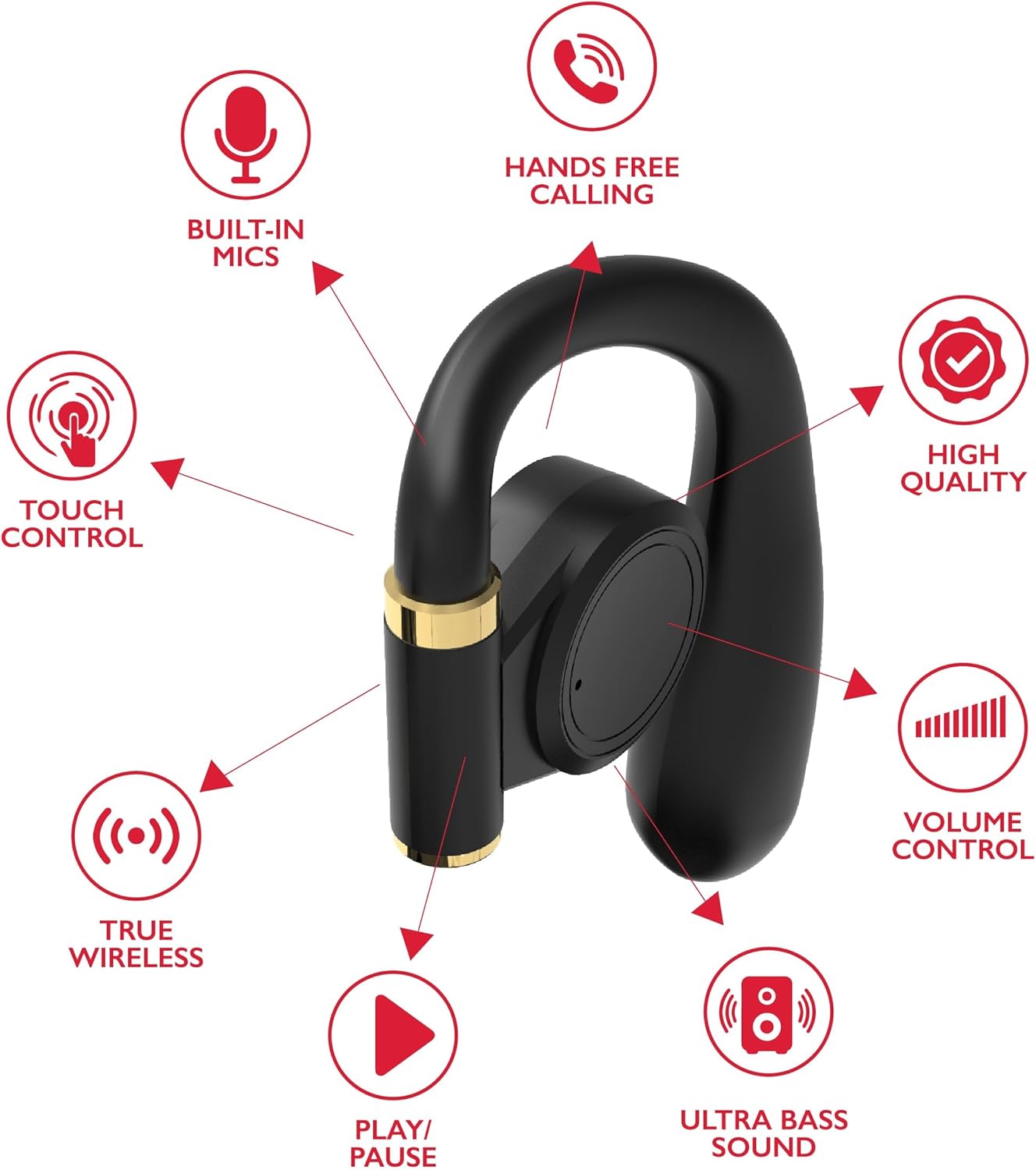
Зураг: A diagram highlights key features of a single RCA Wave-68 earbud, including built-in mics, hands-free calling, touch control, true wireless connectivity, play/pause function, ultra bass sound, volume control, and high-quality audio.
Тохиргоо
1. Чихэвч болон гэрийг цэнэглэж байна
Before first use, fully charge the earbuds and charging case. Place the earbuds into the charging case. Connect the USB charging cable to the charging port on the case and to a power source. The digital display on the case will show the charging status. A full charge provides approximately 20 hours of total playtime with the charging case.
2. Bluetooth хослол
- Асаах: Open the charging case. The earbuds will automatically power on and enter pairing mode. You may see a blinking light indicator on the earbuds.
- Bluetooth-г идэвхжүүлэх: Төхөөрөмж дээрээ (ухаалаг утас, таблет гэх мэт) Bluetooth-г идэвхжүүлнэ үү.
- Төхөөрөмж сонгох: хайх "RCA Wave-68" in the list of available Bluetooth devices and select it to connect.
- Баталгаажуулалт: Once connected, the earbuds will indicate successful pairing, and the light indicator may stop blinking or turn off.
If pairing fails, ensure the earbuds are charged and within range of your device. Turn off Bluetooth on other nearby devices to avoid interference.
Ашиглалтын заавар
Асаах/унтраах
- Асаах: Open the charging case, and the earbuds will automatically power on. Alternatively, press and hold the touch control area on both earbuds for 3 seconds.
- Унтраах: Place the earbuds back into the charging case and close the lid. They will automatically power off. Alternatively, press and hold the touch control area on both earbuds for 5 seconds.
Удирдлагад хүрнэ үү
The RCA Wave-68 earbuds feature intuitive touch controls for managing audio playback, calls, and voice assistant functions.
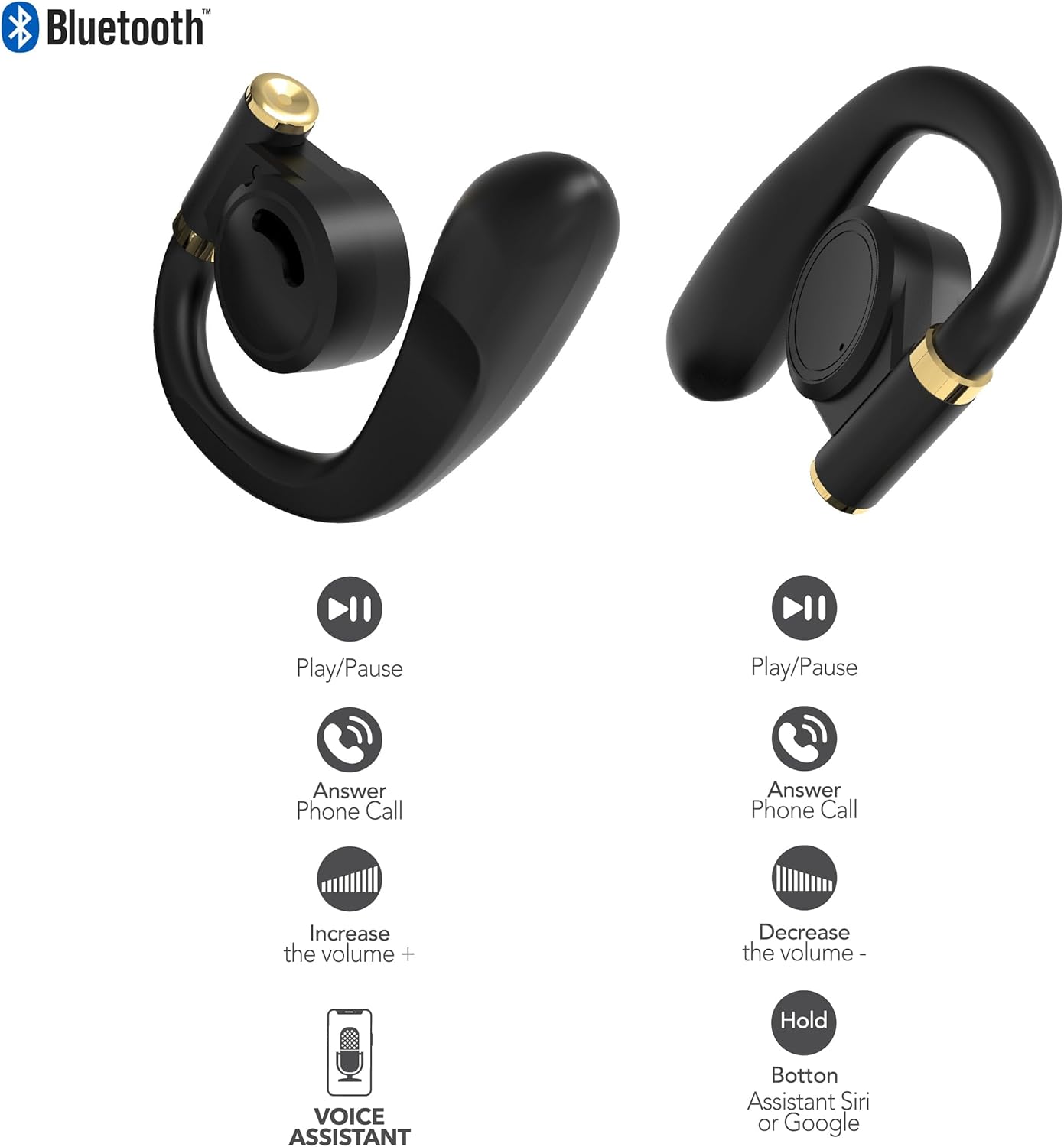
Зураг: This diagram illustrates the touch control functions for both the left and right RCA Wave-68 earbuds, including play/pause, answer phone call, volume increase/decrease, and activating the voice assistant.
- Тоглуулах/түр зогсоох: Аль нэг чихэвч дээр нэг товших.
- Дараагийн дуу: Баруун чихэвчийг давхар товш.
- Өмнөх бичлэг: Зүүн чихэвчийг давхар товш.
- Дууг нэмэгдүүлэх: Баруун чихэвчийг гурав дахин товшино уу.
- Дууг багасгах: Зүүн чихэвчийг гурав дахин товш.
- Дуудлагад хариулах/дуусах: Ирж буй дуудлага эсвэл идэвхтэй дуудлагын үед чихэвч дээр нэг товшилт хийнэ.
- Дуудлагаас татгалзах: Ирж буй дуудлагын үед аль нэг чихэвчийг 2 секундын турш удаан дар.
- Дуут туслахыг идэвхжүүлэх (Siri/Google Assistant): Чихэвчний аль нэгийг 3 секундын турш дарна уу.
Ил тод байдлын горим
The Transparency Mode allows you to hear your surroundings while still enjoying your audio. This feature is useful for awareness in environments like busy streets or public transport.
- Activate/Deactivate Transparency Mode: Consult your device's Bluetooth settings or specific app if available, or refer to the product's quick start guide for a specific touch control gesture if not listed above.
Засвар үйлчилгээ
Цэвэрлэгээ
Тогтмол цэвэрлэгээ нь дуу чимээний чанар, эрүүл ахуйг хадгалахад тусалдаг.
- Зөөлөн, хуурай, хөвөнгүй даавуугаар чихэвч болон цэнэглэгчийг арчина.
- Зүлгүүрийн цэвэрлэгч, архи, химийн уусгагчийг бүү ашигла.
- Gently remove any earwax or debris from the earbud tips and speaker mesh using a small, clean brush or cotton swab.
Хадгалах
Ашиглаагүй үед чихэвчийг тоос шороо, гэмтлээс хамгаалахын тулд цэнэглэх хайрцагт нь хадгал.
- Хэт их температураас хол, сэрүүн, хуурай газар хадгална.
- Нарны шууд тусгал эсвэл чийгэнд удаан хугацаагаар өртөхөөс зайлсхий.
Алдааг олж засварлах
If you encounter issues with your RCA Wave-68 earbuds, refer to the following common solutions:
- Earbuds not powering on automatically: Ensure the charging case is charged. Place earbuds back in the case, close the lid, then open it again. If issues persist, manually power on by pressing and holding the touch control area for 3 seconds.
- Чихэвчийг хослуулахгүй байна: Make sure both earbuds are fully charged. Turn off Bluetooth on your device, then turn it back on. Forget "RCA Wave-68" from your device's Bluetooth list and attempt to pair again. Ensure no other devices are actively connected to the earbuds.
- Нэг чихэвчнээс дуу гарахгүй: Place both earbuds back into the charging case, close the lid, and then take them out again. This often re-syncs them. Check your device's audio balance settings.
- Charging case not displaying battery info/not charging: Ensure the USB cable is securely connected to both the case and the power source. Try a different USB cable or power adapter. Clean the charging port on the case for any debris.
- Дууны хэмжээ бага эсвэл дууны чанар муу: Adjust the volume on both your device and the earbuds. Ensure the earbuds are properly seated in your ears for a good seal. Clean any debris from the earbud speaker mesh.
- Чихэвч унах нь: Ensure you are using the correct ear tip size for a secure and comfortable fit.
Үзүүлэлтүүд
| Онцлог | Дэлгэрэнгүй |
|---|---|
| Загварын нэр | Долгион-68 |
| Брэнд | RCA |
| Холболтын технологи | Утасгүй (Bluetooth) |
| Bluetooth хувилбар | 5.3 |
| Зайны ашиглалт | 20 цаг хүртэл (цэнэглэх хайрцагтай) |
| Хяналтын арга | Хүрэх |
| Чихний байрлал | Чихэнд |
| Form Factor | Чихэнд |
| Материал | Хуванцар, силикон |
| Онцлог шинж чанарууд | Built-In Voice Assistant, Transparency Mode |
| UPC | 850068964468 |
Аюулгүй байдлын мэдээлэл
- Чихэвч эсвэл цэнэглэгч гэрийг задалж эсвэл өөрчилж болохгүй.
- Төхөөрөмжийг хэт өндөр температур, чийгшил эсвэл шингэн зүйлд өртүүлэхээс зайлсхий.
- Сонсголын бэрхшээлээс урьдчилан сэргийлэхийн тулд чихэвчийг удаан хугацаанд өндөр дуугаар бүү ашиглаарай.
- Хүүхэд, тэжээвэр амьтдын гар хүрэхгүй газар хадгална уу.
- Төхөөрөмжийг орон нутгийн дүрэм журмын дагуу хариуцлагатайгаар устгана уу.
Баталгаат болон дэмжлэг
RCA products are designed for reliability and performance. For warranty information or technical support, please refer to the warranty card included in your package or visit the official RCA support webсайт. Баталгаат заргад зориулж худалдан авалтаа нотлох баримтаа үлдээнэ үү.


