1. Танилцуулга
Thank you for choosing the Vormooi Digital Voice Recorder. This device is designed for high-quality audio recording, offering features such as ultra-long continuous recording, voice activation, and versatile input options. With its substantial 96GB memory capacity and advanced noise reduction technology, it is an ideal tool for lectures, interviews, meetings, and personal notes. This manual provides detailed instructions to help you set up, operate, and maintain your device for optimal performance.
2. Багцын агуулга
Дараах зүйлсийн нүдийг шалгана уу.
- 1 x Vormooi Digital Voice Recorder (32GB built-in memory)
- 1 x 64GB TF Card (pre-installed or separate)
- 1 x 3.5mm External Microphone
- 1 x 3.5mm Line-in Cable
- 1 x USB C кабель
- 1 х хэрэглэгчийн гарын авлага
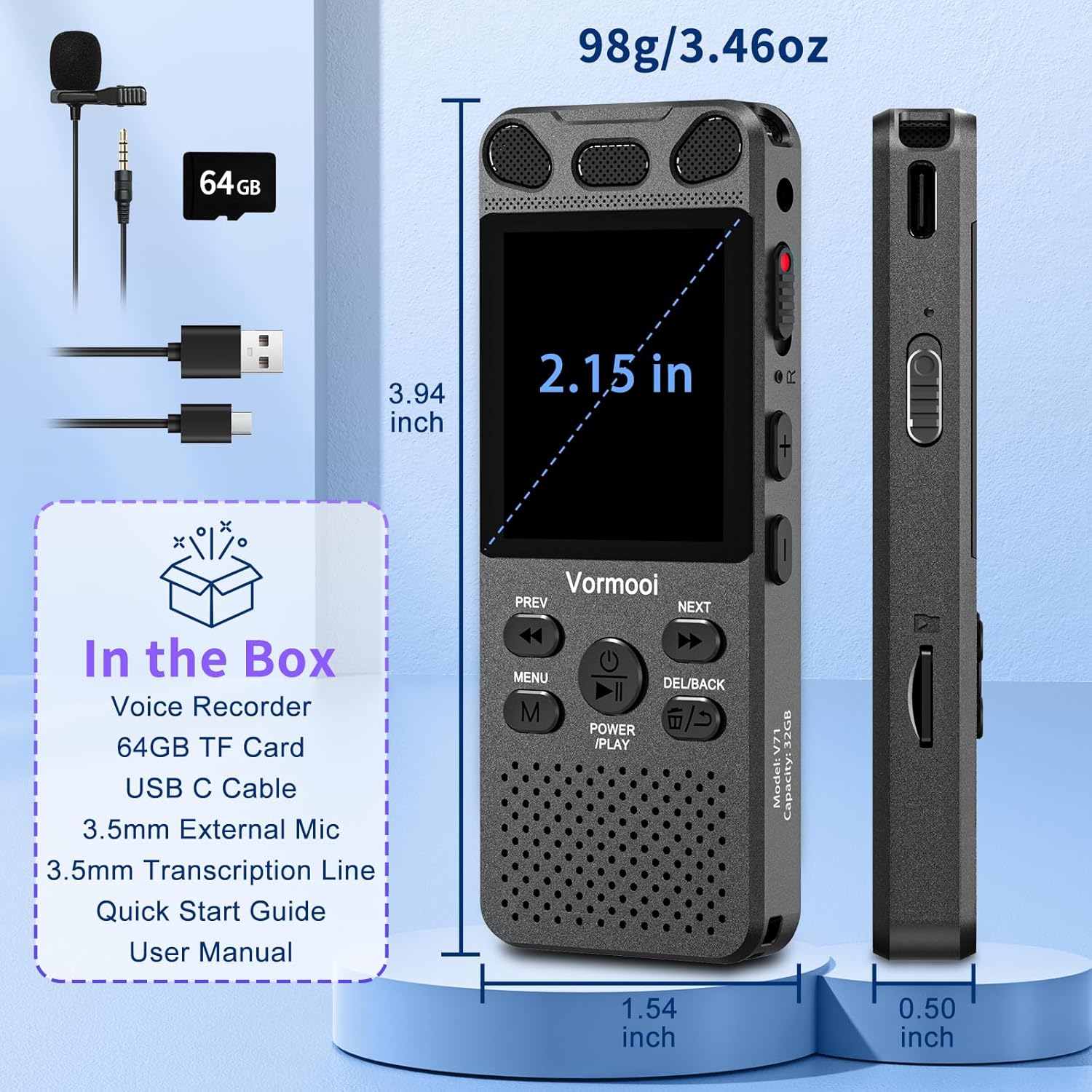
Image: The Vormooi Digital Voice Recorder and its included accessories, such as the external microphone, USB-C cable, and 64GB TF card.
3. Бүтээгдэхүүн дууссанview
Familiarize yourself with the various parts and controls of your Vormooi Digital Voice Recorder.

Image: Labeled diagram of the Vormooi Digital Voice Recorder highlighting its USB C Port, Lock/Unlock switch, Previous Song/Fast Rewind button, TF-Card Slot, Menu button, Power/Play/Pause/OK button, 3.5mm Jack, Record/Save (REC) switch, Reset button, Volume +/- buttons, Next Song/Fast Forward button, and Back/Delete Files товчлуур.
Гол бүрэлдэхүүн хэсгүүд:
- Дэлгэц: 2.15-inch color screen for navigation and information display.
- Суурилуулсан микрофонууд: For omni-directional recording.
- Илтгэгч: For playback of recordings.
- REC Switch: Бичлэг хийж эхлэхийн тулд дээш шударна уу, хадгалахын тулд доош шудрана уу.
- LOCK товчлуур: Locks all buttons to prevent accidental operation during recording.
- USB-C порт: Компьютерийг цэнэглэх болон холбох зориулалттай.
- 3.5 мм-ийн үүр: For connecting external microphone or headphones.
- TF-Картын үүр: For inserting the 64GB TF card to expand memory.
4. Тохиргоо
4.1 Төхөөрөмжийг цэнэглэх
Before first use, fully charge the voice recorder.
- Connect the provided USB-C cable to the recorder's USB-C port.
- USB-C кабелийн нөгөө үзүүрийг USB тэжээлийн адаптер (дагаагүй) эсвэл компьютерийн USB порт руу холбоно уу.
- The battery icon on the screen will indicate charging status. A full charge takes approximately 2 hours.
Жич: A fully charged battery provides up to 110 hours of continuous recording.
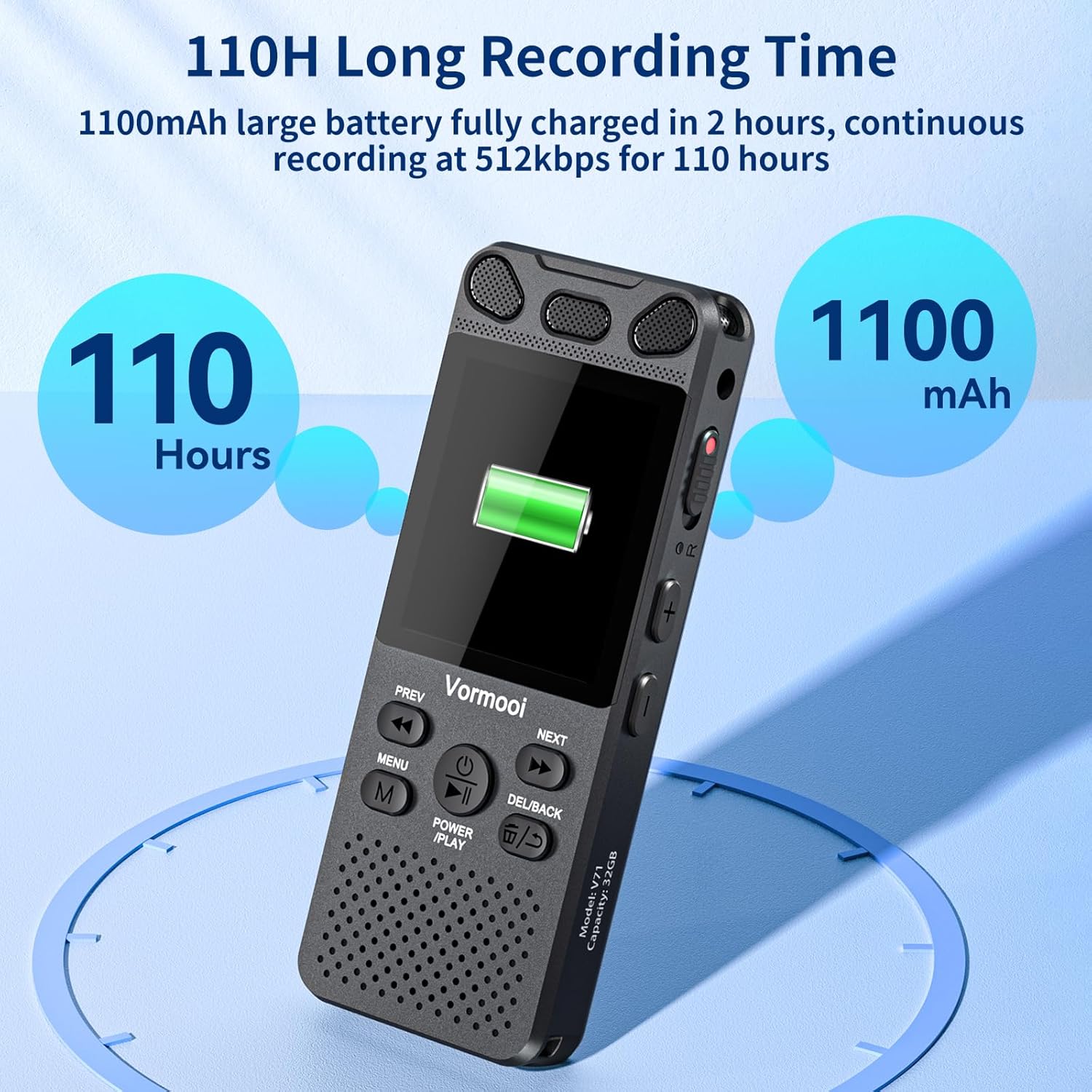
Image: The recorder's screen displaying battery status and highlighting its 110-hour long recording capability and 1100mAh battery.
4.2 TF картыг оруулах
The device comes with 32GB built-in memory and an additional 64GB TF card for expanded storage.
- Locate the TF-Card Slot on the side of the recorder.
- Gently insert the 64GB TF card into the slot until it clicks into place. Ensure the card is oriented correctly.
- Картыг авахын тулд дэлбэрч гарч иртэл нь дотогш зөөлөн түлхэнэ.

Image: Visual representation of the recorder's 96GB storage, composed of 32GB internal memory and an expandable 64GB TF card, capable of storing over 7000 hours of 32kbps recordings.
4.3 Асаах/унтраах
- Асаах: -г удаан дар POWER/PLAY/PAUSE/OK button for a few seconds until the screen lights up.
- Унтраах: -г удаан дар POWER/PLAY/PAUSE/OK дэлгэц унтрах хүртэл товчийг дарна уу.
5. Ашиглалтын заавар
5.1 Үндсэн бичлэг
The Vormooi recorder features a convenient one-touch recording function.
- To start recording, slide the REC switch upwards. The recording indicator will light up, and the screen will show recording in progress.
- To save the recording, slide the REC switch downwards. The recording will be saved automatically.

Image: The recorder's one-touch record/save switch, demonstrating its ease of use, alongside icons representing 1536K clear sound quality and an intelligent noise cancellation chip.
5.2 Тоглуулах
- From the main menu, navigate to "Recordings Library" or "Folders".
- -г ашиглана уу ӨМНӨХ болон ДАРААГИЙН товчлууруудыг дарж хүссэн бичлэгээ сонгоно.
- дээр дарна уу POWER/PLAY/PAUSE/OK тоглуулж эхлэх товчлуур.
- Тоглуулах явцад дарна уу POWER/PLAY/PAUSE/OK түр зогсоох/үргэлжлүүлэх.
- -г ашиглана уу ӨМНӨХ болон ДАРААГИЙН buttons for fast rewind/fast forward.
- -Г ашиглан дууны хэмжээг тохируулна уу Эзлэхүүн +/- товчлуурууд.
5.3 Voice Activated Recording (VAR)
The VAR function allows the recorder to start recording automatically when sound is detected and pause when silence occurs, saving memory space.
- Go to the "Settings" menu.
- Select "VAR Mode" or "Voice Activated".
- Choose your desired sensitivity level (e.g., Level 1-7, where 7 is most sensitive).
- Exit the menu. The recorder will now record only when sound is present.

Image: A composite image illustrating key functionalities: Voice Activated Recording, 110-hour battery life, password protection, A-B repeat for specific section playback, and variable speed playback.
5.4 External Microphone Recording
For more precise audio capture, especially in interviews, use the included external microphone.
- Plug the 3.5mm jack of the external microphone into the recorder's 3.5mm jack.
- Дууг оновчтой авахын тулд микрофоныг зөв байрлуулсан эсэхийг шалгаарай.
- Proceed with recording as usual using the REC switch. The device will automatically switch to external microphone input.

Image: The Vormooi recorder connected to its external 3.5mm microphone, showing the setup for enhanced audio recording.
5.5 Line-in Recording (Transcription)
The line-in function allows you to record audio directly from other devices like cell phones, MP3 players, or computers.
- Connect one end of the 3.5mm Line-in Cable to the audio output of your external device (e.g., headphone jack of a phone).
- Connect the other end of the 3.5mm Line-in Cable to the recorder's 3.5mm jack.
- Start playback on your external device and then slide the REC switch upwards on the recorder to begin recording.

Image: Setup for line-in recording, showing the recorder connected to a smartphone via a 3.5mm cable, enabling direct audio capture from other devices.
5.6 Дуу чимээг бууруулах
The Vormooi recorder is equipped with an advanced noise reduction chip and adjustable noise reduction levels (7 levels).
- "Тохиргоо" цэс рүү орно уу.
- Find the "Noise Reduction" or "DSP" option.
- Adjust the level to minimize environmental noise during recording. Higher levels provide more aggressive noise reduction.

Зураг: Дотоод view highlighting the 2159 Intelligent Noise Reduction Chip (DSP) responsible for minimizing environmental noise and enhancing audio clarity.
5.7 Түгжих товчлуур
To prevent accidental interruption or loss of recording due to unintentional button presses, use the LOCK button.
- -г гулсуулна уу TOCK button (usually on the side) to the "locked" position. All buttons will become unresponsive.
- Slide it back to the "unlocked" position to regain control of the buttons.

Image: The lock switch on the side of the recorder, showing its "UP: Locked" and "DOWN: Unlock" positions, designed to prevent accidental button presses during recording.
5.8 Компьютерт холбогдох
You can transfer recordings to your Windows or macOS computer.
- Өгөгдсөн USB-C кабелийг ашиглан бичигчийг компьютертээ холбоно уу.
- Бичигч нь таны компьютер дээр зөөврийн диск шиг харагдах болно.
- You can then drag and drop audio fileтөхөөрөмж рүү болон төхөөрөмжөөс.
6. Засвар үйлчилгээ
- Цэвэрлэгээ: Төхөөрөмжийг цэвэрлэхийн тулд зөөлөн, хуурай даавуу ашиглана уу. Шингэн цэвэрлэгч, уусгагчийг бүү ашигла.
- Хадгалах: Төхөөрөмжийг нарны шууд тусгал, хэт температураас хол, сэрүүн, хуурай газар хадгална.
- Батерейны арчилгаа: Зайны ашиглалтын хугацааг уртасгахын тулд зайгаа ойр ойрхон бүрэн цэнэггүй болгохоос зайлсхий. Удаан хугацаагаар ашиглаагүй байсан ч тогтмол цэнэглээрэй.
- Өгөгдлийн нөөцлөлт: Өгөгдөл алдагдахаас сэргийлэхийн тулд чухал бичлэгүүдийг компьютер дээрээ тогтмол нөөцлөөрэй.
7. Алдаа засах
| Асуудал | Боломжит шийдэл |
|---|---|
| Төхөөрөмж асахгүй байна. |
|
| Бичлэг хийх боломжгүй. |
|
| Бичлэгийн чанар муу. |
|
| Төхөөрөмжийг компьютер танихгүй байна. |
|
8. Техникийн үзүүлэлтүүд
| Онцлог | Дэлгэрэнгүй |
|---|---|
| Загварын дугаар | O1 |
| Санах ойн багтаамж | 96 GB (32GB Built-in + 64GB TF Card) |
| Бичлэгийн чанар | Up to 1536Kbps HD |
| Зайны ашиглалт | Up to 110 hours continuous recording |
| Дэлгэцийн хэмжээ | 2.15 инч |
| Бүтээгдэхүүний хэмжээс | 1.54"D x 3.94"W x 4.96"H |
| Зүйлийн жин | 5.3 унц |
| Чихэвчний үүр | 3.5 миллиметр |
| Дэмжигдсэн форматууд | MP3 Audio, WAV (also FLAC, OGG, APE, WMA for playback, as per A+ content image) |
| Тоног төхөөрөмжийн интерфейс | USB төрөл C |
| Тохиромжтой төхөөрөмжүүд | Windows/macOS Computer |
9. Хэрэглэгчийн дэмжлэг
For any questions, issues, or assistance with your Vormooi Digital Voice Recorder, please contact our support team.
- Support Response: Vormooi support team will promptly respond and solve the problem within 24 hours on weekdays.
- Please refer to the contact information provided on the product packaging or the official Vormooi webхамгийн сүүлийн үеийн тусламжийн сувгуудын сайт.


