1. Бүтээгдэхүүн дууссанview
The Fockety MP3 MP4 Player is a versatile portable media device designed for music, video, and more. It features a super thin design, a 1.8-inch color screen, and Bluetooth 5.0 connectivity for stable audio streaming. This player supports expandable memory up to 128GB, allowing you to store a vast library of media.
Гол онцлогууд:
- Bluetooth 5.0: For stable connection with Bluetooth earphones or speakers. (Note: Cannot pair with computers or phones.)
- Олон үйлдэлт: Supports MP3 music playback, voice recording, e-books (TXT format), photo viewing (JPG, JPEG, BMP/GIF), and videos (AMV format).
- Өргөтгөх санах ой: Supports up to 128GB Micro SD card (not included).
- Суулгасан чанга яригч: Provides a powerful sound experience.
- FM радио: Дуртай радио станцуудаасаа таашаал аваарай.
- Батерейны урт наслалт: Up to 10 hours of music playback on a 1-2 hour charge.

Зураг 1.1: Урд view of the Fockety MP3 MP4 Player, showing the screen and control buttons.
2. Тохиргоо
2.1 Багцын агуулга
Эхлэхээсээ өмнө багцад байгаа бүх зүйл байгаа эсэхийг шалгана уу:
- 1 x Fockety MP3 MP4 Player
- 1 x Data Cable (USB 2.0)
- 1 х чихэвч
- 1 x Зааварчилгааны гарын авлага (энэ баримт бичиг)
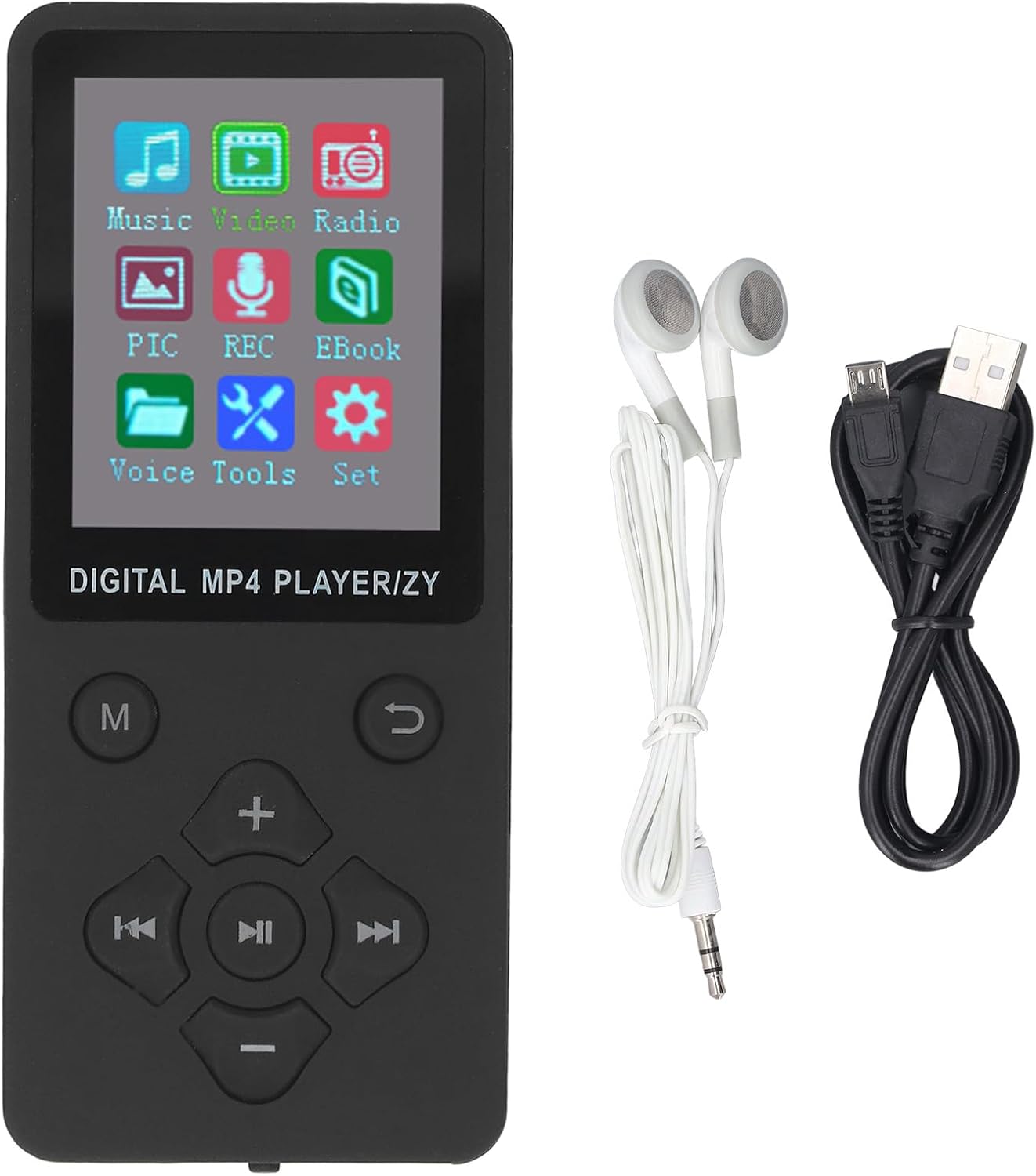
Image 2.1: The MP3 MP4 Player shown with its data cable and earphones.
2.2 Төхөөрөмжийг цэнэглэх
Before first use, fully charge the player. Connect the provided USB data cable to the player's USB port and the other end to a USB power adapter (not included) or a computer's USB port. A full charge typically takes 1 to 2 hours.
2.3 Micro SD карт оруулах
The player supports a Micro SD card (also known as TF card) up to 128GB for expanded storage. Locate the Micro SD card slot on the side or bottom of the device. Gently insert the card with the gold contacts facing down until it clicks into place.

Зураг 2.2: Урд ба хойд view of the player, highlighting the TF-CARD slot on the rear.
2.4 Компьютерт холбогдох
Хөгжим, видео болон бусад зүйлийг дамжуулахын тулд files, connect the player to your computer using the provided USB data cable. The player will appear as a removable disk drive. You can then drag and drop files directly into the player's internal storage or the inserted Micro SD card.
3. Ашиглалтын заавар
3.1 Асаах/унтраах
Locate the ON/OFF switch on the side or bottom of the device. Slide the switch to the "ON" position to power on the player. To power off, slide the switch to the "OFF" position.

Image 3.1: Close-up of the player's bottom, showing the ON/OFF switch and ports.
3.2 Навигаци ба удирдлага
The player features a set of physical buttons for navigation:
- M (Цэс): Access the main menu or return to the previous menu.
- Up/Volume (+): Navigate up in menus or increase volume during playback.
- Down/Volume (-): Navigate down in menus or decrease volume during playback.
- Left/Previous: Navigate left, go to the previous track/item.
- Right/Next: Navigate right, go to the next track/item.
- Тоглуулах/Түр зогсоох/Баталгаажуулах: Start/pause playback, confirm selection in menus.
- Буцах: Өмнөх дэлгэц эсвэл цэс рүү буцна уу.

Image 3.2: The player's main menu interface.
3.3 Хөгжим тоглуулах
- Үндсэн цэснээс "Хөгжим"-ийг сонгоно уу.
- Browse your music library by artist, album, genre, or all songs.
- Select a song and press the Play/Pause/Confirm button to begin playback.
- Use the Up/Down buttons to adjust volume. Use Left/Right buttons for previous/next track.
Supported music formats include MP3, WMA, OGG, APE, FLAC, and WAV.
3.4 Bluetooth холболт
- Ensure your Bluetooth earphones or speaker are in pairing mode.
- On the player, navigate to the "Settings" menu and select "Bluetooth".
- Turn Bluetooth "On" and select "Search Device".
- Жагсаалтаас төхөөрөмжөө сонгоно уу.
Once paired, audio will stream to your Bluetooth device. This player cannot pair with computers or mobile phones.
3.5 Видео тоглуулах
The player supports AMV video format. Videos must be converted to AMV format before transfer for proper playback.
- From the main menu, select "Video".
- Browse and select your desired video file.
- Press Play/Pause/Confirm to start playback.

Image 3.3: The player displaying video content.
3.6 Бусад функцууд
- FM радио: Select "Radio" from the main menu. Use navigation buttons to scan for stations.
- Дуу бичигч: Select "REC" (Record) from the main menu to start and manage voice recordings.
- Цахим ном: TXT форматыг уншихын тулд "Цахим ном"-ыг сонгоно уу files.
- Зураг Viewэ: Select "PIC" (Picture) to view JPG, JPEG, BMP, or GIF images.
4. Засвар үйлчилгээ
- Цэвэрлэгээ: Төхөөрөмжийг цэвэрлэхдээ зөөлөн, хуурай даавуу ашиглаарай. Шингэн цэвэрлэгч эсвэл зүлгүүрийн материалаас зайлсхий.
- Хадгалах: Тоглогчийг нарны шууд тусгал, хэт температураас хол, сэрүүн, хуурай газар хадгална.
- Батерейны арчилгаа: Зайны ашиглалтын хугацааг уртасгахын тулд зайгаа ойр ойрхон бүрэн цэнэггүй болгохоос зайлсхий. Төхөөрөмжийг удаан хугацаагаар ашиглаагүй байсан ч тогтмол цэнэглэ.
- Усанд өртөх: Энэ төхөөрөмж нь ус нэвтэрдэггүй. Ус эсвэл өндөр чийгшилд өртөхөөс зайлсхий.
5. Алдаа засах
If you encounter issues with your Fockety MP3 MP4 Player, please refer to the following common solutions:
- Төхөөрөмж асахгүй байна: Ensure the battery is charged. Connect the player to a power source and try again. Check the ON/OFF switch is in the "ON" position.
- Cannot hear audio: Check the volume level. Ensure earphones are properly plugged in or Bluetooth device is connected and its volume is up. If using Bluetooth, ensure it's paired correctly.
- Fileтоглохгүй байна: гэдгийг баталгаажуулна уу file format is supported (e.g., MP3 for music, AMV for video, TXT for e-books). Corrupted files may not play.
- Bluetooth холболттой холбоотой асуудлууд: Ensure the player's Bluetooth is enabled and your external Bluetooth device is in pairing mode and within range. Remember, the player cannot pair with computers or phones.
- Дэлгэц хариу өгөхгүй эсвэл царцсан: Try powering off the device and then powering it back on. If the issue persists, allow the battery to fully discharge and then recharge it.
6. Техникийн үзүүлэлтүүд
| Онцлог | Тодорхойлолт |
|---|---|
| Загварын нэр | Fockety8smuh0ixfe-11 |
| Дэлгэцийн хэмжээ | 1.8 инч |
| Холболтын технологи | Bluetooth 5.0, USB 2.0 |
| Санах ойн хадгалах багтаамж | Supports up to 128 GB (Micro SD card not included) |
| Дэмжигдсэн хөгжмийн форматууд | MP3, WMA, OGG, APE, FLAC, WAV |
| Дэмжигдсэн видео форматууд | AMV (Converted Video) |
| Дэмжигдсэн зургийн формат | JPG, JPEG, BMP, GIF |
| Дэмжигдсэн цахим номын формат | TXT |
| Онцлог шинж чанарууд | Video Playback, E-Book, Voice Recorder, FM Radio, Built-in Speaker |
| Зайны төрөл | 180 мАч лити ион батерей |
| Цэнэглэх хугацаа | 1-2 цаг |
| Хөгжим тоглуулах цаг | 10 цаг хүртэл |
| Зүйлийн жин | 2.68 унц |
| Багцын хэмжээ | 6.69 x 3.15 x 0.79 инч |
| Оруулсан бүрэлдэхүүн хэсгүүд | Data Cable, Earphone |
7. Баталгаат хугацаа ба дэмжлэг
For warranty information and customer support, please refer to the documentation provided at the time of purchase or contact the seller directly. Specific warranty terms may vary by region and retailer.


