Танилцуулга
This manual provides detailed instructions for the safe and proper installation, operation, and maintenance of your MOUNTUP MU0047-L Long Arm Full Motion TV Wall Mount. Please read all instructions carefully before beginning installation to ensure correct setup and to prevent damage or injury.
The MOUNTUP MU0047-L is designed for most 42-75 inch TVs, supporting VESA patterns from 150x100mm up to 600x400mm, and a maximum weight capacity of 99 lbs. Its long articulating arm and full motion capabilities offer flexible viewөнцөг.

Зураг: Дууслааview of the MOUNTUP MU0047-L TV wall mount components, including the wall plate, articulating arm, and TV bracket.
Тохиргоо ба суурилуулалт
Зөв суурилуулах нь таны телевизийн аюулгүй байдал, тогтвортой байдалд чухал үүрэгтэй. Эдгээр алхмуудыг анхааралтай дагаж мөрдөөрэй.
1. Суулгахын өмнөх хяналтын хуудас
- ТВ-ийн нийцтэй байдлыг шалгах: Ensure your TV's weight is under 99 lbs and its VESA mounting pattern (horizontal x vertical distance between mounting holes) is between 150x100mm and 600x400mm.
- Check Input Access: Before mounting, ensure the mount will not block any necessary ports on your TV.
- Ханын төрөл: This mount is compatible with concrete walls, brick walls, and single wood studs. Ганцаараа хуурай хананд суулгаж болохгүй.

Image: A diagram illustrating various VESA mounting patterns supported by the mount, with measurements for horizontal and vertical hole spacing on a TV back panel.

Image: An illustration demonstrating how to check that the TV mount brackets do not obstruct any input or output ports on the television.

Зураг: Visual examples of compatible wall types for installation, including concrete/brick walls and single wood studs, with a warning against drywall-only installation.
2. Шаардлагатай хэрэгслүүд (оруулсангүй)
- Шатны хайгч (модон тулгуур суурилуулах зориулалттай)
- Өрөмдлөг
- Өрмийн хошуу (ханын төрөл болон хоцролтын боолтод тохиромжтой)
- Сокет түлхүүр эсвэл тохируулж болох түлхүүр
- Филлипсийн толгой халив
- Харандаа
- Хэмжих соронзон хальс
3. Суулгах алхамууд
A drilling template and necessary standard mounting hardware are included. Concrete anchors can be provided upon request.
- Mount Brackets to TV: Attach the vertical TV brackets to the back of your television using the appropriate screws and spacers. Ensure they are securely fastened.

Image: A person attaching the mounting brackets to the back of a television using a screwdriver.
- Ханын хавтанг суурилуулах: Locate the desired mounting position on your wall. Use a stud finder for wood stud installation. Mark pilot holes using the provided drilling template. Drill pilot holes and securely fasten the wall plate to the wall using the lag bolts and washers.

Image: A person using a wrench to tighten bolts, securing the wall plate of the TV mount to a wall.
- Hang TV onto Wall Plate: Carefully lift the TV (with brackets attached) and hook it onto the wall plate. Secure the TV to the wall plate using the safety screws or locking mechanisms provided.
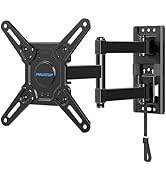
Image: A person carefully guiding a television, with its attached brackets, onto the wall-mounted plate.
4. Corner Mounting Considerations
The single stud design and long articulating arm make this mount ideal for corner installations, expanding TV positioning and room layout possibilities.
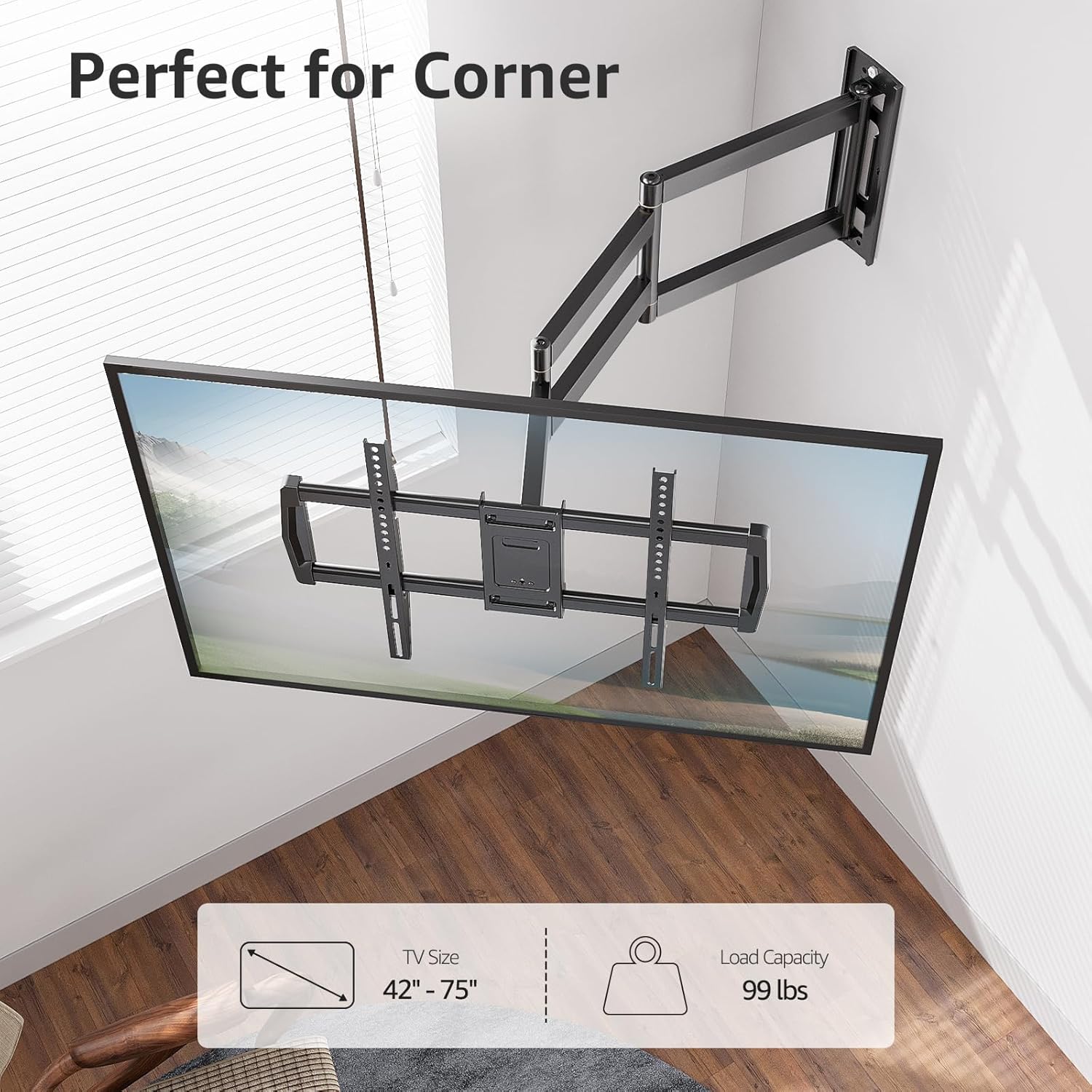
Image: A television mounted in the corner of a room, showcasing the mount's suitability for corner installations.

Image: A wide shot of a television mounted in a room corner, highlighting the flexible arm for optimal viewing.
5. Wall Plate Offset
Note that the TV plate is offset approximately 9.3 inches (235mm) from the wall plate center. Consider this offset when determining the exact placement of your TV on the wall.

Image: A diagram illustrating the 9.3-inch offset between the center of the wall plate and the center of the TV plate, important for precise positioning.
Ашиглалтын заавар
The MOUNTUP MU0047-L offers full motion adjustments for optimal viewing.
1. Сунгалт ба буцаан татах
The mount features an extra-long articulating arm that extends up to 37.9 inches from the wall and retracts to approximately 3 inches, saving space when not extended.

Image: A split image demonstrating the TV mount's extension capability, showing it retracted close to the wall and extended outwards by 37.9 inches.
2. Эргэдэг тохируулга
The articulating arm allows for a smooth swivel of +/-90 degrees, enabling you to adjust the TV's angle to cover various viewing positions within a room.
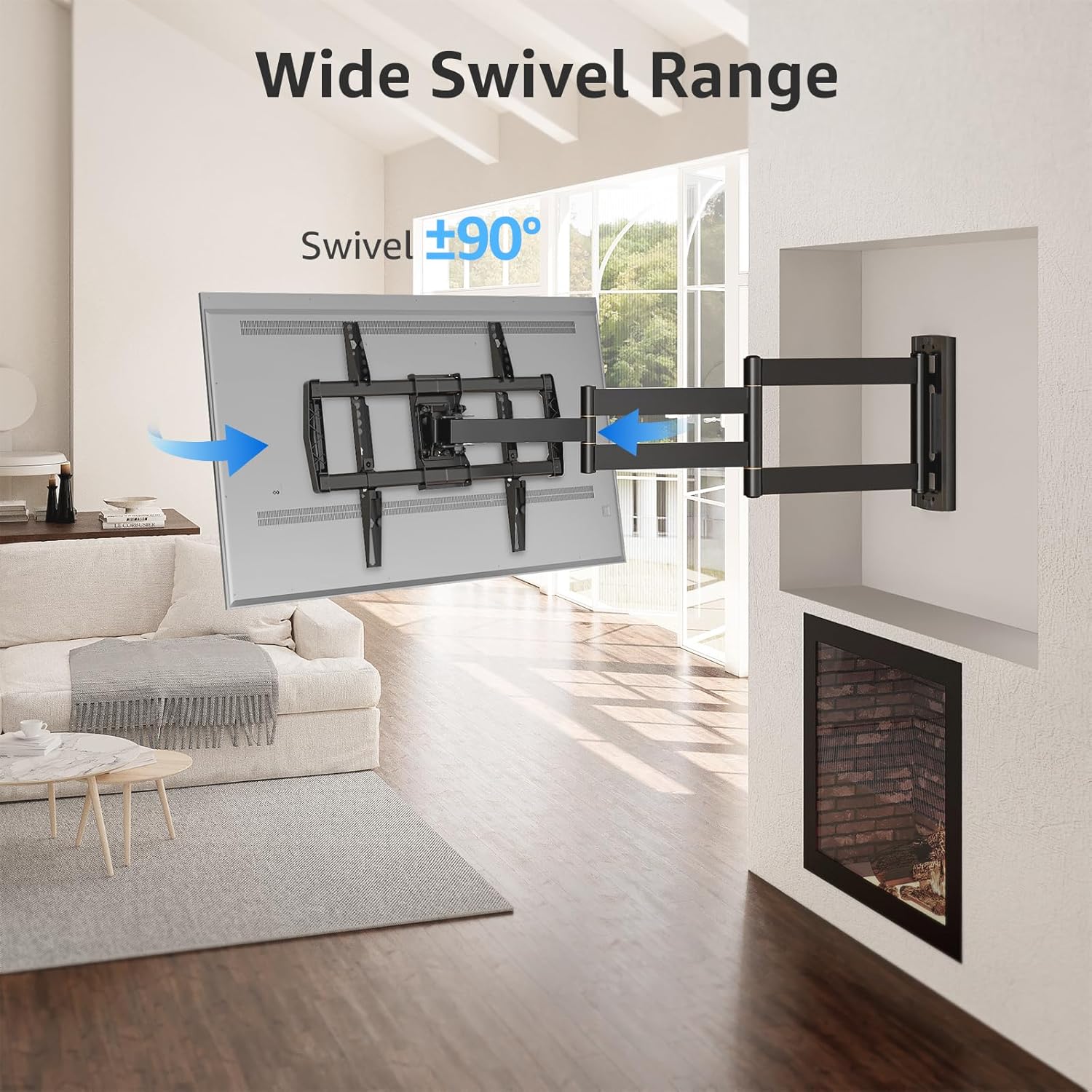
Image: A television mounted on the wall, swiveled to an angle, illustrating the wide swivel range of the mount.

Image: A diagram with arrows indicating 180-degree and 360-degree swivel movements possible with the articulating arm, allowing for versatile viewing from different areas.
3. Tilt and Leveling
Adjust the tilt from +5 degrees to -10 degrees to reduce glare and achieve your preferred viewing angle. Post-installation leveling allows for a +/-3 degree adjustment to ensure the TV is perfectly horizontal.

Image: A split image showing the TV mount's leveling adjustment of +/-3 degrees and tilt adjustment from +5 degrees to -10 degrees to optimize viewing and reduce glare.
Засвар үйлчилгээ
Зурагтынхаа хананд суурилуулсан суурийг удаан хугацаанд ашиглах, аюулгүй ажиллуулахын тулд дараах засвар үйлчилгээний зөвлөмжийг дагаж мөрдөнө үү.
- Тогтмол үзлэг: Periodically check all screws and connections to ensure they remain tight and secure. Loose connections can compromise safety.
- Цэвэрлэгээ: Тоосыг арилгахын тулд угсралтыг зөөлөн, хуурай даавуугаар арчина. Зүлгүүрийн цэвэрлэгч эсвэл уусгагч хэрэглэхээс зайлсхий, учир нь эдгээр нь өнгөлгөөг гэмтээж болзошгүй.
- Тосолгоо: If the articulating arm movements become stiff over time, a small amount of silicone-based lubricant can be applied to the pivot points. Do not over-lubricate.
- Жингийн хязгаар: Never exceed the maximum weight capacity of 99 lbs.
Алдааг олж засварлах
If you encounter issues with your MOUNTUP MU0047-L TV wall mount, refer to the following common problems and solutions:
- Суулгасны дараа ТВ тэгш биш байна: Use the post-installation leveling feature to adjust the TV by +/-3 degrees. Refer to the 'Operating Instructions' section for details.
- Уул нь сул эсвэл тогтворгүй мэт санагдаж байна: Immediately remove the TV from the mount. Re-check all wall plate and TV bracket connections to ensure all screws and lag bolts are securely tightened. Verify that the wall type is appropriate and that the installation followed all instructions.
- Difficulty adjusting swivel or tilt: Check for any obstructions. Ensure that the tension screws (if applicable) are not overtightened. If the movement is stiff, apply a small amount of silicone lubricant to the pivot points.
- Суулгац нь зурагттай тохирохгүй байна: Double-check your TV's VESA pattern and weight against the specifications in this manual. If they do not match, the mount is not compatible with your TV.
If problems persist, contact MOUNTUP customer support for assistance.
Үзүүлэлтүүд
| Онцлог | Тодорхойлолт |
|---|---|
| Загварын дугаар | MU0047-L |
| ТВ хэмжээтэй нийцтэй байдал | 42-75 инч |
| Жингийн багтаамж | 99 фунт (45 кг) хүртэл |
| VESA Compatibility (Min-Max) | 150x100мм-ээс 600x400мм хүртэл |
| Ханан дээрх өргөтгөл | 3 инч (ухраасан)-аас 37.9 инч (сунгасан) хүртэл |
| Налалтын өнцөг | +5° / -10° |
| Эргэдэг өнцөг | +/-90° |
| Түвшин тохируулга | +/-3° |
| Wall Plate Offset | 9.3 inches (235mm) from TV plate center |
| Материал | Металл |
| Өнгө | Хар |
| Суурилуулах төрөл | Single Stud Wall Mount |

Image: A technical diagram displaying the detailed dimensions of the long arm extension TV mount, including extension length, wall plate size, and TV plate size.
Баталгаат хугацааны мэдээлэл
MOUNTUP is dedicated to providing quality products. While specific warranty terms are not detailed in this manual, MOUNTUP strives to deliver the best products with the best service. For detailed warranty information, please refer to the product packaging or contact customer support.
Хэрэглэгчийн дэмжлэг
MOUNTUP's experts are available 7 days a week to provide comprehensive and advanced technology solutions. If you have any questions, require assistance with installation, or need troubleshooting support, please contact us through the official MOUNTUP webсайт эсвэл таны худалдан авах платформ.
Нэмэлт нөөц болон бүтээгдэхүүний талаарх мэдээллийг авахыг хүсвэл зочилно уу MOUNTUP Store on Amazon.


