Танилцуулга
This manual provides essential information for setting up, operating, maintaining, and troubleshooting your HP 15-DY58 Slim Laptop. Please read this guide thoroughly to ensure proper use and to maximize the performance and longevity of your device.
Хайрцагт юу байна
Upon opening your HP 15-DY58 Slim Laptop package, you should find the following items:
- HP 15-DY58 Slim Laptop
- Хувьсах гүйдлийн тэжээлийн адаптер ба цахилгааны утас
- Quick Start Guide (if included separately)
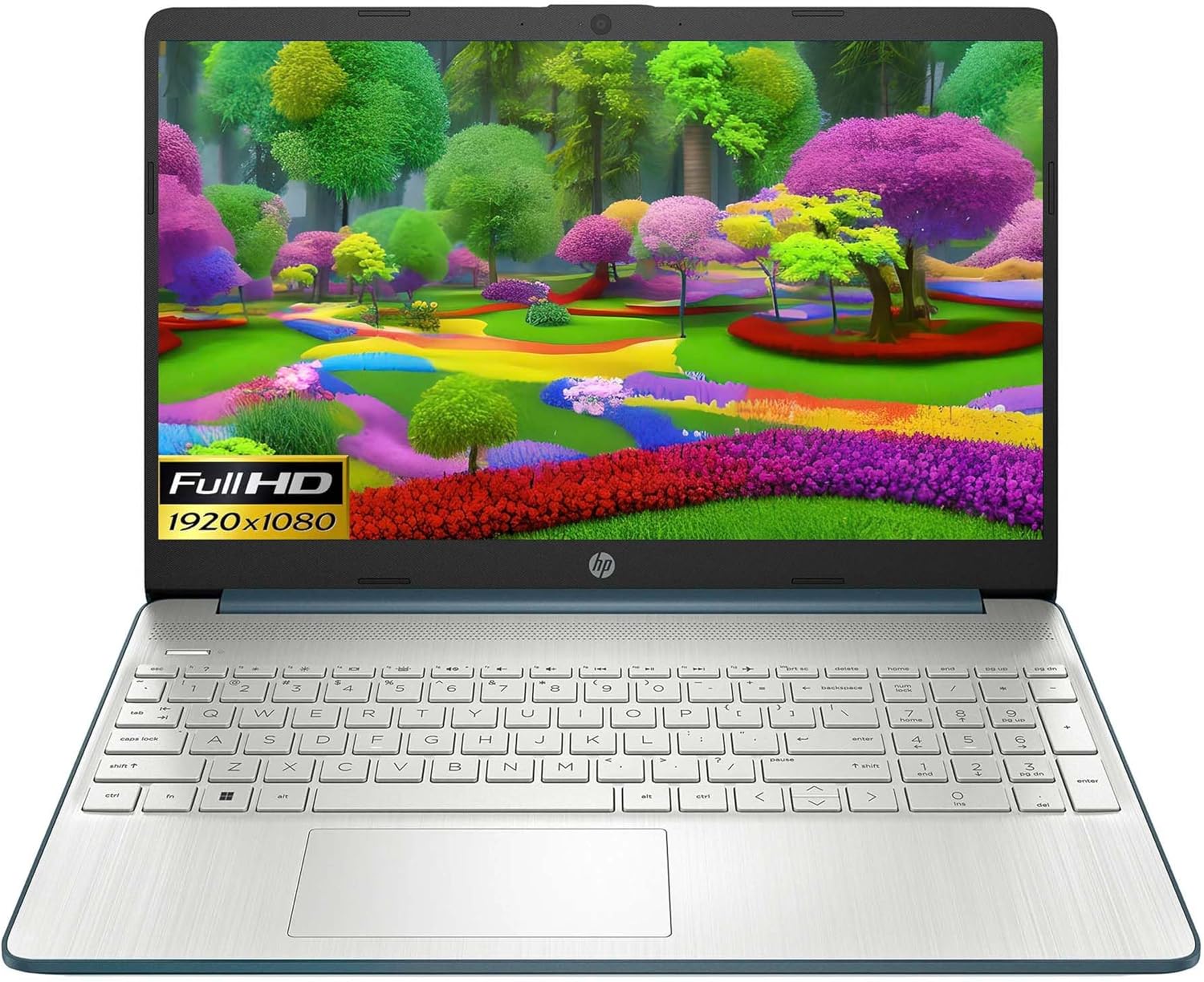
Image: HP 15 Slim Laptop, closed view, showing the blue lid with HP logo.
Тохиргоо
1. Анхдагч асаалттай
- Цахилгаан хувиргагчийг холбоно уу: Plug the AC power adapter into the laptop's AC smart pin port and then into a wall outlet.
- Зөөврийн компьютерээ нээх: Дэлгэцийн тагийг болгоомжтой өргө.
- Асаах: Press the power button, usually located on the keyboard deck. The laptop will begin the initial Windows 11 setup process.
- Дэлгэц дээрх зааврыг дагана уу: Complete the Windows 11 setup, including language selection, network connection, and user account creation.

Image: HP 15 Slim Laptop open, showcasing the Windows 11 operating system interface during initial setup.
2. Захын төхөөрөмжүүдийг холбох
Your HP 15-DY58 Slim Laptop offers various ports for connecting external devices:
- USB Type-A портууд: Connect USB devices such as mice, keyboards, or external storage drives. There are two SuperSpeed USB Type-A 5Gbps ports.
- USB Type-C порт: Connect compatible USB-C devices. This laptop features one SuperSpeed USB Type-C 5Gbps signaling rate port.
- HDMI порт: Connect an external monitor or TV using an HDMI cable for extended display. The laptop has one HDMI 1.4b port.
- Чихэвч/микрофон нийлмэл залгуур: Чихэвч, гадаад чанга яригч эсвэл чихэвчийг микрофонтой холбоно уу.
- SD Media Card Reader: Зураг дамжуулахын тулд SD карт хийнэ үү files.

Image: Left side ports including SD card reader, headphone jack, USB-C, AC power, and HDMI.

Image: Right side ports featuring two USB Type-A ports.
Зөөврийн компьютерээ ажиллуулах
Үндсэн функцууд
- Цахилгаан товч: Located on the keyboard deck, use it to turn the laptop on or off, or to put it to sleep.
- Гар: The full-size island-style keyboard provides comfortable typing. Familiarize yourself with function keys (Fn) for quick access to settings like volume, brightness, and Wi-Fi.
- Мэдрэгч самбар: Use the integrated touchpad for navigation. It supports multi-touch gestures for scrolling, zooming, and more.

Image: HP 15 Slim Laptop open, showcasing түүний дэлгэц болон гар.
Утасгүй холболт
- Wi-Fi: Connect to wireless networks using Wi-Fi 5 (802.11ac). Access Wi-Fi settings through the Windows 11 taskbar or Settings app.
- Bluetooth: Pair Bluetooth-enabled devices such as headphones, speakers, or mice using Bluetooth 5. Manage Bluetooth devices in Windows 11 Settings.
Дэлгэц ба аудио
- Дэлгэц: The 15.6-inch Full HD (1920 x 1080) micro-edge display offers clear visuals. Adjust brightness and display settings via Windows 11.
- Аудио: The laptop features dual speakers for audio output. The headphone/microphone combo jack allows for private listening or communication.
- Камер: The HP True Vision 720p HD camera with integrated dual array digital microphones is suitable for video calls and online meetings.
Засвар үйлчилгээ
Зөөврийн компьютерээ цэвэрлэх
- Дэлгэц: Зөөлөн, хөвөнгүй даавууг хөнгөн хэрэглээрэй dampусаар эсвэл дэлгэц цэвэрлэгчээр дүүргэнэ. Химийн хүчтэй бодисоос зайлсхий.
- Гар болон явах эд анги: Use a soft cloth to wipe surfaces. Compressed air can remove dust from between keys.
- Портууд: Портууд тоос шороо, хог хаягдлаас ангид байгаа эсэхийг шалгаарай. Шаардлагатай бол шахсан агаар ашиглаарай.
Програм хангамжийн шинэчлэлтүүд
Regularly update your Windows operating system and drivers to ensure optimal performance and security. Access Windows Update through the Settings app.
Батерейны арчилгаа
- Хэт их температураас зайлсхий.
- Зайг ойр ойрхон бүрэн цэнэглэж болохгүй.
- Удаан хугацааны хадгалалтын хувьд батерейг ойролцоогоор 50-70% хүртэл цэнэглээрэй.
Алдааг олж засварлах
This section addresses common issues you might encounter with your HP 15-DY58 Slim Laptop.
Зөөврийн компьютер асахгүй байна
- Хувьсах гүйдлийн адаптер нь зөөврийн компьютер болон ажиллаж байгаа цахилгааны залгуурт найдвартай холбогдсон эсэхийг шалгаарай.
- Цахилгаан залгуур ажиллаж байгаа эсэхийг өөр төхөөрөмжид залгаж шалгана уу.
- Хэрэв зай бүрэн дууссан бол асаахаасаа өмнө хэдэн минутын турш цэнэглэхийг зөвшөөрнө үү.
Дэлгэцийн асуудлууд
- Дэлгэц байхгүй: If the laptop powers on but the screen remains black, try connecting an external monitor via the HDMI port to check if the issue is with the laptop's internal display.
- Бүдэг дэлгэц: Adjust screen brightness using the function keys (usually F2/F3 or similar, look for sun icons) or through Windows 11 display settings.
Холболтын асуудлууд (Wi-Fi/Bluetooth)
- Wi-Fi: Ensure Wi-Fi is enabled in Windows 11 settings. Restart your router and modem. Run the Windows Network Troubleshooter.
- Bluetooth: Ensure Bluetooth is enabled. Try unpairing and re-pairing the device. Update Bluetooth drivers if necessary.
Үзүүлэлтүүд
| Онцлог | Дэлгэрэнгүй |
|---|---|
| Загвар | HP 15-DY58 Slim Laptop |
| Процессор | Intel 12th Gen Core i5-1235U (up to 4.2 GHz, 10-core) |
| График | Нэгдсэн Intel Iris Xe график |
| Үйлдлийн систем | Windows 11 Home (64 бит) |
| Санах ой (RAM) | 8 ГБ DDR4 |
| Хадгалах | 256 GB PCIe NVMe M.2 SSD |
| Дэлгэц | 15.6-inch Full HD (1920 x 1080), Micro-edge, Anti-glare, 250 nits |
| Утасгүй холболт | Wi-Fi 5 (802.11ac), Bluetooth 5 |
| Портууд | 1x SuperSpeed USB Type-C 5Gbps, 2x SuperSpeed USB Type-A 5Gbps, 1x HDMI 1.4b, 1x AC Smart Pin, 1x Headphone/Microphone Combo, 1x Multi-format SD Media Card Reader |
| Камер | HP True Vision 720p HD Camera with Integrated Dual Array Digital Microphones |
| Аудио | Хос чанга яригч |
| Гар | Full-size Island-style Keyboard |
| Хэмжээ (LxWxH) | 14 x 10 x 1 инч |
| Жин | 3.3 фунт |

Image: HP 15 Slim Laptop, emphasizing its energy efficiency certifications.
Баталгаат болон дэмжлэг
Баталгаат хугацааны дэлгэрэнгүй мэдээллийг авахыг хүсвэл бүтээгдэхүүнтэй хамт ирсэн баталгаат картыг үзнэ үү эсвэл HP-ийн албан ёсны дэмжлэг үзүүлэх үйлчилгээнд зочилно уу. website. HP provides various support resources, including:
- Онлайн дэмжлэг: Access drivers, software updates, and troubleshooting guides.
- Техникийн дэмжлэг: Contact HP customer service for assistance with technical issues.
- Бүтээгдэхүүний бүртгэл: Шинэчлэлт болон дэмжлэг авахын тулд бүтээгдэхүүнээ бүртгүүлнэ үү.
зочилно уу support.hp.com дэлгэрэнгүй мэдээллийг авна уу.