1. Танилцуулга
Худалдан авалт хийсэнд баярлалааasing the Sharp KI-TX75-W Humidifying Air Purifier. This appliance is designed to improve your indoor air quality through advanced air purification and humidification technologies. It features Plasmacluster NEXT for high-density ion emission, AI AUTO mode for intelligent operation, Coanda flow for efficient dust collection, an AI monitor for real-time air quality feedback, and COCORO AIR for smart control via a smartphone app.
This manual provides essential information for the safe and efficient use, maintenance, and troubleshooting of your air purifier. Please read it thoroughly before use and keep it for future reference.
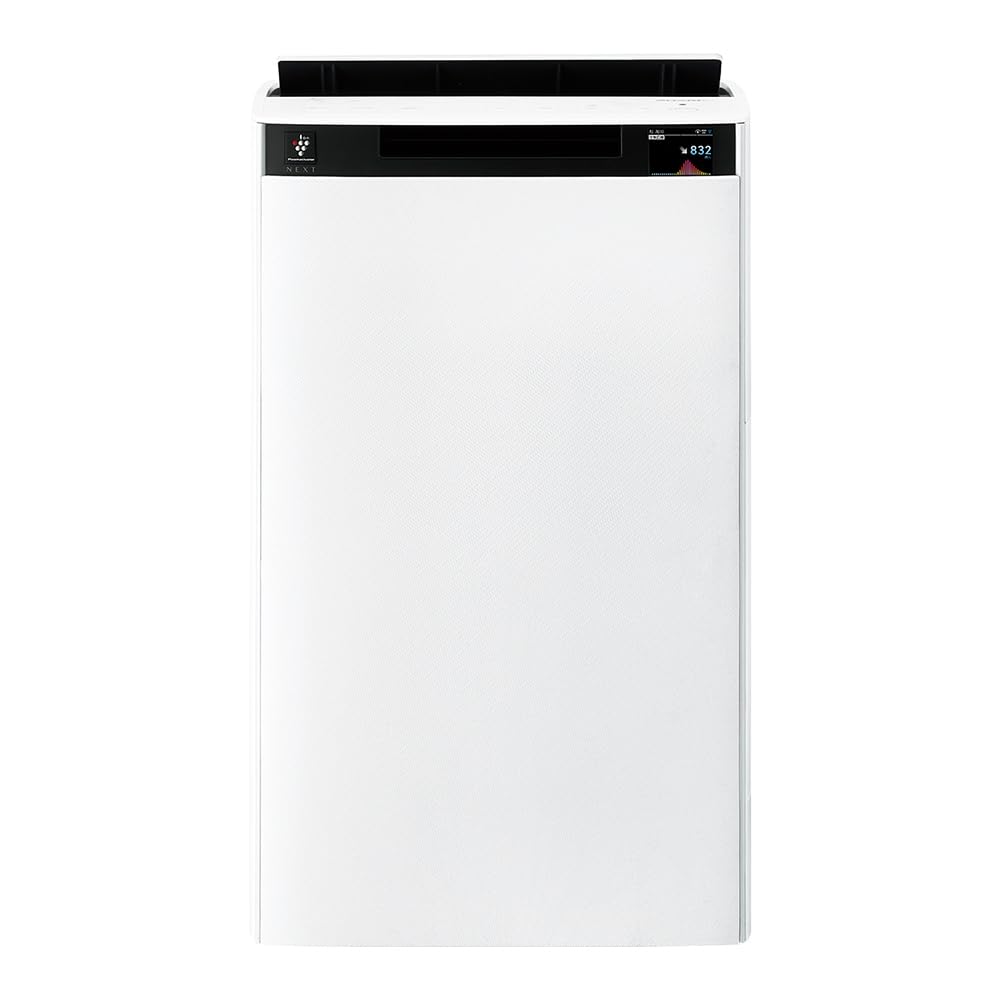
Урд view of the Sharp KI-TX75-W Humidifying Air Purifier.
2. Аюулгүй байдлын мэдээлэл
Аюулгүй ажиллагааг хангах, эвдрэлээс урьдчилан сэргийлэхийн тулд дараах аюулгүй байдлын урьдчилан сэргийлэх арга хэмжээг дагаж мөрдөнө үү.
- Always use the appliance with the correct voltagүнэлгээний шошгон дээр заасанчлан e.
- Агаар оруулах болон гарах агааржуулалтын нүхийг бүү хааж болохгүй.
- Keep the appliance away from water and moisture. Do not operate with wet hands.
- Цэвэрлэх эсвэл засвар үйлчилгээ хийхээс өмнө цахилгааны утсыг салга.
- Хүүхдийг хараа хяналтгүйгээр төхөөрөмжийг ажиллуулахыг бүү зөвшөөр.
- Хэрэв цахилгааны утас гэмтсэн бол аюулаас зайлсхийхийн тулд түүнийг үйлдвэрлэгч, үйлчилгээний төлөөлөгч эсвэл ижил төстэй мэргэшсэн хүмүүс солих ёстой.
- Ямар ч нүхэнд гадны биет оруулж болохгүй.
- Төхөөрөмжийг тогтвортой, тэгш гадаргуу дээр байрлуул.
3. Тохиргоо
3.1 Савлах ба байрлуулах
- Агаар цэвэршүүлэгчийг савлагаанаас нь болгоомжтой авч хая.
- Choose a location with adequate space around the unit for optimal airflow. Avoid placing it directly against walls or furniture.
- Ensure the unit is placed on a flat, stable surface. The built-in casters with stoppers allow for easy movement and secure positioning.

The unit features casters with stoppers for convenient movement and secure placement.
3.2 Шүүлтүүр суурилуулах
The unit comes with pre-installed filters. Verify they are correctly seated before first use.
- Open the back panel of the air purifier.
- Ensure the HEPA filter, deodorizing filter, and pre-filter are securely in place.
- Арын самбарыг хаа.

The air purifier utilizes a three-layer filter system: pre-filter, deodorizing filter, and HEPA filter.
3.3 Усны сав дүүргэх
For humidification, fill the water tank with clean tap water.
- Remove the water tank from the side of the unit.
- Open the water tank cap and fill it with fresh tap water.
- Securely close the cap and reinsert the water tank into the unit.

Remove the water tank from the side of the unit to fill it with water.
3.4 Анхдагч асаалт ба сүлжээний холболт
- Цахилгааны утсыг ханын залгуурт холбоно уу.
- Хяналтын самбар дээрх асаах товчийг дарна уу.
- To utilize smart features, download the COCORO AIR app on your smartphone and follow the in-app instructions to connect the air purifier to your wireless LAN network.
4. Ашиглалтын заавар
4.1 Хяналтын самбар дээрview

The control panel allows selection of various modes and settings.
4.2 Үйлдлийн горимууд
- AI AUTO Mode: This intelligent mode automatically adjusts operation based on detected air quality, aiming for a cleanroom Class 8 level environment. It optimizes airflow to effectively collect pollen, dust, and fine particles.
- Агаар цэвэршүүлэх горим: Operates solely as an air purifier, removing airborne particles and odors.
- Чийгшүүлэх горим: Adds moisture to the air while purifying. The unit can deliver up to 900 mL/h of humidification.
- Plasmacluster NEXT: This technology generates high-density Plasmacluster ions (50,000 ions/cm³) to suppress airborne and adhering viruses, allergens, and odors.

AI AUTO mode significantly reduces airborne particles to maintain a clean environment.
4.3 AI Monitor
The AI Monitor visualizes the number of particles in the room and provides feedback on air quality. It displays real-time particle counts and indicates when the air is clean or needs purification.

The AI Monitor provides a visual representation of airborne particle levels.
The AI Monitor also provides notifications for humidification status, maintenance timing, and estimated electricity costs.

Notifications include humidification status, maintenance alerts, and electricity usage.
4.4 COCORO AIR App
Connect your air purifier to the COCORO AIR app via Wi-Fi for enhanced control and monitoring. The app allows you to:
- Monitor air quality and operating status remotely.
- Customize operation schedules and settings.
- Receive notifications for filter replacement and maintenance.
- Access special operating modes, such as pet-specific modes.

The COCORO AIR app provides remote control and monitoring capabilities.
5. Засвар үйлчилгээ
Тогтмол засвар үйлчилгээ нь таны агаар цэвэршүүлэгчийн ашиглалтын хугацааг уртасгаж, оновчтой ажиллагааг хангана.
5.1 Шүүлтүүрийг цэвэрлэх, солих
- Урьдчилсан шүүлтүүр: Clean regularly (e.g., once a month) by vacuuming or washing with water.
- HEPA Filter & Deodorizing Filter: These filters are not washable. Replace them according to the recommended schedule (typically every 1-2 years, depending on usage and environment). The COCORO AIR app will notify you when replacement is due.
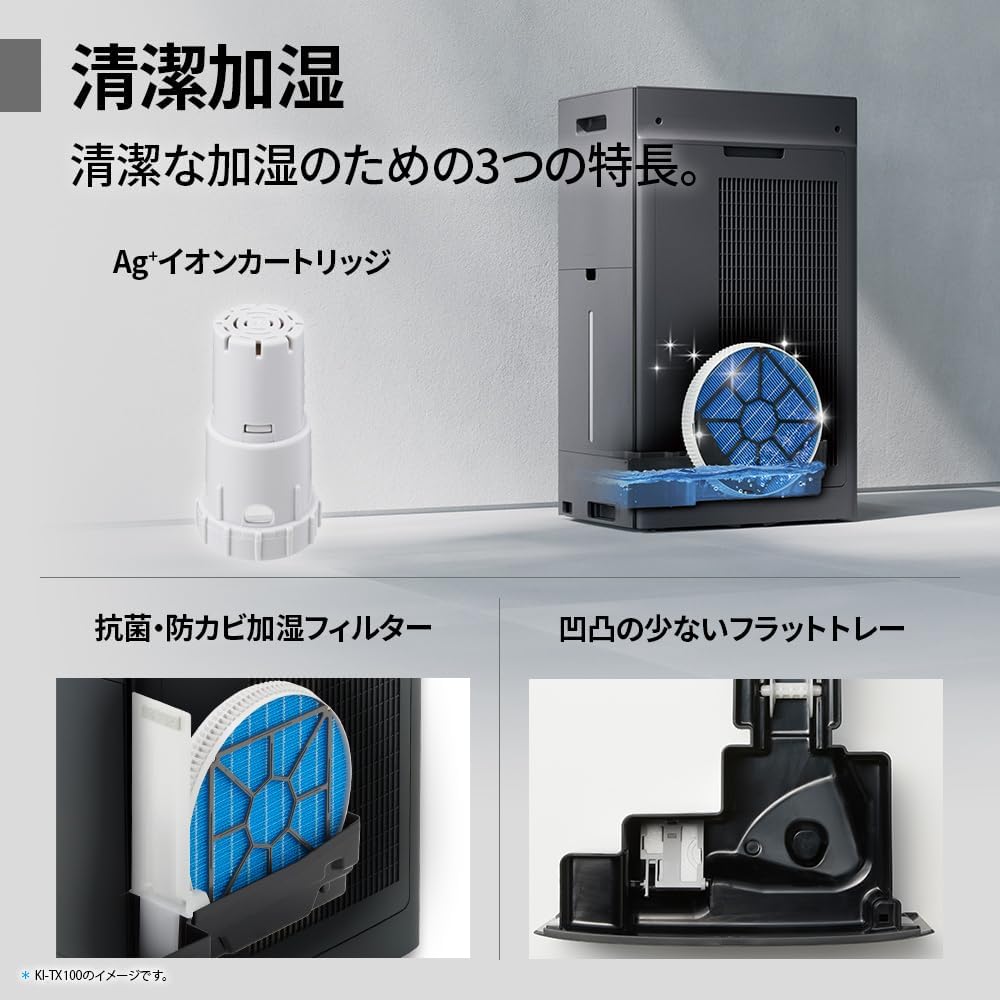
Regularly clean the pre-filter to maintain air purification efficiency.
5.2 Humidifying Filter Maintenance
The humidifying filter can be automatically cleaned using the unit's internal cleaning function. This helps prevent scale buildup.
- Remove the water tank and humidifying filter assembly.
- Add a small spoon of citric acid (commercially available) to the water tank and fill with water.
- Press the internal humidification cleaning button on the unit.
- After the cleaning cycle, rinse the tank and filter thoroughly.

The humidifying filter can be automatically cleaned using citric acid and water.
5.3 Ag+ Ion Cartridge Replacement
The Ag+ ion cartridge helps keep the water in the tank clean. Replace it approximately once a year.

Replace the Ag+ ion cartridge annually for optimal water tank hygiene.
6. Алдаа засах
Хэрэв та агаар цэвэршүүлэгчтэй холбоотой асуудалтай тулгарвал дараах нийтлэг асуудал, шийдлүүдийг үзнэ үү.
| Асуудал | Боломжит шалтгаан | Шийдэл |
|---|---|---|
| Төхөөрөмж асахгүй байна. | Цахилгааны утас зөв холбогдоогүй байна. Залгаас цахилгаан байхгүй байна. | Цахилгааны утас холболтыг шалгана уу. Гаралтыг өөр төхөөрөмжөөр шалгана уу. |
| Weak airflow or poor purification. | Filters are dirty or clogged. Air intake/outlet blocked. | Clean or replace filters. Ensure vents are clear. |
| No humidification or low humidity output. | Water tank is empty. Humidifying filter is dirty. | Refill water tank. Clean the humidifying filter. |
| Ашиглалтын явцад ер бусын дуу чимээ. | Unit not on a level surface. Foreign object in fan. | Ensure unit is stable. Check for obstructions (unplug first). |
| AI Monitor shows high particle count despite operation. | Filters need cleaning/replacement. Room size exceeds recommended area. | Perform filter maintenance. Consider unit placement or additional units for larger spaces. |
Хэрэв эдгээр шийдлүүдийг туршиж үзсэний дараа асуудал хэвээр байвал хэрэглэгчийн дэмжлэгтэй холбогдоно уу.
7. Техникийн үзүүлэлтүүд
| Онцлог | Тодорхойлолт |
|---|---|
| Загварын дугаар | KI-TX75-W |
| Брэнд | Хурц |
| Хэмжээ (W x D x H) | 39.5 см х 26.5 см х 65 см |
| Жин | 12 кг |
| Эрчим хүчний эх үүсвэр | Утастай цахилгаан |
| Дуу чимээний түвшин | 20-52 дБ |
| Recommended Room Size (Plasmacluster) | Up to 18 tatami (~29.7 m²) |
| Recommended Room Size (Air Purification) | Up to 34 tatami (~56.1 m²) |
| Maximum Humidification Capacity | 900 мл / цаг |
| Air Purification Time (8 tatami) | 9 минут |
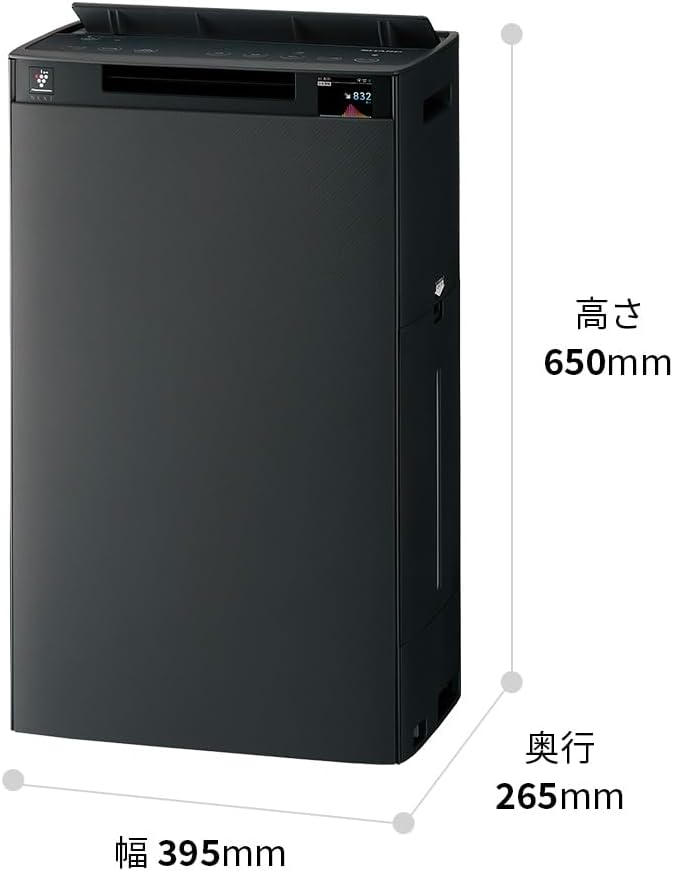
Detailed dimensions of the Sharp KI-TX75-W.
8. Баталгаат хугацаа ба дэмжлэг
8.1 Үйлдвэрлэгчийн баталгаа
This Sharp KI-TX75-W Humidifying Air Purifier comes with a Үйлдвэрлэгчийн 1 жилийн баталгаат хугацаа худалдан авсан өдрөөс. Энэхүү баталгаа нь ердийн ашиглалтын үед хийгдсэн материал, хийцийн согогийг хамарна. Баталгаат заргад зориулж худалдан авалтаа нотлох баримтаа үлдээнэ үү.
Баталгаат хугацаа нь буруу ашиглалт, осол, зөвшөөрөлгүй өөрчлөлт, эсвэл энэхүү гарын авлага дахь зааврыг дагаж мөрдөөгүйгээс үүдэлтэй хохирлыг хамрахгүй.
8.2 Хэрэглэгчийн дэмжлэг
For technical assistance, warranty service, or inquiries about replacement parts, please contact Sharp customer support.
You can find additional support resources and FAQs on the official Sharp webсайт:


