Танилцуулга
Thank you for choosing the Bisofice A1 AI Digital Voice Recorder. This advanced device integrates AI technology for high-quality audio recording, real-time transcription, and translation across 60 languages. Designed for portability and ease of use, it enhances productivity in various settings, from business meetings to academic learning. This manual provides essential information for setting up, operating, and maintaining your device.
Багцын агуулга
Дараах зүйлсийн багцад байгаа эсэхийг шалгана уу.
- 1 x Bisofice A1 AI Digital Voice Recorder
- 1 x USB Type-C цэнэглэгч кабель
- 1 х хэрэглэгчийн гарын авлага
Бүтээгдэхүүн дууссанview
The Bisofice A1 is a compact and lightweight digital voice recorder featuring a durable ABS+PC body. It is equipped with a Type-C port for charging and data transfer, and supports Bluetooth connectivity for app control.

Зураг: Урд view of the Bisofice A1 AI Digital Voice Recorder, showcasing түүний гоёмсог дизайн.

Image: Diagram illustrating the compact dimensions of the recorder: 10mm thickness, 90mm length, and 60mm width, highlighting its portability.
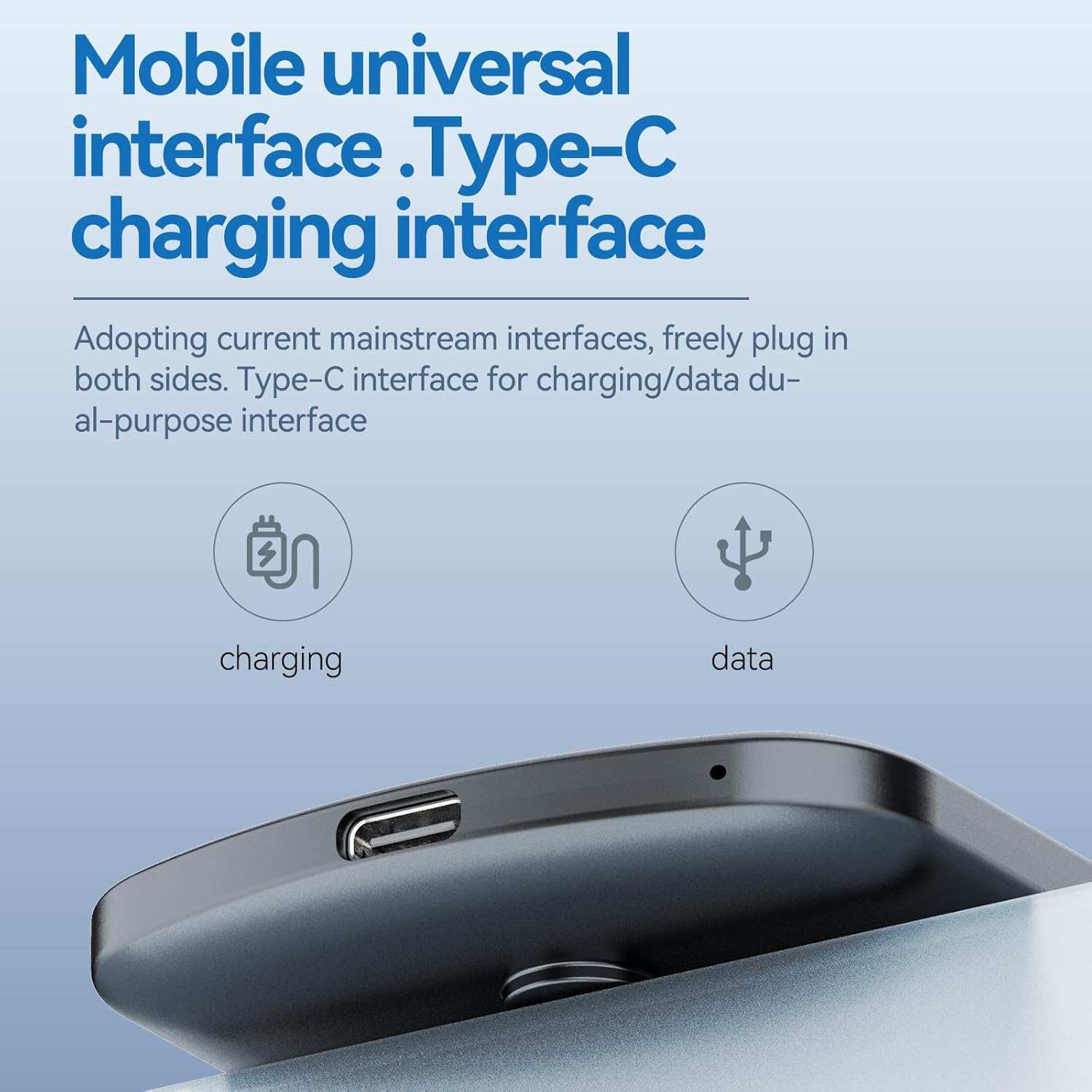
Image: Close-up of the universal Type-C charging and data transfer interface on the device.
Тохиргоо
1. Төхөөрөмжийг цэнэглэж байна
Before first use, fully charge the device. Connect the supplied Type-C USB cable to the recorder's Type-C port and the other end to a USB power adapter (not included) or a computer's USB port. A full charge takes approximately 3 hours.
2. Асаах/унтраах
To power on the device, press and hold the power button (location typically on the side or top) for a few seconds until the indicator light illuminates. To power off, press and hold the power button again until the indicator light turns off.
3. App Connection (Bluetooth)
For advanced features and data management, download the dedicated Bisofice AI app on your smartphone or tablet. Enable Bluetooth on your mobile device and within the app, then follow the on-screen instructions to pair with your Bisofice A1 recorder.

Image: Screenshot of the mobile application interface demonstrating AI intelligent engine features and Bluetooth connectivity for app control.
Ашиглалтын заавар
1. High-Quality Audio Recording
The Bisofice A1 features a dual recording engine and air sensors to capture high-quality ambient sounds. Advanced noise reduction technology minimizes background interference, ensuring clear and crisp recordings. To start recording, press the record button. Press it again to stop and save the recording.

Image: Visual representation of common scenarios where the recorder can be used, including voice recording of calls, business meetings, classroom learning, and interview чат.
2. Real-time Transcription and Translation
Leveraging OpenAI's Whisper STT model, the recorder provides fast and accurate transcription in 60 languages. It also supports real-time translation. Through the companion app, you can collaborate with AI models like ChatGPT-4o and Claude 3.5 Sonnet to generate summaries and meeting notes, enhancing your productivity. The device offers 400 minutes of free transcription time; additional usage may incur charges.
3. Mobile Call and Social Voice Recording
By attaching the recorder to your phone, you can record mobile calls and voice conversations from mainstream social media applications. This feature allows for comprehensive documentation of important discussions.
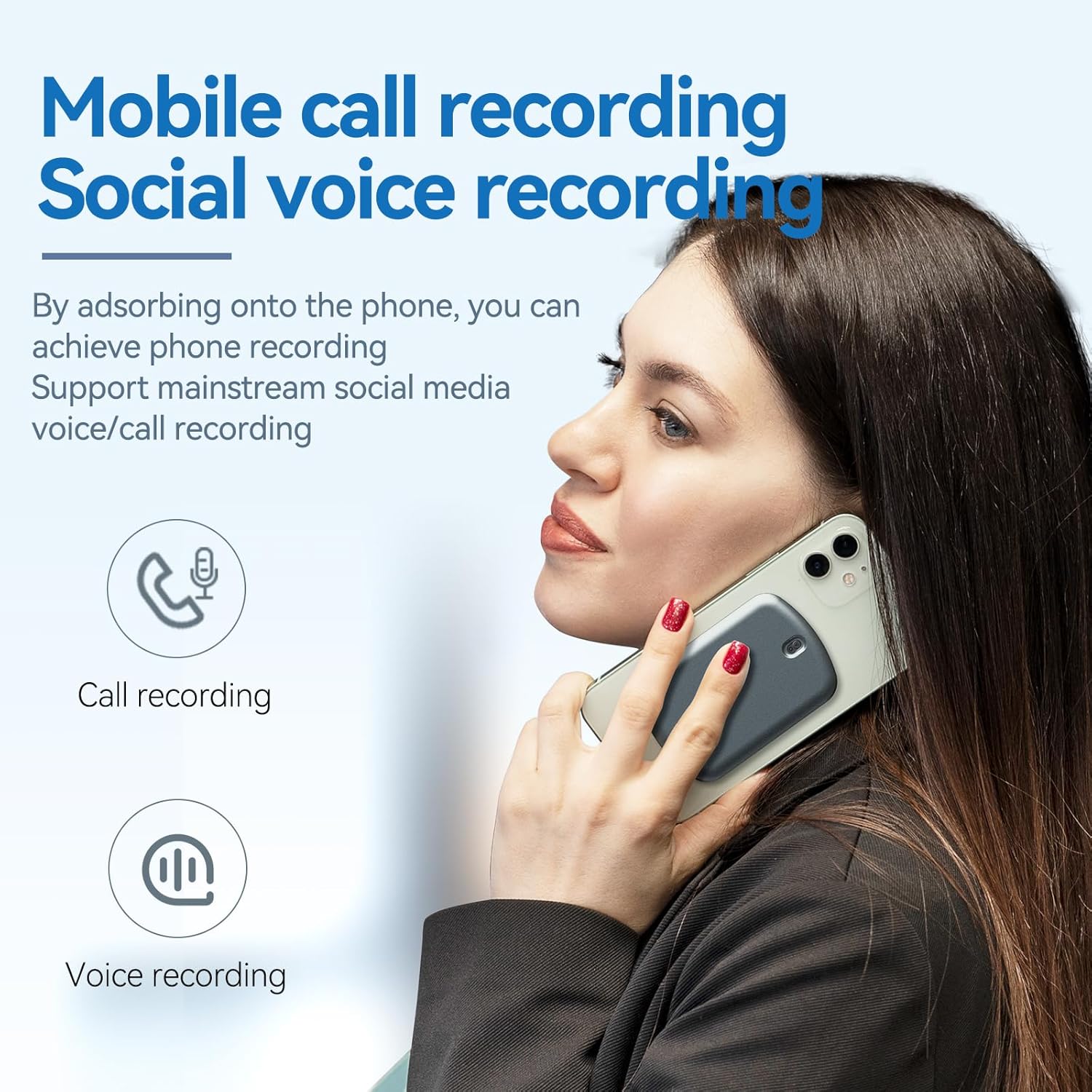
Image: A person holding a smartphone with the recorder attached, illustrating its capability for mobile call and social voice recording.
4. Data Management and Playback
Synchronize your recordings with the mobile app for easy management and playback. The app allows you to organize, listen to, and share your audio files and transcribed texts. You can also transfer files to a computer via the Type-C USB connection.

Image: Multiple smartphone screens displaying the mobile application interface for managing and playing back recorded audio fileс ба өгөгдөл.
Засвар үйлчилгээ
1. Зайны арчилгаа
The device is powered by a 400 mAh battery, providing up to 10 hours of recording time and approximately 8 hours of playback. To prolong battery life, avoid fully discharging the device frequently. The 'charge while recording' function allows continuous operation without missing important moments.
2. Хадгалалтын менежмент
The Bisofice A1 comes with 64GB of integrated memory, offering ample space for numerous recordings. Regularly transfer important files to a computer or cloud storage to free up space and ensure data backup. Avoid exposing the device to extreme temperatures or humidity.
Алдааг олж засварлах
- Төхөөрөмж асахгүй байна: Төхөөрөмж бүрэн цэнэглэгдсэн эсэхийг шалгана уу. Үүнийг тэжээлийн эх үүсвэрт холбоод дахин оролдоно уу.
- Бичлэгийн чанар муу: Check for excessive background noise in the recording environment. Ensure the microphone is not obstructed.
- Апп холболтын асуудал: Verify that Bluetooth is enabled on both the recorder and your mobile device. Ensure the app is updated to the latest version. Restart both devices if necessary.
- Transcription errors: Ensure clear audio input. Speak clearly and at a moderate pace. Background noise can affect transcription accuracy.
- Төхөөрөмжийг компьютер танихгүй байна: Try a different USB port or cable. Ensure the device is powered on when connecting to the computer.
Үзүүлэлтүүд
| Загварын нэр | A1 |
| Загварын дугаар | QQB9873872260067QN |
| Брэнд | Бисофис |
| Өнгө | Төмөр саарал |
| Материал | ABS + PC |
| Холболтын интерфейс | USB Type-C, Bluetooth |
| Санах ойн хадгалах багтаамж | 64 ГБ (Нэгдсэн) |
| Зайны багтаамж | 400 мАч, 3.7В |
| Бичлэг хийх хугацаа | 10 цаг хүртэл |
| Тоглуулах хугацаа | Ойролцоогоор 8 цаг |
| Микрофоны хэлбэр хүчин зүйл | Нэгдсэн |
| Microphone Operating Mode | Стерео |
| Аудио формат | WAV |
| Тохиромжтой төхөөрөмжүүд | Personal Computer, Laptop, Tablet, Smartphone |
| Цэвэр жин | 41 гр |
| Body Dimensions (Approx.) | Thickness: 10mm, Length: 90mm, Width: 60mm |
Баталгаат болон дэмжлэг
For warranty information or technical support, please refer to the warranty card included in your package or visit the official Bisofice website. If you encounter any issues not covered in this manual, please contact Bisofice customer service for assistance.


