
1. Танилцуулга
Welcome to the OnePlus 13R user manual. This guide provides comprehensive instructions for setting up, operating, maintaining, and troubleshooting your new smartphone. The OnePlus 13R is designed to deliver a powerful and seamless user experience, featuring the Snapdragon 8 Gen 3 Mobile Platform, a vibrant 120Hz ProXDR display, and a long-lasting 6000mAh battery.
For optimal performance and longevity, please read this manual thoroughly and retain it for future reference.
2. Хайрцагт юу байна
Upon unboxing your OnePlus 13R, verify that all the following items are included:
- OnePlus 13R Handset
- 55W SUPERVOOC Charger (Power Adapter)
- USB Data Cable (Type-C)
- SIM гаргагч хэрэгсэл
- Түргэн гарын авлага
- Аюулгүй байдлын гарын авлага
- Гишүүний карт
- Брэнд наалт
- Тавтай морилно уу

All standard accessories included with the OnePlus 13R for immediate use.
3. Анхны тохиргоо
3.1. SIM картуудыг оруулж байна
- Төхөөрөмжийнхөө хажуу талд байгаа SIM картны тавиурыг олоорой.
- SIM гаргагч хэрэгслийг тавиурын дэргэдэх жижиг нүхэнд хийж, тавиур гарч иртэл чанга дарна уу.
- Place your Nano-SIM cards into the designated slots on the tray. Ensure the gold contacts are facing downwards. The OnePlus 13R supports Dual-SIM functionality.
- SIM картны тавиурыг утсандаа болгоомжтой хийнэ үү.
3.2. Асаалт ба анхны тохиргоо
- OnePlus лого гарч иртэл Power товчийг (баруун талд байрлах) удаан дарна уу.
- Дэлгэц дээрх зааврыг дагаж хэлээ сонгон, Wi-Fi сүлжээнд холбогдож, болзлыг зөвшөөрнө үү.
- Google бүртгэлээрээ нэвтэрч эсвэл шинээр үүсгэнэ үү.
- Set up your preferred security methods, including fingerprint unlock and face unlock.
- Төхөөрөмжөө ашиглаж эхлэхийн тулд тохируулагчийг гүйцээнэ үү.
4. Төхөөрөмжөө ажиллуулах
4.1. Дэлгэцийн онцлог
The OnePlus 13R features a 6.78-inch 120Hz ProXDR Display with a resolution of 1264x2780 pixels, offering vivid colors and smooth scrolling. The display supports Aqua Touch 2.0, enhancing touch responsiveness even when the screen is wet. A dedicated Glove Mode is also available for improved usability with gloves.

The 120Hz ProXDR display provides a smooth and immersive viewтуршлага.
4.2. Гүйцэтгэл
Powered by the Snapdragon 8 Gen 3 Mobile Platform and equipped with 12GB of RAM, the OnePlus 13R delivers exceptional speed and efficiency for demanding applications, gaming, and multitasking. The device comes with 256GB of internal storage.

The Snapdragon 8 Gen 3 Mobile Platform ensures powerful and efficient performance.
4.3. Холболт
The OnePlus 13R supports ultra-fast 5G connectivity and Wi-Fi 7, ensuring reliable and high-speed internet access. It also includes Bluetooth for wireless peripheral connections and dual-band GPS for accurate navigation.

Enjoy seamless connectivity with 5G and advanced Wi-Fi capabilities.
4.4. Зай ба цэнэглэх
Equipped with a large 6000mAh battery, the OnePlus 13R provides extended usage times. The device supports 80W SUPERVOOC fast charging, allowing for rapid power replenishment. The included charger is a 55W SUPERVOOC adapter, which still provides very fast charging speeds.

The 6000mAh battery ensures long-lasting power for your daily activities.
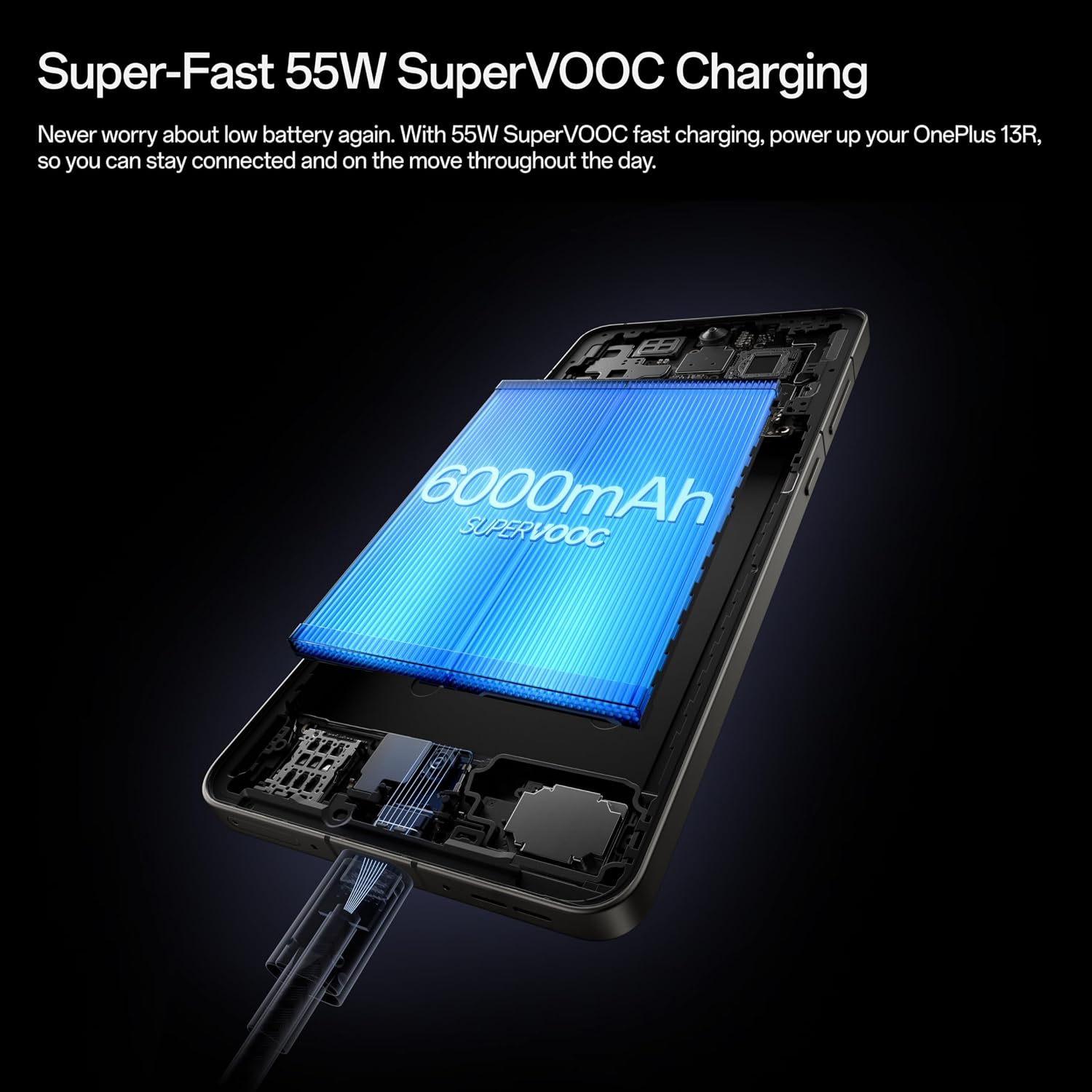
Experience rapid charging with SUPERVOOC technology.
4.5. Камерын систем
The OnePlus 13R features a powerful camera system with a 50MP Sony LYT-700 main sensor with Optical Image Stabilization. It is capable of capturing impressive photos with great color and detail, including 2x optical zoom for distant subjects without losing quality. The front camera is a 16MP sensor, suitable for high-quality selfies and video calls.

Capture high-quality images with the advanced camera system.
4.6. Хиймэл оюун ухааны онцлогууд
The OnePlus 13R integrates various AI-powered features to enhance usability and productivity:
- Хайх тойрог: Quickly search for information on anything on your screen by simply circling it.
- AI Writing Tools: Utilize AI to reformat, reword, or generate text for notes, emails, and messages.
- AI Summary: Summarize long documents or articles for quick comprehension.
- AI Photo Editor: Features like Reflection Eraser help remove unwanted reflections from photos taken through glass.
Official video demonstrating the AI features of the OnePlus 13R, including AI Notes and Intelligent Search.
4.7. Аюулгүй байдал
For robust security, the OnePlus 13R offers multiple biometric authentication options:
- Дэлгэц дээрх хурууны хээ мэдрэгч: A fast and accurate sensor for quick unlocking. Note: The sensor is placed lower on the screen compared to some previous models, which may require a slight adjustment in thumb angle for some users.
- Царайгаар түгжээ тайлах: Conveniently unlock your device using facial recognition.
4.8. IR алсын удирдлага
The OnePlus 13R includes an IR (Infrared) remote feature, allowing you to control compatible household appliances such as TVs and air conditioners directly from your phone. This is particularly useful if you misplace your traditional remote controls.
5. Засвар үйлчилгээ
5.1. Төхөөрөмжөө цэвэрлэж байна
To keep your OnePlus 13R in optimal condition, regularly clean its surfaces. Use a soft, lint-free cloth. For stubborn smudges, slightly dampдаавуунд ус эсвэл дэлгэцэнд аюулгүй цэвэрлэгээний уусмал түрхээрэй. Хүчтэй химийн бодис, зүлгүүрийн материалаас зайлсхий.
5.2. Ус, тоосны эсэргүүцэл
The OnePlus 13R is rated IP65 for dust and water resistance. This means it is protected against dust ingress and low-pressure water jets from any direction. While it can withstand splashes, it is not designed for submersion in water. Avoid exposing the device to high-pressure water, saltwater, or other liquids.

The IP65 rating provides protection against dust and water splashes.
5.3. Програм хангамжийн шинэчлэлтүүд
Regularly check for and install software updates to ensure your device has the latest features, security patches, and performance improvements. Navigate to Settings > About device > OxygenOS version to check for updates.
6. Алдаа засах
6.1. Нийтлэг асуудал ба шийдэл
| Асуудал | Боломжит шийдэл |
|---|---|
| Төхөөрөмж асахгүй байна | Батерей цэнэглэгдсэн эсэхийг шалгаарай. Асаахаасаа өмнө цэнэглэгчтэй дор хаяж 15 минут холбогдоно уу. |
| Дэлгэц хариу өгөхгүй байна | Perform a forced restart by holding the Power button and Volume Up button simultaneously for about 10 seconds. |
| Сүлжээний дохио муу | SIM картын оруулгыг шалгана уу. Төхөөрөмжийг дахин асааж үзнэ үү. Та сүлжээний хамрах хүрээнд байгаа эсэхээ шалгаарай. |
| Батерей хурдан дуусдаг | Close background apps. Reduce screen brightness. Disable unnecessary features like GPS or Bluetooth when not in use. |
| Аппликейшнууд гацаж/гацаж байна | Clear app cache (Settings > Apps > [App Name] > Storage > Clear cache). Update the app or reinstall it. |
6.2. Үйлдвэрийн тохиргоонд дахин тохируулах
If persistent issues occur, a factory reset may be necessary. This will erase all data on your device, so ensure you back up important information before proceeding.
- Navigate to Settings > System settings > Backup & reset > Reset phone.
- Select 'Erase all data' and confirm your decision.
7. Техникийн үзүүлэлтүүд
| Онцлог | Дэлгэрэнгүй |
|---|---|
| Загварын нэр | OnePlus 13R |
| Загварын дугаар | CPH2647 |
| Хэмжээ | 6.37 x 2.98 x 0.32 инч |
| Зүйлийн жин | 7.3 унц (206 грамм) |
| Үйлдлийн систем | Android 15 (OxygenOS 15) |
| CPU загвар | Snapdragon 8 Gen 3 |
| CPU-ийн хурд | 3.3 GHz |
| Суулгасан RAM санах ойн хэмжээ | 12 ГБ |
| Санах ойн хадгалах багтаамж | 256 ГБ |
| Дэлгэцийн хэмжээ | 6.78 инч |
| Шийдвэр | 1264х2780 |
| Сэргээх хурд | 120 Гц |
| Зайны багтаамж | 6000 mAh (1 Lithium Ion battery included) |
| Цэнэглэж байна | 55W SUPERVOOC (80W capable) |
| Арын камер | 50MP Sony LYT-700 sensor with OIS |
| Урд камер | 16 МП |
| Ус/тоосны эсэргүүцэл | IP65 гэрчилгээтэй |
| Холболтын технологиуд | 5G, Wi-Fi 7, Bluetooth |
| USB порт | USB 2.0 Type-C |
| Онцлог шинж чанарууд | Dual SIM, IR Remote |
8. Баталгаат хугацаа ба дэмжлэг
OnePlus products are covered by a limited warranty from the date of purchase. The specific terms and conditions of the warranty may vary by region. Please refer to the warranty card included in your product packaging or visit the official OnePlus webбаталгааны дэлгэрэнгүй мэдээллийг авах сайт.
For technical support, troubleshooting assistance, or service inquiries, please contact OnePlus customer support through their official website or designated service channels. Have your device's serial number and proof of purchase ready when contacting support.


