1. Бүтээгдэхүүн дууссанview
The ShanWan Q37 Wireless Bluetooth Controller is a versatile gaming accessory designed for multi-platform compatibility. It offers a rich gaming experience with features like customizable buttons, macro functions, motion controls, linear motor vibration, and precise joysticks and triggers. This manual provides detailed instructions for setup, operation, and maintenance of your controller.

Зураг: Урд view of the ShanWan Q37 Wireless Bluetooth Controller in blue.
2. Анхны тохиргоо
2.1 Хянагчийг цэнэглэх
Before first use, fully charge the controller. Connect the provided USB-C cable to the controller's charging port and the other end to a USB power source (e.g., computer, wall adapter). The indicator lights will show charging status and turn off when fully charged.
2.2 Хослуулах заавар
The ShanWan Q37 controller supports various platforms. Follow the specific pairing instructions for your device:
- Nintendo Switch/Switch 2: Turn on your Switch console. On the HOME Menu, select 'Controllers' > 'Change Grip/Order'. Press and hold the pairing button on the controller until the indicator lights flash rapidly. Once paired, the corresponding player LED(s) will light up.
- PC (Windows): Connect via Bluetooth in your PC's settings. Alternatively, connect directly using a USB-C cable for wired mode.
- Android/iOS/iPad/macOS: Enable Bluetooth on your device and search for 'ShanWan Q37'. Select it to pair.
- Уурын тавцан: Follow standard Bluetooth pairing procedures for Steam Deck.
2.3 Firmware Update for Switch 2 Compatibility
For full compatibility with Switch 2 and to customize buttons, you may need to download the official 'Gamepad Space' software to upgrade the controller's firmware. Visit the official ShanWan website for the latest software version and instructions.
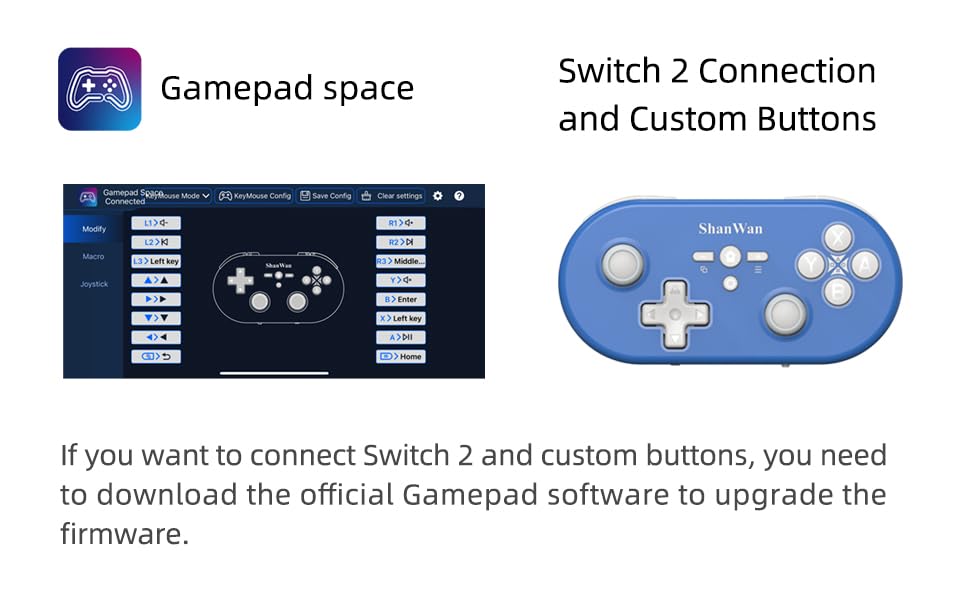
Image: Screenshot of the 'Gamepad Space' software interface for button customization and firmware updates, alongside the controller.
3. Ашиглалтын заавар
3.1 Товчлуурын байршил ба функцууд
The controller features standard gaming buttons including A/B/X/Y, D-pad, L/R, L2/R2, joysticks, and function buttons (e.g., Home, Share, Plus, Minus).
3.2 Three-Position Mode Switch
The controller is equipped with a three-position mode switch (X, S, P) allowing seamless switching between different platforms:
- X-block: For PC/Android/iOS Native Games.
- S-block: For Nintendo Switch.
- P-block: For PS4 Console (Note: PS4 compatibility may require specific setup or adapter, refer to official webдэлгэрэнгүй мэдээллийг сайтаас авна уу).

Image: Diagram illustrating the three-position mode switch (X, S, P) and their corresponding platform functionalities.
3.3 Software Customization (Gamepad Space)
Download the official 'Gamepad Space' software to:
- Customize button mappings.
- Set macro functions for complex commands.
- Calibrate joysticks for optimal precision.
3.4 Тусгай чиг үүрэг
- One-click Reconnection: Quickly reconnect to previously paired devices.
- Switch Screenshot: Dedicated button for capturing screenshots on Nintendo Switch.
4. Үндсэн шинж чанарууд
- 6-axis Gyro Motion Control: Provides precise motion sensing for compatible games, enhancing immersive gameplay.
- Тохируулж болох хос моторын чичиргээ: Experience immersive haptic feedback with customizable vibration intensity.
- Customizable Buttons and Macros: Personalize your gaming experience by remapping buttons and setting up complex macro sequences via the 'Gamepad Space' software.
- Soft Rubber Non-slip Grip: Урт хугацааны тоглоомын үеэр тав тухтай, найдвартай ашиглах зориулалттай.
- Мэдрэгчтэй товчлуурууд: Engineered for optimal tactile feedback and durability.

Image: Illustration of the 6-axis body gyroscope in action.

Image: Illustration of the dual motor vibration feature.
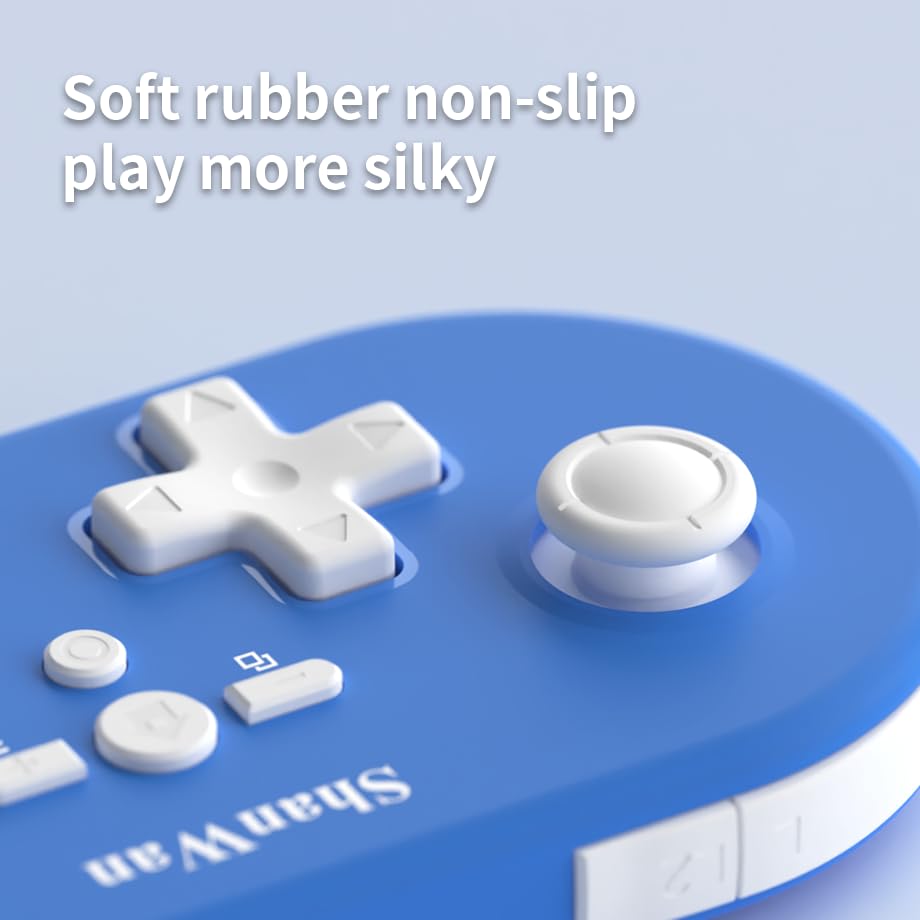
Зураг: Ойролцоогоор view of the controller's joystick, highlighting the soft rubber non-slip material.
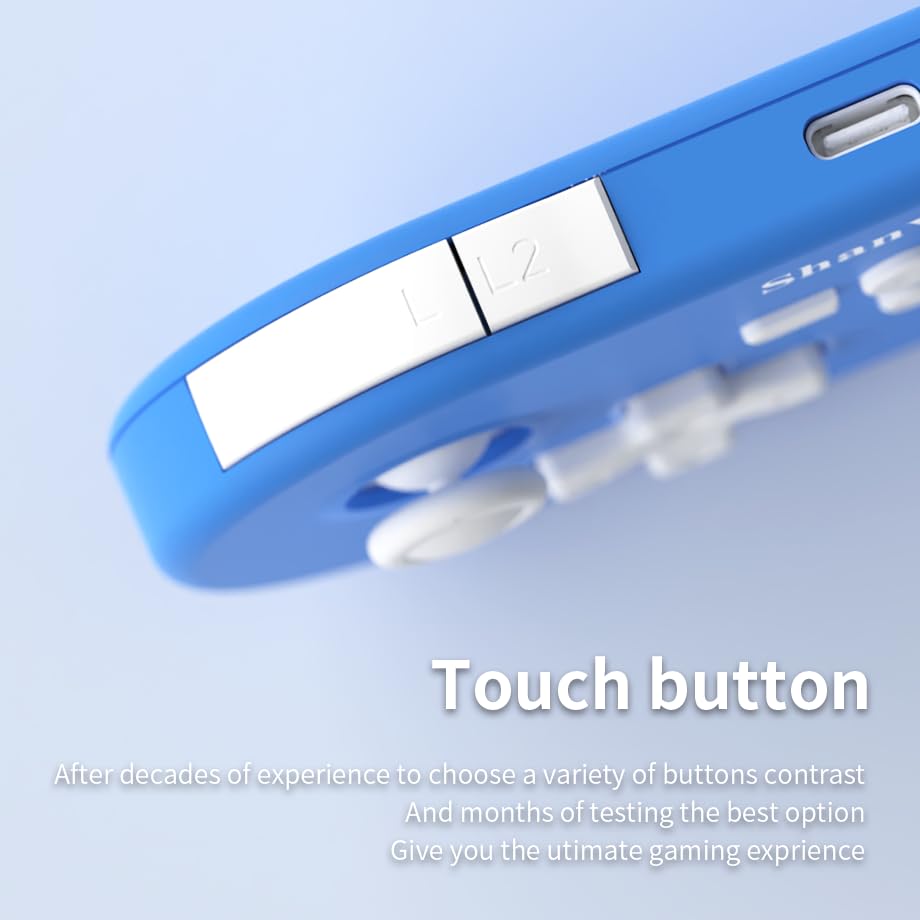
Зураг: Ойролцоогоор view of the controller's L/L2 shoulder buttons, emphasizing their design.

Image: A visual summary of key features including 6-axis body gyroscope, one-touch reconnect/wake-up, one-touch pairing, one-touch screenshot, dual motor vibration, and Switch key printing.
5. Тохиромжтой байдал
The ShanWan Q37 controller is compatible with a wide range of gaming platforms:
- Nintendo Switch / Switch 2 / Switch Lite / Switch OLED
- Уурын тавцан
- Компьютер (Windows)
- Android төхөөрөмжүүд
- iPhone / iPad (iOS / iPadOS)
- macOS devices
- PS4 Console (via P-block mode, specific setup may be required)
It supports simultaneous gameplay for up to 4 players on compatible systems.
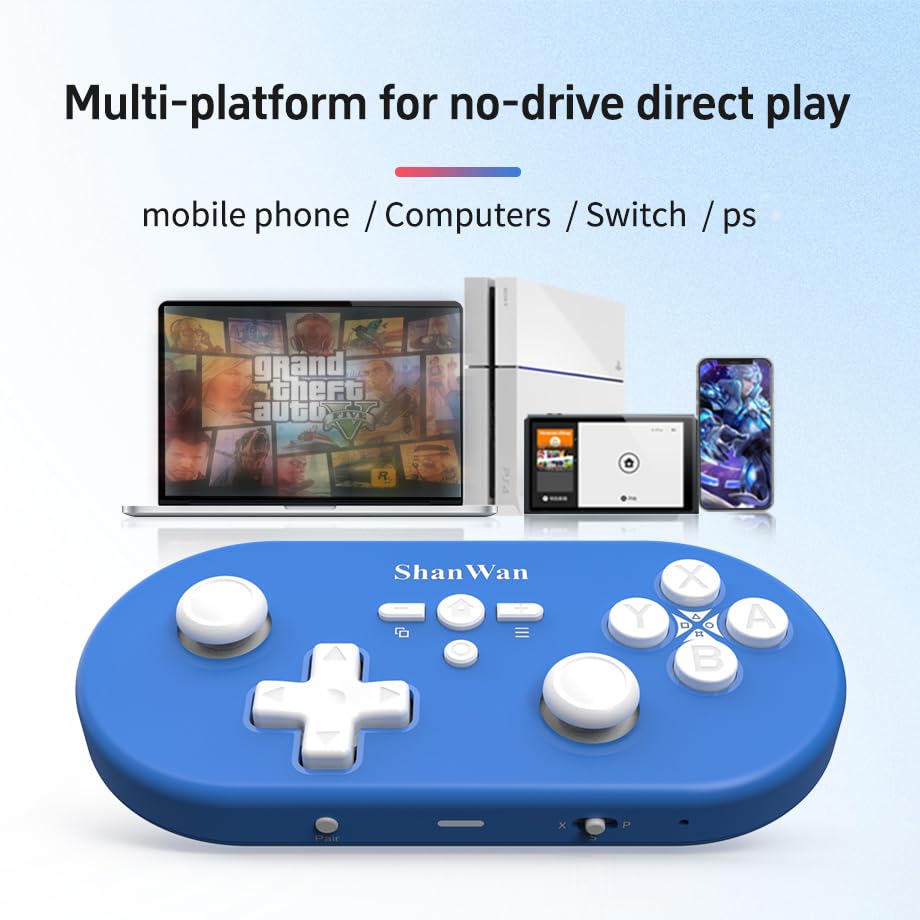
Image: Illustration showing the controller's compatibility with mobile phones, computers, Switch, and PS consoles.
6. Зайны мэдээлэл
The controller is equipped with a 500mAh large-capacity Lithium Polymer battery. This allows for extended play sessions and convenient portability. Battery life varies depending on usage and vibration settings.
Цэнэглэх хугацаа: Бүрэн цэнэглэхэд ойролцоогоор 2-3 цаг зарцуулна.
Ашиглалтын хугацаа: Up to 8-10 hours on a full charge (may vary).
7. Техникийн үзүүлэлтүүд
| Тодорхойлолт | Дэлгэрэнгүй |
|---|---|
| Загварын дугаар | Q37XSP |
| Холболт | Wireless Bluetooth, USB-C (wired) |
| Зайны багтаамж | 500 мАч лити полимер |
| Бүтээгдэхүүний хэмжээс | 4.92 x 2.44 x 0.81 инч (12.5 x 6.2 x 2.05 см) |
| Зүйлийн жин | 3.2 унц (90.7 грамм) |
| Хөдөлгөөний хяналт | 6 тэнхлэгт гироскоп |
| Чичиргээ | Хос хөдөлгүүрийн чичиргээ (тохируулж болно) |

Image: Diagram showing the precise dimensions of the ShanWan Q37 controller.
8. Алдаа засах
8.1 Хянагч холбогдоогүй/холбогдохгүй байна
- Хянагч бүрэн цэнэглэгдсэн эсэхийг шалгаарай.
- Verify the correct mode (X, S, P) is selected for your device.
- Make sure Bluetooth is enabled on your device and no other devices are interfering.
- Try restarting both the controller and your gaming device.
- If issues persist, try resetting the controller (refer to manufacturer's website for reset procedure, usually a small pinhole button).
8.2 Оролтын саатал эсвэл тасалдал
- Ensure you are within the effective range of your Bluetooth device.
- Minimize wireless interference from other devices (Wi-Fi routers, other Bluetooth devices).
- Ensure the controller's firmware is up to date using the 'Gamepad Space' software.
8.3 Товчлуур/Жойстик хариу өгөхгүй байна
- Calibrate joysticks and test button functionality using the 'Gamepad Space' software.
- Товчлуур эсвэл удирдлагын товчлуурын эргэн тойронд ямар ч хог хаягдал хуримтлагдаагүй эсэхийг шалгаарай.
- If using wired connection, try a different USB-C cable or port.
9. Арчилгаа, засвар үйлчилгээ
- Цэвэрлэгээ: Удирдлагыг цэвэрлэхийн тулд зөөлөн, хуурай даавуу ашиглаарай. Зөрүүд бохирдлыг бага зэрэг арчинаampдаавууг ус эсвэл зөөлөн цэвэрлэх уусмалаар хийнэ. Хүчтэй химийн бодис, зүлгүүрийн материалаас зайлсхий.
- Хадгалах: Удирдагчийг нарны шууд тусгал, хэт температураас хол, сэрүүн, хуурай газар хадгална.
- Батерейны арчилгаа: Do not expose the battery to high temperatures or attempt to disassemble it. Charge the controller regularly, even if not in use, to maintain battery health.
- Дусалаас зайлсхийх: Хянагчийг дотоод эд ангиудыг гэмтээж болзошгүй физик цохилт, уналтаас хамгаална уу.
10. Баталгаат хугацаа ба дэмжлэг
For warranty information, technical support, or further assistance, please visit the official ShanWan webсайт эсвэл харилцагчийн үйлчилгээтэй холбогдоно уу. Худалдан авалтын баримтаа худалдан авалтын баталгаа болгон хадгалаарай.
Official ShanWan Store: https://www.amazon.com/stores/ShanWan/page/C625C726-C0DE-4DFB-8E9B-4AA41A6E200C


