1. Танилцуулга
This manual provides essential information for the safe and efficient use of your MESWAO 15.6 Inch Pro Android 14 Tablet. Please read this manual thoroughly before operating the device and retain it for future reference.
2. Аюулгүй байдлын мэдээлэл
- Таблетыг хэт өндөр температур, нарны шууд тусгал эсвэл өндөр чийгшилд бүү байлга.
- Таблетыг унагаах эсвэл хүчтэй цохилтод өртөхөөс зайлсхий.
- Use only the provided power adapter and Type-C cable for charging.
- Таблетыг ус болон бусад шингэнээс хол байлга.
- Do not attempt to disassemble or repair the tablet yourself. Contact customer support for assistance.
- Ensure proper ventilation when using the tablet for extended periods.
3. Багцын агуулга
Бүх зүйл багцад байгаа эсэхийг шалгана уу:
- 1 x MESWAO 15.6 inch Android Tablet
- 1 x тэжээлийн адаптер
- 1 x C төрлийн кабель
- 1 х хэрэглэгчийн гарын авлага
- 1 x Type-C-аас USB адаптер
- 1 x Stuck pin
4. Төхөөрөмж дууссанview
Familiarize yourself with the physical components of your MESWAO tablet.
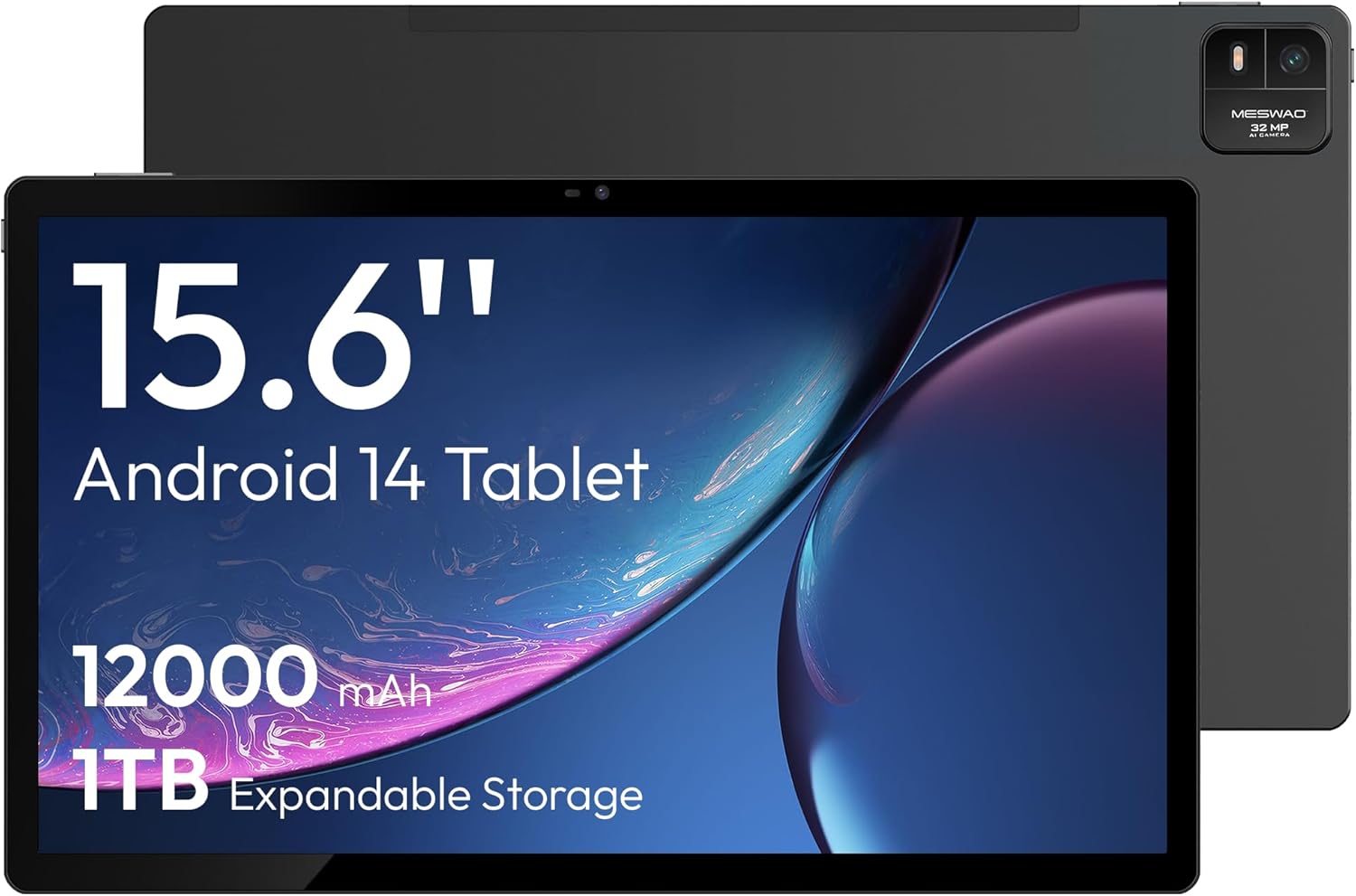
Зураг 4.1: Урд view of the MESWAO 15.6-inch Android 14 Tablet, highlighting the large display and key specifications such as 12000mAh battery and 1TB expandable storage.
Зураг 4.2: Хажуу ба хойд view of the tablet, indicating the location of the quad speakers, Type-C port, TF card slot, power button, volume controls, and front/rear cameras.
Гол бүрэлдэхүүн хэсгүүд:
- 15.6 инчийн FHD IPS дэлгэц: Large screen for immersive viewing.
- Урд камер: Видео дуудлага болон селфи хийх зориулалттай.
- Арын камер (32MP): Зураг болон видео бичлэг хийхэд зориулагдсан.
- Цахилгаан товч: To turn the tablet on/off or put it to sleep.
- Дууны товчлуурууд: Аудио түвшинг тохируулахын тулд.
- Төрөл-C порт: Цэнэглэх, өгөгдөл дамжуулах зориулалттай.
- TF картын оролт: For expandable storage (MicroSD card).
- Дөрвөн чанга яригч: Аудио гаралтын хувьд.
5. Тохиргоо
5.1 Анхны цэнэглэлт
Before first use, fully charge the tablet. Connect the provided Type-C cable to the tablet's Type-C port and the power adapter to a wall outlet. The tablet supports 30W fast charging.

Зураг 5.1: The tablet connected to its charger, showing the charging indicator on the screen.
5.2 Асаах/унтраах
- Асаахын тулд: Дэлгэц асах хүртэл асаах товчийг удаан дарна уу.
- Унтраахын тулд: Асаах товчийг удаан дарж, дэлгэцэн дээрх сонголтуудаас "Асаах"-г сонгоно уу.
- Унтах/сэрэхийн тулд: Power товчийг товч дарна уу.
5.3 Анхны тохиргоо
Upon first power-on, follow the on-screen prompts to set up your Android 14 operating system. This includes selecting your language, connecting to Wi-Fi, and signing in with your Google account.
5.4 Wi-Fi холболт
- руу оч Тохиргоо > Сүлжээ ба интернет > Wi-Fi.
- Wi-Fi-г асаах/унтраах On.
- Жагсаалтаас хүссэн сүлжээгээ сонгоно уу.
- Хэрэв асуувал нууц үгээ оруулаад товш Холбох. The tablet supports dual-band Wi-Fi (2.4GHz and 5GHz).
5.5 MicroSD карт оруулах
To expand storage up to 1TB, insert a MicroSD card:
- Locate the TF card slot on the side of the tablet.
- Use the provided stuck pin to gently press into the small hole next to the slot to eject the tray.
- MicroSD картыг алтан контактуудыг доош харуулан тавиур дээр байрлуулна уу.
- Таблет руу тавиурыг болгоомжтой хийнэ үү.

Зураг 5.2: Illustration of the tablet's internal storage and the option for expandable storage via MicroSD card.
6. Таблетыг ажиллуулах
6.1 Үндсэн навигаци
The Android 14 operating system uses touch gestures for navigation:
- Товш: Нэг зүйлийг сонгох эсвэл програмыг нээнэ үү.
- Шудрах: Дэлгэц эсвэл жагсаалтаар гүйлгэх.
- Чимхэх: Зургийг томруулж эсвэл жижигрүүлэх ба web хуудаснууд.
- Урт хэвлэл: Контекст цэс рүү нэвтрэх эсвэл дүрсийг зөөх.
6.2 Дэлгэцийн онцлог
The 15.6-inch FHD IPS display offers a resolution of 1920 x 1080 pixels, providing clear and vibrant visuals for various applications.

Зураг 6.1: Comparison of the MESWAO 15.6-inch display size to an A4 sheet of paper and a smaller tablet, emphasizing its expansive viewing талбай.
6.3 Гүйцэтгэл
Powered by the Helio G99 octa-core processor and 8GB RAM, the tablet delivers efficient performance for multitasking, gaming, and media consumption.

Зураг 6.2: An illustration of the Helio G99 Octa-Core chipset, detailing its technical specifications and performance benefits.
6.4 Камерын хэрэглээ
The tablet features a 32MP rear camera and a 5MP front camera. Open the Camera app to capture photos and videos.
6.5 Аудио
The quad speakers provide clear audio. You can connect Bluetooth headphones or use the Type-C port for audio output with a suitable adapter.
6.6 Андройд 14-ын онцлогууд
The tablet runs on Android 14, offering features such as:
- Smooth Multitasking: Efficiently switch between applications.
- Эцэг эхийн хяналт: Manage content and usage for children.
- Enhanced Privacy & UI: Improved security and user interface experience.

Зураг 6.3: The Android 14 operating system interface, showcasing various applications and system features.
7. Засвар үйлчилгээ
7.1 Төхөөрөмжийг цэвэрлэх
Таблетын дэлгэц болон их биеийг цэвэрлэхийн тулд зөөлөн, хөвөнгүй даавуу ашиглана уу. Химийн хатуу бодис, зүлгүүрийн материал ашиглахаас зайлсхий.
7.2 Програм хангамжийн шинэчлэлтүүд
Regularly check for system updates to ensure optimal performance and security. Go to Тохиргоо > Систем > Системийн шинэчлэл.
7.3 Батерейны арчилгаа
Батерейны ашиглалтын хугацааг уртасгахын тулд:
- Байнга зайгаа бүрэн цэнэглэхээс зайлсхий.
- Do not expose the tablet to high temperatures.
- Батерей дүүрсний дараа цэнэглэгчээ салга.
8. Алдаа засах
8.1 Таблет асахгүй байна
- Батерейг цэнэглэсэн эсэхийг шалгаарай. Цэнэглэгчээ холбож, асаахаасаа өмнө хэдэн минут хүлээнэ үү.
- Дахин эхлүүлэхийн тулд Power товчийг дор хаяж 10-15 секунд дарна уу.
8.2 Wi-Fi холболтын асуудал
- Wi-Fi чиглүүлэгчээ дахин эхлүүлнэ үү.
- Таблетын тохиргоонд сүлжээгээ мартаад дахин холбогдоно уу.
- Таблет нь Wi-Fi дохионы хүрээнд байгаа эсэхийг шалгаарай.
8.3 Удаан гүйцэтгэл
- Шаардлагагүй дэвсгэр програмуудыг хаа.
- Аппликейшнуудын кэш өгөгдлийг цэвэрлэх.
- Хадгалах хангалттай зайг хангах.
8.4 Дэлгэц хариу өгөхгүй байна
- Таблетаа дахин эхлүүлнэ үү.
- Дэлгэц цэвэр, хог хаягдалгүй эсэхийг шалгаарай.
9. Техникийн үзүүлэлтүүд
| Онцлог | Тодорхойлолт |
|---|---|
| Загварын нэр | MES-B3 |
| Үйлдлийн систем | Android 14 |
| Дэлгэцийн хэмжээ | 15.6 инч |
| Дэлгэцийн нягтрал | 1920 x 1080 пиксел (FHD) |
| Процессор | MediaTek Helio G99 найман цөмт процессор |
| График процессор | Мали-G75 |
| RAM | 8 ГБ |
| Дотоод санах ой (ROM) | 256 ГБ |
| Өргөтгөх боломжтой хадгалах сан | MicroSD картаар 1TB хүртэл |
| Арын камер | 32 МП |
| Урд камер | 5 МП |
| Зайны багтаамж | 12000 мАч |
| Цэнэглэж байна | 30 Вт хурдан цэнэглэх |
| Утасгүй холболт | Dual-Band Wi-Fi (802.11a/b/ac/ad/ax), Bluetooth |
| Зүйлийн жин | 4.55 фунт |
| Бүтээгдэхүүний хэмжээс | 14.49 x 8.66 x 0.39 инч |
10. Баталгаат хугацаа ба дэмжлэг
10.1 Баталгаат хугацааны мэдээлэл
Your MESWAO tablet comes with a 12 сарын баталгаат хугацаа covering manufacturing defects. Please retain your proof of purchase for warranty claims.
10.2 Хэрэглэгчийн дэмжлэг
For technical assistance, troubleshooting, or warranty inquiries, please contact MESWAO customer support. Our support team is available to assist you.
- 24 цагийн хэрэглэгчийн дэмжлэг: Assistance is available around the clock.
- Local After-sales Centers: Service centers are available in regions including the US, Germany, Japan, and more.
- Quick Response Flow: Issues reported receive a team response within 24 hours, aiming for prompt problem resolution or replacement.


