1. Танилцуулга
The Xigmatek Aqua V AIR is a high-performance mid-tower PC case designed for gaming enthusiasts. It features a spacious interior, optimized airflow, and tempered glass panels on the front and side to showcase your components. Equipped with seven 120mm ARGB fans, it supports graphics cards up to 410mm in length and is compatible with motherboards featuring hidden connectors for a clean build.
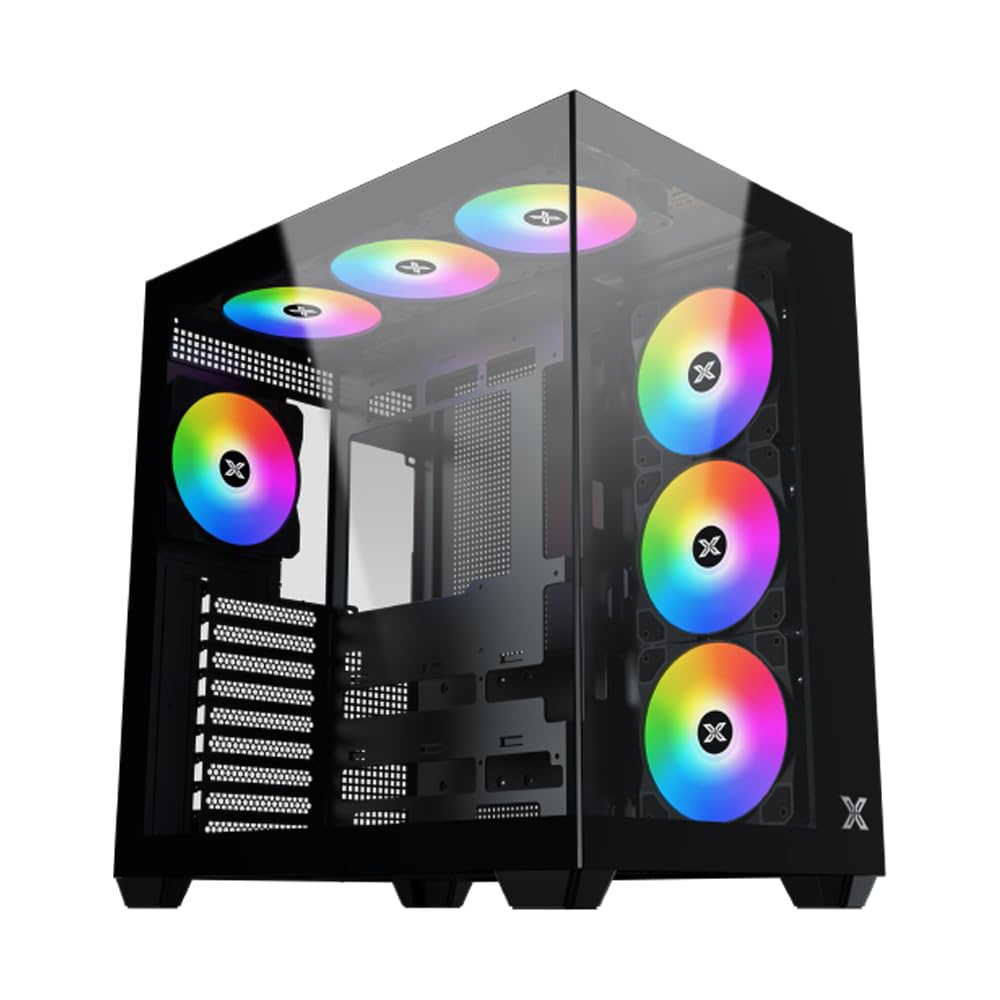
Зураг 1: Ерөнхийдөө view of the Xigmatek Aqua V AIR PC Case.
2. Үндсэн шинж чанарууд
- Материал: Constructed from high-quality steel for durability and reliability.
- Хэмжээ: 427 x 285 x 455 mm (L x W x H), offering a spacious interior.
- Хөргөх систем: Supports up to three 120mm or two 140mm fans for optimal cooling performance.
- Радиаторын дэмжлэг: Compatible with 240/280/360mm radiators on the top, bottom, and rear for versatile cooling options.
- I/O самбар: Features 2x USB 3.0 ports, 1x USB-C port, and HD audio for convenient connectivity.
- Эх хавтангийн нийцтэй байдал: Supports ATX, Micro ATX, and Mini ITX motherboards, including those with hidden connectors.
- GPU урт: 410 мм хүртэл урттай график картуудыг багтаана.
- Хадгалах дэмжлэг: хангадаг ample space for multiple storage drives.
3. Техникийн үзүүлэлтүүд
| Онцлог | Дэлгэрэнгүй |
|---|---|
| Брэнд | Xigmatek |
| Загварын дугаар | EN45820 |
| Цуврал | Aqua V AIR BLACK |
| Өнгө | Хар |
| Хэмжээ (L x W x H) | 42.7 x 28.5 x 45.5 см |
| Бүтээгдэхүүний жин | 8.8 кг |
| Материал | Хайлшин ган, хатууруулсан шил |
| Эх хавтангийн нийцтэй байдал | ATX, Микро ATX, Мини ITX |
| Кейсийн төрөл | Дунд цамхаг |
| Зөвлөмж болгож буй хэрэглээ | Gaming, High-Performance Computing |
| USB 3.0 портууд | 2 |
| USB-C портууд | 1 |
| Хөргөх арга | Water (Liquid Cooling Support) |
| Сэнсний хэмжээ | 120 Millimeters (Pre-installed ARGB fans) |
| PSU суурилуулах төрөл | Доод бэхэлгээ |
4. Тохиргоо ба суурилуулалт
This section provides general guidance for installing components into your Xigmatek Aqua V AIR PC case. Always refer to the specific manuals for your motherboard, power supply, and other components for detailed instructions.
4.1 Хэргийг бэлтгэх
- Компьютерийн хайрцгийг задалж, бүх сав баглаа боодлын материалыг ав.
- Carefully remove the tempered glass side panel(s) and front panel (if applicable) to access the interior. Store them safely to prevent damage.
- Identify the accessory box, which typically contains screws, cable ties, and other small parts.
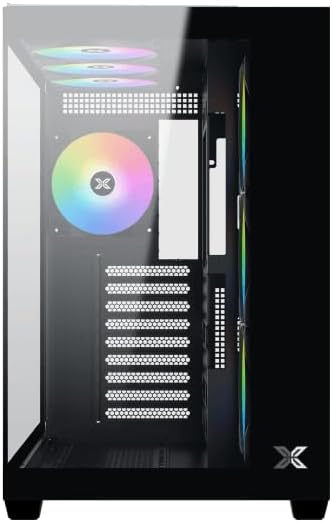
Зураг 2: Дотоод засал view хажуугийн хавтанг арилгасан.
4.2 Эх хавтангийн суурилуулалт
- Эх хавтан дээрээ урьдчилан суулгаагүй бол I/O бамбайг гэрний арын нүхэнд суулгана уу.
- Align your ATX, Micro ATX, or Mini ITX motherboard with the standoffs inside the case. Ensure all standoffs match the screw holes on your motherboard.
- Secure the motherboard with the appropriate screws provided in the accessory kit.

Figure 3: Motherboard tray and cable management area.
4.3 Цахилгаан хангамжийн нэгж (PSU) суурилуулах
- Цахилгаан хангамжийн хэсгийг хайрцагны арын доод хэсэгт байрлуулна уу.
- Slide your PSU into position, ensuring the fan faces downwards (if the case has a bottom vent) or upwards.
- PSU-ийг хайрцагны арын боолтоор бэхлээрэй.
4.4 Хадгалах хөтч суурилуулах
The case supports various storage configurations. Refer to the case diagram for specific drive bay locations.
- Install 2.5" SSDs or 3.5" HDDs into the designated drive bays or mounting brackets.
- Хөтчүүдийг боолтоор бэхлээрэй.
4.5 График карт (GPU) суурилуулах
- Шаардлагатай PCIe үүрний тагийг хайрцагны ар талаас салга.
- График картаа эх хавтан дээрх тохирох PCIe үүрэнд оруулна уу.
- График картыг боолтоор бэхлээрэй.
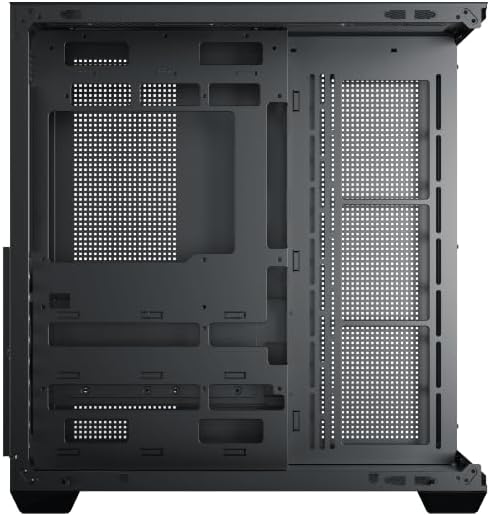
Figure 4: Components installed inside the case.
4.6 Кабелийн менежмент
Utilize the cable routing cutouts and tie-down points behind the motherboard tray to manage cables for improved airflow and aesthetics.
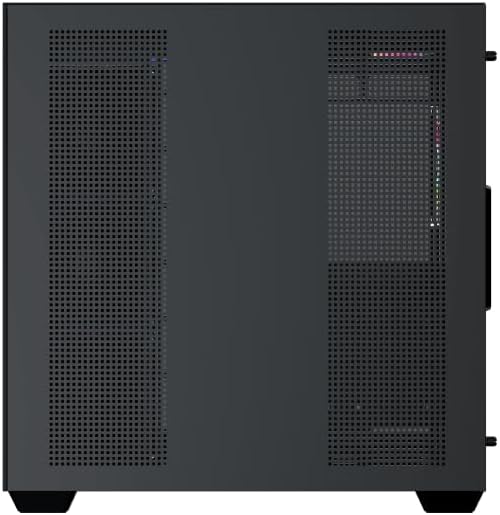
Figure 5: Top panel and I/O ports.
5. Ашиглалтын заавар
5.1 Асаах
Once all components are securely installed and connected, close the side panels. Connect your power cable to the PSU and press the power button on the case's front I/O panel.
5.2 ARGB сэнсний удирдлага
The Xigmatek Aqua V AIR comes with pre-installed ARGB fans. These fans can typically be controlled via:
- Эх хавтангийн програм хангамж: If your motherboard supports ARGB synchronization, connect the fan's ARGB cables to the motherboard's 3-pin 5V ARGB header and use the motherboard's software (e.g., ASUS Aura Sync, MSI Mystic Light, Gigabyte RGB Fusion) to customize lighting effects.
- Нэгдсэн хянагч: If your case includes a built-in ARGB controller, use the dedicated button on the I/O panel to cycle through various lighting modes and colors.
6. Засвар үйлчилгээ
Тогтмол засвар үйлчилгээ нь таны компьютерын эд ангиудын оновчтой ажиллагаа, урт хугацааны ашиглалтыг хангахад тусална.
6.1 Тоосны шүүлтүүр цэвэрлэх
The Xigmatek Aqua V AIR case is equipped with dust filters to prevent dust buildup. Locate and gently remove the dust filters (typically on the top, front, and bottom). Clean them with compressed air or by rinsing with water. Ensure they are completely dry before reattaching.
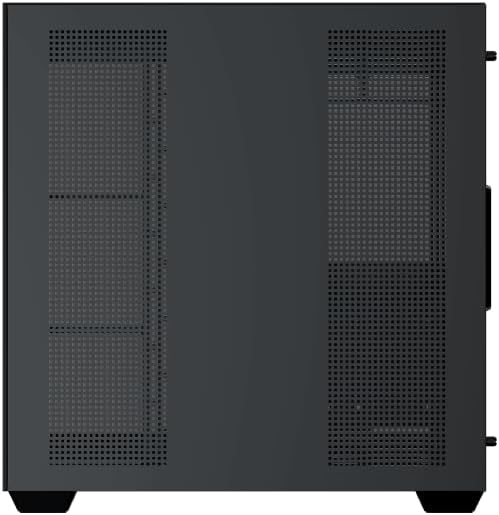
Figure 6: Bottom dust filter.
6.2 Ерөнхий цэвэрлэгээ
Use a soft, dry cloth to wipe down the exterior of the case. For tempered glass panels, use a glass cleaner and a microfiber cloth to avoid streaks. Avoid using abrasive cleaners or solvents.
7. Алдаа засах
Хэрэв танд асуудал тулгарвал дараах нийтлэг алдааг олж засварлах алхмуудыг анхаарч үзээрэй.
- Эрчим хүчгүй:
- Ensure the PSU is switched on and properly connected to the wall outlet and motherboard.
- Check all power connections to components (motherboard, CPU, GPU, drives).
- Verify the front panel power switch cable is correctly connected to the motherboard.
- Сэнс эргэхгүй байна / RGB ажиллахгүй байна:
- Check if fan power cables are securely connected to the motherboard or fan controller.
- Ensure ARGB cables are connected to the correct 3-pin 5V ARGB header (not 4-pin 12V RGB).
- If using a controller, ensure it has power and is functioning correctly.
- Хэт халалт:
- Ensure all fans are spinning and oriented correctly for optimal airflow (intake/exhaust).
- Тоосны шүүлтүүр болон дотоод эд ангиудыг цэвэрлэ.
- CPU хөргөгч болон GPU хөргөгч зөв сууж, ажиллаж байгаа эсэхийг шалгана уу.
8. Баталгаат хугацаа ба дэмжлэг
The Xigmatek Aqua V AIR PC Case comes with a Үйлдвэрлэгчийн 2 жилийн баталгаат хугацаа. For technical support, warranty claims, or further assistance, please contact Xigmatek customer service or visit their official webсайт.
Баталгаат хугацаанд худалдаж авсан баримтаа хадгална уу.


