1. Танилцуулга
This manual provides essential instructions for the setup, operation, and maintenance of your SSK SD450 2TB Portable Solid State Drive. Please read this guide thoroughly before using the device to ensure optimal performance and longevity.
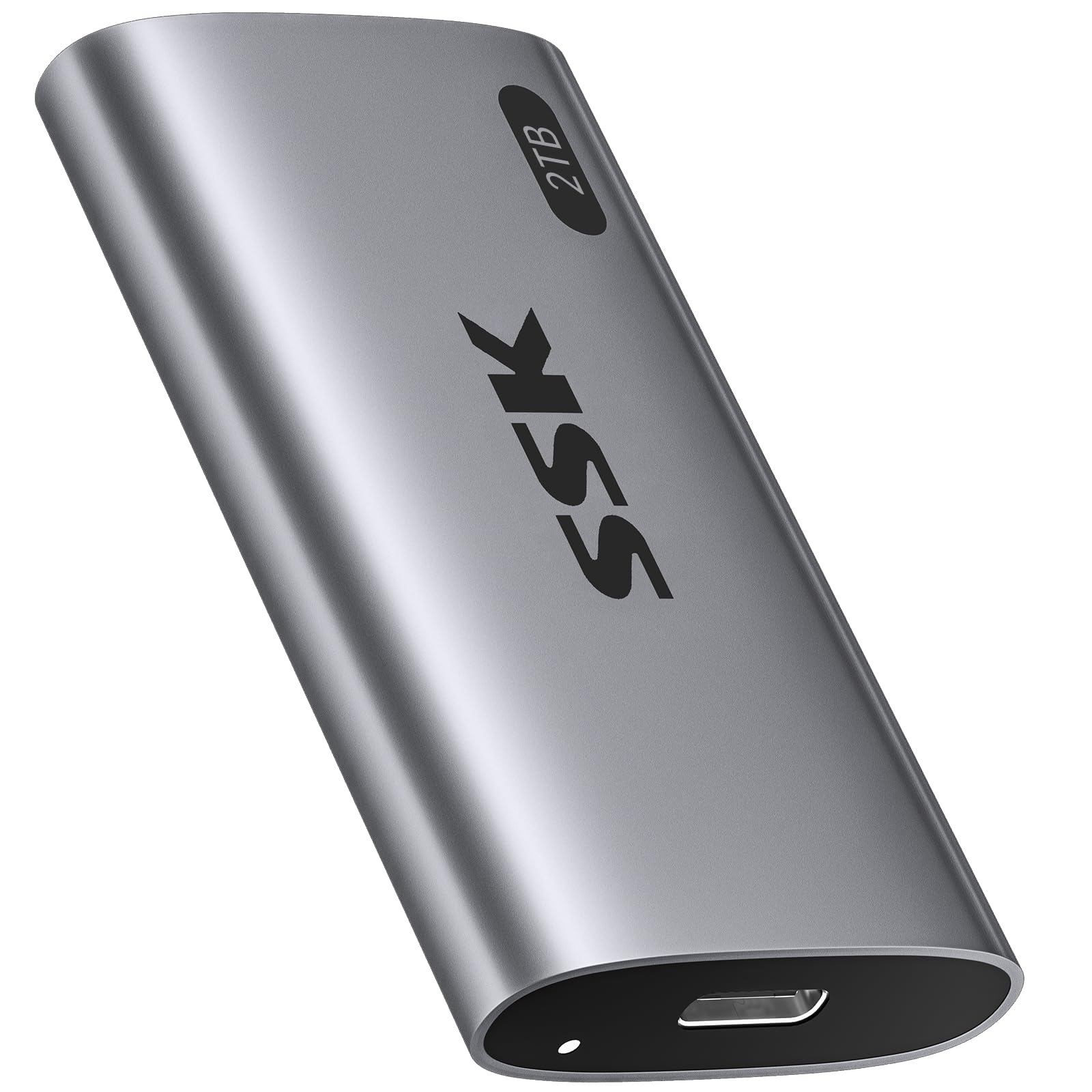
Image: The SSK SD450 2TB Portable SSD, a compact and lightweight external storage device.
2. Багцын агуулга
Бүх зүйл багцад байгаа эсэхийг шалгана уу:
- 1 x SSK SD450 2TB External SSD
- 1 x USB 3.2 Gen2 Type-C to Type-C Cable
- 1 x USB-A Adapter
3. Бүтээгдэхүүн дууссанview
The SSK SD450 is a high-speed portable SSD designed for efficient data transfer and reliable storage across multiple platforms. It features a durable aluminum alloy case for effective heat dissipation and includes advanced data management technologies.
Гол онцлогууд:
- Өндөр хурдны гүйцэтгэл: Up to 550MB/s read and write speeds via USB 3.2 Gen2 interface.
- Удаан эдэлгээтэй барилга: Thick aluminum alloy casing for superior heat dissipation and protection.
- Advanced Data Management: Supports S.M.A.R.T. monitoring for drive health and TRIM technology for consistent write speeds and extended longevity.
- Өргөн нийцтэй байдал: Works with Windows, Mac, Android, Linux, iOS, and devices like iPhone 15/Pro, laptops, desktops, and tablets.
- OTG функц: Supports On-The-Go (OTG) for direct connection to compatible mobile devices with low power consumption (less than 5 Watts).
- Зөөврийн дизайн: Weighs only 43g with compact dimensions (2.5 x 1.3 x 0.4 inches).
- LED үзүүлэлт: Provides visual feedback on device activity.

Image: The SSK SD450 Portable SSD connected to a laptop, illustrating its high-speed data transfer capabilities with read speeds up to 550MB/s and write speeds up to 500MB/s.

Image: The compact and lightweight design of the SSK SD450 Portable SSD, highlighting its dimensions and weight for easy portability.
4. Тохиргоо
The SSK SD450 Portable SSD is designed for plug-and-play operation. No drivers are typically required for most operating systems.
Төхөөрөмжтэй холбогдож байна:
- Identify the appropriate cable for your device. Use the included USB-C to USB-C cable for USB-C ports or attach the USB-A adapter to the USB-C cable for USB-A ports.
- Connect one end of the cable to the USB-C port on the SSK SD450 SSD.
- Connect the other end of the cable (or adapter) to an available USB port on your computer, smartphone, or tablet.
- The LED indicator on the SSD will illuminate to show it is powered on and active.
For a visual guide on connecting and using the SSD, please refer to the video below:
Video: Demonstrates connecting the SSK Portable SSD to a smartphone and transferring files, highlighting its plug-and-play functionality and fast transfer speeds.
5. Ашиглалтын заавар
File Шилжүүлэх:
Once connected, the SSK SD450 SSD will appear as an external drive on your device. You can drag and drop files, copy and paste, or use your operating system's file management tools to transfer data to and from the SSD.
- Windows/Mac: The drive will appear in 'This PC' (Windows) or 'Finder' (Mac).
- Android/iOS (iPhone 15/Pro with USB-C): The drive will be accessible through your device's file менежерийн програм.
OTG функц:
The SSD supports OTG (On-The-Go) function, allowing direct connection to compatible mobile devices (e.g., iPhone 15/Pro, Android smartphones/tablets with USB-C). This enables direct file access and transfer without needing a computer. Ensure your mobile device supports OTG and has a USB-C port for direct connection.

Image: The SSK SD450 Portable SSD connected to a smartphone, demonstrating its OTG support for low power consumption and direct file хандалт.
6. Өгөгдлийн менежмент
The SSK SD450 incorporates technologies to maintain data integrity and drive performance:
- S.M.A.R.T. (Self-Monitoring, Analysis and Reporting Technology): This feature allows you to monitor the health of your external solid state drive. Compatible software can provide alerts regarding potential drive issues, helping to prevent data loss.
- TRIM Technology: Ensures consistent write speeds and extends the longevity of the portable SSD by actively managing data blocks that are no longer in use.

Image: Icons representing UASP, S.M.A.R.T., TRIM, and Auto Sleep features, emphasizing the SSD's safe storage capabilities.
7. Тохиромжтой байдал
The SSK SD450 Portable SSD offers broad compatibility with various devices and operating systems:
- Үйлдлийн системүүд: Windows, macOS, iOS, Linux, Android.
- Төхөөрөмжүүд: Desktops, Laptops (MacBook Air/Pro, DELL XPS), Smartphones (iPhone 15/Pro, Samsung, Huawei Mate), Tablets (iPad Pro), Cameras, TV Boxes.
- Интерфэйс: USB 3.2 Gen2 (backward compatible with USB 3.1, 3.0, 2.0).
Note: Only newer iPhones with USB-C are supported. Older Lightning models do not qualify for direct connection.

Image: The SSK SD450 Portable SSD connected to a smartphone, demonstrating its use as mobile personal storage with 5W ultra-low power consumption for phone OTG and iPad.
8. Дулаан ялгаруулалт
The SSK SD450 features a thick aluminum alloy case that provides superior heat dissipation. This design ensures reliable performance and prevents overheating, even during prolonged large file transfers, maintaining stable operation.

Image: A diagram illustrating the internal components and the aluminum alloy shell of the SSK SD450, alongside a graph showing its lower operating temperature compared to other SSDs.
9. Алдаа засах
Драйв илрээгүй:
- USB кабель нь SSD болон төхөөрөмждөө аюулгүй холбогдсон эсэхийг шалгаарай.
- Try connecting the SSD to a different USB port on your device.
- Боломжтой бол өөр USB кабелиар туршиж үзээрэй.
- Компьютер эсвэл зөөврийн төхөөрөмжөө дахин ачаална уу.
- Check your device's Disk Management (Windows) or Disk Utility (Mac) to see if the drive is recognized but unformatted. If so, format the drive (this will erase all data).
Удаан дамжуулах хурд:
- Ensure you are using a USB 3.2 Gen2 compatible port and cable for optimal performance. Older USB ports (e.g., USB 2.0) will result in significantly slower speeds.
- Системийн нөөцийг зарцуулж болзошгүй далд ажиллаж байгаа шаардлагагүй програмуудыг хаа.
- Verify that your device's drivers are up to date.
Хэт халалт:
- While the SSK SD450 is designed for efficient heat dissipation, prolonged heavy use in a poorly ventilated area can still cause warmth. Ensure adequate airflow around the device.
- Хэрэв төхөөрөмж хэт халсан бол дахин ашиглахаасаа өмнө салгаж, хөргөнө.
10. Техникийн үзүүлэлтүүд
| Онцлог | Дэлгэрэнгүй |
|---|---|
| Загварын дугаар | SD450 |
| Дижитал хадгалах багтаамж | 2 TB |
| Хатуу дискний интерфейс | Цуврал АТА-600 |
| Холболтын технологи | USB 3.2 Gen2 (6Gbps) |
| Унших хурд (хамгийн их) | 550 MB/s хүртэл |
| Онцлог шинж чанарууд | OTG Function, Portable, S.M.A.R.T., TRIM Support |
| Хатуу дискний хэлбэр хүчин зүйл | 2.5 инч |
| Тохиромжтой төхөөрөмжүүд | Camera, Desktop, Laptop, Smartphone, Tablet |
| Суурилуулалтын төрөл | Гадаад хатуу диск |
| Өнгө | Сансрын саарал |
| Зүйлийн жин | 1.52 унц (43 гр) |
| Бүтээгдэхүүний хэмжээс | 2.5 x 1.3 x 0.4 инч |
11. Засвар үйлчилгээ
- Аюулгүй зайлуулах: Always safely eject or unmount the SSD from your operating system before physically disconnecting it to prevent data corruption.
- Програм хангамжийн шинэчлэлтүүд: Periodically check the SSK official webТаны SSD загварт зориулсан боломжтой програм хангамжийн шинэчлэлтүүдийн сайт. Програм хангамжийн шинэчлэлтүүд нь гүйцэтгэл, тогтвортой байдал, нийцтэй байдлыг сайжруулж чадна.
- Биеийн тусламж үйлчилгээ: Keep the SSD clean and free from dust. Avoid exposing it to extreme temperatures, moisture, or strong magnetic fields. Do not drop or subject the device to strong impacts.
- Өгөгдлийн нөөцлөлт: While SSDs are reliable, it is always recommended to regularly back up important data to multiple storage locations to prevent unforeseen data loss.
12. Баталгаат хугацаа ба дэмжлэг
For warranty information, technical support, and service inquiries, please refer to the documentation included with your product or visit the official SSK website. Warranty terms and conditions may vary by region and product. Keep your purchase receipt as proof of purchase for warranty claims.
SSK may offer additional data recovery plans. Please check the manufacturer's webболомжтой хамгаалалтын төлөвлөгөөний талаарх дэлгэрэнгүй мэдээллийг авахын тулд сайтад зочилно уу.


