1. Танилцуулга
Thank you for choosing the YI Smart Security Camera 360° PTZ Dome Camera. This camera provides comprehensive surveillance with its 360° pan and tilt capabilities, delivering crystal-clear 1080p Full HD video. Designed for indoor use, it features advanced motion detection, smart auto-tracking, enhanced night vision, and two-way audio communication. This manual will guide you through the setup, operation, and maintenance of your new security camera.
Гол онцлогууд:
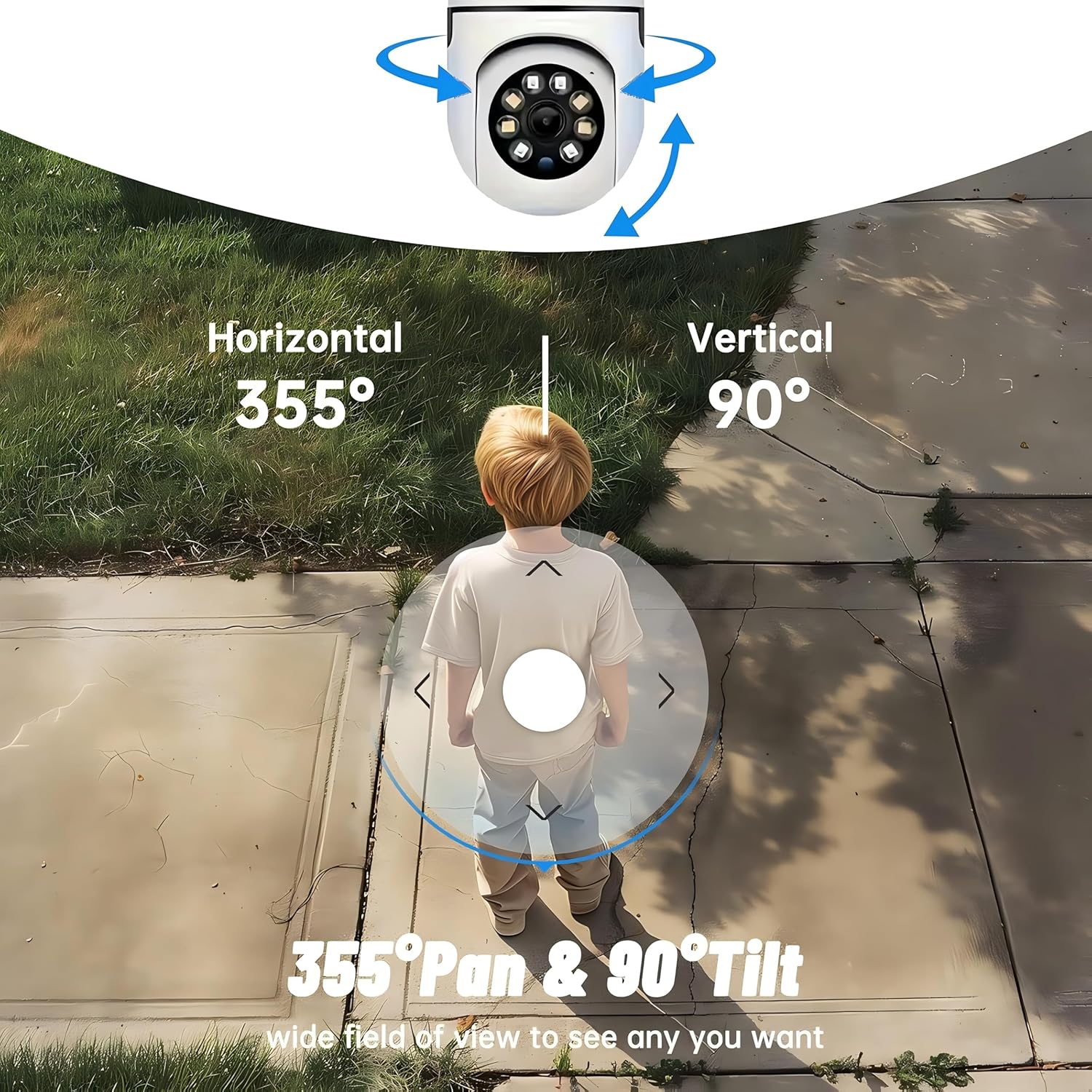
- 360° Хамрах хүрээ: 355° horizontal and 90° vertical rotation for zero blind spots.
- 1080p Full HD: High-definition video for clear monitoring.
- Motion Detection & Auto Tracking: Alerts and tracks moving objects automatically.
- Сайжруулсан шөнийн хараа: Multiple modes including full-color night vision.
- Хоёр талын аудио: Бодит цагийн харилцаа холбооны зориулалттай суурилуулсан микрофон болон чанга яригч.
- Уян хатан хадгалах: Supports Cloud storage and local storage via microSD card (up to 128GB).
2. Багцын агуулга
Дараах зүйлсийн багцад байгаа эсэхийг шалгана уу.
- YI Smart Security Camera x1
- USB кабель x1
- Хэрэглэгчийн гарын авлага x1 (Энэ баримт бичиг)
3. Бүтээгдэхүүн дууссанview
Familiarize yourself with the components of your YI Smart Security Camera.

Зураг 3.1: Урд view of the YI Smart Security Camera, showing the lens, LED lights, and two antennas.

Figure 3.2: Dimensions of the YI Smart Security Camera, indicating a height of 180mm (7.08in), width of 102mm (4.0in), and depth of 85mm (3.34in).
4. Тохиргоо ба суурилуулалт
4.1 Анхдагч асаалт
- Connect the provided USB cable to the camera's power port and plug the other end into a compatible USB power adapter (not included).
- The camera will power on and initiate its self-test sequence. Wait for the indicator light to flash, indicating it's ready for setup.
4.2 Апп татаж авах, Бүртгэл үүсгэх
- -г татаж авах YI IOT App App Store (iOS) эсвэл Google Play Store (Android) дээрээс.
- Аппликешныг нээж, дэлгэцэн дээрх зааврыг дагаж шинэ бүртгэл үүсгэх эсвэл хэрэв танд бүртгэл байгаа бол нэвтэрнэ үү.
4.3 Adding Your Camera to the App
- In the YI IOT App, tap the "+" icon to add a new device.
- Жагсаалтаас камерынхаа загварыг сонгоно уу.
- Follow the app's instructions to connect the camera to your 2.4GHz Wi-Fi network. This typically involves scanning a QR code generated by the app with the camera's lens.
- Холбогдсоны дараа та камертаа нэр өгөөд шууд дамжуулалтыг эхлүүлж болно viewing.
4.4 Камер суурилуулах
The camera is designed for indoor use and can be placed on a flat surface or wall-mounted. For wall mounting, use the included mounting accessories (if applicable) and ensure the camera is securely fastened.
Зураг 4.1: Жишээ ньamples of multi-scene applications, including wall and ceiling mounting, and placement in living rooms, bedrooms, and studies.
5. Камераа ажиллуулах
5.1 Pan-Tilt Control
The YI Smart Security Camera offers extensive pan and tilt capabilities, allowing you to monitor a wide area.
- Хэвтээ эргэлт: 355°
- Босоо эргэлт: 90°
In the YI IOT App, use the directional controls on the live view screen to remotely adjust the camera's viewөнцөг.

Figure 5.1: Illustration of the camera's 355° horizontal pan and 90° vertical tilt capabilities, providing a wide field of view.
5.2 Motion Detection & Smart Auto Tracking
The camera can detect movement and automatically track objects, sending alerts to your smartphone.
- Хөдөлгөөн илрүүлэх: When motion is detected, the camera will send an instant push notification with a 6-second video clip to your phone via the YI IOT App.
- Smart Auto Tracking: If enabled, the camera will automatically follow moving objects for up to 10 seconds after detection, ensuring continuous monitoring of the activity.
Adjust sensitivity settings and notification preferences within the app.

Figure 5.2: Real-time alarm notification on the YI IOT app, showing an intruder detected by the camera.
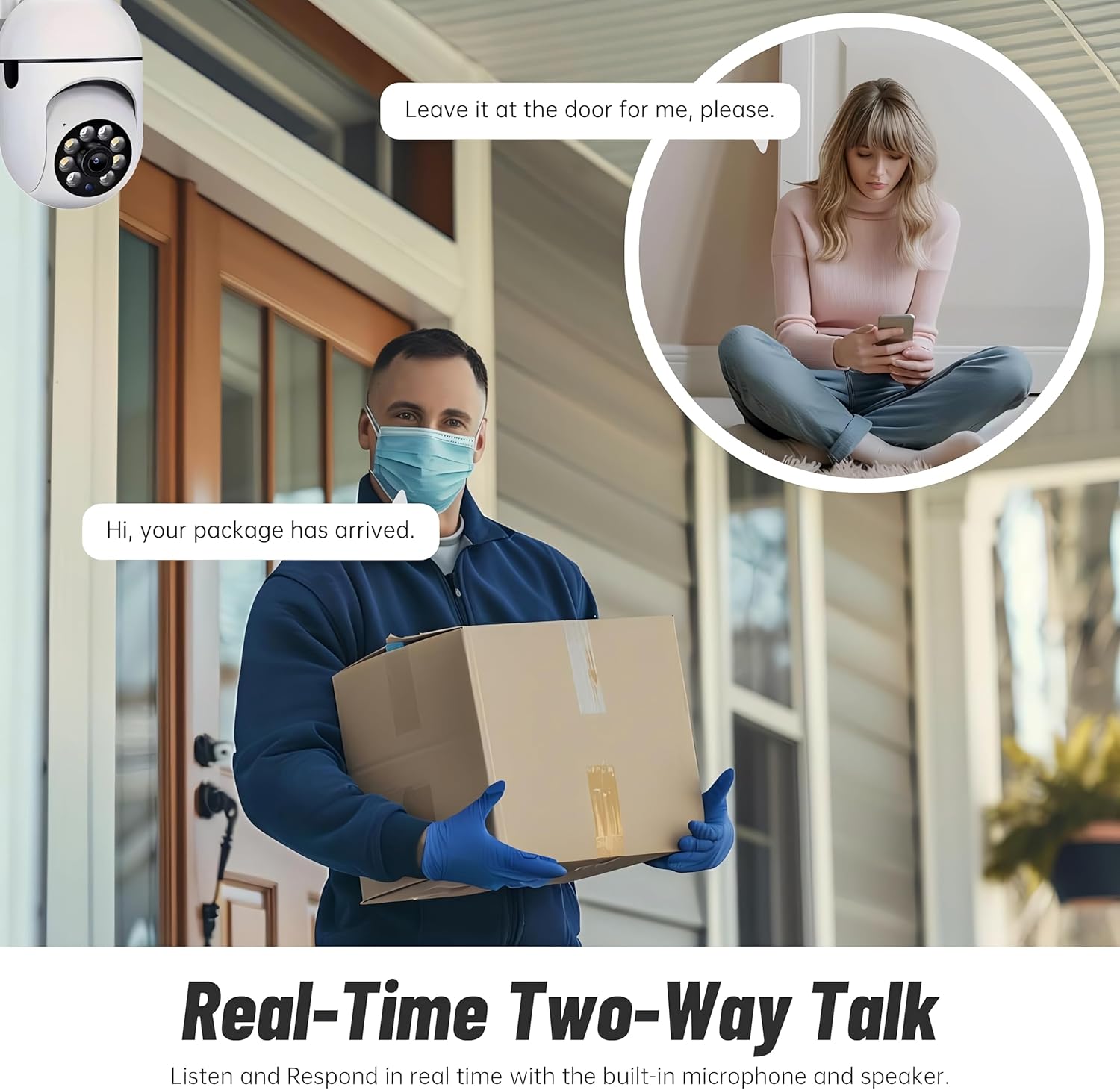
Figure 5.3: The camera's motion tracking feature focusing on a moving pet.

Figure 5.4: Visual representation of a motion detection alert, showing the camera capturing movement and sending notifications.
5.3 Enhanced Night Vision
The camera is equipped with ultra-long-distance infrared LEDs and floodlight LEDs, offering multiple night vision modes for clear visibility in low-light conditions.
- Normal Night Vision: Standard black and white infrared view.
- Ухаалаг шөнийн хараа: Automatically switches between infrared and full-color based on detected activity.
- Бүрэн өнгөт шөнийн хараа: Provides a color image even in low light, utilizing the built-in floodlight.
You can switch between these modes directly from the YI IOT App.

Figure 5.5: Comparison illustrating the difference between standard infrared night vision (monochrome) and 1080p full-color night vision.
5.4 Хоёр талын аудио
Communicate through the camera using its built-in microphone and high-power speaker.
- Дотуур холбооны горим: Press and hold the microphone icon in the app to speak, and release to listen. Ideal for giving commands to pets or deterring unwanted visitors.
- Гар чөлөөтэй горим: Allows for a continuous two-way conversation, similar to a phone call.
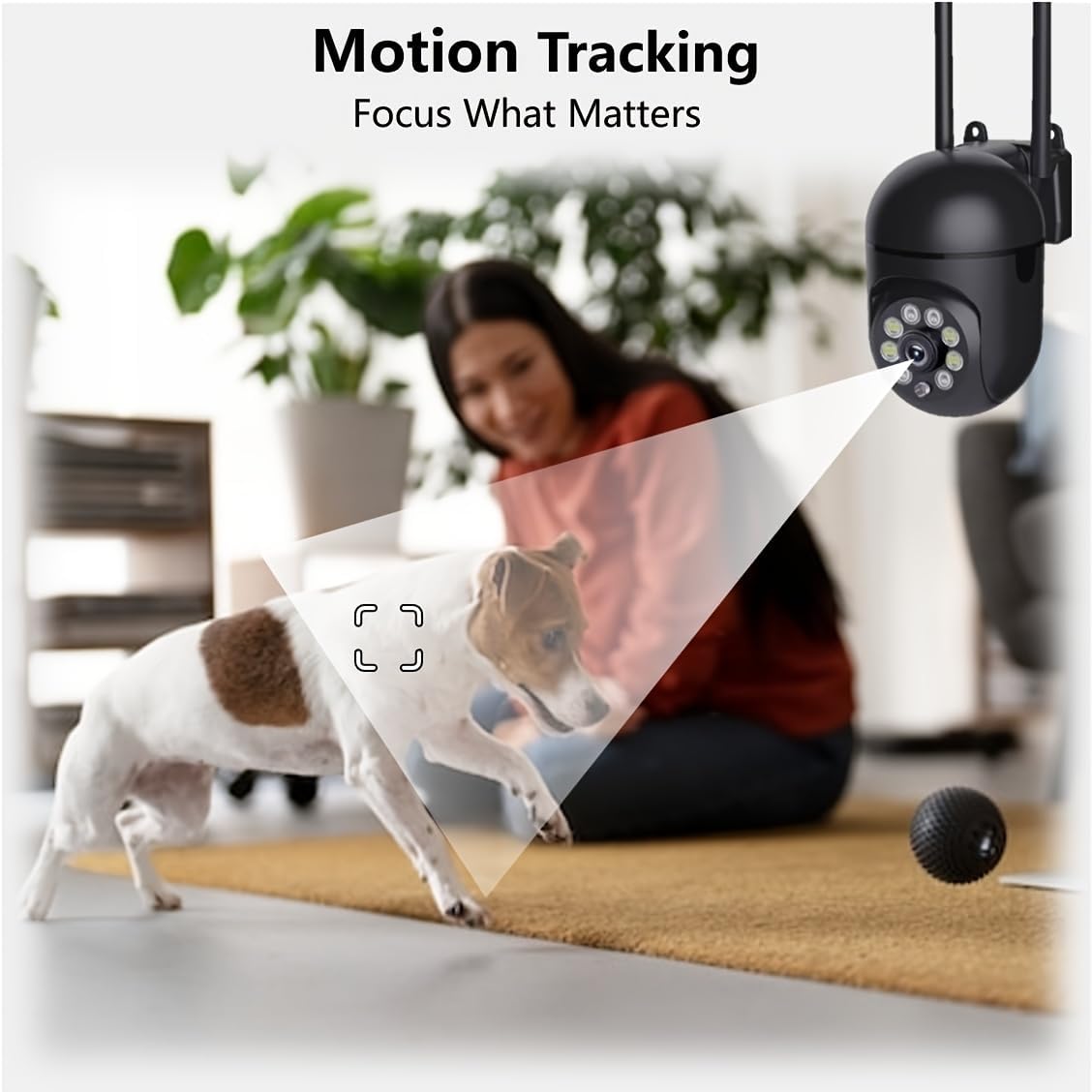
Figure 5.6: Demonstration of real-time two-way talk, allowing communication between the camera's location and the app user.
5.5 Cloud & Local Storage
Your camera offers flexible storage options for your video footage.
- YI Үүлэн Сан: Securely store 6-second video clips triggered by motion or sound detection. This ensures your footage is safe from loss, theft, or damage to local storage. Available for both iOS and Android.
- Орон нутгийн хадгалах сан: The camera supports microSD cards up to 128GB (not included) for continuous recording or event-triggered recordings.
6. Засвар үйлчилгээ
Камераа хамгийн сайн ажиллагаатай, удаан эдэлгээтэй байлгахын тулд дараах засвар үйлчилгээний зөвлөмжийг дагаж мөрдөөрэй.
- Цэвэрлэгээ: Камерын линз болон их биеийг зөөлөн, хуурай даавуугаар зөөлөн арчина. Хүчтэй химийн бодис эсвэл зүлгүүрийн материал хэрэглэхээс зайлсхий.
- Програм хангамжийн шинэчлэлтүүд: Regularly check for and install firmware updates via the YI IOT App. Updates often include performance improvements, new features, and security enhancements.
- Эрчим хүчний мөчлөг: If the camera becomes unresponsive, unplug it from the power source for 10 seconds, then plug it back in to restart it.
7. Алдаа засах
Хэрэв танд камертай холбоотой асуудал тулгарвал дараах нийтлэг асуудал, шийдлүүдийг үзнэ үү.
| Асуудал | Боломжит шалтгаан | Шийдэл |
|---|---|---|
| Камер офлайн байна | Цахилгаангүй байна; Wi-Fi тасарсан; Чиглүүлэгчийн асуудал | Check power connection; Restart camera and router; Reconnect camera to Wi-Fi via app. |
| Зургийн чанар муу байна | Dirty lens; Insufficient lighting; Network bandwidth | Clean the lens; Ensure adequate lighting or enable night vision; Check Wi-Fi signal strength. |
| Хөдөлгөөн мэдрэгч ажиллахгүй байна | Feature disabled; Incorrect sensitivity; Obstruction | Enable motion detection in app; Adjust sensitivity; Ensure clear view. |
| Хоёр талын аудио холболтын асуудлууд | Microphone/speaker muted; App permissions; Network delay | Check app settings; Grant microphone permissions; Ensure stable network connection. |
| MicroSD карт танигдаагүй | Card not inserted correctly; Incompatible card; Corrupted card | Reinsert card; Use a compatible card (Class 10 or higher); Format card in app or replace. |
If the problem persists, please contact YI customer support.
8. Техникийн үзүүлэлтүүд
Detailed technical specifications for the YI Smart Security Camera.
| Онцлог | Тодорхойлолт |
|---|---|
| Загварын нэр | CB201-1X-W |
| Дотор/гадаа ашиглах | Дотор |
| Видео бичлэгийн нягтрал | 1080p бүрэн HD |
| Холболтын технологи | Утасгүй (Wi-Fi 2.4GHz) |
| Тойрог/Найлтын муж | Хэвтээ 355°, Босоо 90° |
| Шөнийн харааны хүрээ | 10 метр |
| Хоёр талын аудио | Тиймээ |
| Хадгалах сонголтууд | Cloud Storage, MicroSD Card (up to 128GB) |
| Эрчим хүчний эх үүсвэр | Утастай цахилгаан |
| Тохиромжтой төхөөрөмжүүд | Ухаалаг утас (iOS/Android) |
| Бүтээгдэхүүний хэмжээ (L x W x H) | 4 x 3.35 x 7.09 инч |
| Оруулсан бүрэлдэхүүн хэсгүүд | Security Camera x1, USB Cable x1 |
9. Баталгаат хугацаа ба дэмжлэг
Баталгаат хугацаа болон техникийн дэмжлэг авахыг хүсвэл албан ёсны YI-ээс лавлана уу website or contact their customer service directly. Details can typically be found on the product packaging or within the YI IOT App's 'About' or 'Support' section.
Онлайн дэмжлэг: Visit the official YI webТүгээмэл асуултууд, алдааг олж засварлах гарын авлага, холбоо барих сонголтуудын сайт.
Аппын дэмжлэг: Access support resources directly within the YI IOT App.