Танилцуулга
This manual provides detailed instructions for the setup, operation, and maintenance of your Weofly Nova Active Noise Cancelling Headphones. Please read this manual thoroughly before using the product to ensure optimal performance and longevity.
Хайрцагт юу байна
Upon unboxing your Weofly Nova headphones, please verify that all the following components are included:
- Weofly Nova Over-Ear Headphones
- USB-A-аас USB-C хүртэлх цэнэглэгч кабель
- 3.5mm AUX Cable (USB-C to 3.5mm TRS)
- Хэрэглэгчийн гарын авлага

Image: The Weofly Nova Active Noise Cancelling Headphones in Sliver, showcasing тэдний дизайн.
Бүтээгдэхүүн дууссанview
The Weofly Nova headphones are designed for comfort and high-quality audio, featuring Active Noise Cancellation and Bluetooth 5.4 connectivity.

Image: A woman wearing the Weofly Nova headphones, illustrating their lightweight and stylish design. The headphones weigh only 130g.

Image: Two pairs of Weofly Nova headphones, one in brown and one in white, highlighting their distinct aesthetic and color options.
Гол онцлогууд:
- Идэвхтэй дуу чимээг арилгах (ANC): Advanced technology to reduce ambient noise.
- Bluetooth V5.4: For faster and more stable wireless connections.
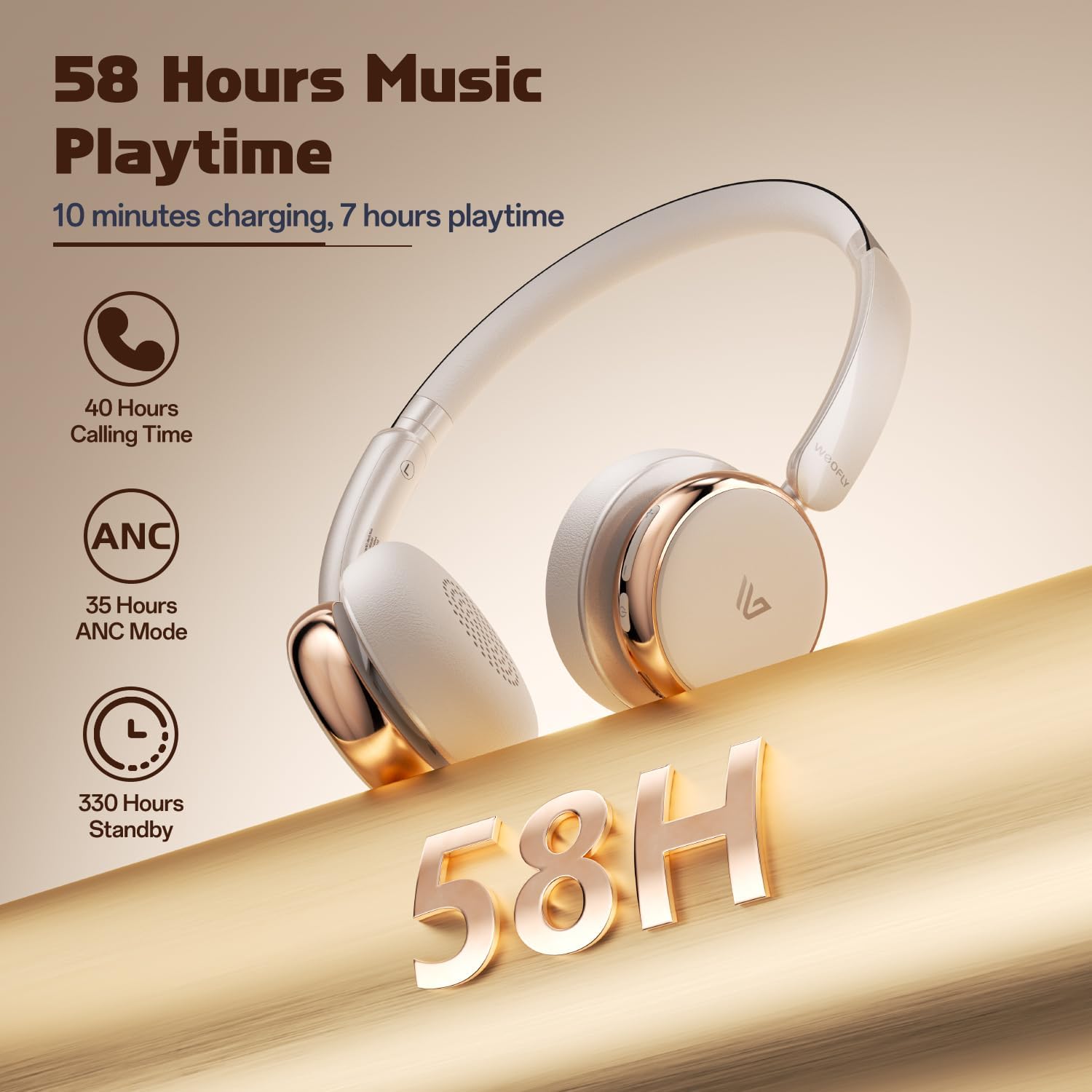
- Батерейны урт наслалт: Up to 58 hours of music playtime on a single charge.
- Тав тухтай дизайн: Ultra-soft memory protein earcups and adjustable headband.
- Өндөр нарийвчлалтай дуу чимээ: 40mm dynamic drivers for clear audio with rich bass.
- Олон төхөөрөмжийн холболт: Connect to two smart devices simultaneously.
Видео: Дууслааview of the Weofly Nova Active Noise Cancelling Headphones, demonstrating their features and design.
Тохируулах заавар
1. Чихэвчийг цэнэглэх
Before first use, fully charge your Weofly Nova headphones. A full charge takes approximately 2 hours.
- Цэнэглэх кабелийн USB-C төгсгөлийг чихэвчний цэнэглэгч порт руу холбоно уу.
- USB-A төгсгөлийг тохирох USB тэжээлийн адаптер (дагаагүй) эсвэл компьютерийн USB порт руу холбоно уу.
- Заагч гэрэл нь цэнэглэлтийн төлөвийг харуулах бөгөөд бүрэн цэнэглэгдсэн үед унтрах эсвэл өнгөө өөрчлөх болно.

Image: The Weofly Nova headphones being charged via a USB-C cable, illustrating the fast charging capability.
2. Асаах/унтраах
- Асаахын тулд: Заагч гэрэл анивчих хүртэл Power товчийг дараад барина уу.
- Унтраахын тулд: Заагч гэрэл унтрах хүртэл Power товчийг удаан дар.
3. Bluetooth хослол
The headphones support quick pairing. The first time you power them on, they will automatically enter pairing mode.
- Чихэвч унтарсан эсэхийг шалгаарай.
- Хослуулах горимыг заах индикаторын гэрэл цэнхэр, улаан өнгөөр ээлжлэн анивчих хүртэл Асаах товчийг ойролцоогоор 5 секундын турш дарна уу.
- Төхөөрөмж дээрээ (ухаалаг утас, таблет, зөөврийн компьютер) Bluetooth-г идэвхжүүлж, боломжтой төхөөрөмжүүдийг хайж олоорой.
- Select "Weofly Nova" from the list of devices.
- Холбогдсоны дараа заагч гэрэл нь цэнхэр өнгөтэй эсвэл цэнхэр өнгөөр аажмаар анивчина.
The headphones can connect to two devices simultaneously. To connect a second device, repeat the pairing process. The headphones will automatically switch between devices for calls or media playback.

Image: An illustration showing the Weofly Nova headphones connecting to a laptop and a smartphone via advanced Bluetooth 5.4, highlighting faster transmission and stable connection.
Ашиглалтын заавар
1. Идэвхтэй дуу чимээг арилгах (ANC)
The Weofly Nova headphones feature Active Noise Cancellation to minimize ambient sounds.
- ANC-г идэвхжүүлэх/идэвхгүй болгохын тулд: Press the dedicated ANC button on the earcup. An audible prompt will confirm the status.

Image: A woman wearing Weofly Nova headphones while focused on her laptop, demonstrating the effectiveness of ANC in reducing distractions.
2. Хөгжим тоглуулах
Control your music directly from the headphones:
- Тоглуулах/түр зогсоох: Multi-function товчийг нэг удаа дарна уу.
- Дараагийн дуу: Дууг нэмэгдүүлэх товчийг удаан дар.
- Өмнөх бичлэг: Дууг багасгах товчийг удаан дар.
- Дууг нэмэгдүүлэх: Дууг чангалах товчийг товч дарна уу.
- Дууг багасгах: Дууг багасгах товчийг товч дарна уу.
3. Дуудлагын удирдлага
Manage phone calls with ease:
- Дуудлагад хариулах/дуусах: Multi-function товчийг нэг удаа дарна уу.
- Дуудлагаас татгалзах: Олон үйлдэлт товчлуурыг 2 секундын турш барина уу.
- Сүүлийн дугаарыг дахин залгах: Олон үйлдэлт товчийг хоёр удаа дарна уу.
4. Дуут туслах
Төхөөрөмжийнхөө дуут туслахыг идэвхжүүлнэ үү:
- Дуут туслахыг идэвхжүүлэх: Олон үйлдэлт товчийг гурван удаа дарна уу.

Image: A multi-panel image illustrating the comfort of the headphones during travel, and the functionality of voice assistance and built-in microphone for hands-free calls.
5. Тоглоомын горим
For reduced latency during gaming, activate Game Mode:
- Тоглоомын горимыг идэвхжүүлэх/идэвхгүй болгох: Press and hold the Multi-function button for 2 seconds (while not on a call or playing music).
6. Утастай холболт
Use the provided 3.5mm AUX cable for a wired connection:
- Connect the USB-C end of the AUX cable to the headphone's USB-C port.
- Connect the 3.5mm end to your audio source's headphone jack.
- Чихэвч автоматаар утастай горимд шилжинэ.
Засвар үйлчилгээ
To ensure the longevity and optimal performance of your Weofly Nova headphones, follow these maintenance guidelines:
- Цэвэрлэгээ: Чихэвчийг цэвэрлэхийн тулд зөөлөн, хуурай даавуугаар цэвэрлээрэй. Зүлгүүрийн цэвэрлэгч, уусгагчийг бүү ашигла.
- Хадгалах: Чихэвчийг нарны шууд тусгал, хэт температураас хол, сэрүүн, хуурай газар хадгална.
- Чийгнээс зайлсхийх: Чихэвчийг ус эсвэл хэт их чийгэнд бүү тавь.
- Болгоомжтой харьцах: Чихэвчийг унагах эсвэл хүчтэй цохилтонд оруулахаас зайлсхий.
Алдааг олж засварлах
If you encounter issues with your Weofly Nova headphones, refer to the following common solutions:
| Асуудал | Шийдэл |
|---|---|
| Чихэвч асахгүй байна | Ensure the headphones are fully charged. Connect to a power source and allow to charge for at least 30 minutes before attempting to power on again. |
| Төхөөрөмжтэй хослуулах боломжгүй | Ensure headphones are in pairing mode (flashing blue/red). Turn off and on your device's Bluetooth. Move headphones closer to the device. Clear previous Bluetooth connections on your device. |
| Дуугүй эсвэл дуу багатай | Check headphone and device volume levels. Ensure headphones are properly connected via Bluetooth or AUX cable. Test with a different audio source. |
| АН үр дүнтэй ажиллахгүй байна | Ensure ANC is activated. Adjust headphone fit to ensure a good seal around your ears. ANC is most effective against low-frequency, constant noise. |
| Тасралтгүй холболт | Ensure no obstacles are between the headphones and your device. Move away from other wireless devices that may cause interference. Ensure headphones are fully charged. |
Үзүүлэлтүүд
Technical details for the Weofly Nova Active Noise Cancelling Headphones:
- Загварын нэр: Нова
- Холболтын технологи: Утасгүй (Bluetooth)
- Утасгүй холбооны технологи: Bluetooth 5.4
- Аудио драйверын төрөл: 40 мм динамик драйвер
- Дуу чимээний хяналт: Идэвхтэй дуу чимээг арилгах
- Зайны хугацаа: Up to 58 hours (music playtime), 40 hours (talk time), 35 hours (ANC mode)
- Цэнэглэх хугацаа: Ойролцоогоор 2 цаг
- Зайны багтаамж: 500 мАч
- Барааны жин: 0.26 килограмм (9.1 унц)
- Чихний байрлал: Чихний дээгүүр
- Тохиромжтой төхөөрөмжүүд: Гар утас, Таблет, Зөөврийн компьютер, Ухаалаг чанга яригч
Зураг: Нарийвчилсан view of the Weofly Nova earcup, emphasizing the 40mm dynamic driver responsible for high-fidelity sound quality.

Image: The Weofly Nova headphones prominently displaying '58H', signifying their extended battery life of 58 hours for music playback.
Баталгаат болон дэмжлэг
Weofly products come with a standard manufacturer's warranty. For specific warranty details, please refer to the warranty card included in your product packaging or visit the official Weofly website. For technical support, troubleshooting assistance, or any inquiries regarding your Weofly Nova headphones, please contact Weofly customer service through the contact information provided on our webсайт эсвэл таны бүтээгдэхүүний баримт бичигт.