1. Танилцуулга
Thank you for choosing the EDYELL C6 Motorcycle Bluetooth Headset. This device is designed to enhance your riding experience by providing seamless communication, high-fidelity music, and hands-free calling. Featuring Bluetooth V5.3, an OLED display, a 1000mAh battery, and IP67 waterproofing, the C6 offers reliable performance in various conditions. Please read this manual carefully to ensure proper installation and operation.
2. Багцын агуулга
Доор жагсаасан бүх зүйл таны багцад байгаа эсэхийг шалгаарай.
- 1x EDYELL C6 Motorcycle Bluetooth Headset
- 1x Hard Microphone Speakers Set
- 1х Клampсуурь
- 2x Microphone Velcro Tape
- 2x Speaker Velcro
- 2x Booster Sticker
- 1x Stand Velcro Tape
- 1x Thick Double Sided Tape
- 1x хэрэглэгчийн гарын авлага
- 1x цэнэглэх кабель
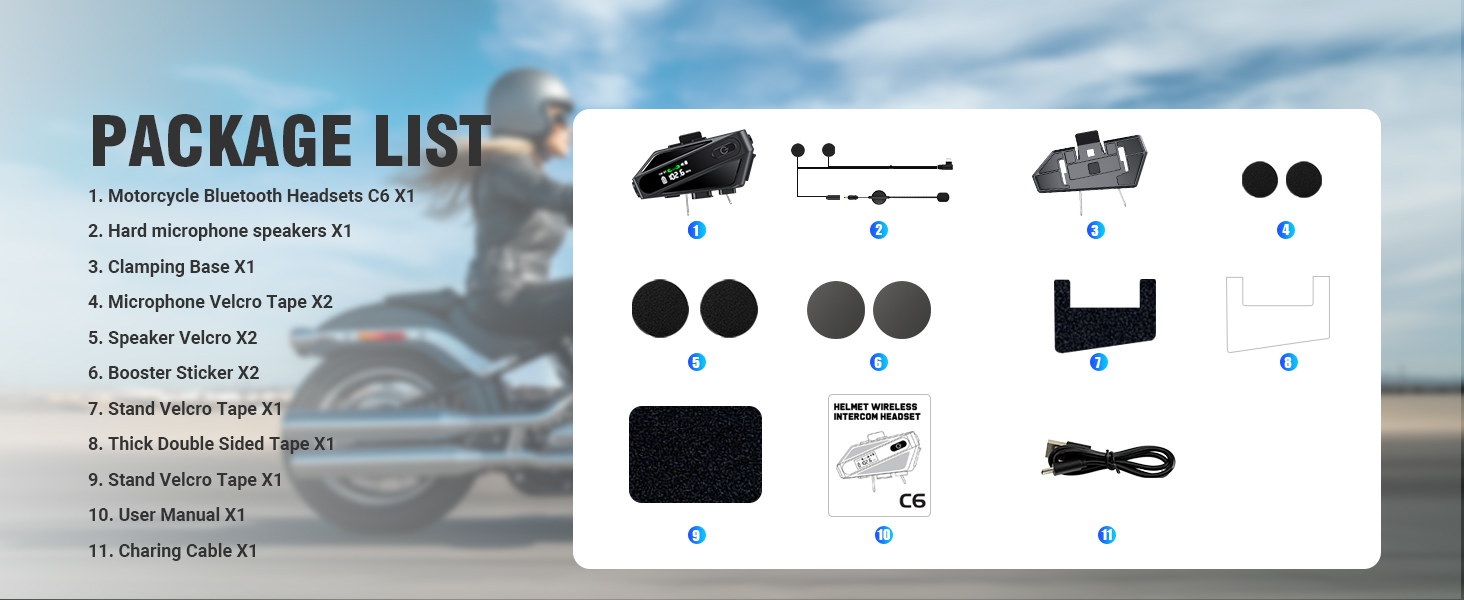
Image: Contents of the EDYELL C6 package, including the headset unit, speakers, microphone, mounting accessories, and charging cable.
3. Бүтээгдэхүүн дууссанview
The EDYELL C6 features an intuitive design with clearly labeled controls and an OLED screen for easy status monitoring.
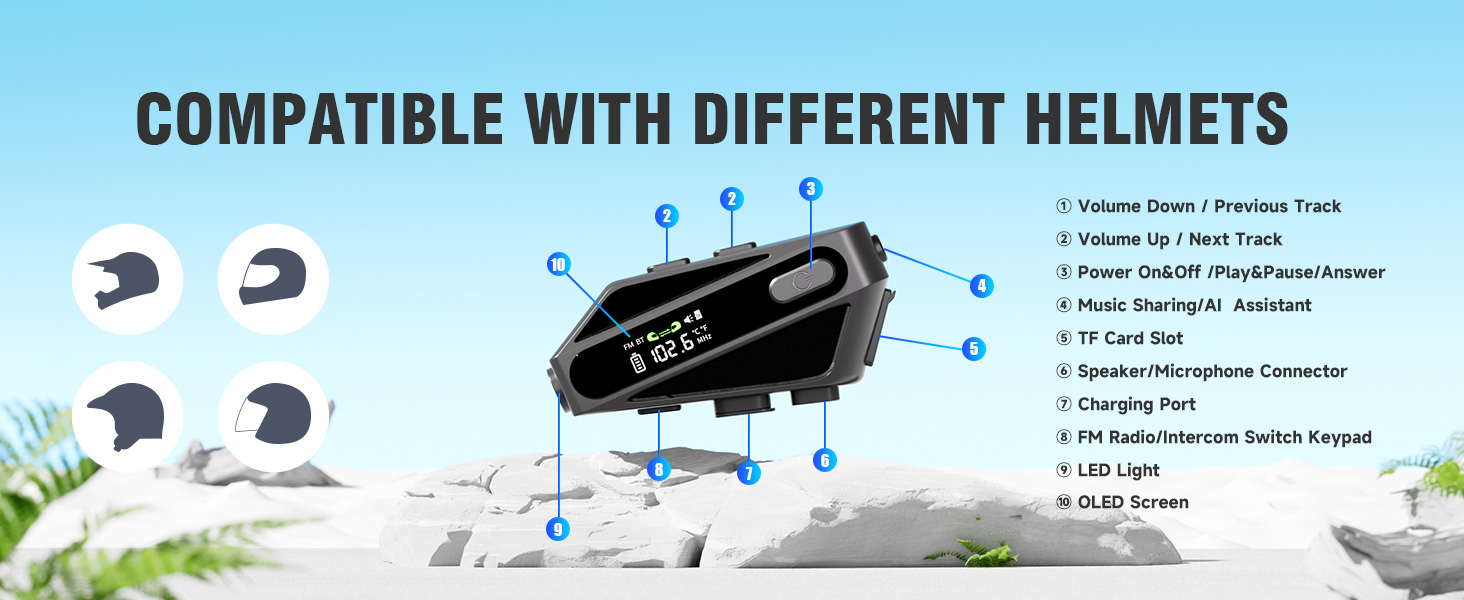
Image: Labeled diagram of the EDYELL C6 headset, highlighting its buttons, ports, and screen.
Хяналт ба үзүүлэлтүүд:
- Дууны дууг багасгах / өмнөх дууны товчлуур: Decreases volume or skips to the previous song.
- Дууны хэмжээг нэмэгдүүлэх / Дараагийн бичлэгийн товчлуур: Increases volume or skips to the next song.
- Power On/Off / Play/Pause / Answer Button: Эрчим хүч, хөгжим тоглуулах, дуудлагын менежментийг хянадаг.
- Music Sharing / AI Assistant Button: Activates music sharing or the voice assistant.
- TF картын оролт: Insert a MicroSD card for offline music playback (up to 128GB).
- Speaker/Microphone Connector: Port for connecting the speaker and microphone assembly.
- Цэнэглэх порт: Төхөөрөмжийг цэнэглэх зориулалттай USB Type-C порт.
- FM Radio / Intercom Switch Keypad: Toggles between FM radio and intercom modes.
- LED гэрэл: Гэрэлтүүлгийг хангана.
- OLED дэлгэц: Displays battery level, FM frequency, Bluetooth status, and other information.
4. Тохиргоо
4.1. Төхөөрөмжийг цэнэглэж байна
Before first use, fully charge the headset. Connect the provided USB Type-C charging cable to the charging port (7) on the device and to a USB power source. The OLED screen will indicate the charging status. A full charge takes approximately 1.5 hours.

Image: The EDYELL C6 headset connected to a Type-C charger, illustrating its 1000mAh battery capacity and fast charging capability.
4.2. Installation on Helmet
The EDYELL C6 can be installed on various helmet types using the clamping base or adhesive tape. Ensure the speakers are positioned directly over your ears inside the helmet for optimal audio quality, and the microphone is placed near your mouth.

Image: The EDYELL C6 headset securely attached to a helmet, demonstrating its waterproof design.
Зураг: Жишээ ньamples of different helmet types compatible with the EDYELL C6 headset.
5. Ашиглалтын заавар
5.1. Асаах/унтраах
- Асаах: Press and hold the Power On/Off button (3) for approximately 3 seconds until the OLED screen illuminates.
- Унтраах: Press and hold the Power On/Off button (3) for approximately 3 seconds until the OLED screen turns off.
5.2. Bluetooth хослол
To connect your EDYELL C6 to a mobile phone or other Bluetooth device:
- Чихэвчийг унтраасан эсэхийг шалгаарай.
- Press and hold the Power On/Off button (3) for approximately 5-7 seconds until the OLED screen shows 'Pairing' or a similar indicator, and the Bluetooth icon flashes.
- Гар утсан дээрээ Bluetooth-г асаагаад боломжтой төхөөрөмжүүдийг хайгаарай.
- Select 'EDYELL C6' from the list of devices.
- Once connected, the OLED screen will show a stable Bluetooth icon.

Image: The EDYELL C6 supports Bluetooth 5.3 for quick pairing and communication up to 600 meters.
5.3. Хөгжим тоглуулах
- Тоглуулах/түр зогсоох: Short press the Power On/Off button (3).
- Дараагийн дуу: Дууг чангалах товчийг (2) товч дарна уу.
- Өмнөх бичлэг: Дууг багасгах товчийг (1) товч дарна уу.
- Дууны тохируулга: Long press the Volume Up button (2) to increase volume, long press the Volume Down button (1) to decrease volume.
5.4. Утасны дуудлага
- Дуудлагад хариулах: Short press the Power On/Off button (3) when a call comes in.
- Дуудлага дуусгах: Short press the Power On/Off button (3) during a call.
- Дуудлагаас татгалзах: Long press the Power On/Off button (3) when a call comes in.
- Сүүлийн дугаарыг дахин залгах: Double-press the Power On/Off button (3) in standby mode.
5.5. Домофон холбооны функц
The C6 supports intercom communication with another C6 unit up to 600 meters. Refer to the specific pairing instructions for intercom mode in the full user manual for detailed steps.
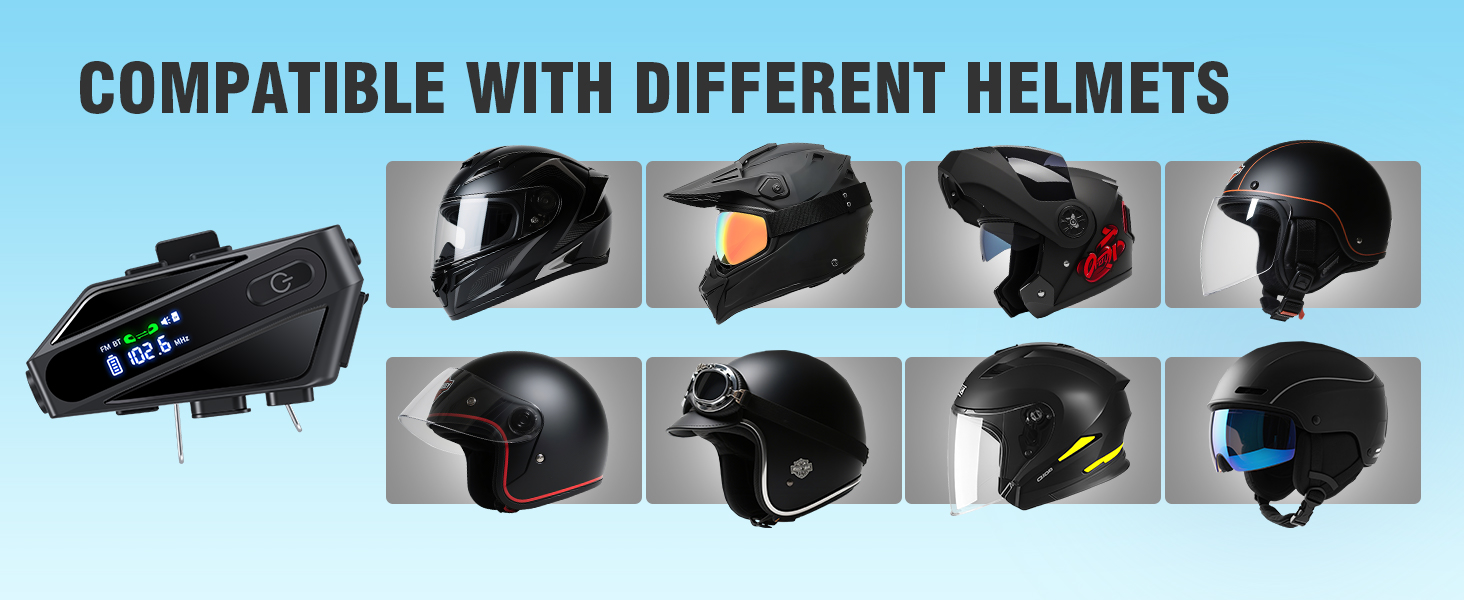
Image: The EDYELL C6 offers an extra-long communication distance of 600 meters for rider-to-rider intercom.
5.6. FM радио
To activate FM radio, short press the FM Radio/Intercom Switch Keypad (8). Use the Volume Up/Down buttons (1, 2) to change stations. Short press the FM Radio/Intercom Switch Keypad (8) again to exit FM mode.
5.7. Дуут туслах
Activate your phone's voice assistant (e.g., Siri, Google Assistant) by short pressing the Music Sharing/AI Assistant button (4). You can then issue commands like "Hey Siri, call Mike."

Image: The EDYELL C6 supports intelligent voice assistant functions for hands-free control.
5.8. Хөгжим хуваалцах
To share music with a companion's EDYELL C6 headset, long-press the Music Sharing/AI Assistant button (4). Both headsets must be in intercom mode or paired for this feature to work.
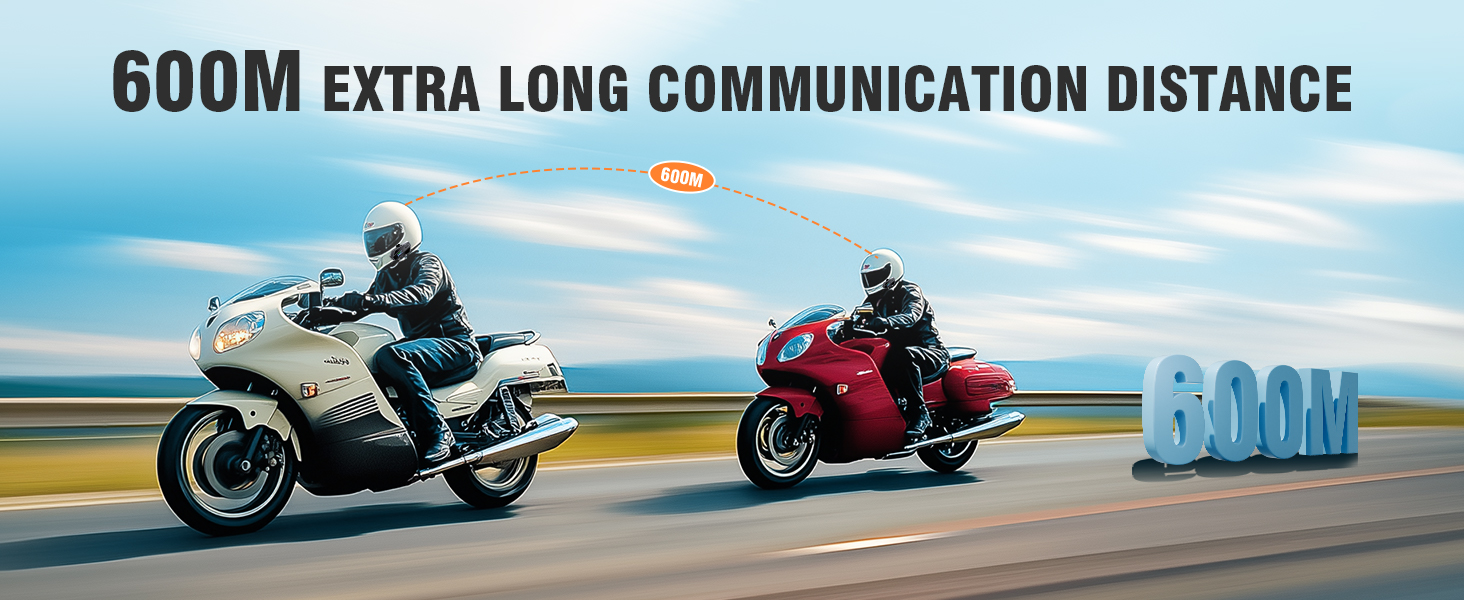
Image: Music sharing feature of the EDYELL C6, allowing two riders to listen to the same audio.
5.9. TF Card Offline Playback
Insert a MicroSD card (up to 128GB) into the TF Card Slot (5) to play music directly from the card without needing a Bluetooth connection to a phone.
6. Засвар үйлчилгээ
To ensure the longevity and optimal performance of your EDYELL C6 headset:
- Цэвэрлэгээ: Төхөөрөмжийг зөөлөн арчиж, damp даавуу. Хүчтэй химийн бодис, зүлгүүрийн цэвэрлэгч хэрэглэхээс зайлсхий.
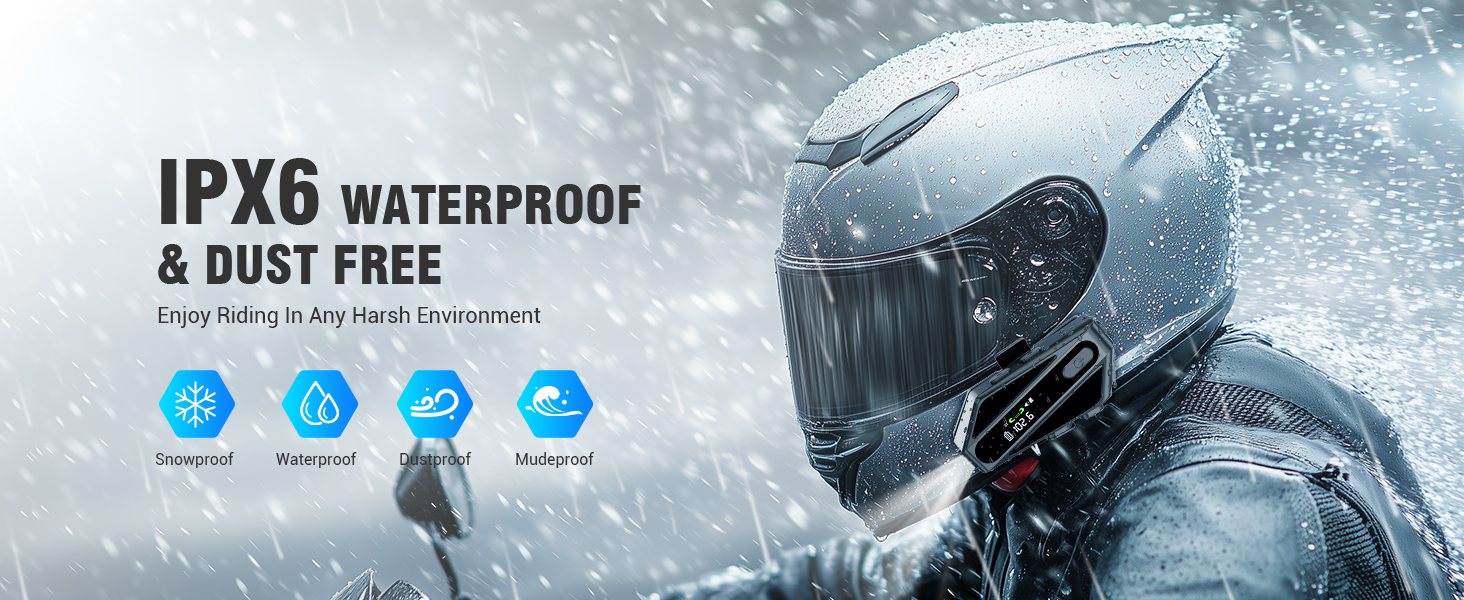
- Усны эсэргүүцэл: The device is IP67 waterproof. While it can withstand rain and splashes, avoid submerging it in water for extended periods. Ensure the charging port cover is securely closed.
- Хадгалах: Чихэвчийг нарны шууд тусгал, хэт температураас хол, сэрүүн, хуурай газар хадгална.
- Батерейны арчилгаа: Удаан хугацаанд хадгалахын тулд гүн цэнэг алдалтаас сэргийлэхийн тулд хэдэн сар тутамд батерейг 50% орчим цэнэглээрэй.
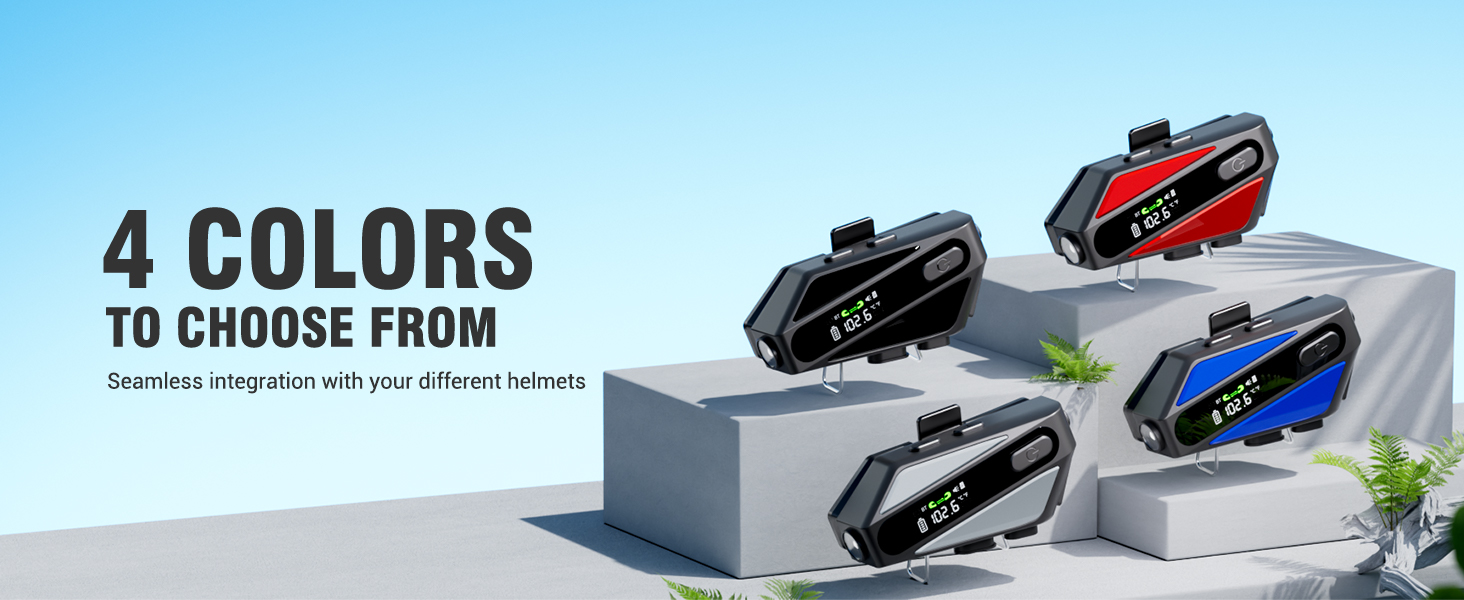
Image: The EDYELL C6 features IP67 waterproof and dustproof design for use in harsh environments.
7. Алдаа засах
If you encounter issues with your EDYELL C6, refer to the following common solutions:
- Төхөөрөмж асахгүй байна: Батерейг цэнэглэсэн эсэхийг шалгаарай. Цэнэглэгчтэй холбогдоод дахин оролдоно уу.
- Утастай холбох боломжгүй: Ensure the headset is in pairing mode (flashing Bluetooth icon). Turn off and on your phone's Bluetooth, then try pairing again.
- Чанга яригчаас дуу гарахгүй: Check if the speakers are properly connected to the headset. Ensure volume is not set to minimum.
- Интерком холбогдоогүй байна: Ensure both units are within range (up to 600m) and are in intercom pairing mode.
- Дууны чанар муу: Check speaker placement inside the helmet. Ensure microphone is positioned correctly to reduce wind noise.
- Төхөөрөмж хариу өгөхгүй байна: Try resetting the device by holding the power button for an extended period (e.g., 10-15 seconds) or by allowing the battery to fully discharge and then recharging.
8. Техникийн үзүүлэлтүүд
| Онцлог | Тодорхойлолт |
|---|---|
| Загварын нэр | C6 |
| Холболтын технологи | Утасгүй (Bluetooth V5.3) |
| Bluetooth хувилбар | 5.3 |
| Зайны багтаамж | 1000 мАч лити полимер |
| Цэнэглэх хугацаа | Ойролцоогоор 1.5 цаг |
| Хөгжим тоглуулах цаг | 30 цаг хүртэл |
| Цаг руу залгах | 40 цаг хүртэл |
| Зогсоолын цаг | 300 гаруй цаг |
| Домофон холбооны хүрээ | 600 метр хүртэл |
| Усны эсэргүүцлийн түвшин | IP67 Усны хамгаалалттай |
| Дуу чимээний хяналт | Passive Noise Cancellation (ENC) |
| Аудио драйверын хэмжээ | 50 мм динамик драйвер |
| TF картын дэмжлэг | 128 ГБ хүртэл |
| Хяналтын арга | Дуу хоолой, Товчлуур |
| Зүйлийн жин | 180 грамм |
| Бүтээгдэхүүний хэмжээс | 10 x 5 x 2 см |
9. Баталгаат хугацаа ба дэмжлэг
The EDYELL C6 Motorcycle Bluetooth Headset comes with a 12 Months EDYELL India Warranty. For any quality problems, technical assistance, or warranty claims, please contact our customer support team:
Имэйл: support@fenman.in
Утас: +91 8882786235
Please have your purchase details and model number (C6) ready when contacting support.


