Танилцуулга ба түүнээс дээшview
Thank you for choosing the KinetCam Wireless Indoor Security Camera. This 2K HD Wi-Fi camera is designed for real-time monitoring of your indoor spaces, offering features like motion detection, instant notifications, and a long-lasting rechargeable battery. This manual provides essential information for setting up, operating, and maintaining your camera to ensure optimal performance.

Image: The KinetCam Wireless Indoor Security Camera shown next to a smartphone displaying the camera's live feed and app interface.
Гол онцлогууд нь:
- 2K HD Video: Тодорхой бөгөөд нарийвчилсан foo зураг авахtage.
- Wi-Fi холболт: Easy connection to 2.4G Wi-Fi networks (5G Wi-Fi not supported).
- Бодит цагийн хяналт: View live feed from anywhere via the mobile app.
- Хөдөлгөөн илрүүлэх ба дохиолол: Receive instant notifications upon detecting movement.
- Цэнэглэдэг батерей: Up to 100 days standby time (depending on activity).
- Шөнийн хараа: Шөнийн харааны автомат viewгэрэл багатай нөхцөлд.
- Орон нутгийн болон үүлэн хадгалалт: Supports TF card up to 256GB (not included) and optional cloud storage.
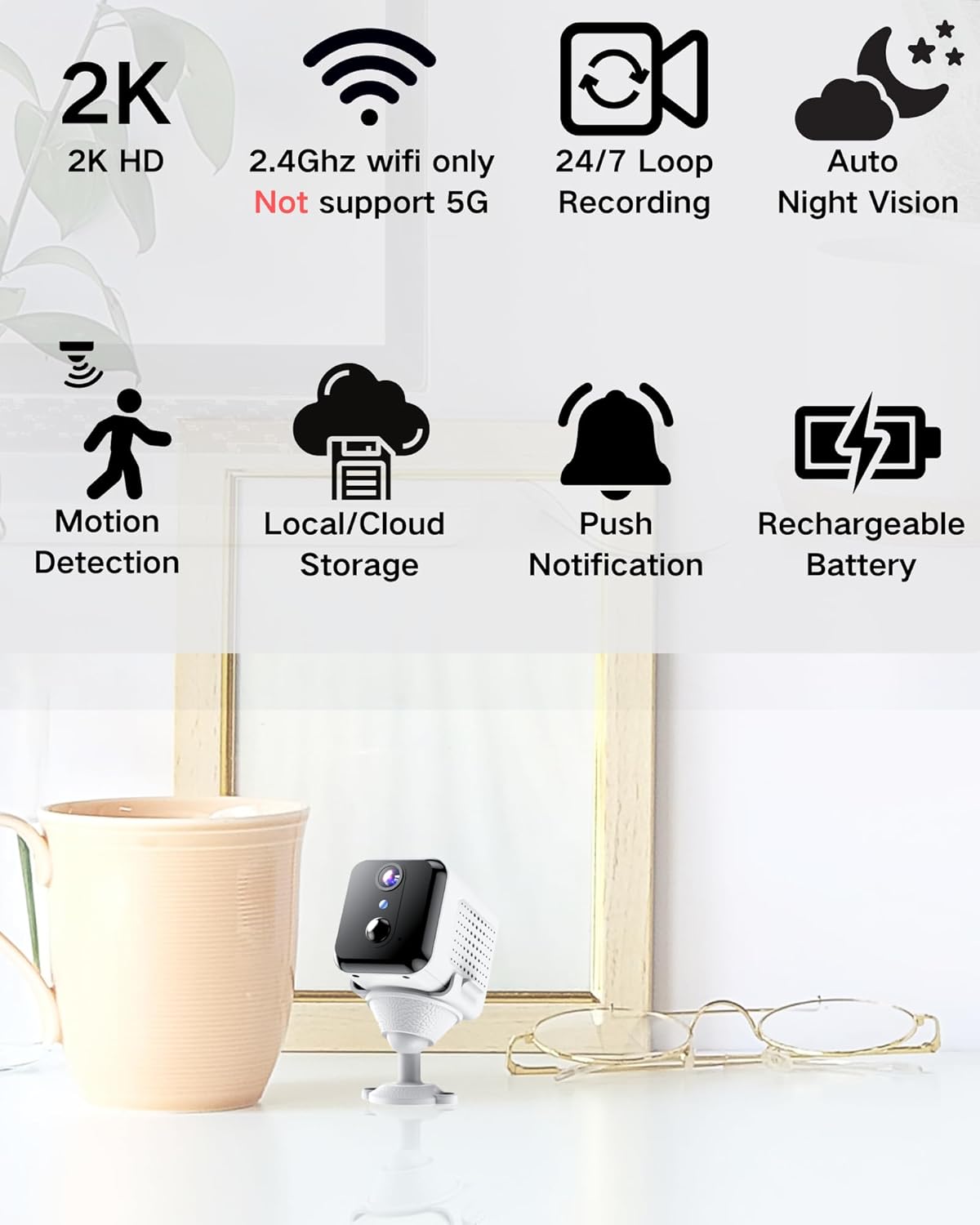
Image: Visual representation of the camera's main features, including 2K HD, 2.4GHz Wi-Fi support, loop recording, night vision, motion detection, storage options, push notifications, and rechargeable battery.
Хайрцагт юу байна
Хайрцагнаас задлахдаа багцын агуулгыг шалгана уу:
- Камерын их бие
- Суурилуулалтын суурь
- Хэрэглэгчийн гарын авлага
Тохируулах гарын авлага
1. Камерыг цэнэглэж байна
Before initial use, fully charge the camera using the provided USB cable and a compatible power adapter (not included). The charging indicator light will show the charging status.

Image: An illustration highlighting the internal rechargeable battery of the KinetCam camera, emphasizing its long standby capability.
2. Програм суулгах
Download the "KinetCam" app from your smartphone's app store (Google Play Store for Android or Apple App Store for iOS). Alternatively, scan the QR code provided in the quick start guide (if applicable) to download the app.
3. Wi-Fi-д холбогдож байна
- Ухаалаг утас тань a-д холбогдсон эсэхийг шалгаарай 2.4GHz Wi-Fi сүлжээКамер нь 5GHz Wi-Fi-г дэмждэггүй.
- Open the KinetCam app and create an account or log in.
- Follow the in-app instructions to add a new device. This typically involves powering on the camera and scanning a QR code displayed on your phone with the camera's lens, or connecting via an access point.
- Холбогдсоны дараа камерын заагч гэрэл өөрчлөгдөх бөгөөд та өөрийн апп-д жагсаасан камерыг харах болно.

Image: A user interacting with the KinetCam app on a smartphone, illustrating the ease of connecting the camera to a Wi-Fi network.
4. Камер суурилуулах
The camera comes with an installation base for flexible placement. You can place it on a flat surface or mount it to a wall. Ensure the camera has a clear line of sight to the area you wish to monitor.
- Attach the camera body to the installation base.
- For wall mounting, use appropriate screws (not included) to secure the base to the desired location.
Ашиглалтын заавар
1. Амьд View
Open the KinetCam app and select your camera from the device list to access the live video feed. You can view the 2K HD video in real-time.

Image: A smartphone screen showing a clear 2K live video feed from the camera, including a demonstration of its night vision capabilities in a dark room.
2. Хөдөлгөөн илрүүлэх ба дохиолол
The camera features PIR (Passive Infrared) motion detection. When motion is detected, the camera will automatically record and send an instant notification to your smartphone. You can adjust motion sensitivity settings within the app.

Image: A smartphone screen showing a motion detection alert from the KinetCam app, demonstrating how the camera sends immediate notifications when activity is detected.
3. Бичлэг ба Хадгалалт
The camera supports continuous loop recording and event-triggered recording. You have two storage options:
- Орон нутгийн хадгалах сан: Insert a TF (microSD) card (up to 256GB, not included) into the camera's designated slot for local video storage.
- Үүл хадгалах сан: Optional cloud storage services may be available through the app for secure off-site storage of your recordings. Refer to the app for subscription details.

Image: A visual explanation of the camera's storage options, including support for a TF card (up to 256GB) and optional cloud storage.
4. Шөнийн хараа
The camera automatically switches to night vision mode in low-light conditions, providing clear black-and-white video up to 15 feet.
Засвар үйлчилгээ
- Зай цэнэглэх: Recharge the camera battery when the app indicates low power to ensure continuous operation.
- Цэвэрлэгээ: Камерын линз болон их биеийг зөөлөн, хуурай даавуугаар зөөлөн арчина. Хүчтэй химийн бодис эсвэл зүлгүүрийн материал хэрэглэхээс зайлсхий.
- Програм хангамжийн шинэчлэлтүүд: Periodically check the KinetCam app for available firmware updates to ensure your camera has the latest features and security enhancements.
Алдааг олж засварлах
| Асуудал | Боломжит шийдэл |
|---|---|
| Камер Wi-Fi-д холбогдохгүй байна. |
|
| Шууд видео хангамж байхгүй. |
|
| Хөдөлгөөний сэрэмжлүүлэг хүлээн аваагүй. |
|
| Видео чанар муу. |
|
Үзүүлэлтүүд
| Онцлог | Дэлгэрэнгүй |
|---|---|
| Загварын нэр | CAM-A |
| Дотор/гадаа ашиглах | Дотор |
| Тохиромжтой төхөөрөмжүүд | Ухаалаг утас |
| Эрчим хүчний эх үүсвэр | Батерейгаар ажилладаг (1 литийн полимер батерей багтсан) |
| Холболтын протокол | Wi-Fi (зөвхөн 2.4 GHz) |
| Суурилуулах төрөл | Ханын бэхэлгээ |
| Видео бичлэгийн нягтрал | 2K |
| Viewing өнцөг | 150 градус |
| Шөнийн харааны хүрээ | 15 фут |
| Бүтээгдэхүүний хэмжээ (L x W x H) | 3.19 x 2.1 x 2.1 инч |
| Зүйлийн жин | 7 унц |
| Оруулсан бүрэлдэхүүн хэсгүүд | Camera Body, Installation Base, User Manual |
Баталгаат болон дэмжлэг
For warranty information and customer support, please refer to the documentation included with your purchase or visit the official KinetCam website. If you encounter any issues not covered in this manual, please contact KinetCam customer service for assistance.
You can visit the KinetCam store on Amazon for more information: KinetCam Amazon Store


