Дууслааview
The VTech VM3258 Digital Video Baby Monitor allows you to keep a close eye on your baby with its high-resolution 2.8-inch color LCD screen. This monitor features a multi-color night-light, soothing lullabies and sounds, two-way audio communication, and a temperature sensor to ensure your baby's comfort. Designed for ease of use, it offers long battery life for extended monitoring.

Image: The VTech VM3258 monitor system, featuring the parent unit with a 2.8-inch LCD screen displaying a baby, and the baby unit with a night-light feature. Both units are white with VTech branding.
Багцын агуулга
Бүх зүйл багцад байгаа эсэхийг шалгаарай:
- Эцэг эхийн хэсэг
- Хүүхдийн тасаг
- 2 хувьсах гүйдлийн адаптер
- 4 Screws (for wall mounting, if applicable)
- Хэрэглэгчийн гарын авлага (энэ баримт бичиг)
- Түргэн эхлэх гарын авлага
Бүтээгдэхүүний онцлог
- High-resolution 2.8-inch Color LCD Screen: Provides clear video of your baby.
- Night-light on Baby Unit: Soothing multi-color light with an auto-on feature based on noise detection.
- Soothing Sounds and Lullabies: Includes 2 melodies and 2 ambient sounds (trickling stream, white noise) to help baby sleep.
- Two-way, Talk-back Intercom: Allows you to speak to your baby from the parent unit.
- Батерейны урт наслалт: Up to 19 hours of video streaming or 29 hours of audio-only monitoring on a single charge.
- Температур мэдрэгч: Monitors the nursery temperature, displayed on the parent unit.
- Automatic Infrared Night Vision: Provides clear video in low-light conditions.
- Sound Activation Screen Mode: Screen turns on when noise is detected.
- 2x дижитал томруулалт: Ойртох боломжийг олгоно viewing of your baby.
- Up to 1,000 feet of Range: Ensures monitoring across larger homes.
Тохиргоо
1. Эцэг эхийн төхөөрөмжийг цэнэглэх
Before first use, charge the parent unit for at least 12 hours. Connect one of the AC adapters to the parent unit and a power outlet. The battery indicator will show charging status.
2. Powering the Baby Unit
Connect the second AC adapter to the baby unit and a power outlet. The baby unit will power on automatically.
3. Нэгжүүдийг байрлуулах
Place the baby unit in your baby's room, at least 3 feet (1 meter) away from the baby. Position it on a flat surface or mount it to a wall using the provided screws. Ensure the camera has a clear view of the baby's crib. Keep the parent unit within range of the baby unit for optimal signal.

Image: An overhead diagram of a multi-story house illustrating the VTech baby monitor's long range capability, showing the baby unit in a nursery and the parent unit being used in various rooms up to 1000 feet away.
4. Secure Connection
The VTech VM3258 uses a secure, non-Wi-Fi connection, ensuring your privacy. No internet connection or app is required for operation.
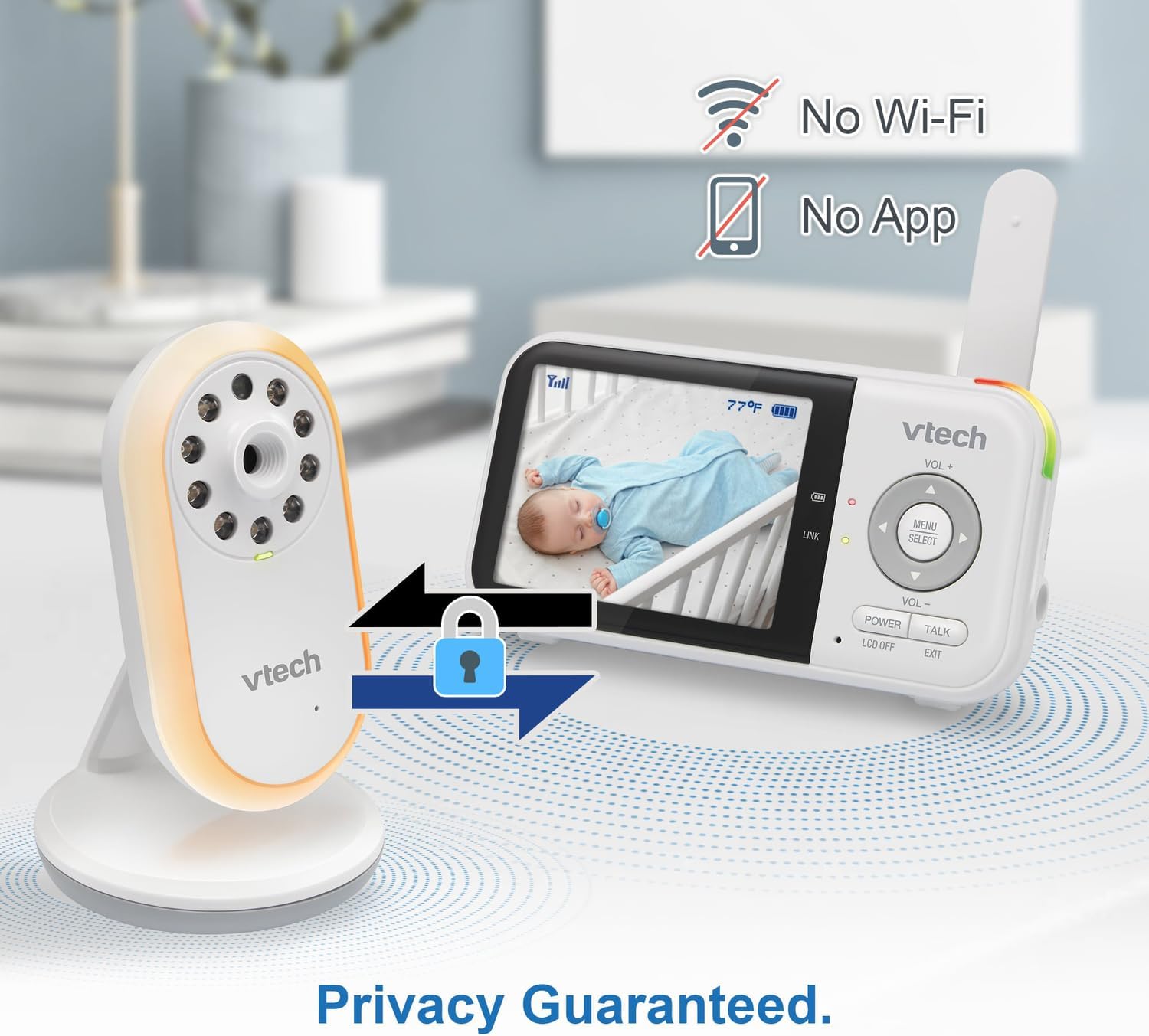
Image: The VTech baby monitor setup, showing the parent unit and baby unit with icons indicating "No Wi-Fi" and "No App," highlighting the secure, private connection.
Ашиглалтын заавар
1. Асаах/унтраах
- Эцэг эхийн нэгж: -г удаан дар ХҮЧ button until the screen turns on/off.
- Хүүхдийн тасаг: The baby unit powers on automatically when connected to power.
2. Дууны хэмжээг тохируулах
-г ашиглана уу VOL+ болон VOL- buttons on the parent unit to adjust the listening volume.
3. Two-Way Talk-Back Intercom
-г удаан дар ЯРИА button on the parent unit to speak to your baby through the baby unit's speaker. Release the button to hear your baby.

Image: A split image depicting a parent holding the VTech parent unit and a baby playing, illustrating the two-way talk-back intercom functionality.
4. Night-Light and Lullabies
Access the menu on the parent unit to control the baby unit's night-light (choose from 3 colors) and to play soothing lullabies or ambient sounds. You can also enable the auto-on night-light feature, which activates when noise is detected.

Image: The VTech baby unit with its night light softly glowing, surrounded by musical notes, symbolizing its ability to play lullabies and soothing sounds.
5. Температурын хяналт
The current nursery temperature is displayed on the parent unit's LCD screen, allowing you to ensure a comfortable environment for your baby.
6. Шөнийн хараа
Хүүхдийн төхөөрөмж нь гэрэл багатай нөхцөлд хэт улаан туяаны шөнийн харааг автоматаар идэвхжүүлж, эцэг эхийн төхөөрөмж дээр тод хар цагаан дүрсийг гаргадаг.

Image: A side-by-side comparison showing a baby in a crib, with one side labeled "Standard night vision" (darker, less clear) and the other "Our night vision" (brighter, clearer, without glare).
7. Батерейны ашиглалтын хугацаа
The parent unit offers extended battery life. To conserve battery, you can use the audio-only mode or enable the sound activation screen mode, which turns the screen off until sound is detected.

Image: A circular diagram showing a battery icon in the center, with two halves representing "19 hours in screen-on mode" (depicting a person exercising) and "29 hours in audio-only mode" (depicting a person watching TV at night), illustrating the monitor's long battery life.
Засвар үйлчилгээ
Cleaning the Units
Wipe the surfaces of the parent unit and baby unit with a soft, damp cloth. Do not use cleaning sprays or liquid cleaners. Ensure the units are dry before reconnecting to power.
Батерейны арчилгаа
To prolong battery life, avoid fully discharging the parent unit battery frequently. If storing the unit for an extended period, charge it fully before storage and recharge every few months.
Алдааг олж засварлах
| Асуудал | Боломжит шийдэл |
|---|---|
| No picture/sound on parent unit. |
|
| Picture is black and white. | This is normal when the baby unit's infrared night vision is active due to low light conditions. |
| Статик эсвэл хөндлөнгийн оролцоо. |
|
| Эцэг эхийн төхөөрөмжийн батерей хурдан дуусдаг. |
|
Үзүүлэлтүүд
- Загварын дугаар: VTVM3258
- Бүтээгдэхүүний хэмжээ: 4.72 x 2.5 x 1.32 inches (Parent Unit)
- Барааны жин: 1.25 фунт (Нийт)
- Батерей: 1 A battery required (included) for Parent Unit
- Давтамжийн хүрээ: 400-470 МГц
- Хамгийн их ярих хүрээ: 1,000 фут хүртэл (харах шугам)
- Сувгийн тоо: 32
- Өнгө: Цагаан
- Үйлдвэрлэгч: VTech Communications
- Эхний боломжтой огноо: 9 оны нэгдүгээр сарын 2025


