Танилцуулга
Thank you for choosing the LIORQUE SM-01 White Noise Machine with Alarm Clock. This device is designed to enhance your sleep, relaxation, and wake-up experience with a variety of soothing sounds, an adjustable night light, and a customizable alarm clock. Please read this manual carefully to ensure proper use and to fully enjoy all its features.
Аюулгүй байдлын мэдээлэл
- Анхааруулга: Use only with the provided power cable.
- Чийглэг орчинд бүү ашигла.
- Хэт их халуунд бүү өрт.
- Энэ төхөөрөмж нь тоглоом биш юм.
- Risk of sunburn or electric shock if mishandled.
- Avoid prolonged exposure to high sound levels.
- Хүүхдийн гар хүрэхгүй газар хадгална.
Багцын агуулга

The image displays the LIORQUE SM-01 White Noise Machine, a charging cable, a power adapter, and the user manual, all neatly arranged with the product packaging.
Савлахдаа дараах зүйлс байгаа эсэхийг шалгана уу.
- LIORQUE SM-01 White Noise Machine with Alarm Clock (x1)
- Цэнэглэх кабель (x1)
- Эрчим хүчний адаптер (x1)
- Хэрэглэгчийн гарын авлага (x1)
Бүтээгдэхүүн дууссанview болон Хяналтууд

This image illustrates the top panel of the device, highlighting the various buttons and their corresponding functions for easy identification and operation.
Familiarize yourself with the control buttons located on the top of the device:
- Сэрүүлгийн унтраалга: Сэрүүлгийг идэвхжүүлэх эсвэл идэвхгүй болгох.
- Time Set / Dimmer: Long press to set the time; short press to adjust display brightness.
- Эзлэхүүн: Дууны хэмжээг бууруулдаг.
- Snooze / Light Button: Activates snooze during an alarm; short press to turn on/off or adjust the night light.
- Эзлэхүүн +: Дууны хэмжээг нэмэгдүүлдэг.
- Дууны товчлуур: Selects soothing sounds.
- Цаг хэмжигч товчлуур: Sets the sleep timer duration.
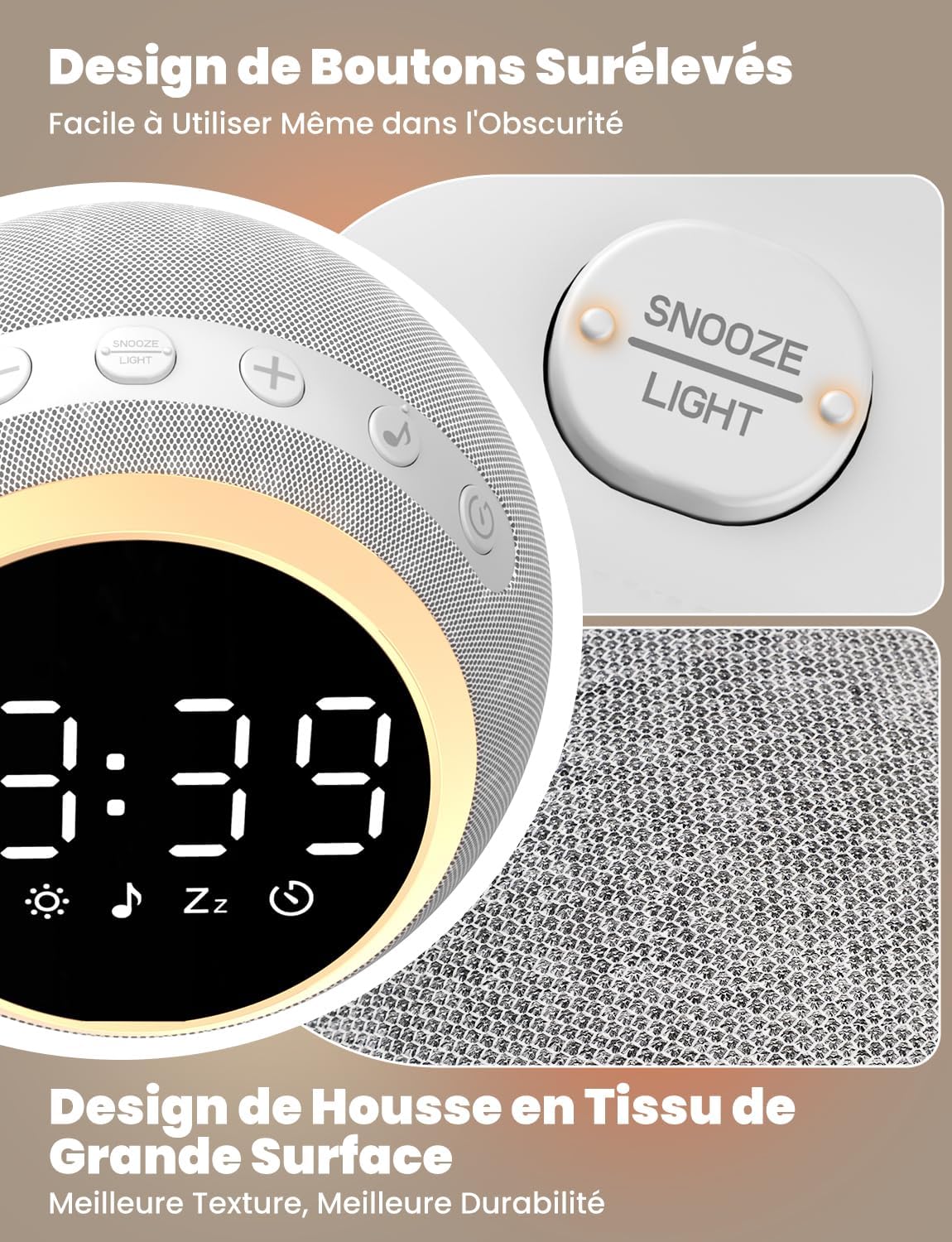
The device features raised buttons for intuitive operation, even in low light conditions, and a durable fabric-wrapped casing.
Тохиргоо
- Эрчим хүчний холболт: Connect the provided power cable to the device and plug the adapter into a standard electrical outlet. The device will power on automatically.
- Эхний цагийн тохиргоо: дээр удаан дар Цагийн тохиргоо button. Use the Volume +/- buttons to adjust the hour and minute. Press the Time Set button again to confirm each setting.
Ашиглалтын заавар
1. White Noise and Soothing Sounds

The device offers 25 natural sounds, including various nature sounds and lullabies, to promote relaxation and sleep.
- Дууг сонгох: дээр дарна уу Дууны товчлуур to cycle through the 25 available natural sounds (e.g., thunderstorms, rain, lullabies).
- Дууны хэмжээг тохируулах: -г ашиглана уу Эзлэхүүн + болон Эзлэхүүн - buttons to set your desired sound level. The device offers 16 levels of volume adjustment.
2. Сэрүүлэгтэй цагны функц
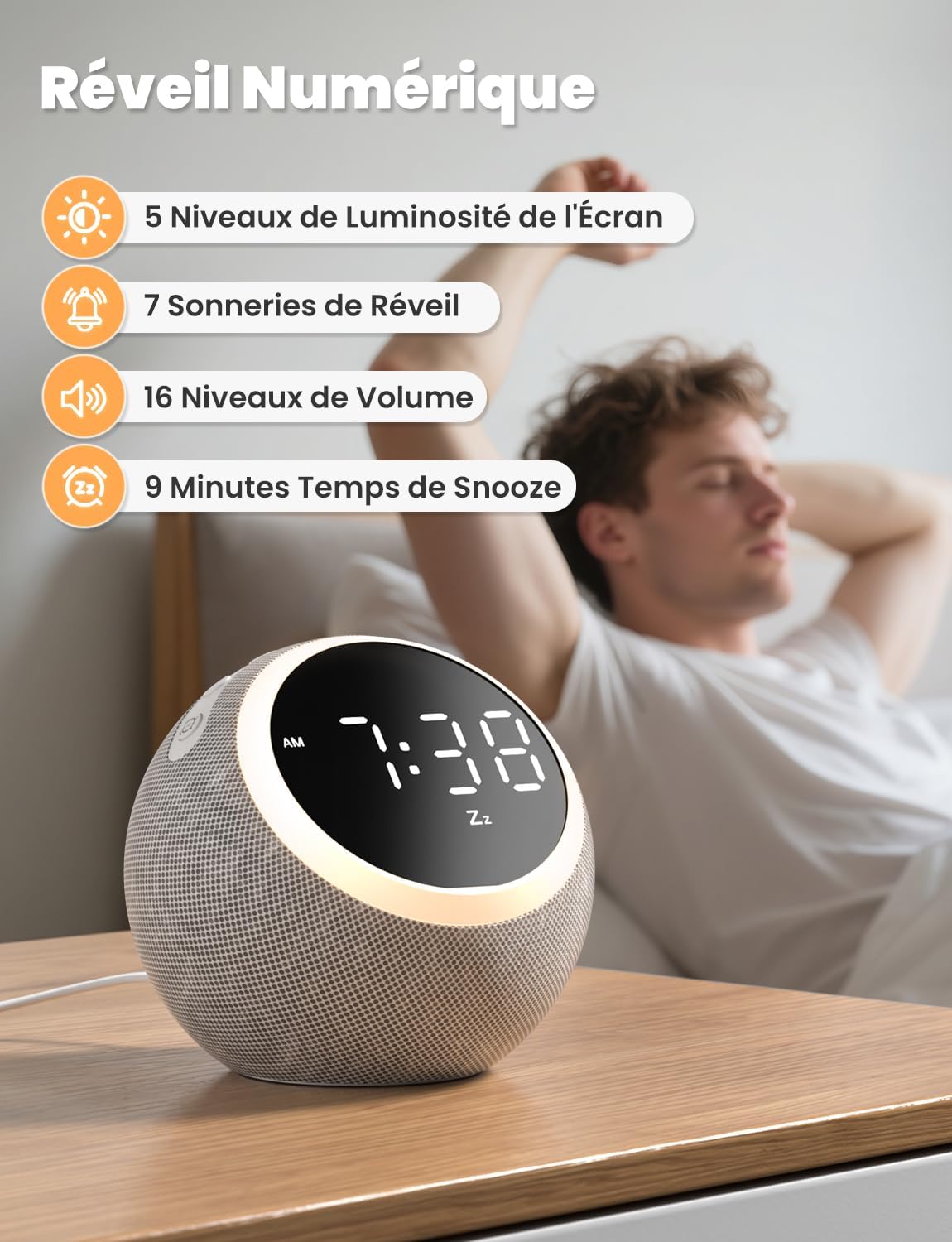
The digital alarm clock features 5 display brightness levels, 7 alarm tones, 16 volume levels, and a 9-minute snooze function.
- Сэрүүлгийг тохируулах: дээр удаан дар Сэрүүлгийн унтраалга button. Use the Volume +/- buttons to set the alarm time. Press the Alarm Switch again to confirm.
- Choosing Alarm Tone: While setting the alarm, you can select from 7 pleasant alarm tones.
- Залгах функц: Сэрүүлэг дуугарахад товчийг дарна уу Snooze / Light Button to get an additional 9 minutes of sleep.
- Сэрүүлгийг идэвхгүй болгож байна: дээр дарна уу Сэрүүлгийн унтраалга тухайн өдрийн сэрүүлгийг унтраах товчлуур.
3. Шөнийн гэрэл

The night light offers 10 adjustable levels of brightness and color temperature from 1500K to 6500K, allowing for personalized ambiance.
- Activating/Adjusting Light: товчийг дарна уу Snooze / Light Button to turn on the night light. Continue pressing to cycle through 10 levels of brightness and color temperature (1500K to 6500K).
- Turning Off Light: дээр дарна уу Snooze / Light Button гэрэл унтрах хүртэл.
4. Гэрэлтүүлгийг харуулах

The display brightness can be adjusted across 5 levels, including a completely dark mode, suitable for light-sensitive sleepers.
- Дэлгэцийг тохируулах: товчийг дарна уу Time Set / Dimmer button to cycle through 5 levels of display brightness, including a complete blackout mode.
5. Унтах цаг

The sleep timer allows you to set the device to automatically turn off sounds and lights after a duration between 5 and 480 minutes.
- Цаг хэмжигчийг тохируулах: дээр дарна уу Цаг хэмжигч товчлуур to select a desired sleep timer duration (e.g., 5, 15, 30, 60, 90, 120, 180, 240, 300, 360, 420, 480 minutes). The sound and light will automatically turn off after the set time.
- Disabling Timer: Continue pressing the Timer Button until the timer indicator disappears from the display.
Засвар үйлчилгээ
- Цэвэрлэгээ: Disconnect the power before cleaning. Wipe the device with a soft, dry cloth. Do not use liquid cleaners or abrasive materials.
- Хадгалах: Төхөөрөмжийг удаан хугацаагаар ашиглаагүй бол сэрүүн, хуурай газар хадгална.
Алдааг олж засварлах
- Төхөөрөмж асахгүй байна: Цахилгааны кабелийг төхөөрөмж болон цахилгааны залгуурт найдвартай холбосон эсэхийг шалгаарай. Залгуур ажиллаж байгаа эсэхийг шалгана уу.
- Дуу алга: Check the volume level using the Volume +/- buttons. Ensure a sound is selected.
- Сэрүүлэг дуугарахгүй байна: Verify the alarm is set and activated (check the alarm icon on the display). Ensure the alarm volume is not set to zero.
- Display too bright/dark: Adjust the display brightness using the Time Set / Dimmer button.
Үзүүлэлтүүд
| Онцлог | Тодорхойлолт |
|---|---|
| Загварын дугаар | SM-01 |
| Брэнд | LIORQUE |
| Хэмжээ | 14.7 x 13.6 x 13.5 см |
| Жин | 480 грамм |
| Эрчим хүчний эх үүсвэр | Цахилгаан кабель |
| Number of Soothing Sounds | 25 |
| Гэрэлт байдлын түвшинг харуулах | 5 (унтраахыг оруулаад) |
| Night Light Levels | 10 |
| Шөнийн гэрлийн өнгөний температур | 1500К - 6500К |
| Сэрүүлгийн ая | 7 |
| Түр хойшлуулах хугацаа | 9 минут |
| Sleep Timer Duration | 5-аас 480 минут |
Баталгаат болон дэмжлэг
LIORQUE products are designed and manufactured to the highest quality standards. For any questions, technical support, or warranty claims, please refer to the contact information provided on the product packaging or visit the official LIORQUE webсайт.
Баталгаат хугацаанд худалдаж авсан баримтаа хадгална уу.