Танилцуулга
This manual provides detailed instructions for the setup, operation, and maintenance of your Speedlink CONUX RGB Gaming Headset. Please read this manual carefully before using the product to ensure proper functionality and longevity.
The CONUX RGB stereo gaming headset features powerful 50mm driver units for precise audio reproduction, from deep bass to high treble. It includes multi-coloured RGB illumination for an enhanced gaming atmosphere. Designed for comfort, it features ultra-soft padding and a robust metal frame. The headset offers variable size adjustment and a detachable, sensitive microphone with a flexible arm. An integrated cable remote control allows for quick volume adjustment and microphone muting. Universal compatibility is provided via a 3.5mm jack plug and a supplied Y-adapter, supporting PC, PS5, PS4, Xbox, and Switch platforms.
Багцын агуулга
Бүх зүйл багцад байгаа эсэхийг шалгаарай:
- CONUX RGB Gaming Headset
- 3.5mm Y-Adapter (2 x 3.5mm TRS 3-pin)
- USB-A Cable (for RGB lighting power)
- Хэрэглэгчийн гарын авлага (энэ баримт бичиг)
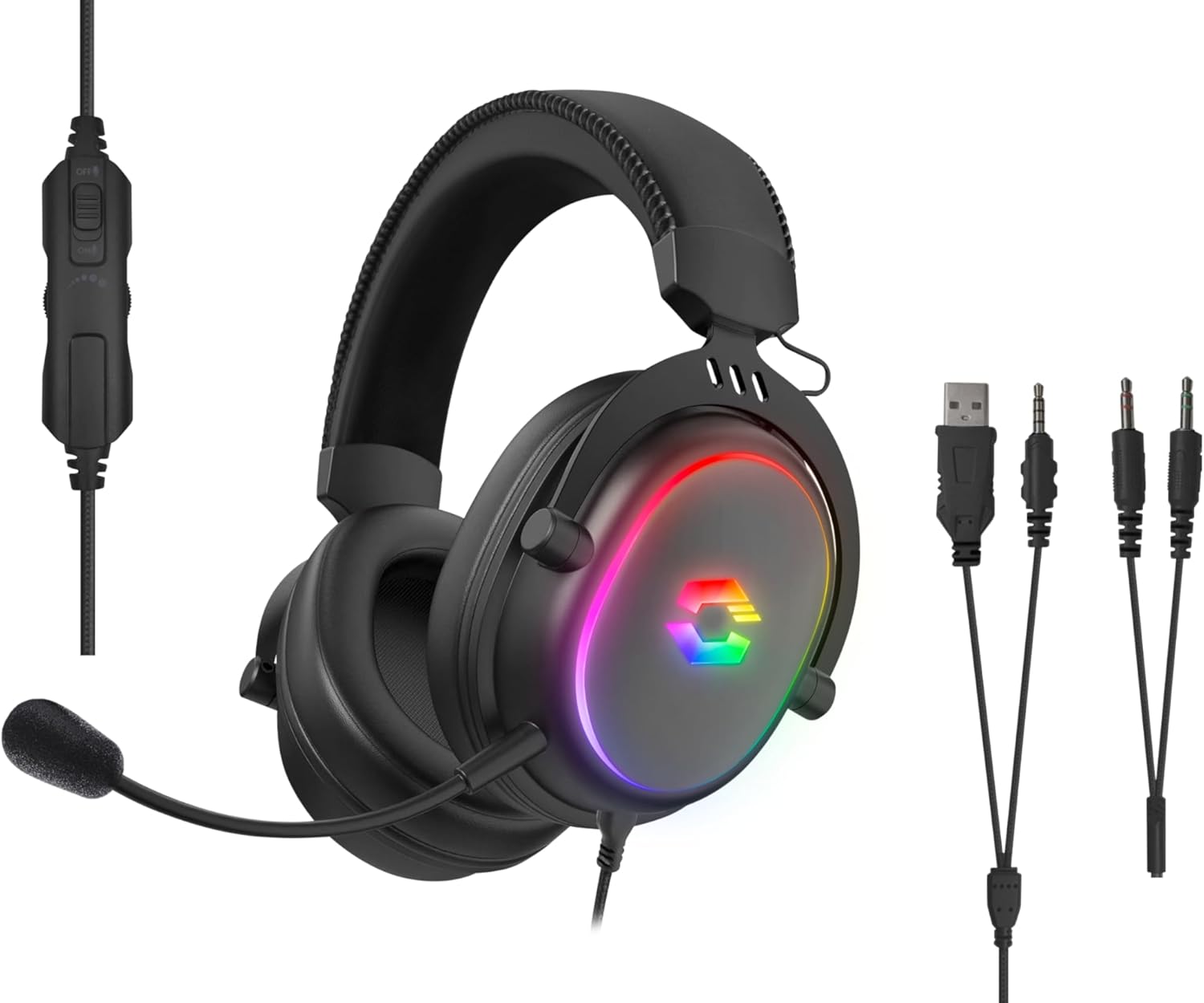
Image: The CONUX RGB Gaming Headset shown with its integrated cable remote, detachable microphone, 3.5mm jack, USB-A cable for RGB, and the included Y-adapter.
Тохиргоо
Чихэвчийг холбож байна
- For PC/Laptop (with separate audio/mic ports):
- Connect the headset's 3.5mm jack to the supplied 2 x 3.5mm Y-adapter.
- Plug the green connector of the Y-adapter into your computer's audio output (headphone) jack.
- Plug the pink connector of the Y-adapter into your computer's microphone input jack.
- For PC/Laptop/Gaming Console (with combined 3.5mm TRRS jack):
- Directly plug the headset's 3.5mm 4-pin (TRRS) jack into the combined audio/microphone port of your device (e.g., PS5, PS4, Xbox Series X/S, Switch, mobile phone, laptop with single jack).
- Powering RGB Lighting:
- Connect the USB-A cable from the headset to any available USB-A port on your PC, console, or a USB power adapter. This cable is solely for powering the RGB LED lighting.

Зураг: Тохиромжтой байдал дууссанview showing support for PC, PS5, PS4, Xbox One, Xbox Series X/S, Nintendo Switch/OLED/Lite.
Ашиглалтын заавар
Чихэвч зүүж байна
- Adjust the headband to ensure a comfortable and secure fit. The headband is designed for variable size adjustment.
- Position the earcups over your ears so they fully enclose them, utilizing the ultra-soft padding for maximum comfort during extended use.
Микрофоны хэрэглээ
- The microphone is detachable. To attach, align the microphone jack with the port on the left earcup and insert firmly.
- Adjust the flexible arm of the microphone to position it optimally near your mouth for clear voice capture.
- Use the integrated cable remote control to mute/unmute the microphone. A switch or button on the remote will control this function.
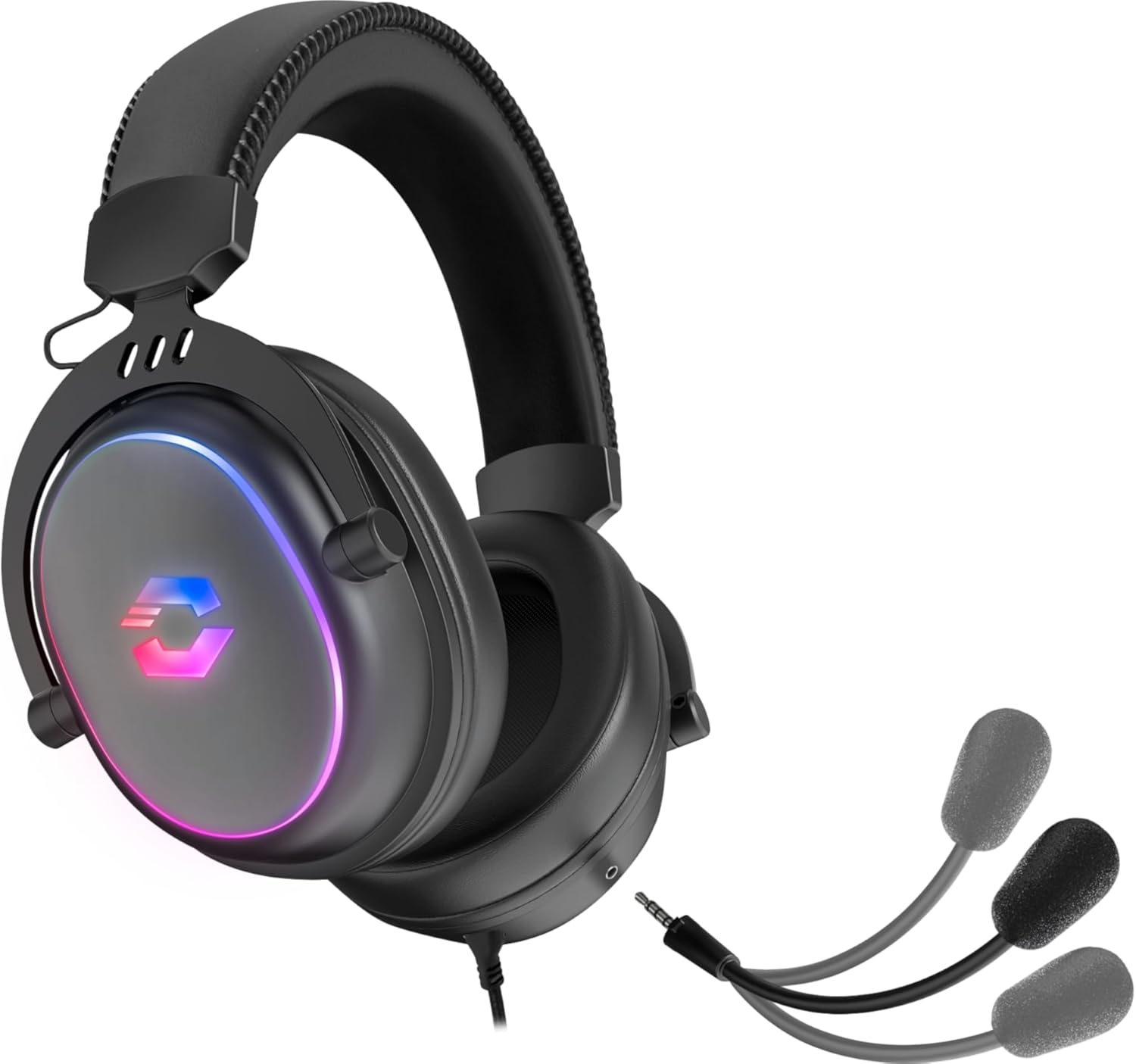
Image: The CONUX headset demonstrating its detachable microphone feature.
Дууны хяналт
- The integrated cable remote control features a volume wheel or slider. Rotate or slide it to increase or decrease the audio volume.
RGB гэрэлтүүлэг
- The multi-coloured RGB lighting on the earcups will illuminate automatically when the USB-A cable is connected to a powered USB port.
- The lighting provides an aesthetic enhancement and does not affect audio performance.

Image: The CONUX headset illuminated with its multi-colored RGB lighting effect.
Засвар үйлчилгээ
- Цэвэрлэгээ: Use a soft, dry cloth to clean the headset. Do not use abrasive cleaners or solvents.
- Хадгалах: Store the headset in a cool, dry place away from direct sunlight and extreme temperatures.
- Харьцах: Avoid dropping the headset or subjecting it to strong impacts. Do not expose to liquids, heat, or cold.
- Кабель: Do not pull on the cables when disconnecting. Always grasp the plug firmly.
Алдааг олж засварлах
| Асуудал | Боломжит шалтгаан | Шийдэл |
|---|---|---|
| Чихэвчнээс дуу гарахгүй |
|
|
| Микрофон ажиллахгүй байна |
|
|
| RGB гэрэлтүүлэг ажиллахгүй байна |
|
|
Үзүүлэлтүүд
| Онцлог | Дэлгэрэнгүй |
|---|---|
| Загварын нэр | Speedlink Conux (SL-860017-BK) |
| Холболтын технологи | Wired (3.5mm Jack, USB-A for RGB) |
| Чихэвчний үүр | 3.5 mm Jack (TRRS 4-pin) |
| Оруулсан бүрэлдэхүүн хэсгүүд | Headset Cable, 3.5mm Y-Adapter |
| Материал | Хуванцар, металл |
| Чихний байрлал | Чихний дээгүүр |
| Form Factor | Чихний дээгүүр |
| Өнгө | Хар |
| Зүйлийн жин | 265 грамм (ойролцоогоор 9.3 унц) |
| Бүтээгдэхүүний хэмжээс | 162 x 208 x 87 mm (W×H×D) / 6.38 x 8.19 x 3.43 inches |
| Аудио драйверын төрөл | Динамик драйвер |
| Аудио драйверын хэмжээ | 50 миллиметр |
| Давтамжийн хариу үйлдэл (чихэвч) | 20Гц-20кГц |
| Эсэргүүцэл (чихэвч) | 32 Ом |
| Дууны даралтын түвшин | 106дБ ± 3дБ |
| Микрофоны мэдрэмж | -42дБ ± 3дБ |
| Дуу чимээний хяналт | Дуу тусгаарлагч |
| Кабелийн урт | 1.8 метр |
| Тохиромжтой төхөөрөмжүүд | Gaming Consoles, Tablets, Mobile phones, Laptops, Desktops (PC, PS5, PS4, Xbox Series X/S, Switch) |
Safety Instructions and Conformity
Please observe the following important safety instructions to prevent damage, explosion, fire, or electric shock:
- Төхөөрөмжүүдийг зөвхөн хэрэглэгчийн гарын авлагад заасны дагуу ашиглана уу.
- Do not open or repair the device.
- Төхөөрөмжийг шингэн зүйл, халуун, хүйтэнд бүү тавь.
- Зар сурталчилгаанд төхөөрөмжийг бүү ашиглаamp орчин.
- Төхөөрөмжийг хуурай даавуугаар цэвэрлэ.
- Төхөөрөмж болон бүх сул хэсгүүдийг хүүхэд, тэжээвэр амьтан, зөвшөөрөлгүй хүмүүсээс хол байлга.
- Only use the device with the appropriate provided accessories.
- Disconnect cables from the devices if they will not be used for a long time. When disconnecting the cables, do not pull on the cord but on the plug.
- Don't use the cables in any way other than mentioned in the user guide; don't bend, cut, extend, knot or step on them.
- Төхөөрөмжийн нүхэнд гадны биет оруулж болохгүй.
- Хэрэв төхөөрөмжүүд ямар нэгэн байдлаар гэмтсэн эсвэл хэт халсан бол тэдгээрийг ашиглахаа даруй зогсоо.
- Хэрэв та зүрхний аппараттай эсвэл бусад эмзэг электрон төхөөрөмжөөс хамааралтай бол радио дохио гаргадаг төхөөрөмжийг ашиглахдаа болгоомжтой байгаарай.

Image: Detailed safety instructions, warning symbols, and conformity notices, including CE, UKCA, and WEEE markings.
Warning Symbols and Markings
The product bears the following symbols:
- ⚠: Warning symbol, indicating important safety information.
- ♻: WEEE (Waste Electrical and Electronic Equipment) symbol, indicating separate collection for electrical and electronic equipment. Do not dispose of with household waste.
- CE: CE marking, indicating conformity with European Union directives.
- UKCA: UK Conformity Assessed marking, indicating conformity with applicable UK legislation.
Тохирлын мэдэгдэл
Төхөөрөмжийн (төхөөрөмжүүдийн) ажиллагаанд хүчтэй статик, цахилгаан эсвэл өндөр давтамжийн орон (радио суурилуулалт, гар утас, богино долгионы зуух, электростатик цэнэг алдалт) нөлөөлж болзошгүй. Хэрэв ийм зүйл тохиолдвол нэмэгдүүлж үзээрэйasing хөндлөнгийн оролцоо үүсгэж буй төхөөрөмжүүд хүртэлх зай. Бусад хэл дээрх тохирлын мэдэгдэл: www.speedlink.com
The product complies with the following directives: EMC 2014/30/EU, RoHS 2011/65/EU.
Баталгаат болон дэмжлэг
For warranty information and technical support, please visit the official Speedlink website or contact their customer service. Details can typically be found at www.speedlink.com.
Manufacturer: Speedlink (Zeitfracht Medien GmbH, Im Dorf 5, 27404 Heeslingen, GERMANY)


