Танилцуулга
Thank you for choosing the Solenco 204 Air Purifier. This device is designed to significantly improve your indoor air quality by removing various airborne pollutants. Featuring an advanced multi-filtration system, UV light sterilization, and smart controls, the Solenco 204 provides clean, fresh air for spaces up to 30m².
Төхөөрөмжийг ажиллуулахаасаа өмнө энэхүү гарын авлагыг сайтар уншиж, ирээдүйд лавлах зорилгоор хадгална уу.
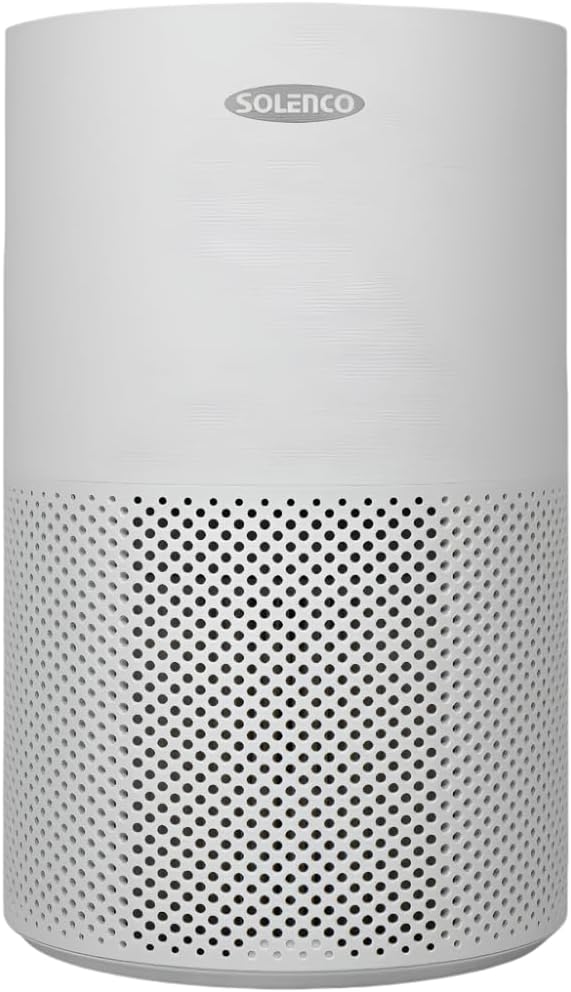
Figure 1: Solenco 204 Air Purifier
Бүтээгдэхүүний бүрэлдэхүүн хэсгүүд
The Solenco 204 Air Purifier consists of the following main components:
- Үндсэн нэгж: Houses the fan, motor, and control panel.
- Multi-Layer Filter: Combines a pre-filter, H13 Medical Grade HEPA filter, antiviral filter, and activated carbon filter.
- UV-C Lamp: Дотоод lamp ариутгах зориулалттай.
- Цахилгааны утас: Цахилгааны залгуурт холбох зориулалттай.

Figure 2: Advanced Filtration System - Equipped with a pre-filter, H13 Medical Grade HEPA filter, activated carbon filter, and an antiviral filter to capture dust, pollen, smoke, odours, VOC's and airborne viruses.
Тохируулах гарын авлага
- Савлах: Агаар цэвэршүүлэгчийг савлагаанаас нь болгоомжтой авч хая. Сав баглаа боодлын бүх материалыг ирээдүйд хадгалах, тээвэрлэх зорилгоор хадгална.
- Шүүлтүүр суурилуулах: Before first use, ensure the multi-layer filter is correctly installed and any protective plastic wrapping is removed. Refer to the filter compartment instructions for specific steps.
- Байршил: Place the air purifier on a firm, level surface. Ensure there is at least 20 cm of clear space around all sides for optimal airflow. The unit is suitable for rooms up to 30m².
- Эрчим хүчний холболт: Цахилгааны утсыг ердийн цахилгаан залгуурт холбоно уу. Төхөөрөмж зогсолтын горимд орно.
Үйл ажиллагааны гарын авлага
Хяналтын самбар
The Solenco 204 features an intuitive touch panel for easy control:

Figure 3: Smart Control - Features a touch panel with easy-to-use controls, including a timer, speed settings, UV light, and sleep mode. WiFi Enabled: Connect and control the air purifier remotely through the Smart Life app.
- Цахилгаан товч: Төхөөрөмжийг ON / OFF болгохын тулд дарна уу.
- Сэнсний хурд: Adjust fan speed (Low, Medium, High).
- Авто горим: Automatically adjusts fan speed based on detected air quality.
- Хэт ягаан туяа: Хэт ягаан туяаны ариутгалыг идэвхжүүлэх эсвэл идэвхгүй болгохamp.
- Унтах горим: Reduces fan speed and dims lights for quiet operation (as low as 26dB).
- Цаг хэмжигч: Set the operating duration (e.g., 2, 4, 8 hours).

Figure 4: Auto Mode - Automatically adjusts the fan speed based on the air quality detected by the built-in sensor.

Figure 5: UV-C Light Technology - Destroys harmful microorganisms such as bacteria, viruses, and mould spores.

Figure 6: Quiet Operation - Operates at a noise level as low as 26dB in sleep mode, ensuring a peaceful environment.
WiFi Connectivity (Smart Life App)
The Solenco 204 can be controlled remotely via the Smart Life app. Download the app from your smartphone's app store and follow the in-app instructions to pair your device. This allows for remote control, scheduling, and monitoring of air quality.
Засвар үйлчилгээ, арчилгаа
Шүүлтүүрийг солих
The multi-layer filter has a limited lifespan and requires regular replacement to maintain optimal performance. The filter indicator light on the control panel will illuminate when a replacement is needed (typically every 6-12 months, depending on usage and air quality).
- Агаар цэвэршүүлэгчийг унтрааж, салга.
- Locate the filter compartment (usually at the bottom or back of the unit).
- Хуучин шүүлтүүрийг аваад зохих ёсоор нь хая.
- Unpack the new filter and insert it into the compartment, ensuring correct orientation.
- Шүүлтүүрийн тасалгааг хаа.
- Plug in and turn on the unit. Reset the filter indicator by pressing and holding the filter reset button (refer to control panel diagram for exact location) for 3-5 seconds.
Нэгжийг цэвэрлэх
- Төхөөрөмжийн гадна талыг зөөлөн, хуурай даавуугаар арчина.
- Зүлгүүрийн цэвэрлэгч, уусгагчийг бүү ашигла.
- Periodically vacuum the air intake and outlet vents to remove dust buildup.
Алдааг олж засварлах
| Асуудал | Боломжит шалтгаан | Шийдэл |
|---|---|---|
| Төхөөрөмж асахгүй байна | Цахилгаан хангамж байхгүй; Цахилгаан товчийг дараагүй байна | Check power cord connection; Ensure outlet is functional; Press power button firmly. |
| Агаарын урсгал сул | Filter clogged; Air inlets/outlets blocked | Replace filter; Clear any obstructions. |
| Ер бусын дуу чимээ | Foreign object inside; Unit not on a level surface | Turn off and inspect for objects; Place on a stable, flat surface. |
| Filter indicator remains on after replacement | Filter reset not performed | Press and hold the filter reset button for 3-5 seconds. |
| WiFi -д холбогдох боломжгүй байна | Incorrect WiFi password; Router issues; App issues | Verify WiFi password; Restart router; Reinstall Smart Life app. |
Техникийн үзүүлэлтүүд
| Онцлог | Тодорхойлолт |
|---|---|
| Загвар | Solenco 204 |
| Брэнд | Solenco |
| Өнгө | Саарал |
| Эрчим хүч / Ватtage | 40 ватт |
| Дуу чимээний түвшин | 26 дБ (хамгийн бага) |
| Зүйлийн жин | 3.53 кг |
| Бүтээгдэхүүний хэмжээ (D x W x H) | 22.6D x 22.6W x 36H сантиметр |
| Хяналтын арга | App, Touch Panel |
| Шүүлтүүрийн төрөл | H13 HEPA, Activated Carbon, Antiviral |
| Шалны талбайн хамрах хүрээ | 30 квадрат метр хүртэл |

Figure 7: Coverage Area - Effectively purifies the air in rooms up to 30m² at 4 air changes per hour.
Баталгаат болон хэрэглэгчийн дэмжлэг
For warranty information and customer support, please refer to the documentation provided at the time of purchase or visit the official Solenco website. You may also contact the seller, Solenco SA, for assistance.
Community Rhino Conservation Initiative: A portion of every Solenco air purifier purchase contributes to the Community Rhino Conservation Initiative (CRCI). Learn more about this initiative and meet the rhinos by scanning the QR code or visiting the link below:

Figure 8: Solenco's contribution to the Community Rhino Conservation Initiative.


