1. Танилцуулга
The GOBOULT Crown R Pro 2 Smartwatch is designed to enhance your daily life with advanced features and health monitoring capabilities. It features a 1.43-inch HD AMOLED display, Bluetooth Calling 5.2, and a comprehensive health suite. This manual provides instructions for setup, operation, and maintenance of your smartwatch.

Image: The GOBOULT Crown R Pro 2 Smartwatch, showcasing түүний гоёмсог дизайн, эрч хүчтэй дэлгэц.
2. Хайрцагт юу байна
Хайрцагнаас задлахдаа багцын агуулгыг шалгана уу:
- GOBOULT Crown R Pro 2 Smartwatch
- Цэнэглэх кабель
- Хэрэглэгчийн гарын авлага
- Баталгаат карт
3. Эхлэл
3.1. Төхөөрөмжийг цэнэглэж байна
Before initial use, fully charge your smartwatch. Connect the magnetic charging cable to the charging points on the back of the watch and plug the USB end into a power adapter (not included) or a computer's USB port.
- Charging Time: Approximately 150 minutes for a full charge.
- Battery Life: Up to 7 days on a single charge, depending on usage.
3.2. Асаах/унтраах
- Асаах: Press and hold the side button for a few seconds until the GOBOULT logo appears.
- Унтраах: Press and hold the side button, then select the 'Power Off' option on the screen.
3.3. Апп суулгах, холбох
To unlock the full potential of your smartwatch, download and install the companion application on your smartphone.
- Scan the QR code in the manual or search for the 'BoultFit' app (or similar, as specified in the included manual) on your smartphone's app store (Google Play Store or Apple App Store).
- Аппликейшнийг суулгаад бүртгэл үүсгэх эсвэл нэвтэрнэ үү.
- Ухаалаг утсан дээрээ Bluetooth идэвхжсэн эсэхийг шалгаарай.
- Open the app, navigate to 'Device' or 'Add Device', and select 'GOBOULT Crown R Pro 2' from the list of available devices.
- Ухаалаг утас болон ухаалаг цагныхаа аль алинд нь хослуулах хүсэлтийг баталгаажуулна уу.
4. Smartwatch Features and Operation
4.1. Display and Watch Faces
The smartwatch features a 1.43-inch HD AMOLED display with 600 Nits brightness for clear visibility in various lighting conditions.
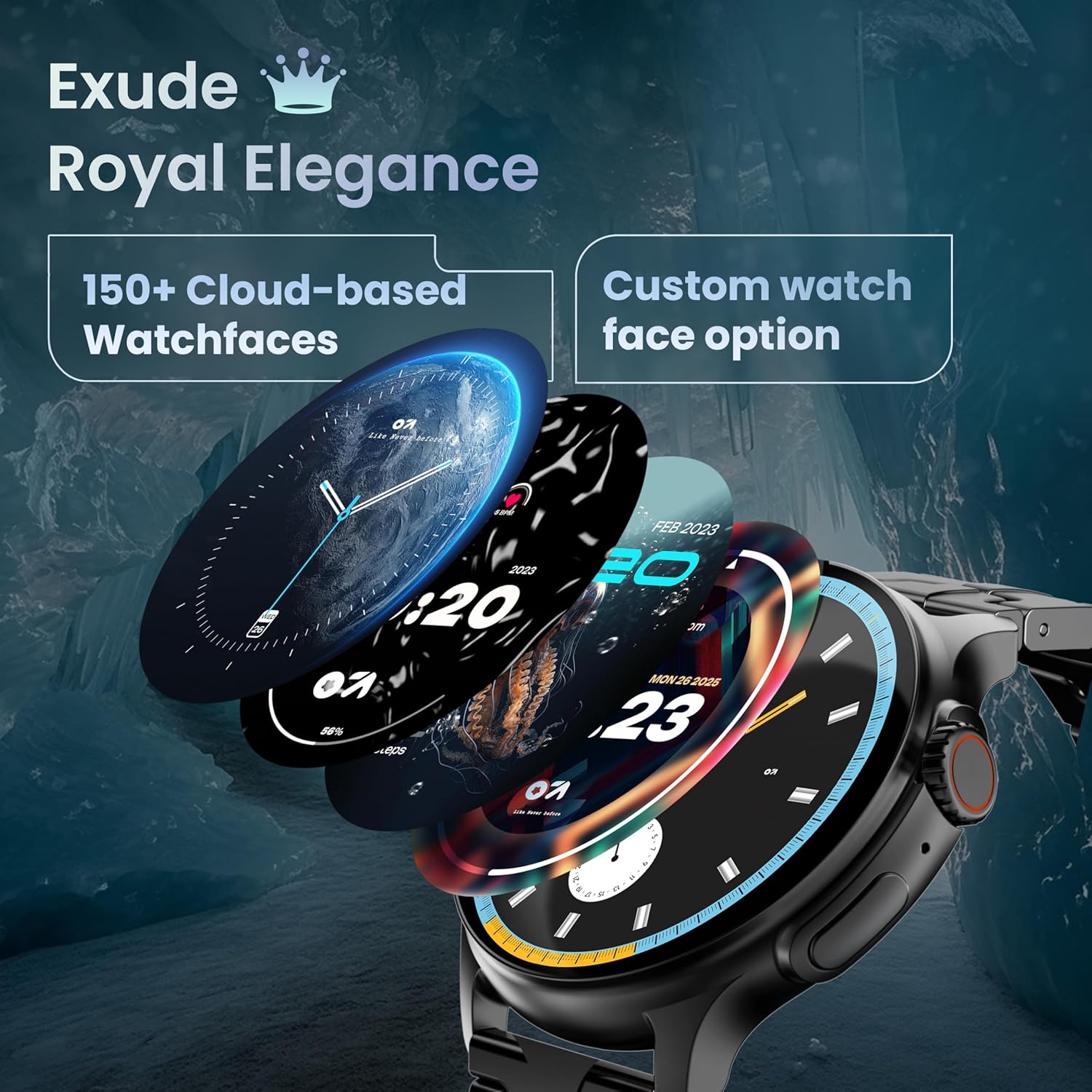
Image: A selection of over 150 watch faces available for customization.
- Цагны нүүрийг өөрчлөх: Long-press the home screen to access watch face options. Swipe left or right to browse and tap to select. More watch faces are available through the companion app.
4.2. Навигаци ба удирдлага
Navigate the smartwatch interface using touch gestures and the functional 'Working Crown'.

Image: Detail of the working crown, used for navigation and customization.
- Доош шудрах: Шуурхай тохиргоонд хандах (жишээ нь: гэрэл гэгээ, DND, зай хэмнэгч).
- Дээш шудрах: View мэдэгдэл.
- Зүүн/Баруун тийш шудар: Access widgets and main features (e.g., activity, heart rate, weather).
- Working Crown: Rotate to scroll through menus or lists. Press to return to the home screen or confirm selections.
4.3. Bluetooth дуудлага
The smartwatch supports Bluetooth Calling v5.2, allowing you to make and receive calls directly from your wrist.

Image: Illustration of the smartwatch's Bluetooth calling capabilities with integrated microphone and speaker.
- Дуудлагад хариулах: Tap the green phone icon on the screen when a call comes in.
- Дуудлага хийх: Access the dial pad or contacts list from the smartwatch menu.
- Дуудлагаас татгалзаж байна: Tap the red phone icon.
4.4. Спортын горимууд
Track over 120 sports and fitness activities with detailed analytics.

Image: The smartwatch interface showing active sports tracking and various sports icons.
- Access the 'Sports' menu to select your desired activity.
- The watch will record data such as duration, calories burned, and heart rate during your workout.
4.5. Эрүүл мэндийн хяналт
Monitor key health metrics in real-time.

Image: The health suite features, including heart rate, SpO2, and sleep monitoring.
- Зүрхний цохилтын хяналт: Provides 24x7 heart rate tracking.
- SpO2 цусны хүчилтөрөгчийн ханалтын хэмжигч: Цусны хүчилтөрөгчийн түвшинг хэмждэг.
- Унтах хяналт: Унтах хэв маяг, чанарыг хянадаг.
- Female Menstrual Cycle Tracking: Сарын тэмдгийн мөчлөгийг хянах, урьдчилан таамаглахад тусалдаг.
- Үйл ажиллагаа хянагч: Records steps, distance, and calories burned throughout the day.
- Амьсгалын дасгал: Амрах зорилгоор удирдамжтай амьсгалын дасгалууд.
4.6. AI дуут туслах
Control your smartwatch hands-free using voice commands.

Image: The AI voice assistant feature, activated by pressing a button for 3 seconds.
- Press the dedicated button (or specified gesture) for 3 seconds to activate the AI voice assistant.
- Use voice commands to ask questions, set reminders, or manage tasks.
4.7. Notifications and Utilities
Receive SMS and push notifications directly on your wrist. The smartwatch also includes useful utilities.

Image: The 'Find My Phone' feature, which causes the connected phone to ring or vibrate.
- Мэдэгдэл: Ensure notification permissions are enabled in the companion app for your desired applications.
- Тооцоологч: Access the calculator from the app menu for quick calculations.
- Миний утсыг олох: Use this feature from the smartwatch to make your connected phone ring or vibrate, helping you locate it.
4.8. Ус, тоосны эсэргүүцэл (IP67)
The smartwatch is IP67 rated, providing protection against dust and temporary immersion in water.
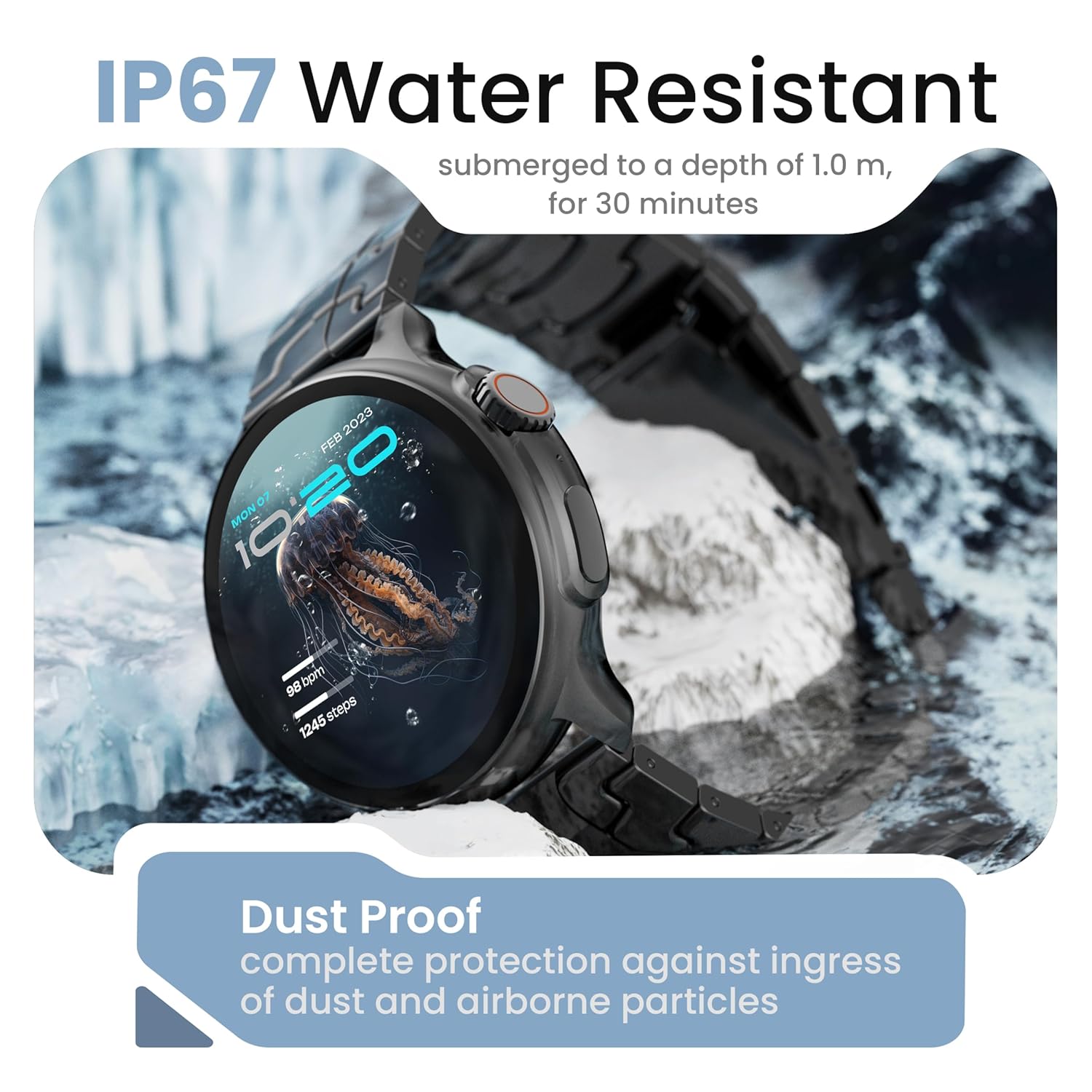
Image: The smartwatch demonstrating its IP67 water resistance, capable of being submerged up to 1 meter for 30 minutes.
- The device is resistant to sweat, splashes, and brief immersion in water up to 1 meter for 30 minutes.
- Avoid using the watch in hot water, saunas, or steam rooms.
- Do not press buttons while the watch is submerged.
5. Арчилгаа, засвар үйлчилгээ
- Цэвэрлэгээ: Цаг болон оосорыг зөөлөн, хуурай даавуугаар тогтмол арчина. Шаардлагатай бол бага зэрэг чийгтэй даавуугаар арчина.amp даавуугаар сайтар хатаана.
- Химийн бодисоос зайлсхийх: Do not use harsh chemicals, cleaning solvents, or strong detergents, as these can damage the watch's finish and seals.
- Хадгалах: Ухаалаг цагийг ашиглаагүй үед сэрүүн, хуурай газар хадгална.
- Цэнэглэж байна: Зөвхөн өгсөн цэнэглэгч кабелийг ашиглана уу.
6. Алдаа засах
6.1. Smartwatch Not Turning On
- Цаг бүрэн цэнэглэгдсэн эсэхийг шалгаарай. Үүнийг дор хаяж 30 минутын турш цэнэглэгчтэй холбоно уу.
- Press and hold the side button for an extended period (10-15 seconds) to force a restart.
6.2. Ухаалаг утастай холбох боломжгүй байна
- Ensure Bluetooth is enabled on your smartphone and the smartwatch.
- Make sure the smartwatch is within the Bluetooth range of your phone (typically 10 meters).
- Ухаалаг цаг болон ухаалаг цагаа дахин эхлүүлнэ үү.
- Утасныхаа Bluetooth кэшийг цэвэрлээд (хэрэв байгаа бол) дахин холбож үзнэ үү.
- Хамтрагч програмыг хамгийн сүүлийн хувилбар болгон шинэчилсэн эсэхийг шалгаарай.
6.3. Эрүүл мэндийн буруу мэдээлэл
- Цагийг хэт бариу эсвэл хэт сул биш, бугуйндаа сайн зүүж байгаарай.
- Цагны арын хэсэгт мэдрэгчийг цэвэрлэ.
- Хэмжилт хийх явцад хэт их хөдөлгөөн хийхээс зайлсхий.
- Note that smartwatch health data is for reference only and should not be used for medical diagnosis.
6.4. Мэдэгдэл харагдахгүй байна
- Check if notification permissions are granted for the companion app and individual applications on your smartphone.
- Ensure the smartwatch is connected to your phone via Bluetooth.
- Disable 'Do Not Disturb' mode on both your phone and smartwatch.
7. Техникийн үзүүлэлтүүд
| Брэнд | ГОБУЛТ |
| Загварын нэр | R Pro 2 |
| Дэлгэцийн хэмжээ | 1.43 инч |
| Дэлгэцийн төрөл | HD AMOLED |
| Гэрэлтүүлэг | 600 нит |
| Bluetooth хувилбар | 5.2 |
| Усны эсэргүүцэл | IP67 |
| Зайны хугацаа (дундаж) | 7 хоног |
| Батерейг цэнэглэх хугацаа | 150 минут |
| Үйлдлийн систем | Андройд (нийцтэй) |
| Зүйлийн жин | 56.5 гр |
| Оруулсан бүрэлдэхүүн хэсгүүд | Smartwatch, Charging Cable, User Manual, Warranty Card |
8. Баталгаат хугацаа ба дэмжлэг
8.1. Баталгаат хугацааны мэдээлэл
Your GOBOULT Crown R Pro 2 Smartwatch comes with a standard manufacturer's warranty. Please refer to the included Warranty Card for specific terms, conditions, and duration of the warranty.
8.2. Хэрэглэгчийн дэмжлэг
For any product-related queries, technical assistance, or warranty claims, please contact GOBOULT customer support through the following channels:
- Webсайт: Visit the official GOBOULT webТүгээмэл асуултууд болон туслах эх сурвалжуудын сайт.
- Имэйл: Баталгаат карт эсвэл албан ёсны хэрэглэгчийн мэдээллийг үзнэ үү webхарилцагчийн үйлчилгээний имэйл хаягийн сайт.
- Утас: Contact numbers may be available on the official GOBOULT website or warranty card.
Please have your product model number (R Pro 2) and purchase details ready when contacting support.


