Танилцуулга
This manual provides detailed instructions for the setup, operation, maintenance, and troubleshooting of your toocki Flip Bluetooth 5.3 Wireless Earbuds, Model TTWS-YL02. Please read this manual thoroughly before using the product to ensure optimal performance and longevity.

Image: The toocki Flip Bluetooth 5.3 Wireless Earbuds, black, resting inside their open charging case. A small LED indicator is visible on the front of the case.
Багцын агуулга
Бүх зүйл багцад байгаа эсэхийг шалгаарай:
- toocki Flip Bluetooth 5.3 Wireless Earbuds (Left and Right)
- Цэнэглэх хайрцаг
- USB цэнэглэгч кабель
- Олон хэмжээтэй чихний үзүүр (S, M, L)
- Хэрэглэгчийн гарын авлага
Бүтээгдэхүүн дууссанview
Чихэвчнийхээ бүрэлдэхүүн хэсгүүдтэй танилцаарай.

Image: A detailed diagram highlighting various parts of the toocki Flip Wireless Earbuds and their charging case, including touch control area, microphone, charging contacts, and LED indicators.
- Earbud Touch Control Area: For managing playback, calls, and other functions.
- Микрофон: Дуудлага болон дуут туслахад зориулсан нэгдсэн.
- Цэнэглэх харилцагчид: Located at the bottom of each earbud for charging within the case.
- Charging Case LED Indicator: Цэнэглэх байдал болон батерейны түвшинг харуулна.
- USB-C цэнэглэх порт: Цэнэглэх хайрцаг дээр байрладаг.
Тохиргоо
1. Чихэвч болон гэрийг цэнэглэж байна
Анх хэрэглэхийн өмнө чихэвч болон цэнэглэгчийг бүрэн цэнэглэ.
- Чихэвчийг цэнэглэх хайрцагт хийнэ үү.
- USB цэнэглэгч кабелийг хайрцаг дээрх цэнэглэгч порт болон тэжээлийн эх үүсвэрт холбоно уу.
- Кейс дээрх LED үзүүлэлт нь цэнэглэх төлөвийг харуулах болно. Бүрэн цэнэглэгдсэний дараа индикатор өөрчлөгдөх эсвэл унтарна.

Image: An illustration showing the earbuds in their charging case, with a visual representation of the 4.5 hours of single-use battery life and the charging case capacity.
2. Төхөөрөмжтэй хослуулах
Чихэвчийг цэнэглэгч гэрнээс гаргахад автоматаар хослуулах горимд орно.
- Цэнэглэх хайрцгийг нээж, чихэвчийг хоёуланг нь салга. Тэд автоматаар асч, хослуулах горимд орно.
- Төхөөрөмж дээрээ (ухаалаг утас, таблет гэх мэт) Bluetooth-г идэвхжүүлнэ үү.
- хайх "toocki Flip" (or similar name) in the list of available Bluetooth devices and select it to connect.
- Once connected, you will hear a confirmation tone, and the earbud indicator lights will turn off.
Автоматаар дахин холбох: After the initial pairing, the earbuds will automatically reconnect to the last paired device when removed from the case, provided Bluetooth is enabled on the device.

Image: A graphic illustrating the earbuds' compatibility with various devices (cell phones, tablets) and the auto-reconnect function shown with a smartphone's Bluetooth settings.
Ашиглалтын заавар
The toocki Flip earbuds feature intuitive touch controls. The touch control area is located on the outer surface of each earbud.
Мэдрэгчийн хяналтын функцууд

Image: A visual guide detailing the various touch control gestures for the earbuds, including play/pause, volume, call management, song switching, voice assistant, game mode, and reset.
| Чиг үүрэг | Дохио зангаа |
|---|---|
| Хөгжим тоглуулах/түр зогсоох | Double-tap Left or Right earbud |
| Дууны хэмжээг нэмэгдүүлэх | Single-tap Right earbud |
| Дууг багасгах | Single-tap Left earbud |
| Дараагийн дуу | Баруун чихэвчийг гурав дахин товш |
| Өмнөх дуу | Зүүн чихэвчийг гурав дахин товш |
| Дуудлагад хариулах/тасах | Double-tap Left or Right earbud |
| Дуудлагаас татгалзах | Long press Left or Right earbud for 2 seconds |
| Дуут туслахыг идэвхжүүлнэ үү | Four taps on the Right earbud |
| Тоглоомын горимыг асаах/унтраах | Long press Left earbud for 2 seconds to enter; long press again for 2 seconds to exit. |
| Чихэвчийг дахин тохируулах | Tap the headset 7 times in a row |
Дуу чимээг арилгах
The earbuds feature Hybrid Active Noise Cancellation (ANC) with AI, capable of reducing background noise by up to 99% (40dB depth, +4000Hz bandwidth).
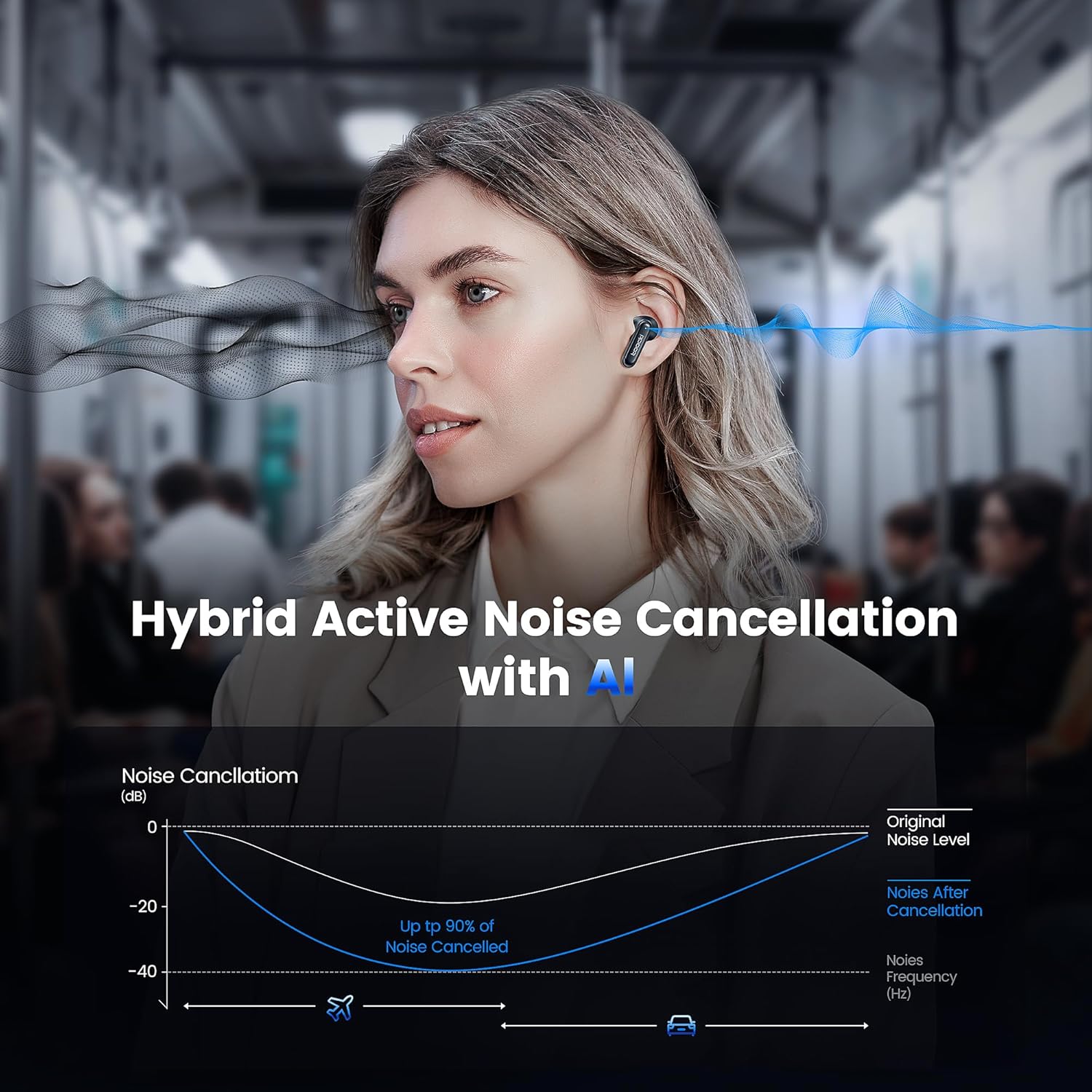
Image: A graph illustrating the effectiveness of Hybrid Active Noise Cancellation with AI, showing a significant reduction in noise levels across various frequencies, applicable in environments like airplanes and cars.
This technology is designed to enhance your listening experience by minimizing distractions from your surroundings, whether you are indoors, outdoors, or commuting.

Image: A person studying indoors with earbuds, illustrating how noise cancellation weakens sounds from turning books, air conditioners, and other machines.

Image: A person walking outdoors with earbuds, demonstrating the ability to block out crowd noise.

Image: A person commuting on public transport with earbuds, showing how noise cancellation blocks out airplane, high-speed train, and subway noise.
Дуудлага удирдах
The earbuds are equipped with 4 microphones and advanced algorithms to enhance call clarity, ensuring your voice is heard clearly even in noisy environments.

Image: A person smiling while holding a smartphone and wearing the earbuds, with an overlay indicating "4 Mic + AI Call Noise Cancellation" to highlight enhanced call quality.
Дууны туршлага
Experience 360° panoramic sound with stereo dual-channel audio and 10mm drivers, delivering rich bass and clear treble for an immersive listening experience.
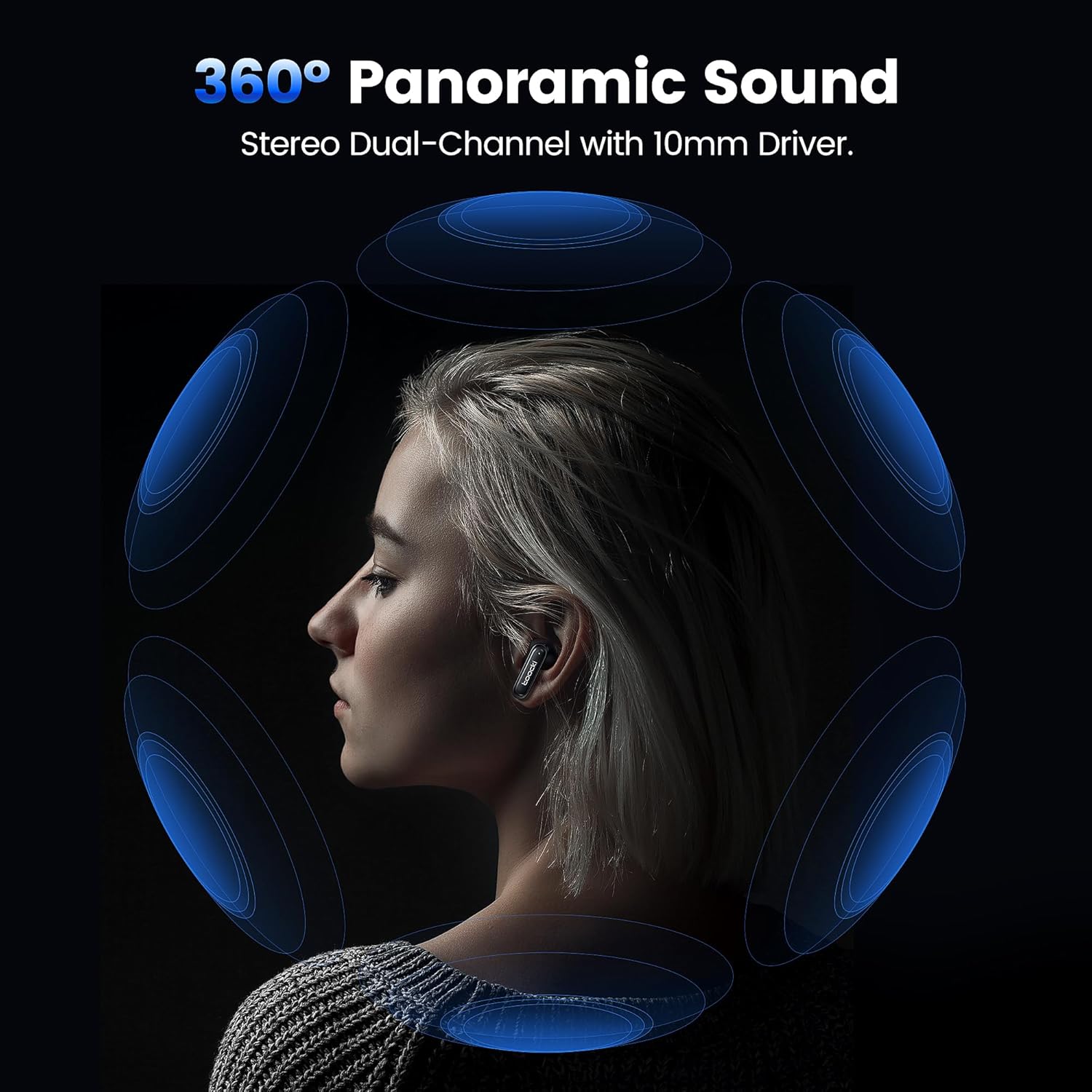
Image: A visual representation of 360° panoramic sound emanating from an earbud, with text indicating "Stereo Dual-Channel with 10mm Driver."

Image: A cutaway diagram of a 10mm moving coil unit, illustrating its internal components and emphasizing its role in delivering extraordinary sound performance with larger vibration area, pure bass, and treble.
Засвар үйлчилгээ
Зөв арчилгаа нь таны чихэвчний урт наслалт, оновчтой гүйцэтгэлийг баталгаажуулдаг.
- Цэвэрлэгээ: Regularly clean the earbuds, especially the eartips and charging contacts, with a soft, dry, lint-free cloth. Do not use abrasive cleaners or solvents.
- Чихний үзүүр: The earbuds come with multiple sizes of eartips (S, M, L). Choose the size that provides the best seal and comfort for your ears. This also helps with noise cancellation effectiveness.
- Хадгалах: Ашиглаагүй үед чихэвчийг хамгаалж, цэнэгтэй байлгахын тулд цэнэглэгчдээ хадгалаарай.
- Усны эсэргүүцэл: The earbuds are waterproof. However, avoid prolonged exposure to water and ensure they are dry before placing them back in the charging case to prevent damage to the charging contacts.
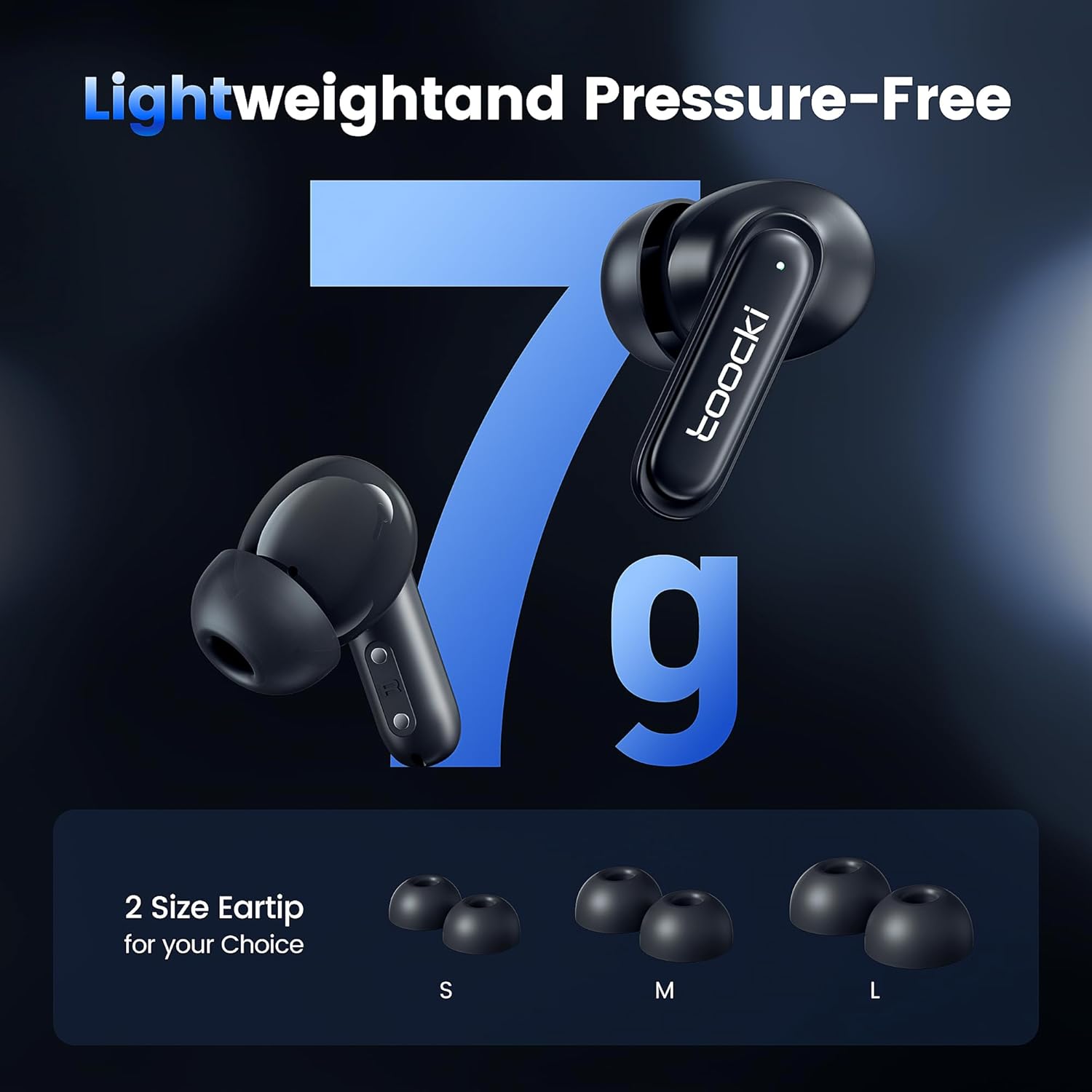
Image: The earbuds displayed alongside three pairs of eartips in small (S), medium (M), and large (L) sizes, emphasizing the lightweight design and choice of eartips for comfort.
Алдааг олж засварлах
Хэрэв танд асуудал тулгарвал дараах шийдлүүдийг туршиж үзээрэй.
- Чихэвчийг хослуулахгүй байна:
- Чихэвч хоёулаа цэнэглэгдсэн эсэхийг шалгаарай.
- Төхөөрөмжийнхөө Bluetooth-г унтраагаад дахин асаана уу.
- Forget the "toocki Flip" device from your device's Bluetooth settings and try pairing again.
- Perform a headset reset (tap 7 times in a row).
- Зөвхөн нэг чихэвч ажиллаж байна:
- Чихэвч хоёулаа цэнэглэгдсэн эсэхийг шалгаарай.
- Хоёр чихэвчийг цэнэглэх хайрцагт хийж, тагийг нь хаагаад хэдэн секунд хүлээгээд дахин гарга.
- Чихэвчийг дахин тохируулаад үзээрэй.
- Дууны хэмжээ бага эсвэл дууны чанар муу:
- Өөрийн төхөөрөмж болон чихэвчний дууг тохируулна уу.
- Ensure the eartips are properly seated in your ear to create a good seal. Try different eartip sizes.
- Clean any debris from the earbud speakers and eartips.
- Цэнэглэх асуудал:
- Цэнэглэгч кабель болон тэжээлийн адаптерийг шалгана уу. Өөр кабель эсвэл адаптераар оролдоно уу.
- Чихэвч болон гэрний цэнэглэгч контактууд цэвэрхэн, бөглөрөлгүй байгаа эсэхийг шалгаарай.
Үзүүлэлтүүд
| Загварын нэр | TTWS-YL02 |
| Брэнд | тооки |
| Холболтын технологи | Утасгүй (Bluetooth 5.3) |
| Чихний байрлал | Чихний дотор |
| Form Factor | Чихний дотор |
| Дуу чимээний хяналт | Active Noise Cancellation (up to 40dB depth, 99% background noise reduction) |
| Жолоочийн хэмжээ | 10 мм |
| Playtime (Single Use) | Ойролцоогоор 4.5 цаг |
| Цэнэглэх хайрцагны багтаамж | 400mAh (зурагнаас тооцоолсон) |
| Хяналтын арга | Хүрэх |
| Онцлог шинж чанарууд | Fast Charging, Waterproof, 4 Microphones + AI for Call Noise Cancellation |
| Өнгө | Хар |
| Жин (чихэвч тутамд) | Ойролцоогоор 7 гр |
Баталгаат болон дэмжлэг
For warranty information or technical support, please refer to the documentation included with your purchase or contact toocki customer service through their official webтухайн бүтээгдэхүүнийг худалдаж авсан сайт эсвэл жижиглэнгийн худалдаачин.


