1. Танилцуулга
The MCHOSE G75 Pro is a versatile 75% layout wireless mechanical keyboard designed for optimal performance and user experience. It features a gasket-mounted structure with 5 layers of sound and shock-absorbing dampening, vibrant RGB backlighting, and tri-mode connectivity (2.4GHz wireless, Bluetooth, and wired USB-C). The keyboard also supports hot-swappable switches, allowing for easy customization and maintenance.
2. Багцын агуулга
Таны багцад бүх зүйл байгаа эсэхийг шалгана уу:
- MCHOSE G75 Pro Wireless Mechanical Keyboard
- USB-C-аас USB-A кабель
- 2.4GHz утасгүй хүлээн авагч
- Товчлуур татагч
- Хэрэглэгчийн гарын авлага (энэ баримт бичиг)
3. Бүтээгдэхүүн дууссанview
The MCHOSE G75 Pro features a compact 75% layout, which includes function keys, arrow keys, and a navigation cluster, while minimizing desk space. Its robust construction incorporates a gasket-mounted design for a flexible and comfortable typing feel.

Image: The MCHOSE G75 Pro keyboard showcasing its compact 75% layout.
Internally, the keyboard utilizes a 5-layer dampening system, including Poron foam, IXPE foam, and a PET film, to enhance typing acoustics and reduce vibrations, providing a satisfying sound profile.

Image: Diagram illustrating the 5-layer gasket-mounted dampening structure of the keyboard.
The keyboard offers flexible connectivity options through a mode switch located on the side, allowing seamless transitions between wired, 2.4GHz wireless, and Bluetooth modes.
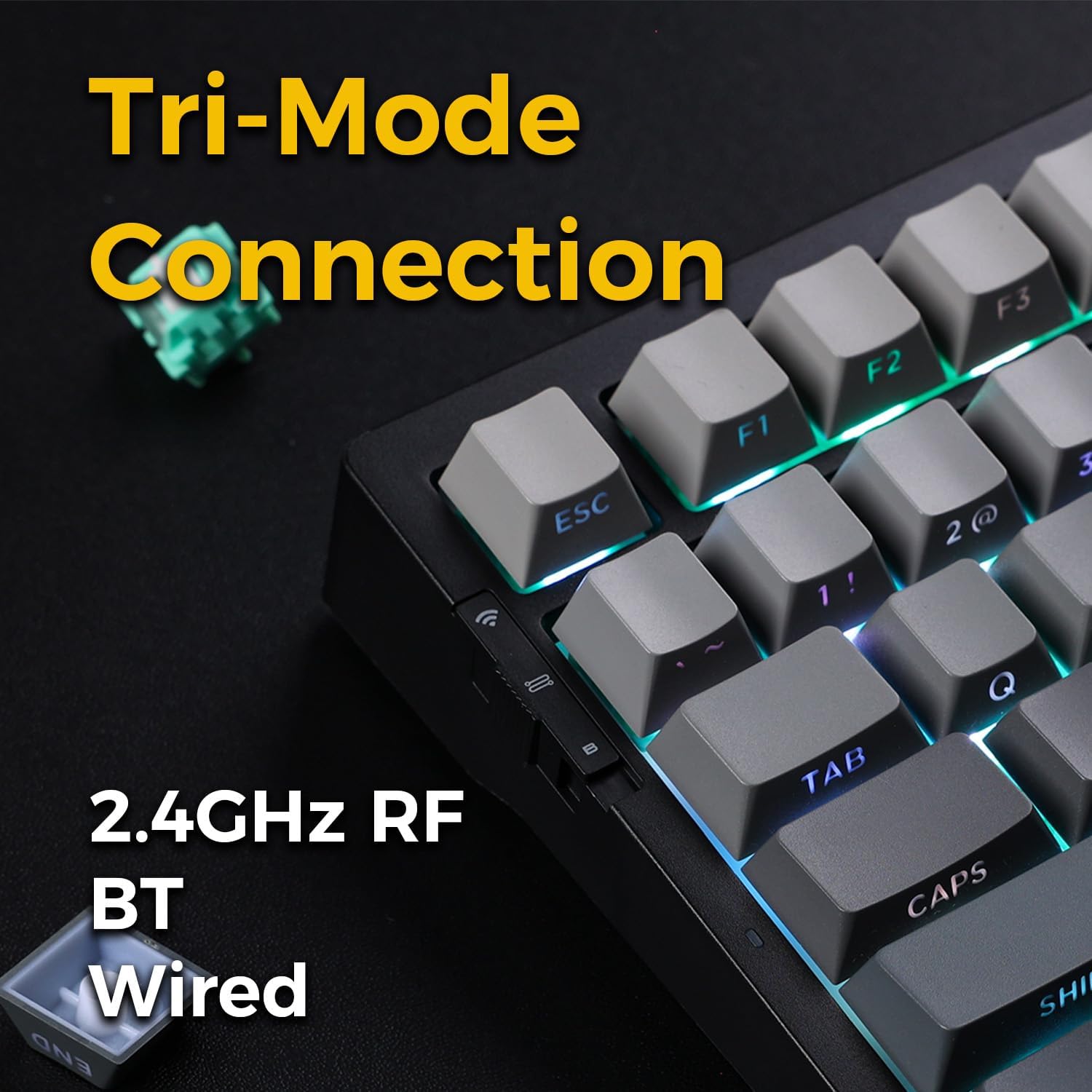
Image: Close-up of the tri-mode connection switch and USB-C port on the keyboard's side.
4. Тохиргоо
4.1 Анхны цэнэглэлт
Before first use, connect the keyboard to a USB power source using the provided USB-C cable. The keyboard is equipped with 2 Lithium Polymer batteries. A full charge ensures optimal wireless performance.
4.2 Холболтын горимууд
The MCHOSE G75 Pro supports three connection modes: Wired, 2.4GHz Wireless, and Bluetooth. Use the switch on the side of the keyboard to select your desired mode.
4.2.1 утастай холболт
- Гар дээрх горимын шилжүүлэгчийг 'Wired' байрлалд тохируулна уу.
- Connect the USB-C end of the cable to the keyboard and the USB-A end to your computer.
- The keyboard will be recognized automatically by your operating system.
4.2.2 2.4GHz утасгүй холболт
- Гар дээрх горимын шилжүүлэгчийг '2.4G' байрлалд тохируулна уу.
- Insert the 2.4GHz wireless receiver into an available USB port on your computer.
- The keyboard should connect automatically. If not, press and hold the Fn key + the 2.4G key (usually indicated by a wireless icon) for 3 seconds to initiate pairing.
4.2.3 Bluetooth холболт
- Гар дээрх горимын шилжүүлэгчийг 'BT' байрлалд тохируулна уу.
- Компьютер эсвэл төхөөрөмж дээрээ Bluetooth-г идэвхжүүлж, шинэ төхөөрөмж хайх.
- Гар дээр дараад удаан дарна уу fn+1, fn+2, эсвэл fn+3 for 3 seconds to enter pairing mode for one of the three available Bluetooth channels. The indicator light will flash rapidly.
- Select 'MCHOSE G75 Pro' from the list of available devices on your computer.
- Хослуулсны дараа заагч гэрэл анивчихаа болино. Та товчлуурыг дарж хосолсон Bluetooth төхөөрөмжүүдийн хооронд шилжиж болно. fn+1, fn+2, эсвэл fn+3 товчхон.
5. Ашиглалтын заавар
5.1 үндсэн функц
The MCHOSE G75 Pro utilizes an Fn (Function) key for accessing secondary key functions, including multimedia controls, lighting adjustments, and system shortcuts. Refer to the keycap legends for specific Fn combinations.
Common Fn Key Combinations:
- Fn+F1-F12: Access multimedia controls or system functions (e.g., volume, play/pause, brightness).
- Fn + Arrow Keys: Adjust RGB lighting effects (e.g., brightness, speed, direction).
- Fn + Backspace: Delete.
- Fn+Win: Windows-г түгжих/тайлах түлхүүр.
5.2 RGB арын гэрэлтүүлэг
The keyboard features customizable RGB backlighting with south-facing LEDs for enhanced visibility and compatibility with various keycap profiles. You can adjust lighting modes, colors, and brightness.
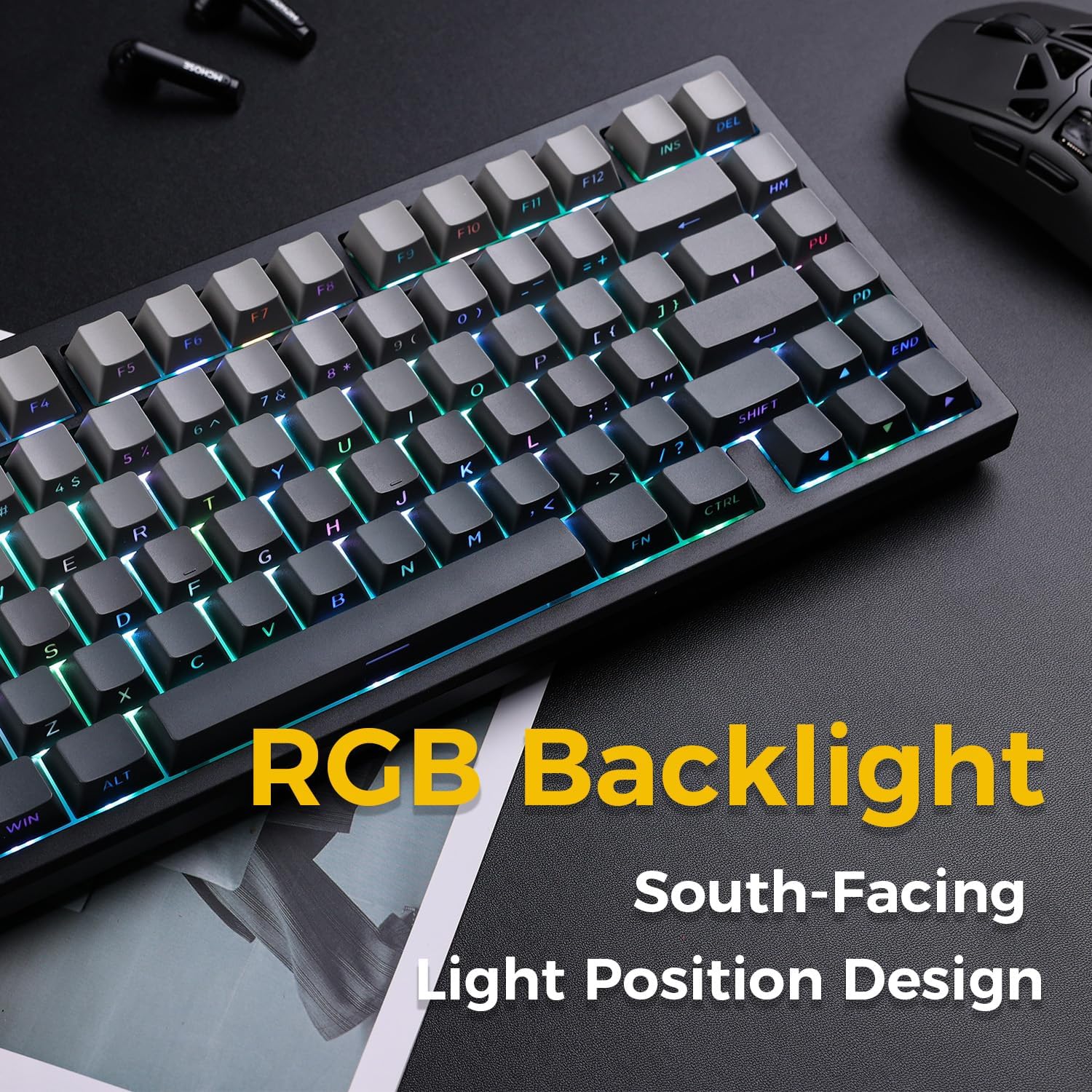
Image: The MCHOSE G75 Pro keyboard displaying its vibrant RGB backlighting.
Adjusting RGB Effects:
- Fn + \|: Гэрэлтүүлгийн янз бүрийн эффектүүдээр ээлжлэн солино уу.
- Fn +: Decrease lighting speed.
- Fn + >: Increase lighting speed.
- Fn + Дээш сум: Гэрэлтүүлгийг нэмэгдүүлнэ.
- Fn + Доош сум: Гэрэлтэлтийг багасгах.
5.3 Халуун сольж болдог унтраалга
The MCHOSE G75 Pro is equipped with hot-swappable sockets, allowing you to easily change mechanical switches without soldering. This feature enables customization of typing feel and sound.

Image: The keyboard with several keycaps and switches removed, demonstrating the hot-swappable feature.
Шилжүүлэгчийн үзүүлэлтүүд:
The keyboard may come with Matcha Latte Switch V2 or Cabbage Tofu Switch V2, depending on the variant.
- Matcha Latte Switch V2:
Ажиллах хүч: 45±8gf
Аяллын өмнөх: 2.0±0.4мм
Нийт аяллын урт: 3.6±0.2мм - Cabbage Tofu Switch V2:
Ажиллах хүч: 45±5gf
Аяллын өмнөх: 1.9±0.3мм
Travel distance: 4.0±0.5mm
6. Засвар үйлчилгээ
6.1 Цэвэрлэгээ
Гарын харагдах байдал, ажиллагааг хадгалахын тулд:
- Цэвэрлэхийн өмнө гарыг компьютерээсээ салга.
- Зөөлөн, хөвөнгүй даавууг бага зэрэг хэрэглээрэй dampтүлхүүрийн таг болон бусад зүйлсийг арчихын тулд ус эсвэл зөөлөн цэвэрлэгээний уусмалаар арчина.asing.
- Товчлуурын хавчааруудын хоорондох тоос, хог хаягдлын хувьд шахсан агаар эсвэл нийлүүлсэн товчлуурын чирэгчийг ашиглан товчлуурын хавтсыг арилгаж, сайтар цэвэрлэнэ.
- Химийн хатуу бодис, зүлгүүрийн материал ашиглахаас зайлсхий.
6.2 Товчлуурын таг болон унтраалгыг солих
The included keycap puller can be used to carefully remove keycaps. For switch replacement, use a switch puller (not included unless specified) to gently remove the existing switch. Align the new 3-pin or 5-pin mechanical switch with the hot-swap socket and press firmly until it clicks into place. Ensure pins are not bent during installation.
7. Алдаа засах
7.1 Гар хариу өгөхгүй байна
- Гар хангалттай цэнэглэгдсэн эсэхийг шалгаарай.
- Check the mode switch to confirm it is set to the correct connection type (Wired, 2.4G, or BT).
- Утастай холболтын хувьд өөр USB порт эсвэл кабелийг туршиж үзнэ үү.
- For 2.4GHz wireless, ensure the receiver is securely plugged in and try re-pairing (Fn + 2.4G key).
- For Bluetooth, ensure Bluetooth is enabled on your device and try re-pairing (Fn + 1/2/3).
- Компьютерээ дахин эхлүүлнэ үү.
7.2 RGB Backlighting Not Working/Incorrect
- Гар асаалттай байгаа эсэхийг шалгаарай.
- Use Fn key combinations (e.g., Fn + Up/Down Arrow) to adjust brightness.
- Cycle through lighting effects using Fn + \|.
- If specific keys are not lighting up, check if the switch is properly seated or if the LED is damaged.
7.3 Software Compatibility (Windows/macOS)
While the keyboard functions plug-and-play, some advanced customization may require dedicated software. Please note that official software might have limited language support or compatibility issues, particularly with macOS. For optimal functionality, ensure you have the latest drivers or software from the MCHOSE official webболомжтой бол сайт.
8. Техникийн үзүүлэлтүүд
| Онцлог | Дэлгэрэнгүй |
|---|---|
| Загварын дугаар | MC-G75 |
| Зохион байгуулалт | 75% |
| Холболт | 2.4GHz Утасгүй, Bluetooth, Утастай (USB-C) |
| Гарны төрөл | Механик |
| Суулгах хэв маяг | Жийргэвч суурилуулсан |
| Dampening Layers | 5 Layers (Poron Foam, IXPE Foam, PET Film) |
| Арын гэрэлтүүлэг | RGB, South-Facing LEDs |
| Товчлуурууд | Давхар шидэлт PBT |
| Шилжүүлэгч | Халуунаар солих боломжтой (3 зүүтэй/5 зүүтэй нийцтэй) |
| Батерей | 2 Лити Полимер батерей (дагсан) |
| Тохиромжтой төхөөрөмжүүд | PC |
| Зүйлийн жин | 3.05 фунт (ойролцоогоор 1.38 кг) |
| Багцын хэмжээ | 14.96 x 7.17 x 2.17 инч (ойролцоогоор 38 x 18.2 x 5.5 см) |
9. Баталгаат хугацаа ба дэмжлэг
For warranty information and technical support, please refer to the official MCHOSE webсайт эсвэл худалдагчтайгаа холбогдоно уу. Баталгаат зарга авахын тулд худалдан авалтын баримтаа хадгална уу.


