1. Танилцуулга
This manual provides essential instructions for setting up, operating, and maintaining your PEJE Smartwatch. Please read this manual thoroughly before using the device to ensure proper function and longevity.
2. Хайрцагт юу байна
Upon unboxing your PEJE Smartwatch, verify that all components are present:
- 1x PEJE Smartwatch
- 1x Соронзон цэнэглэгч кабель
- 1x хэрэглэгчийн гарын авлага (энэ баримт бичиг)

Image: Contents of the PEJE Smartwatch packaging.
3. Бүтээгдэхүүн дууссанview болон Хэмжээ
The PEJE Smartwatch features a 1.45-inch HD TFT display. Understanding its dimensions can help with comfortable wear and accessory selection.

Image: PEJE Smartwatch dimensions.
4. Тохиргоо
4.1 Ухаалаг цагийг цэнэглэх
Before initial use, fully charge your smartwatch. Connect the magnetic charging cable to the charging points on the back of the watch and plug the USB end into a power source.
- A full charge typically takes 2-2.5 цаг.
- The 180mAh polymer battery provides approximately 4-6 days of normal use болон 8-12 хоног бэлэн байдалд байна.

Image: Smartwatch charging and battery life indication.
4.2 Ухаалаг утастайгаа хослуулах
To unlock the full functionality of your PEJE Smartwatch, pair it with your smartphone via the dedicated app.
- Апп татаж авах: хайх the official PEJE Smartwatch app on your smartphone's app store (compatible with Android 5.0+ and iOS 9.0+).
- Bluetooth-г идэвхжүүлэх: Ухаалаг утсан дээрээ Bluetooth идэвхжсэн эсэхийг шалгаарай.
- Програмыг нээх: Launch the PEJE Smartwatch app and follow the on-screen instructions to add a new device.
- Select Your Device: The app will scan for available devices. Select your PEJE Smartwatch from the list.
- Хослолтыг баталгаажуулах: Хослуулах хүсэлтийг ухаалаг гар утас болон ухаалаг цагныхоо аль алинд нь баталгаажуулна уу.
5. Ашиглалтын заавар
5.1 Үндсэн навигаци
The smartwatch features a 1.45-inch HD TFT full touchscreen display. Swipe left, right, up, or down to navigate through menus and functions. Tap to select items.
5.2 Bluetooth дуудлага ба мэдэгдэл
Bluetooth 5.2-ийн тусламжтайгаар таны ухаалаг цаг нь бугуйндаа дуудлага удирдах, мэдэгдэл хүлээн авах боломжийг олгоно.
- Make/Receive Calls: Use the built-in microphone and speaker to answer or make calls. Access call lists and sync over 100 contacts via the app.
- Мессежийн мэдэгдэл: Receive real-time notifications for SMS, WhatsApp, and other applications.
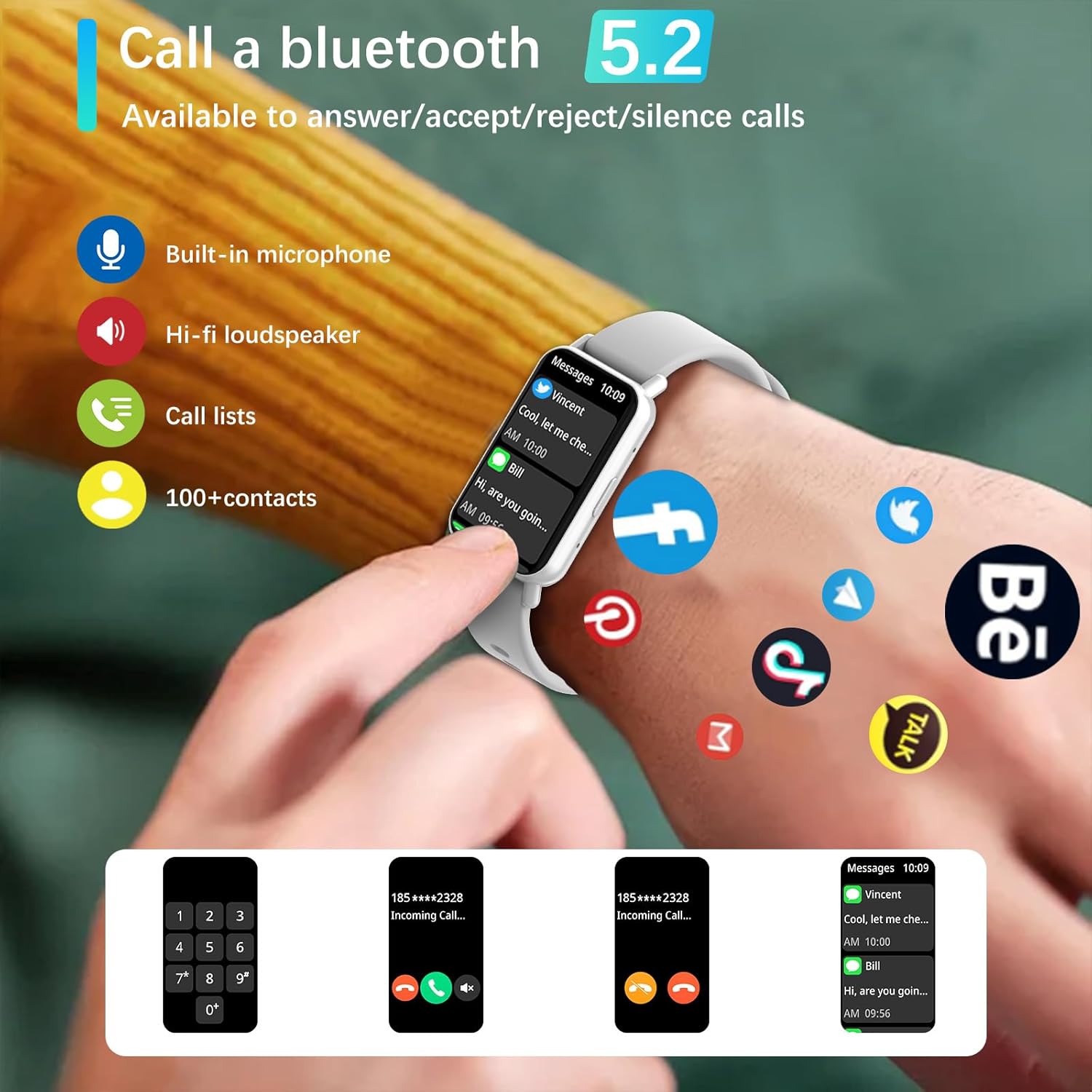
Image: Bluetooth 5.2 calling and message notifications.
5.3 Эрүүл мэндийн хяналт
Ухаалаг цаг нь эрүүл мэндийн байдлыг бүрэн хянах дэвшилтэт мэдрэгчээр тоноглогдсон:
- Зүрхний цохилтын хяналт: 24/7 зүрхний цохилтын тасралтгүй хяналт.
- Blood Pressure & Blood Oxygen (SpO2) Monitoring: Measure your blood pressure and blood oxygen levels.
- Унтлагын хяналт: Monitors sleep patterns from 10 PM to 8 AM.
- Амьсгалын дасгал: Амрах зорилгоор удирдамжтай амьсгалын дасгалууд.
- Суурин сануулга: Идэвхгүй хугацааны дараа хөдөлгөөнийг дэмжих сэрэмжлүүлэг.
5.4 Sports Modes and Fitness Tracking
Engage in various physical activities with 123 built-in sports modes, including walking, running, cycling, and swimming. The watch tracks essential data:
- Алхам хийсэн
- Хамрах зай
- Шатаасан калори
- Дасгал хийх үед зүрхний цохилт
- GPS routes (via smartphone)
Receive goal achievement notifications and reminders to drink water.
5.5 Захиалгат цагны нүүр
Personalize your smartwatch display:
- Choose from 5 default watch face designs.
- Create custom watch faces using your favorite photos via the app.
- Download additional watch faces from the watch face market within the PEJE app.
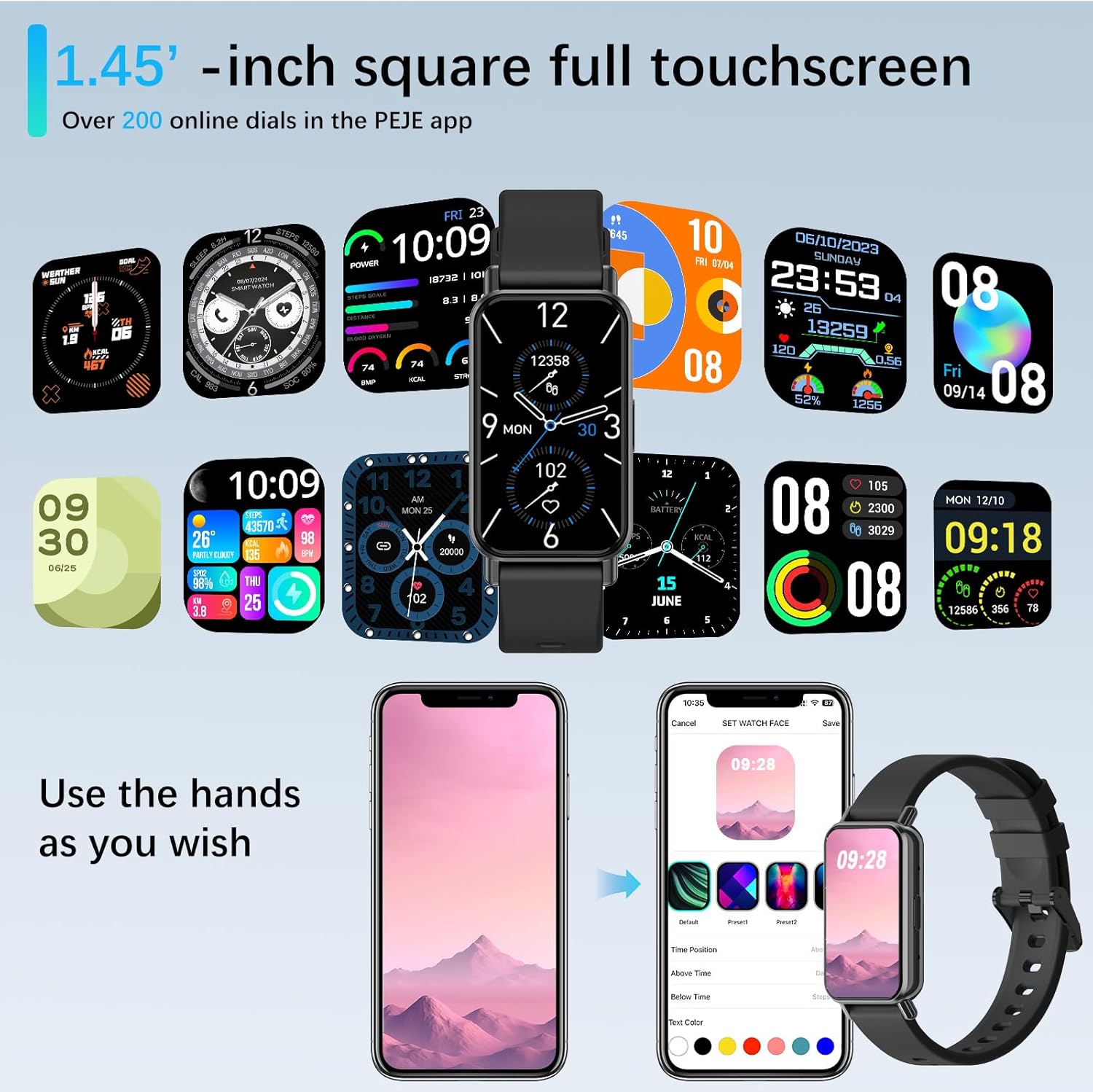
Image: Customizing watch faces through the PEJE app.
5.6 Нэмэлт шинж чанарууд
- Камерын удирдлага: Shake your wrist or tap the watch to remotely trigger your smartphone's camera.
- Хөгжмийн хяналт: Manage music playback (play, pause, skip) directly from your wrist.
- Цаг агаарын мэдээ: View current weather conditions and 5-day forecasts.
- Find My Phone & Watch: Locate your paired smartphone or smartwatch using the app.
- Багаж хэрэгсэл: Access a stopwatch, calculator, and 4 built-in games.
- Бүү саад бол горим: Тодорхой цагт мэдэгдлийн дууг хаа.
- Түргэн -View: Raise your wrist to automatically wake the screen.
- Muslim Prayer Reminders: Receive timely reminders for prayer.
- Tasbih Reminder: Set reminders for Tasbih practice.
- Qibla Direction: Displays Qibla angle and device's angle to Qibla.

Image: Qibla Direction and Tasbih Reminder features.
6. Засвар үйлчилгээ
6.1 Усны эсэргүүцэл
The PEJE Smartwatch has an IP68 ус үл нэвтрэх зэрэглэл, making it resistant to splashes, rain, and sweat. It is suitable for daily use and light water exposure.
Note: The device is not suitable for prolonged immersion in water, hot water, or diving. Avoid exposure to high-pressure water streams.
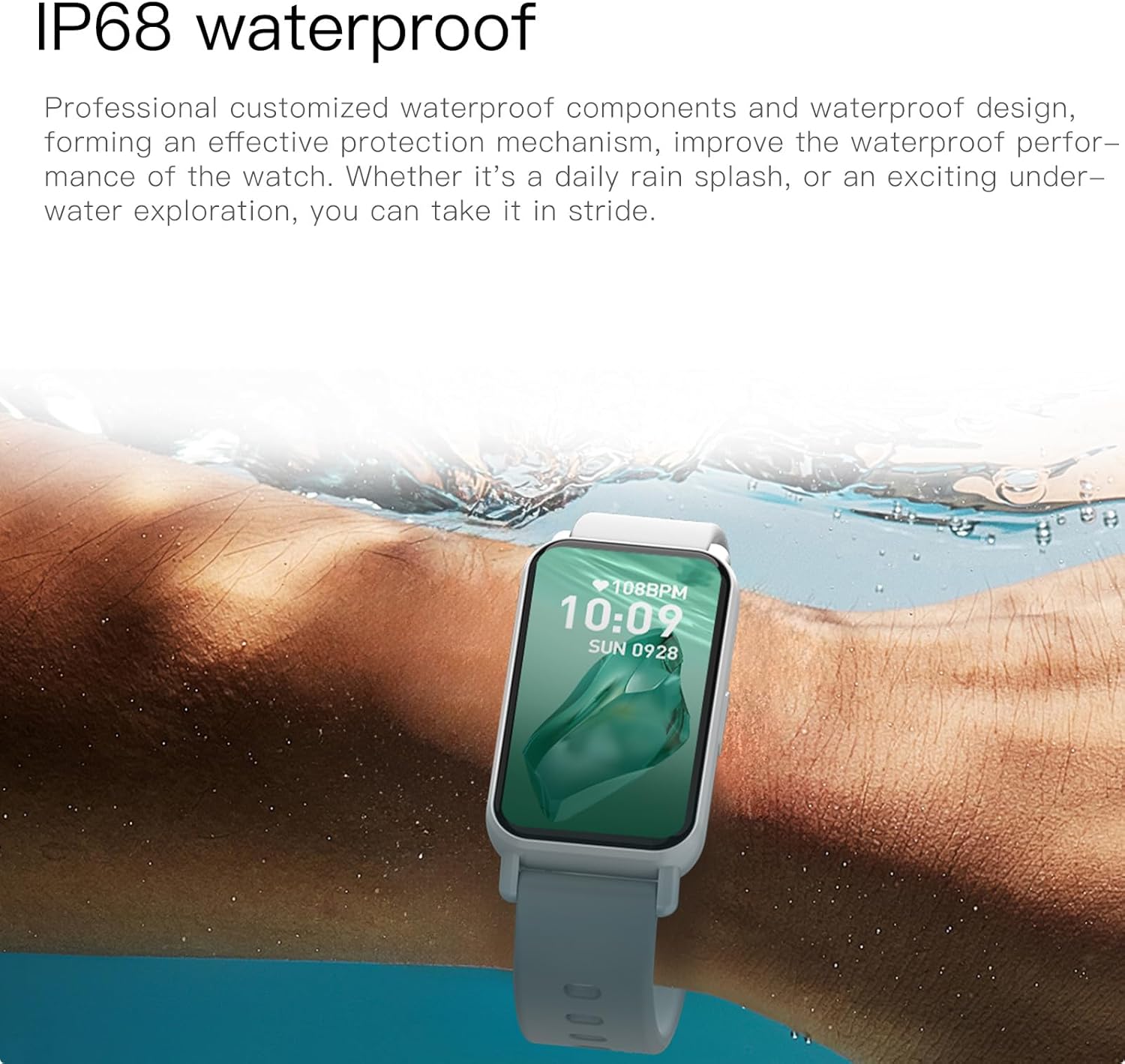
Image: PEJE Smartwatch demonstrating IP68 water resistance.
6.2 Цэвэрлэгээ, арчилгаа
- Цаг болон оосорыг зөөлөн, хуурай даавуугаар тогтмол арчина.
- Химийн хатуу бодис, зүлгүүрийн материал ашиглахаас зайлсхий.
- Цэнэглэхийн өмнө цэнэглэх контактууд нь цэвэр, хуурай эсэхийг шалгаарай.
7. Алдаа засах
If you encounter issues with your PEJE Smartwatch, try the following steps:
- Төхөөрөмж асахгүй байна: Цаг бүрэн цэнэглэгдсэн эсэхийг шалгаарай. Үүнийг дор хаяж 30 минутын турш цэнэглэгчтэй холбоно уу.
- Утастай хослуулах боломжгүй:
- Таны утас болон цаг дээр Bluetooth идэвхжсэн эсэхийг шалгаарай.
- Цаг нь таны утасны хүрээн дотор байгаа эсэхийг шалгаарай.
- Утас болон ухаалаг цагаа дахин эхлүүлнэ үү.
- Програмын кэшийг цэвэрлэх эсвэл програмыг дахин суулгана уу.
- Мэдэгдэл харагдахгүй байна:
- Өөрийн утсан дээрх програмын мэдэгдлийн зөвшөөрлийг шалгана уу.
- Ensure Do-Not-Disturb mode is not active on the watch.
- Verify the watch is properly connected to the app.
- Эрүүл мэндийн буруу мэдээлэл: Ensure the watch is worn snugly on your wrist, not too tight or too loose. Clean the sensor area regularly.
8. Техникийн үзүүлэлтүүд
| Онцлог | Тодорхойлолт |
|---|---|
| Брэнд | PEJE |
| Загвар | PEJE Smartwatch |
| Дэлгэцийн хэмжээ | 1.45 инч |
| Дэлгэцийн төрөл | HD TFT |
| Холболтын технологи | Bluetooth 5.2 |
| Утасгүй холбооны стандарт | Bluetooth |
| Зайны багтаамж | 180 саяamp Цаг |
| Зайны эсийн найрлага | Лити полимер |
| Усны эсэргүүцэл | IP68 |
| GPS | Ухаалаг гар утсаар GPS |
| Тохиромжтой байдал | Android 5.0+ / iOS 9.0+ |
| Онцлог шинж чанарууд | Notifications, Health Monitoring, 123 Sport Modes, Bluetooth Calling |
| Багцын хэмжээ | 16.2 x 10.4 x 3.4 см |
| Зүйлийн жин | 110 гр |
| Гарал үүслийн улс | Хятад |
9. Баталгаат хугацаа ба дэмжлэг
9.1 Баталгаат хугацааны мэдээлэл
Warranty details for your PEJE Smartwatch are typically provided with your purchase documentation or can be found on the official PEJE webсайт. Баталгаат заргад зориулж худалдан авалтаа нотлох баримтаа үлдээнэ үү.
9.2 Хэрэглэгчийн дэмжлэг
For further assistance, technical support, or inquiries not covered in this manual, please visit the official PEJE Store or contact PEJE customer service through their website. You can find the PEJE Store at https://www.amazon.sa/-/en/stores/StaySmartStayStylish/page/70BC458D-9595-4688-8DEF-D60BE431932F.