Танилцуулга
Thank you for choosing the hOmeLabs 25 Pint Wi-Fi Dehumidifier. This manual provides essential information for the safe operation, maintenance, and troubleshooting of your new appliance. Designed for efficient moisture removal in spaces up to 3,500 sq ft, this dehumidifier features Wi-Fi smart control, quiet operation, and flexible drainage options to enhance your indoor environment.
Аюулгүй байдлын чухал заавар
Please read all instructions carefully before using the dehumidifier. Failure to follow these instructions may result in electric shock, fire, or serious injury.
- Always plug the dehumidifier into a grounded electrical outlet.
- Цахилгааны утас эсвэл залгуур гэмтсэн бол төхөөрөмжийг бүү ажиллуул.
- Хагарахаас сэргийлэхийн тулд төхөөрөмжийг тэгш, тогтвортой гадаргуу дээр байрлуулсан эсэхийг шалгаарай.
- Агаарын оролт, гаралтыг хааж болохгүй. Төхөөрөмжийн эргэн тойронд дор хаяж 8 инч зай үлдээ.
- Цэвэрлэх, зөөх эсвэл засвар үйлчилгээ хийхээсээ өмнө чийг шингээгчийг залгуураас нь салга.
- Do not use the unit in areas where flammable liquids or gases are stored.
- Энэ хэрэгсэл нь зөвхөн орон сууцанд зориулагдсан.
- Ашиглалтын явцад хүүхэд, тэжээвэр амьтдыг нэгжээс хол байлга.
Бүтээгдэхүүн дууссанview
Familiarize yourself with the components of your hOmeLabs dehumidifier.

The hOmeLabs 25 Pint Wi-Fi Dehumidifier shown alongside its blue and white product packaging, highlighting its compact design and brand.

An illustration showing the dimensions of the dehumidifier: 19.6 inches high, 12.2 inches wide, and 8.2 inches deep, emphasizing its compact form factor.

A close-up of the dehumidifier's control panel, displaying buttons for Wi-Fi, fan speed, timer, comfort mode, and indicators for tank full and filter status.

The dehumidifier positioned in a gym setting next to a yoga mat, illustrating its compact design and emphasizing its ultra-quiet operation at 47 dB.
Гол бүрэлдэхүүн хэсгүүд:
- Хяналтын самбар: Digital display and buttons for settings.
- Агаарын оролт/гаралтын хэсэг: Агаар төхөөрөмжид орж, гарах газар.
- Усны сав: Removable bucket for collected moisture.
- Тасралтгүй ус зайлуулах хоолой: Тасралтгүй ажиллах зориулалттай ус зайлуулах хоолойг холбох порт.
- Caster Wheels & Handle: Хялбар зөөвөрлөхийн тулд.
- Угааж болдог шүүлтүүр: Located at the back for air purification.
Тохируулах заавар
- Савлах: Чийгшүүлэгчийг сав баглаа боодолоос нь болгоомжтой авч хая. Сав баглаа боодлын материалыг ирээдүйд хадгалах, тээвэрлэх зорилгоор хадгалах.
- Байршил: Place the unit upright on a firm, level surface in the area where dehumidification is desired. Ensure there is at least 8 inches (20 cm) of space around all sides of the unit for proper airflow. Avoid placing it near heat sources or in direct sunlight.
- Эрчим хүчний холболт: Plug the power cord into a grounded 110-120V/60Hz electrical outlet. The unit will beep once, and the display will light up.
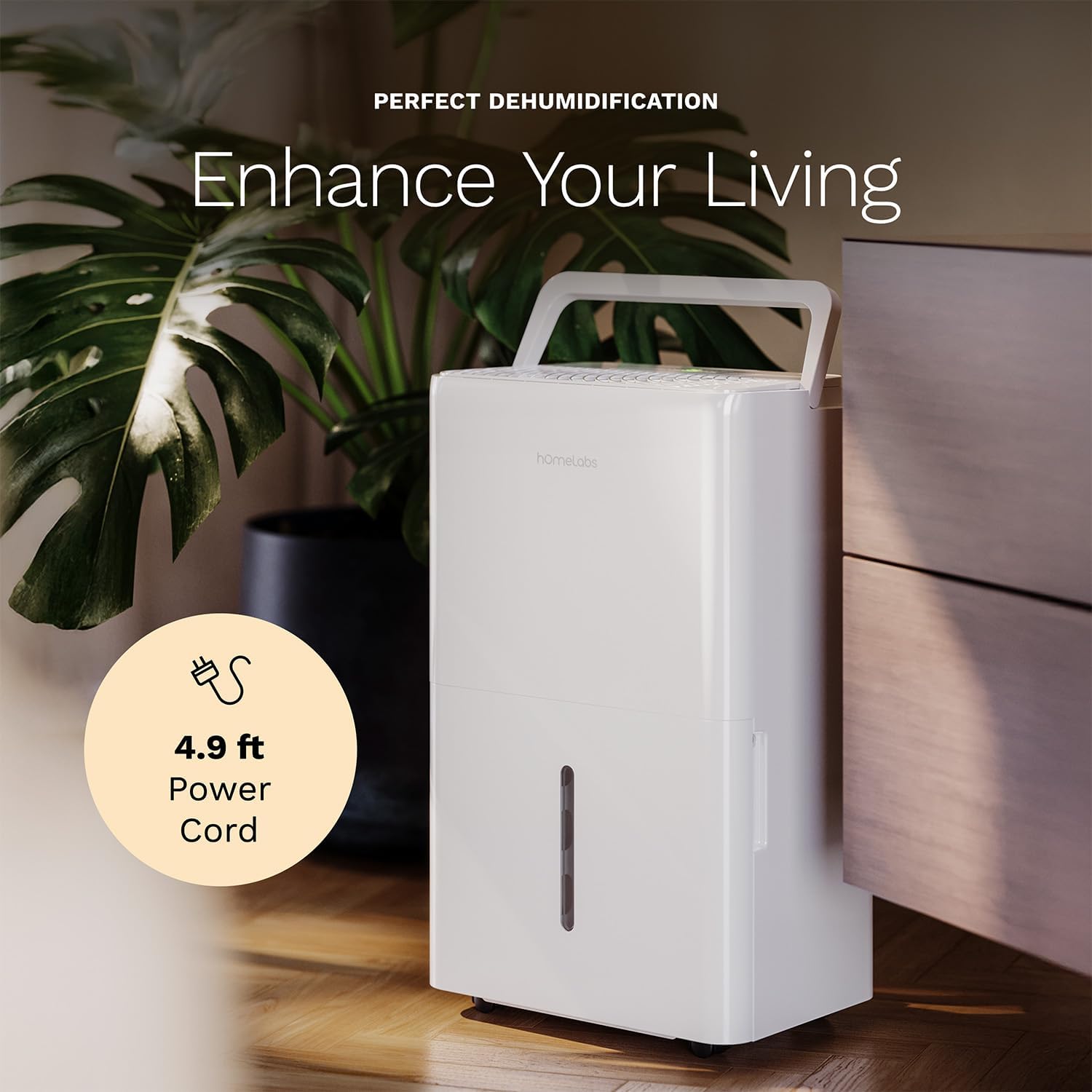
The dehumidifier positioned in a room, highlighting its 4.9 ft power cord for flexible placement.
- Drainage Option (Optional):

An image illustrating the two drainage options: using the built-in tank (manual emptying) or connecting a gravity drain hose for continuous drainage.
- Гарын авлагын ус зайлуулах хоолой: The unit will collect water in the internal tank. When the tank is full, the unit will automatically shut off and indicate "Tank Full". Empty the tank as described in the Maintenance section.
- Тасралтгүй ус зайлуулах суваг: For continuous operation without emptying the tank, attach the included drain hose to the continuous drain outlet. Ensure the hose is sloped downwards to a suitable drain (e.g., floor drain, large bucket) to allow gravity drainage.
Ашиглалтын заавар
Хяналтын самбарын функцууд:
- Цахилгаан товч: Төхөөрөмжийг асаах эсвэл унтраахын тулд дарна уу.
- Чийгшлийн тохиргооны товчлуурууд (+/-): Adjust the desired humidity level from 35% to 85% relative humidity (RH) in 5% increments.
- Сэнсний хурдны товчлуур: Cycle through High, Medium, and Low fan speeds.
- Цаг хэмжигч товчлуур: Set a timer for automatic ON/OFF operation (1-24 hours).
- Comfort Mode Button: Activates a preset humidity level for optimal comfort.
- Wi-Fi товчлуур: Activates Wi-Fi pairing mode.
Wi-Fi Smart Control:
Your dehumidifier can be controlled remotely via Wi-Fi using a smartphone app, Google Assistant, or Alexa.

The dehumidifier shown with icons indicating compatibility with Google Home and Alexa, along with a smartphone icon representing app control for remote operation.
- Апп татаж авах: Download the hOmeLabs app from your smartphone's app store (iOS or Android).
- Хослуулах: Follow the in-app instructions to pair your dehumidifier with your home Wi-Fi network. This typically involves pressing and holding the Wi-Fi button on the control panel until the indicator light flashes.
- Алсын удирдлага: Once paired, you can adjust settings, monitor humidity levels, and set schedules from anywhere using your smartphone.
Засвар үйлчилгээ
Тогтмол засвар үйлчилгээ нь таны чийгшүүлэгчийн ашиглалтын хугацааг уртасгаж, оновчтой гүйцэтгэлийг баталгаажуулдаг.
Усны савыг хоослох:
- When the water tank is full, the "Tank Full" indicator will illuminate, and the unit will stop operating.
- Усны савыг төхөөрөмжийн урд талаас болгоомжтой татаж гаргана уу.
- Цуглуулсан усыг угаалтуур эсвэл ус зайлуулах суваг руу хийнэ.
- Хоосон савыг байрандаа товших чимээ гартал буцааж шургуулна уу. Төхөөрөмж дахин ажиллана.
Агаар шүүгчийг цэвэрлэх:
The "Filter" indicator light will illuminate after 250 hours of operation, reminding you to clean the filter. Clean the filter every two weeks or more frequently depending on usage and air quality.
- Чийгшүүлэгчийг унтрааж, цахилгааны залгуураас салга.
- Агаар шүүгчийг төхөөрөмжийн арын хэсгээс ав.
- Шүүлтүүрийг бүлээн, савантай усаар угаана. сайтар зайлж угаана.
- Дахин суулгахаасаа өмнө шүүлтүүрийг агаарт бүрэн хатаана. Хатаагч эсвэл шууд халаагуур бүү ашигла.
- Once the filter is reinstalled, press and hold the "Filter" button for 3 seconds to reset the filter timer.
Ерөнхий цэвэрлэгээ:
- Төхөөрөмжийн гадна талыг зөөлөн арчиж, damp даавуу.
- Хүчтэй химийн бодис, зүлгүүр, уусгагчийг бүү ашигла.
- Мөөгөнцөр, хөгц үүсэхээс сэргийлж усны савыг тогтмол цэвэрлэж байгаарай.
Алдааг олж засварлах
Нийтлэг асуудлууд болон тэдгээрийн шийдлүүдийг энэ хэсгээс харна уу.
| Асуудал | Боломжит шалтгаан | Шийдэл |
|---|---|---|
| Чийгшүүлэгч асахгүй байна. | No power; Power cord not plugged in; Tank full. | Check power supply; Plug in power cord securely; Empty water tank. |
| Төхөөрөмж ажиллаж байгаа боловч ус хуримтлагдахгүй байна. | Хэт өндөр чийгшил; Өрөөний температур хэт бага; Агаарын шүүлтүүр бөглөрсөн. | Lower desired humidity setting; Ensure room temperature is above 41°F (5°C); Clean air filter. |
| Нэгж дуу чимээтэй байна. | Төхөөрөмж тэгшрээгүй; Агаар шүүгч бөглөрсөн; Сэнс бөглөрсөн. | Place on a level surface; Clean air filter; Check for obstructions in fan area. |
| Wi-Fi холболтын асуудал. | Incorrect Wi-Fi password; Router too far; App issues. | Verify Wi-Fi password; Move unit closer to router; Restart app/unit. |
Үзүүлэлтүүд
| Онцлог | Дэлгэрэнгүй |
|---|---|
| Брэнд | homeLabs |
| Загварын нэр | hOmelabs - Dehumidifier - 25 Pint - WIFI (HME0088) |
| Цэвэршүүлэх хүчин чадал | 25 Pints per Day (at 80°F, 60%RH) / MAX 64 Pints (at 95°F, 90%RH) |
| Хамрах хүрээ | 3,500 хавтгай дөрвөлжин фут хүртэл |
| Танкны эзэлхүүн | 1 галлон |
| Бүтээгдэхүүний хэмжээ (D x W x H) | 8.2"D x 12.2"W x 19.6"H |
| Зүйлийн жин | 27.1 фунт |
| Үйлдлийн горим | Автомат |
| Онцлог шинж чанарууд | Adjustable Humidity Control, Automatic Defrost, Automatic Moisture Removal, Automatic Shutoff, Bucket Storage, Digital Display, Portable, Quiet Operation, Removable Tank, Timer, Washable Filter, Wi-Fi Enabled |
| Эрчим хүчний хэмнэлт | Energy Star Most Efficient 2024 Certified |
Баталгаат болон дэмжлэг
Your hOmeLabs 25 Pint Wi-Fi Dehumidifier comes with a standard manufacturer's warranty. For detailed warranty information, please refer to the official warranty document provided with your purchase or visit the hOmeLabs webсайт.
Баталгаат баримт бичиг: Татаж авах баталгаа (PDF)
For technical support, troubleshooting assistance, or to inquire about replacement parts, please contact hOmeLabs customer service. Contact information can typically be found on the hOmeLabs webсайт эсвэл таны бүтээгдэхүүний савлагаанд.


