
1. Бүтээгдэхүүн дууссанview
The UNIWA F41 is a rugged 4G Android mobile phone designed with walkie-talkie capabilities, featuring a durable build, long-lasting battery, and support for various communication applications like Zello. It combines smartphone functionality with push-to-talk (PTT) features, making it suitable for professional and outdoor use.

Зураг 1: Урд болон хойд view of the UNIWA F41 device, showing the display, keypad, PTT button, and rear clip.
Гол онцлогууд:
- Үйлдлийн систем: Android 8.1
- Процессор: MT6739 Quad Core
- Санах ой: 1GB RAM + 8GB ROM (expandable up to 64GB with Micro SD)
- Дэлгэц: 2.4-inch IPS capacitive touch screen (320x240 resolution)
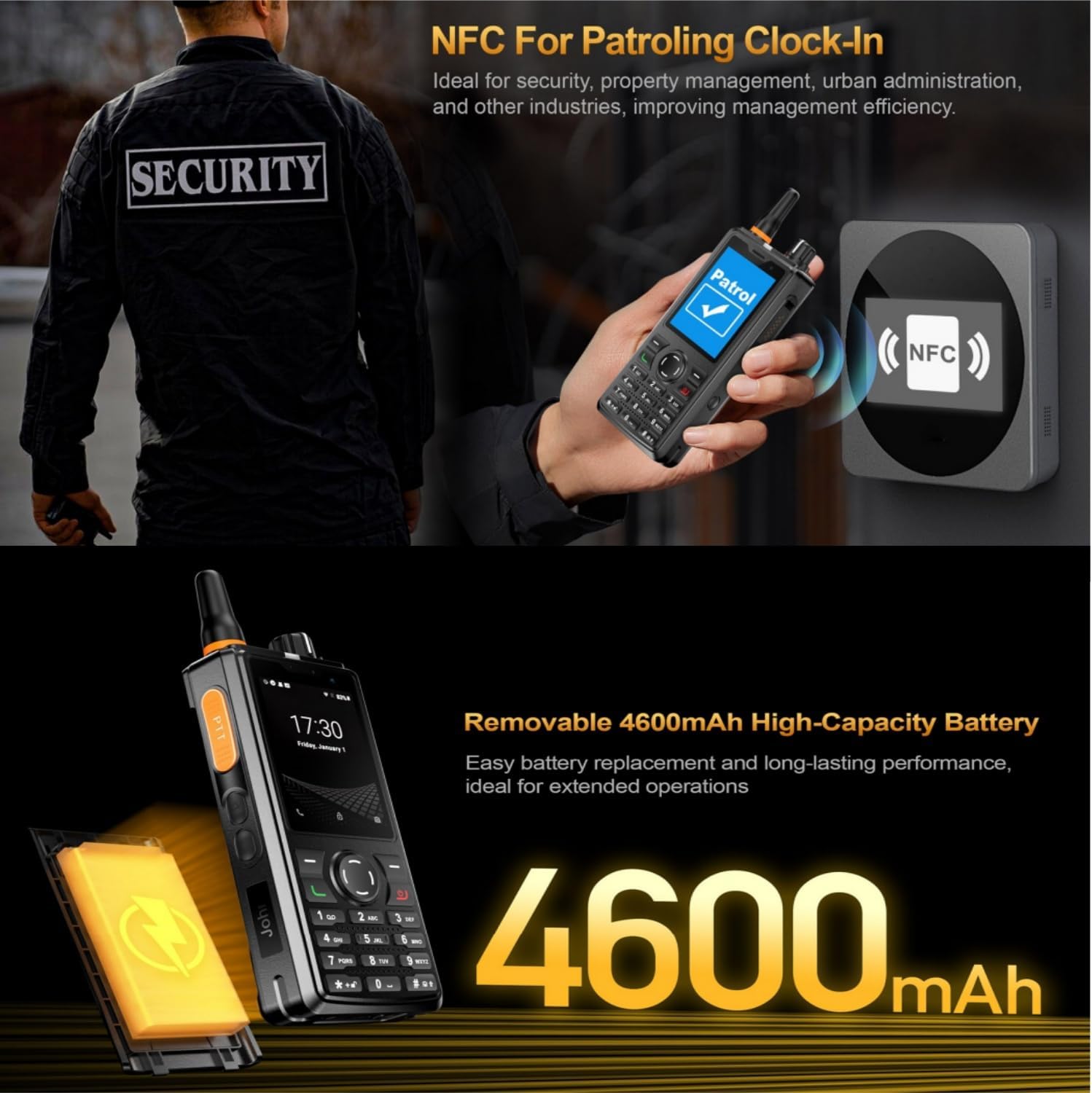
- Зай: Removable 4600mAh Li-Polymer battery with 10W fast charging
- Бат бөх чанар: IP54 waterproof, drop, and shockproof
- Холболт: 2G/3G/4G global network bands, Wi-Fi (2.4GHz/5GHz), Bluetooth 4.2, GPS/BeiDou/GLONASS
- Камерууд: 5 МП урд, 8 МП хойд
- Аудио: Front Φ36/3 Watt BOX Speaker
- Онцлог шинж чанарууд: Zello intercom, Smart PTT, Posctar support, NFC for patrolling, SOS button, Dual SIM
2. Багцын агуулга
Бүх зүйл багцад байгаа эсэхийг шалгана уу:
- UNIWA F41 Talkie Walkie Smartphone (x1)
- Power Adapter (5V/2A) (x1)
- USB кабель (x1)
- Клип (x1)
- Антен (x1)
- Хэрэглэгчийн гарын авлага (x1)

Зураг 2: Contents of the UNIWA F41 retail package.
3. Тохиргоо
3.1. Зайны суурилуулалт ба анхны цэнэглэлт
- Төхөөрөмжийн арын тагийг ав.
- Insert the 4600mAh Li-Polymer battery into the battery compartment, ensuring the contacts align.
- Арын тагийг найдвартай солино.
- Connect the provided USB cable to the device's USB Type-C port and the power adapter.
- Цахилгаан адаптерийг ханын залгуурт холбоно уу.
- Charge the device for at least 1 hour before initial use. The charging indicator will show progress.

Зураг 3: The UNIWA F41 device with its high-capacity 4600mAh removable battery.
3.2. SIM карт болон микро SD карт суурилуулах
The device supports dual SIM cards and one TF (Micro SD) card.
- With the device powered off, remove the back cover and battery.
- Locate the SIM card slots (SIM Card Slot *2) and TF Card Slot *1.
- Carefully insert your SIM card(s) into the designated slots with the gold contacts facing down.
- Insert your Micro SD card (up to 64GB) into the TF card slot.
- Батерей болон арын тагийг дахин суулгана уу.
3.3. Антенны хавсралт
Screw the provided antenna onto the top of the device until it is finger-tight. Ensure it is securely attached for optimal signal reception.
4. Ашиглалтын заавар
4.1. Асаах/унтраах
- Асаах: Дэлгэц гэрэлтэх хүртэл цахилгаан товчийг (ихэвчлэн хажуу талд) дарж барина уу.
- Унтраах: Асаах товчийг удаан дарж, дэлгэцэн дээрх сонголтуудаас "Асаах" гэснийг сонгоно уу.
4.2. Үндсэн навигаци
The UNIWA F41 features a 2.4-inch IPS capacitive touch screen and a T9 keypad for navigation.
- Мэдрэгчтэй дэлгэц: Сонгохын тулд товш, гүйлгэхийн тулд шударна уу.
- Товчлуур: Use the directional keys for menu navigation and the central button to confirm selections.
- Буцах товчлуур: Өмнөх дэлгэц рүү буцна.
- Нүүр хуудас товч: Үндсэн дэлгэц рүү буцна.

Зураг 4: The 2.4-inch IPS capacitive touch screen of the UNIWA F41, displaying various application icons.
4.3. Using Walkie-Talkie (Zello/PTT) Functionality
The UNIWA F41 is pre-adapted for popular PTT applications like Zello, Real PTT, and Pocstar.
- Ensure you have an active internet connection (Wi-Fi or 4G).
- Open your preferred PTT application (e.g., Zello).
- Нэвтрэх эсвэл бүртгэл үүсгэ.
- Join a channel or contact.
- Press and hold the dedicated PTT Intercom Button (located on the side) to transmit your voice. Release to listen.
- Use the Group Switching Knob (if available on your model) to quickly switch between talk groups.

Зураг 5: The UNIWA F41 showcasing its integration with Zello and other PTT applications, highlighting the ergonomic PTT button.
4.4. Network Connectivity (4G, Wi-Fi, Bluetooth)
- 4G сүлжээ: Ensure your SIM card supports the device's network bands (2G: GSM850/900/1800/1900MHz; 3G: WCDMA B1/B2/B5/B8, TD-SCDMA B34/B39; 4G: FDD-LTE:B1/B3/B7/B8/B20; TDD-LTE:B38/B39/B40/B41). The device will automatically connect to available cellular networks.
- Wi-Fi: Go to Settings > Network & Internet > Wi-Fi to connect to available Wi-Fi networks.
- Bluetooth: Bluetooth хэрэгслүүдтэй хослуулахын тулд Тохиргоо > Холбогдсон төхөөрөмжүүд > Bluetooth руу очно уу.

Зураг 6: The UNIWA F41's capability to support global 2G/3G/4G network bands for seamless communication.
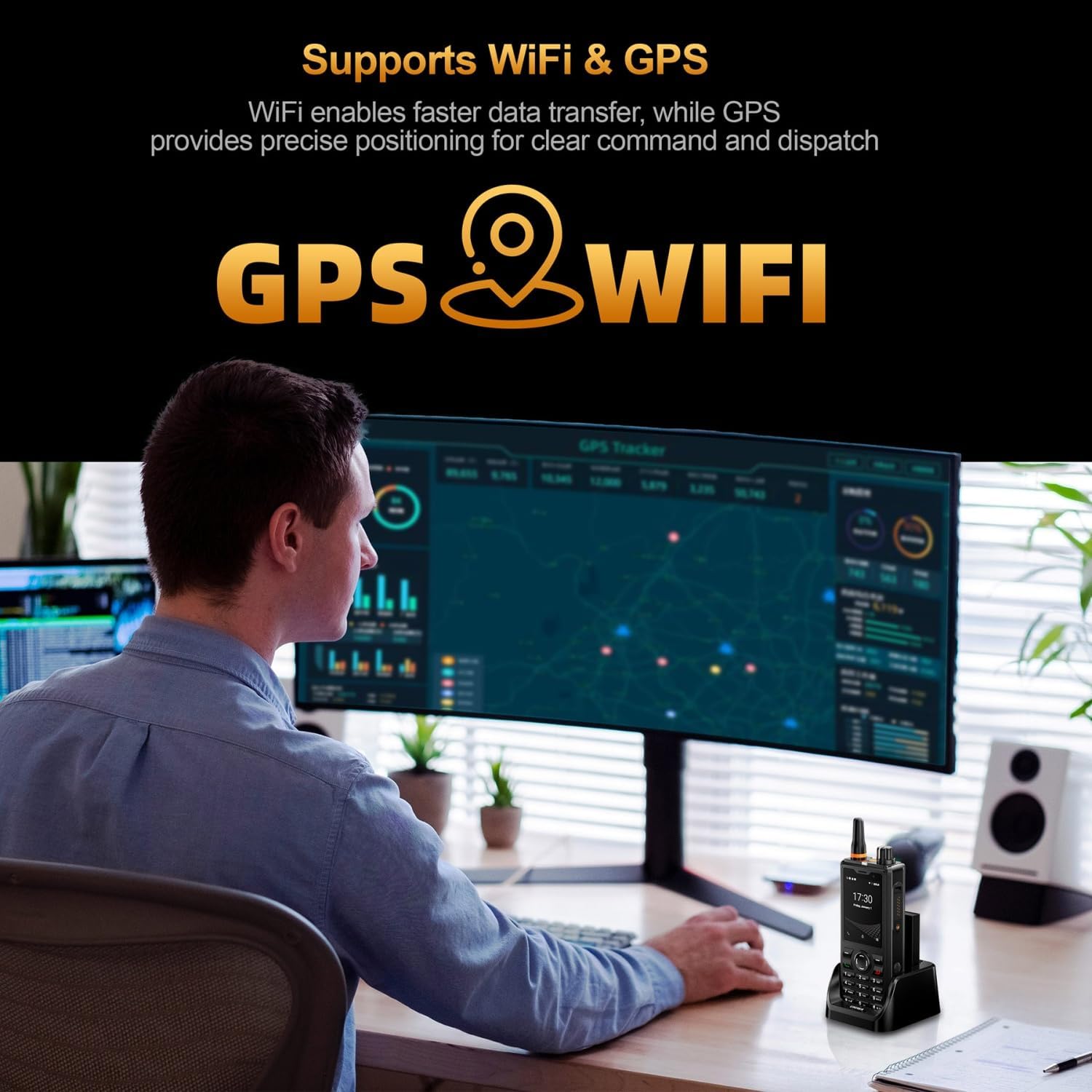
Зураг 7: Illustration of the UNIWA F41's integrated WiFi for faster data and GPS for precise positioning.
4.5. Камерын хэрэглээ
The device features a 5MP front camera and an 8MP rear camera.
- Үндсэн дэлгэц эсвэл програмын шүүгээнээс Камерын програмыг нээнэ үү.
- Зураг авахын тулд Хөшигний товчийг товшино уу.
- Камерыг асаах/унтраах дүрсийг ашиглан урд болон хойд камерын хооронд сэлгэнэ үү.
- Видео бичихийн тулд видео горимыг сонгоно уу.
Зураг 8: The UNIWA F41's dual camera system, featuring a 5MP front camera and an 8MP rear camera for high-definition capture.
4.6. NFC функц
The built-in NFC can be used for applications such as patrolling clock-in.
- Ensure NFC is enabled in Settings.
- Open the relevant NFC-enabled application.
- Tap the device near an NFC tag or reader to perform the desired action (e.g., clock-in).

Зураг 9: The UNIWA F41 utilizing its NFC feature for applications like patrolling clock-in, ideal for various industries.
4.7. SOS яаралтай тусламжийн дуудлага
The device includes a dedicated SOS button for emergency situations.
- Configure emergency contacts in the device settings.
- In an emergency, press the SOS Button (usually on the side) to initiate an emergency call or send an SOS message to pre-set contacts.
5. Засвар үйлчилгээ
5.1. Төхөөрөмжийг цэвэрлэх
- Төхөөрөмжийн дэлгэц болон их биеийг зөөлөн, хөвөнгүй даавуугаар арчина.
- Зөрүүд шороонд бага зэрэг dampдаавууг ус эсвэл зөөлөн дэлгэц цэвэрлэгчээр арчина.
- Avoid using harsh chemicals, abrasive cleaners, or aerosols.
- Дагалдах хэрэгслийг цэнэглэх эсвэл холбохын өмнө бүх портууд хуурай байгаа эсэхийг шалгаарай.
5.2. Зайны арчилгаа
- Эхний хэрэглээний өмнө зайг бүрэн цэнэглэ.
- Хэт их температураас зайлсхий, учир нь энэ нь батерейны ажиллагааг доройтуулж болзошгүй юм.
- Зайг цоолох, задлах, богино холболт үүсгэж болохгүй.
- Хэрэв төхөөрөмжийг удаан хугацаагаар ашиглахгүй бол 50% хүртэл цэнэглээд сэрүүн, хуурай газар хадгална.
5.3. Програм хангамжийн шинэчлэлтүүд
Important Note: Currently, the F41 only supports Android 8.1. Do not upgrade the Android version, otherwise the phone will not work.
Regularly check for official software updates from UNIWA to ensure optimal performance and security. Follow the instructions provided by the update notification or check in Settings > System > System update.
6. Алдаа засах
| Асуудал | Боломжит шалтгаан | Шийдэл |
|---|---|---|
| Төхөөрөмж асахгүй байна. | Low battery; Battery not installed correctly; Software issue. | Charge the device for at least 1 hour. Reinstall the battery. Perform a force restart (refer to device specific instructions if available). |
| Сүлжээний дохио байхгүй. | SIM card not inserted correctly; Out of network coverage; Incorrect network settings. | Reinsert SIM card. Move to an area with better coverage. Check APN settings in Network & Internet settings. Ensure antenna is securely attached. |
| PTT function not working. | No internet connection; PTT app not configured; App permissions. | Verify Wi-Fi or 4G connection. Ensure PTT app is logged in and configured correctly. Check app permissions for microphone and network access. |
| Батерей хурдан дуусдаг. | High screen brightness; Many apps running in background; Poor network signal. | Reduce screen brightness. Close unused apps. Disable Wi-Fi/Bluetooth when not in use. Use power-saving mode. |
| Төхөөрөмж удаан эсвэл хариу өгөхгүй байна. | Too many apps open; Low storage; Software glitch. | Close background apps. Clear cache. Free up storage space. Restart the device. |
| Cannot upgrade Android version. | Device limitation. | The UNIWA F41 is designed to operate on Android 8.1. Attempting to upgrade may cause the device to malfunction. Do not upgrade the Android version. |
| Speaker volume is low or distorted. | Volume settings; Speaker obstruction; Software issue. | Increase volume using the volume buttons. Ensure speaker is not blocked. Restart the device. |
| GPS not accurate. | Poor satellite signal; GPS settings. | Цэлмэг тэнгэртэй задгай газар байгаа эсэхээ шалгаарай view. Check location settings and ensure GPS is enabled. |
| NFC ажиллахгүй байна. | NFC disabled; Incorrect positioning. | Enable NFC in settings. Ensure the device's NFC area is close to the tag/reader. |
7. Техникийн үзүүлэлтүүд
| Онцлог | Дэлгэрэнгүй |
|---|---|
| Брэнд | UNIWA |
| Загвар | F41 |
| Үйлдлийн систем | Android 8.1 |
| CPU | MT6739 Quad Core |
| Санах ой (RAM) | 1 ГБ |
| Хадгалах (ROM) | 8 ГБ |
| Өргөтгөх боломжтой хадгалах сан | Up to 64GB (Micro SD) |
| SIM картын дэмжлэг | Хос SIM |
| Дэлгэцийн хэмжээ | 2.4 инч |
| Дэлгэцийн төрөл | IPS багтаамжтай мэдрэгчтэй дэлгэц |
| Дэлгэцийн нягтрал | 320х240 |
| Арын камер | 8 МП |
| Урд камер | 5 МП |
| Зайны багтаамж | 4600mAh Li-Polymer (Removable) |
| Цэнэглэж байна | 10W Fast Charging, USB Type-C, Dock charging connectors |
| Хэмжээ | 135.6 x 60.5 x 26.0 мм |
| Жин | 265g (including battery and clip) |
| Ус/тоосны эсэргүүцэл | IP54 Waterproof, Drop and Shockproof |
| Сүлжээний хамтлагууд | 2G: GSM850/900/1800/1900MHz; 3G: WCDMA B1/B2/B5/B8, TD-SCDMA B34/B39; 4G: FDD-LTE:B1/B3/B7/B8/B20; TDD-LTE:B38/B39/B40/B41 |
| Wi-Fi | 2.4 ГГц / 5 ГГц |
| Bluetooth | BT4.2 |
| GNSS | GPS/BeiDou/ГЛОНАСС |
| NFC | Тиймээ |
| Илтгэгч | Front Φ36/3 Watt BOX Speaker |
| Товчлуур | PTT Intercom Button, Volume +/-, SOS Button, Customize Button, T9 Keypad |
| Чихэвчний залгуур | M6 Headphone Jack |
| Ашиглалтын температур | -20 хэмээс +60 хэм хүртэл |
8. Аюулгүй байдлын мэдээлэл
- Төхөөрөмжийг ашиглахаасаа өмнө бүх зааврыг анхааралтай уншина уу.
- Төхөөрөмжийг хэт өндөр температур, нарны шууд тусгал эсвэл хэт их чийгэнд бүү байлга.
- Use only manufacturer-approved accessories (battery, charger, antenna).
- Do not attempt to disassemble, repair, or modify the device yourself. Refer to qualified service personnel.
- Орон нутгийн дүрэм журмын дагуу төхөөрөмж болон батерейг хариуцлагатайгаар устгана уу.
- Avoid using the device while driving or operating heavy machinery.
- Maintain a safe distance from medical implants (e.g., pacemakers) when using the device.
- The device is IP54 rated for water and dust resistance, but it is not fully submersible. Avoid prolonged exposure to water.
9. Баталгаат хугацаа ба дэмжлэг
For warranty information, please refer to the warranty card included with your product or contact UNIWA customer support. Keep your purchase receipt as proof of purchase.
For technical support or service inquiries, please contact your retailer or visit the official UNIWA webхолбоо барих мэдээллийг авах сайт.