1. Танилцуулга
Welcome to the user manual for your new LG 86-Inch Class QNED evo AI QNED85A Series Mini LED 4K Smart TV. This television combines cutting-edge display technology with advanced artificial intelligence to deliver an immersive viewing experience. Featuring Dynamic QNED Color, Mini LED with Precision Dimming, and the Alpha 8 AI Processor Gen2, your TV is designed to optimize picture and sound for any content.
Хялбархан webOS 25 smart TV platform provides easy access to your favorite streaming services and smart home features. With a native 120Hz refresh rate, HDR10 Pro, and Filmmaker Mode, this TV is ready for movies, sports, and gaming.
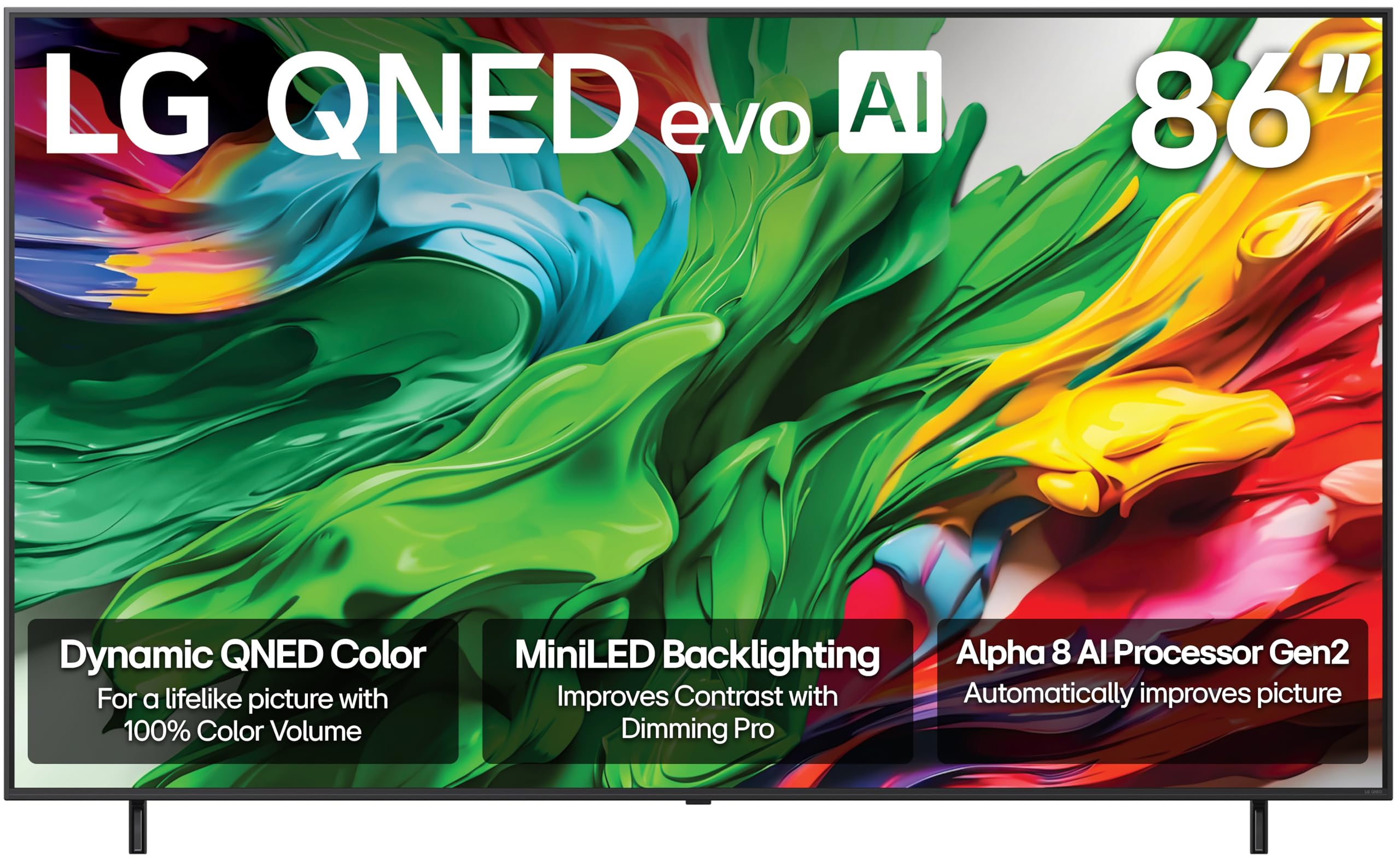
Урд view of the LG 86-Inch QNED evo AI QNED85A Series 4K Smart TV.
2. Хайрцагт юу байна
Upon unpacking your LG QNED evo AI QNED85A Series TV, please ensure all the following components are present:
- Цахилгаан кабель
- Stand (if not wall-mounted)
- Remote Control (Magic Remote)
- Хэрэглэгчийн гарын авлага (энэ баримт бичиг)
- 2 AAA батерей (алсын удирдлагад зориулагдсан)
3. Тохиргоо & Суурилуулалт
3.1 Физик тохиргоо
Before beginning, ensure you have adequate space and assistance for handling the 86-inch television. It is recommended that two or more people handle the TV during setup.
- Сэндүүдийн чуулган: If using the included stand, carefully attach it to the bottom of the TV following the instructions provided in the separate quick setup guide. Ensure all screws are securely fastened.
- Хананд суурилуулах: If wall-mounting, use a compatible VESA mount (sold separately) and follow the mount manufacturer's instructions. Ensure the wall can support the TV's weight (approximately 112.4 pounds).
- Байршил: Place the TV on a stable, level surface or securely mount it to a wall. Ensure proper ventilation around the TV.

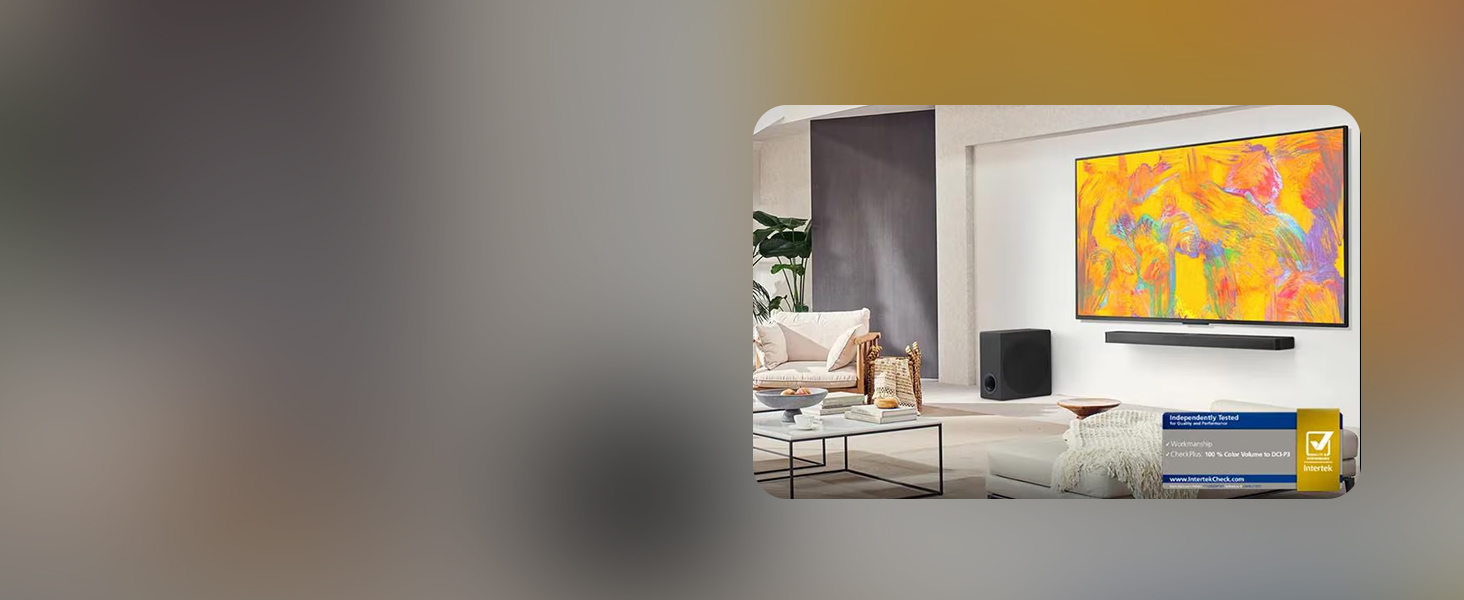
Хажуу талын мэргэжлийнfile of the LG QNED evo AI TV, highlighting its slim design.
3.2 Төхөөрөмжүүдийг холбох
Your LG QNED evo AI TV offers multiple connectivity options for various devices.
- HDMI: Connect external devices such as Blu-ray players, gaming consoles, or set-top boxes to the HDMI ports. This TV supports HDMI 2.1 for high-bandwidth features like 4K@120Hz.
- USB: Use the USB ports to connect USB storage devices for media playback or software updates.
- Ethernet: Тогтвортой интернет холболтын хувьд чиглүүлэгчээсээ Ethernet кабелийг ТВ-ийн LAN порт руу холбоно уу.
- Wi-Fi: The TV also supports wireless internet connectivity.
- Bluetooth: Connect compatible Bluetooth devices like headphones or soundbars wirelessly.

Арын view of the LG QNED evo AI TV, showing the various input ports.
3.3 Анхдагч асаалттай
- Цахилгааны кабелийг зурагт, дараа нь ханын залгуурт холбоно.
- Insert the provided AAA batteries into the Magic Remote.
- Алсын удирдлага эсвэл ТВ дээрх асаах товчийг дарж асаана уу.
- Follow the on-screen instructions to complete the initial setup, including network connection, channel scanning, and smart features configuration.
4. Key Features & Operation
4.1 Dynamic QNED Color & Mini LED with Precision Dimming
Experience stunning visuals with LG's Dynamic QNED Color, offering 100% Color Volume for vibrant and accurate hues. The Mini LED backlight technology, combined with Precision Dimming, allows for precise control over numerous dimming zones, resulting in deeper blacks and brighter highlights for superior contrast.

Visual representation of Dynamic QNED Color technology.

Illustration of MiniLED brilliance and Precision Dimming Technology.
4.2 Alpha 8 AI Processor Gen2
The Alpha 8 AI Processor Gen2 is the brain of your TV, utilizing advanced AI to analyze and optimize picture and sound in real-time. It enhances clarity, upscales content to 4K, and adapts audio to your viewing environment, ensuring an outstanding experience tailored to your preferences.

Diagram of the Alpha 8 AI Processor Gen2.
4.3 webOS 25 ухаалаг телевизийн платформ
Navigate your entertainment effortlessly with webOS 25. Quick Cards allow you to group apps by category, and the Magic Remote provides intuitive point-and-click navigation and voice control (Alexa Built-in). Access 300+ free LG Channels and enjoy continuous software updates through the webҮйлдлийн системийн талаар: Шинэ хөтөлбөр.
The webOS 25 smart TV interface, showing various streaming applications.

The LG Magic Remote, featuring AI button and intuitive controls.
4.4 HDR10 Pro & Filmmaker Mode
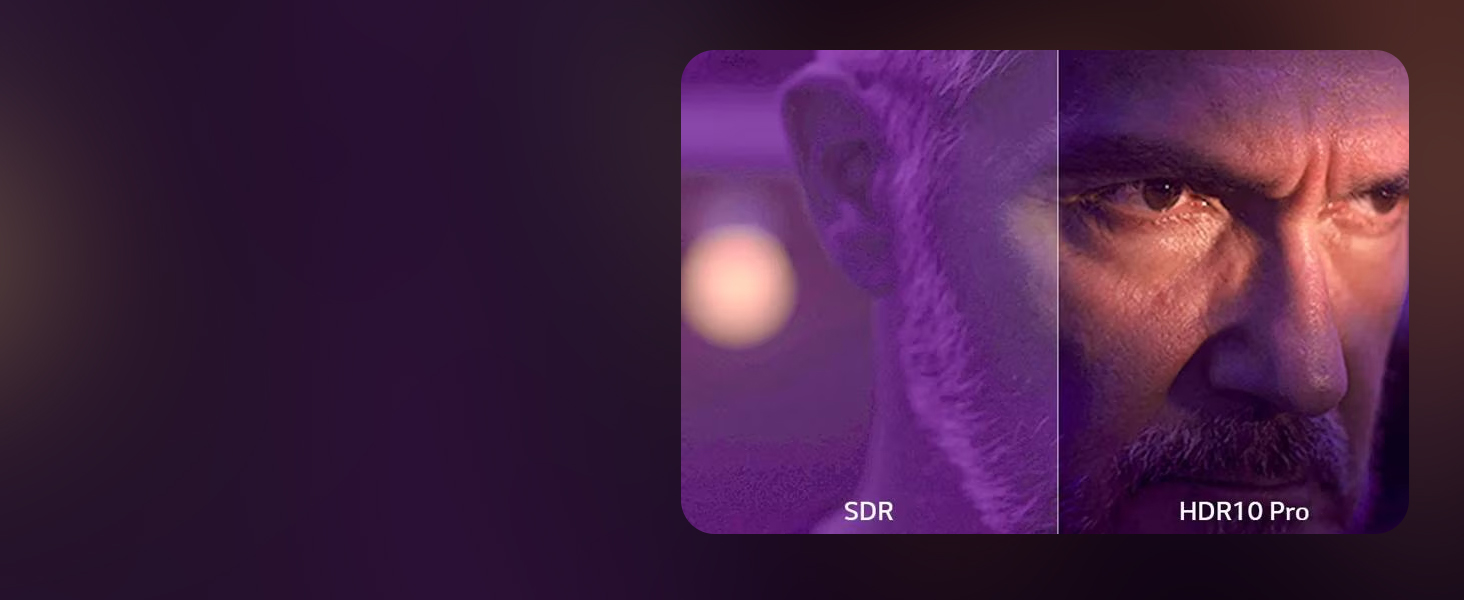
Enjoy movies and shows as intended by their creators with HDR10 Pro, which optimizes brightness and color for a more dynamic picture. Filmmaker Mode preserves the director's original colors, settings, and frame rates, delivering a true cinematic experience at home.

Comparison of SDR and HDR10 Pro picture quality.

Filmmaker Mode ensures content is displayed as the director intended.
4.5 Тоглоомын онцлогууд
For gamers, the LG QNED evo AI TV offers a native 120Hz refresh rate for smooth, sharp motion. Features like FreeSync, VRR (Variable Refresh Rate), and GeForce NOW compatibility minimize screen tearing and input lag. Game Optimizer and Game Dashboard provide quick access to settings for an optimized gaming experience.
Key gaming features including FreeSync, VRR, and 120Hz refresh rate.
4.6 Бүтээгдэхүүний албан ёсны видео
LG QNED evo AI QNED85A Testimonial
An official LG Electronics testimonial video showcasing the 2025 LG QNED evo AI QNED85A TV, highlighting its features and user experience.
The all new LG QNED evo AI Mini LED TV
An official LG Electronics video introducing the new LG QNED evo AI Mini LED TV, focusing on its innovative display technology.
LG QNED evo AI QNED85A 4K Smart TV Series
An official LG Electronics video providing an overview of the LG QNED evo AI QNED85A 4K Smart TV Series.
5. Засвар үйлчилгээ
5.1 ТВ-ээ цэвэрлэх
- Цэвэрлэхийн өмнө ТВ-ээ үргэлж салга.
- Use a soft, dry cloth to gently wipe the screen and frame.
- Зөрүүд тэмдгийн хувьд хөнгөнөөр dampen the cloth with water or a specialized screen cleaner (ensure it's safe for TV screens). Do not spray liquid directly onto the screen.
- Телевизийн өнгөлгөөг гэмтээж болох тул зүлгүүрийн цэвэрлэгч, лав эсвэл уусгагч хэрэглэхээс зайлсхий.
5.2 Програм хангамжийн шинэчлэлтүүд
Your LG QNED evo AI TV receives regular software updates to improve performance, add new features, and enhance security. Ensure your TV is connected to the internet to receive these updates. You can configure automatic updates or check for them manually through the TV's settings menu.
6. Алдаа засах
If you encounter any issues with your TV, try the following basic troubleshooting steps:
- Эрчим хүчгүй: Ensure the power cable is securely connected to both the TV and the wall outlet. Try plugging another device into the same outlet to confirm it's working.
- Зураг/дуу чимээ байхгүй: Check all cable connections (HDMI, audio) between the TV and external devices. Ensure the correct input source is selected on the TV.
- Алсын удирдлага ажиллахгүй байна: Magic Remote-н батарейг солино уу. Алсын удирдлага болон ТВ хооронд ямар ч саад бэрхшээл байхгүй эсэхийг шалгаарай.
- Зургийн чанар муу: Check the source content's resolution. Adjust picture settings (brightness, contrast, sharpness) in the TV's menu.
- Интернет холболт байхгүй: Verify your Wi-Fi network is active or the Ethernet cable is properly connected. Restart your router and modem.
- Програм хангамжийн алдаа: Perform a power cycle by unplugging the TV from the power outlet for a few minutes, then plugging it back in.
For more detailed troubleshooting, refer to the comprehensive help section within your TV's webOS interface or visit the LG support webсайт.
7. Техникийн үзүүлэлтүүд
| Онцлог | Тодорхойлолт |
|---|---|
| Брэнд | LG |
| Загварын дугаар | 86QNED85AUA.AUSZ |
| Дэлгэцийн хэмжээ | 86 инч |
| Дэлгэцийн технологи | Мини LED, QNED |
| Шийдвэр | 4K (3840 x 2160) |
| Сэргээх хурд | 120 Гц |
| Процессор | Альфа 8 AI процессор Gen2 |
| HDR дэмжлэг | HDR10 Pro |
| Ухаалаг ТВ платформ | webOS 25 |
| Дуут туслах | Alexa Built-in, Google Assistant (not available in some regions/languages) |
| Тоглоомын онцлог | AMD FreeSync, VRR, Game Mode, GeForce NOW |
| Холболт | Bluetooth, Ethernet, HDMI, USB, Wi-Fi |
| Бүтээгдэхүүний хэмжээ (D x W x H) | 14.1 x 75.9 x 46.3 инч |
| Зүйлийн жин | 112.4 фунт |
| Оруулсан бүрэлдэхүүн хэсгүүд | Цахилгаан кабель, алсын удирдлага, тавиур, хэрэглэгчийн гарын авлага |
8. Баталгаат хугацаа ба дэмжлэг
Your LG 86-Inch Class QNED evo AI QNED85A Series TV comes with a standard manufacturer's warranty. For specific details regarding coverage and duration, please refer to the warranty card included with your product or visit the official LG support webсайт.
8.1 Хамгаалалтын төлөвлөгөө
Стандарт баталгаанаас гадна хамрах хүрээг өргөжүүлэх нэмэлт хамгаалалтын төлөвлөгөөг худалдан авах боломжтой. Үүнд дараахь зүйлс багтаж болно.
- 4 жилийн хамгаалалтын төлөвлөгөө: Хамрах хүрээг 48 сараар сунгана.
- Бүрэн хамгаалалт: Өнгөрсөн болон ирээдүйн худалдан авалтыг багтаасан сарын төлөвлөгөө.
For more information on these plans, please consult your retailer or the LG webсайт.
8.2 Буцаах бодлого
This product is eligible for 30-day easy returns when purchased from Amazon. Please refer to Amazon's return policy for full details.
8.3 Хэрэглэгчийн дэмжлэг
For technical assistance, product inquiries, or service requests, please contact LG Customer Support. Contact information can be found on the LG official webсайт эсвэл таны бүтээгдэхүүний баримт бичигт.