1. Бүтээгдэхүүн дууссанview
The ShanWan Q38 is a versatile wireless Bluetooth controller designed for a wide range of gaming platforms. It features advanced controls such as Hall Effect joysticks and micro-switch buttons for enhanced precision and responsiveness.

Зураг 1.1: Дээрээс доош view of the ShanWan Q38 Wireless Bluetooth Controller, showcasing its compact design and button layout.
2. Багцын агуулга
Багцанд байгаа бүх зүйл байгаа эсэхийг шалгана уу:
- ShanWan Q38 Wireless Bluetooth Controller
- USB цэнэглэгч кабель
- Хэрэглэгчийн гарын авлага (энэ баримт бичиг)
- 1 AAA батерей (урьдчилан суулгасан эсвэл тусад нь дагалдана)
3. Тохиргоо ба холболт
3.1 Хянагчийг цэнэглэх
Before initial use, ensure the controller is sufficiently charged. Connect the provided USB charging cable to the controller's charging port and to a USB power source (e.g., computer, USB wall adapter). The LED indicator will show charging status.
3.2 Тохиромжтой байдал
The ShanWan Q38 controller is compatible with the following platforms:
- Nintendo Switch / Switch 2 (firmware upgrade may be required for Switch 2)
- Уурын тавцан
- Компьютер (Windows)
- Android devices (phones, tablets)
- iPhone
- iPad
- macOS devices
- PS4 (as indicated by mode switch, specific compatibility may vary)

Image 3.1: The ShanWan Q38 controller demonstrating compatibility with multiple gaming platforms.
3.3 Bluetooth-ээр холбогдож байна
Удирдагчийг төхөөрөмждөө холбохын тулд:
- Асаах: Press and hold the Home button on the controller until the indicator lights begin to flash.
- Сонгох горим: Use the mode switch located on the top edge of the controller to select the appropriate mode for your device:
- X Mode: For Mobile & Computer (Android, PC, macOS, iOS).
- S горим: For Nintendo Switch.
- P горим: For PS4 (if compatible).
- Хослуулах: On your device, navigate to the Bluetooth settings and search for available devices. Select "ShanWan Q38" (or similar) from the list to pair.
- Баталгаажуулалт: Once successfully paired, the indicator light on the controller will become solid.
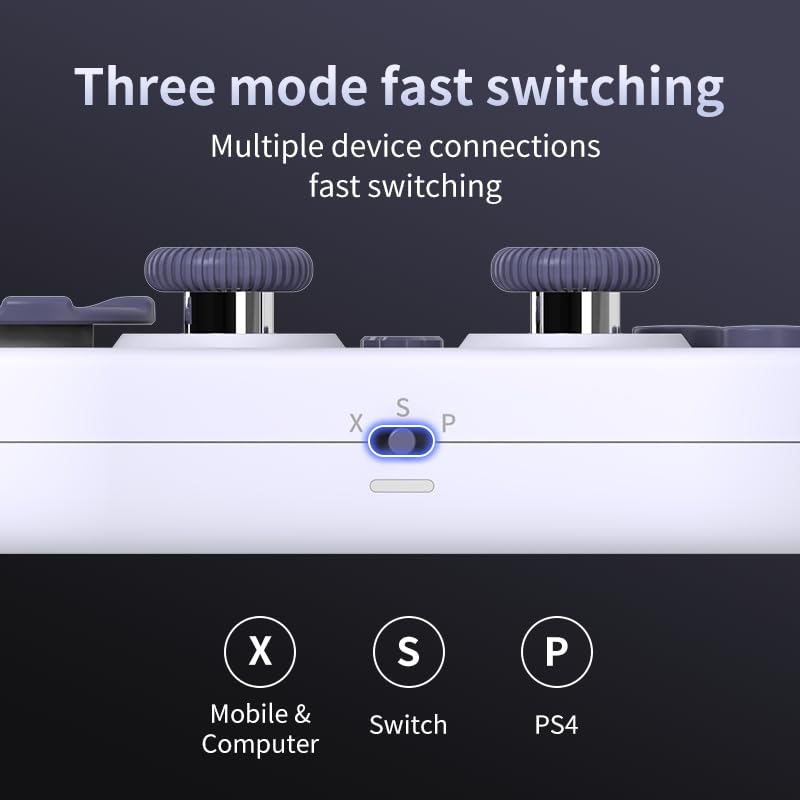
Image 3.2: Detail of the three-mode fast switching selector on the controller.
3.4 Customization and Calibration
For advanced customization, including button remapping and macro functions, download the official "gamepad space" application. This application also allows for controller calibration to ensure optimal performance.
4. Хянагчийг ажиллуулах
4.1 Гол онцлогууд
- Hall Effect Joysticks: Provides high precision and sensitivity. The joystick height is adjustable between 5mm and 8mm for personalized comfort.
- Composite Micro-Switch Buttons: These buttons offer a tactile response similar to mechanical keyboards, providing quick and precise input.
- Mechanical Triggers: Designed for fast response times.
- Dual Micro Motors: Provides dual vibration feedback for an immersive gaming experience.
- Somatosensory Gyroscope: Equipped with a 6-axis gyroscope for motion control in supported games.

Image 4.1: Detail of the adjustable Hall Effect joysticks.

Image 4.2: Close-up of the composite micro-switch action buttons.

Image 4.3: Diagram illustrating the internal components of the composite micro-keypad.
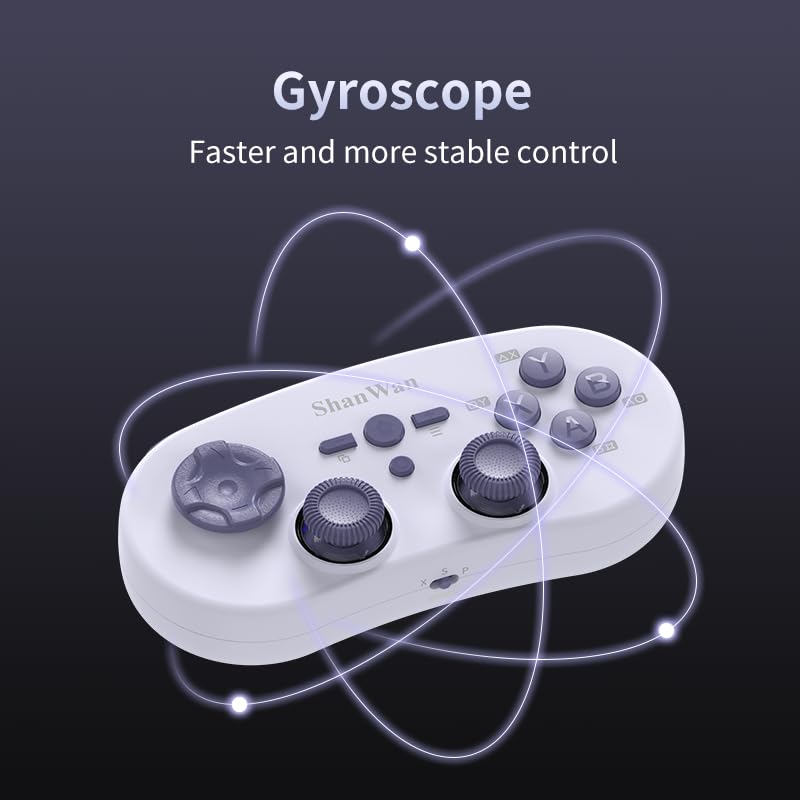
Image 4.4: Visual representation of the controller's gyroscope functionality.
4.2 Тоглоомын туршлага
The compact design allows for portability, making it suitable for gaming on the go with devices like the Nintendo Switch or smartphones.

Image 4.5: Controller in use with a Nintendo Switch.

Image 4.6: Controller paired with a smartphone for mobile gaming.
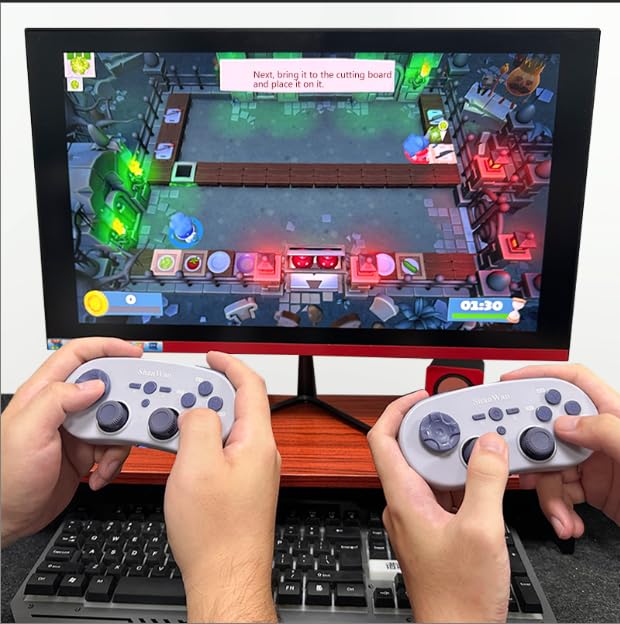
Image 4.7: Two controllers in use for multiplayer gaming on a PC.
5. Засвар үйлчилгээ
To ensure the longevity and optimal performance of your ShanWan Q38 controller, follow these maintenance guidelines:
- Цэвэрлэгээ: Use a soft, dry cloth to wipe the controller. For stubborn dirt, a slightly damp даавууг ашиглаж болно, гэхдээ төхөөрөмжид чийг орохгүй байхыг анхаарна уу. Хүчтэй химийн бодис, зүлгүүрийн цэвэрлэгчээс зайлсхий.
- Хадгалах: Удирдагчийг нарны шууд тусгал, хэт температураас хол, сэрүүн, хуурай газар хадгална.
- Батерейны арчилгаа: If using replaceable AAA batteries, remove them if the controller will not be used for an extended period to prevent leakage.
- Дусалаас зайлсхийх: Хянагчийг дотоод эд ангиудыг гэмтээж болзошгүй физик цохилт болон уналтаас хамгаална.
6. Алдаа засах
If you encounter issues with your ShanWan Q38 controller, refer to the following common problems and solutions:
- Controller Does Not Power On:
- Ensure the battery is correctly inserted and has sufficient charge. Replace AAA batteries if necessary.
- Connect the controller to a power source using the USB cable to confirm if it charges.
- Difficulty Connecting via Bluetooth:
- Ensure the controller is in the correct mode (X, S, or P) for your device.
- Төхөөрөмжийнхөө Bluetooth-г унтрааж, асаана уу.
- Bluetooth тохиргоондоо төхөөрөмжийг мартаж, дахин холбохыг оролдоно уу.
- Ensure the controller is within the effective range of your device.
- Buttons or Joysticks Not Responding Correctly:
- Calibrate the controller using the "gamepad space" application.
- Товчлуур эсвэл удирдлагын товчлуурын эргэн тойронд ямар нэгэн физик саад тотгор эсвэл хог хаягдал байгаа эсэхийг шалгана уу.
- Ensure the controller's firmware is up to date, especially for Switch 2 compatibility.
- Санамсаргүй салгах:
- Ойролцоох хүчтэй утасгүй хөндлөнгийн оролцоо байхгүй эсэхийг шалгаарай.
- Keep the controller close to the connected device.
- Re-pair the controller if disconnections are frequent.
7. Техникийн үзүүлэлтүүд
| Онцлог | Дэлгэрэнгүй |
|---|---|
| Загварын дугаар | Q38 |
| Үйлдвэрлэгч | Шан Ван |
| Холболт | Bluetooth утасгүй |
| Тохиромжтой байдал | Switch/Switch 2, Steam Deck, PC, Android, iPhone, iPad, macOS, PS4 |
| Жойстикийн төрөл | Hall Effect, Adjustable Height (5mm-8mm) |
| Товчлуурын төрөл | Composite Micro-Switch |
| Чичиргээ | Dual Micro Motors |
| Хөдөлгөөний хяналт | 6 тэнхлэгт гироскоп |
| Багцын хэмжээ | 5.63 x 4.53 x 1.54 инч |
| Зүйлийн жин | 4.6 унц |
| Батерей | 1 AAA зай шаардлагатай (дагсан) |

Image 7.1: Physical dimensions of the ShanWan Q38 controller.
8. Баталгаат хугацаа ба дэмжлэг
For warranty information and customer support, please refer to the official ShanWan webсайт эсвэл бүтээгдэхүүнийг худалдаж авсан жижиглэн худалдаачинтайгаа холбоо барина уу. Баталгаат нэхэмжлэл гаргахын тулд худалдан авалтаа нотлох баримтаа хадгалаарай.


