1. Танилцуулга
The iFLYTEK AINOTE Air 2 is an 8.2-inch AI E Ink tablet designed for smart note-taking, document management, and enhanced productivity. It integrates advanced AI features such as real-time voice-to-text transcription, multi-language translation, and intelligent meeting summaries. The device offers a paper-like writing experience with its E Ink display and included stylus, making it suitable for various professional and academic applications.

Image 1.1: The AINOTE Air 2 tablet with its stylus, showcasing its AI-powered note-taking features.
2. Хайрцагт юу байна
Савлагаанд бүх бүрэлдэхүүн хэсгүүд байгаа эсэхийг шалгана уу:
- AINOTE Air 2 Main Unit
- Stylus Pen
- Цэнэглэх кабель (Type-C)
- Хэрэглэгчийн гарын авлага (энэ баримт бичиг)

Image 2.1: Standard accessories included with the AINOTE Air 2.
3. Тохиргоо
3.1 Анхны цэнэглэлт
Before first use, fully charge your AINOTE Air 2 tablet. Connect the provided USB Type-C cable to the tablet's charging port and a compatible USB power adapter (not included). The charging indicator will illuminate.
3.2 Асаах/унтраах
- Асаахын тулд: Press and hold the power button located on the top edge of the tablet until the screen activates.
- Унтраахын тулд: Асаах товчийг удаан дараад дэлгэцэн дээрх сонголтуудаас 'Унтраах'-г сонгоно уу.
3.3 Анхны тохиргоо
Эхний удаа асаахад дэлгэцэн дээрх зааврыг дагана уу:
- Өөрийн дуртай хэлээ сонгоно уу.
- Wi-Fi сүлжээнд холбогдоно уу.
- Set up your iFLYTEK account or log in.
- Complete any system updates.
4. Ашиглалтын заавар
4.1 Note-Taking and Writing
The AINOTE Air 2 provides a paper-like writing experience using the included stylus. Open the 'Notes' application to begin a new note or access existing ones.
- Зүүг ашиглах: The stylus is designed for precise input. It features a built-in eraser and offers 4096 levels of pressure sensitivity for a natural writing feel. No charging is required for the stylus.
- Handwriting-to-Text: Convert handwritten notes to editable text in 83 languages. Select the conversion option within the notes interface.

Image 4.1: The AINOTE Air 2 demonstrating handwritten notes and their digital transcription.

Image 4.2: Close-up of the stylus in use on the AINOTE Air 2, illustrating the immersive writing experience.
4.2 AI Note-Taking and Transcription
The tablet offers real-time voice-to-text transcription and AI-powered meeting summaries.
- Voice Transcription: Record audio during meetings or lectures. The tablet transcribes spoken words into text in 15 languages, including English, Spanish, Chinese, French, and more.
- Meeting Summaries: Utilize the AI to generate concise summaries of recorded and transcribed meetings, highlighting key points and action items.

Image 4.3: The AINOTE Air 2 displaying multi-language transcription capabilities.

Зураг 4.4: Дууслааview of the AINOTE Air 2's extensive language support for transcription, translation, and handwriting conversion.
4.3 Reading and Display
The 8.2-inch HD E Ink screen provides a comfortable reading experience, similar to physical paper.
- Нүдэнд ээлтэй дэлгэц: The E Ink technology reduces eye strain, making it suitable for extended reading sessions.
- Тохируулах гэрэлтүүлэг: Features a dual-color temperature reading light with 24 adjustable brightness levels to customize warm/cool tones for various environments.
- Өндөр нягтрал: A 1920x1440 resolution (293 PPI) ensures sharp text and image clarity.

Image 4.5: The AINOTE Air 2's adjustable dual-color temperature lighting for comfortable reading.
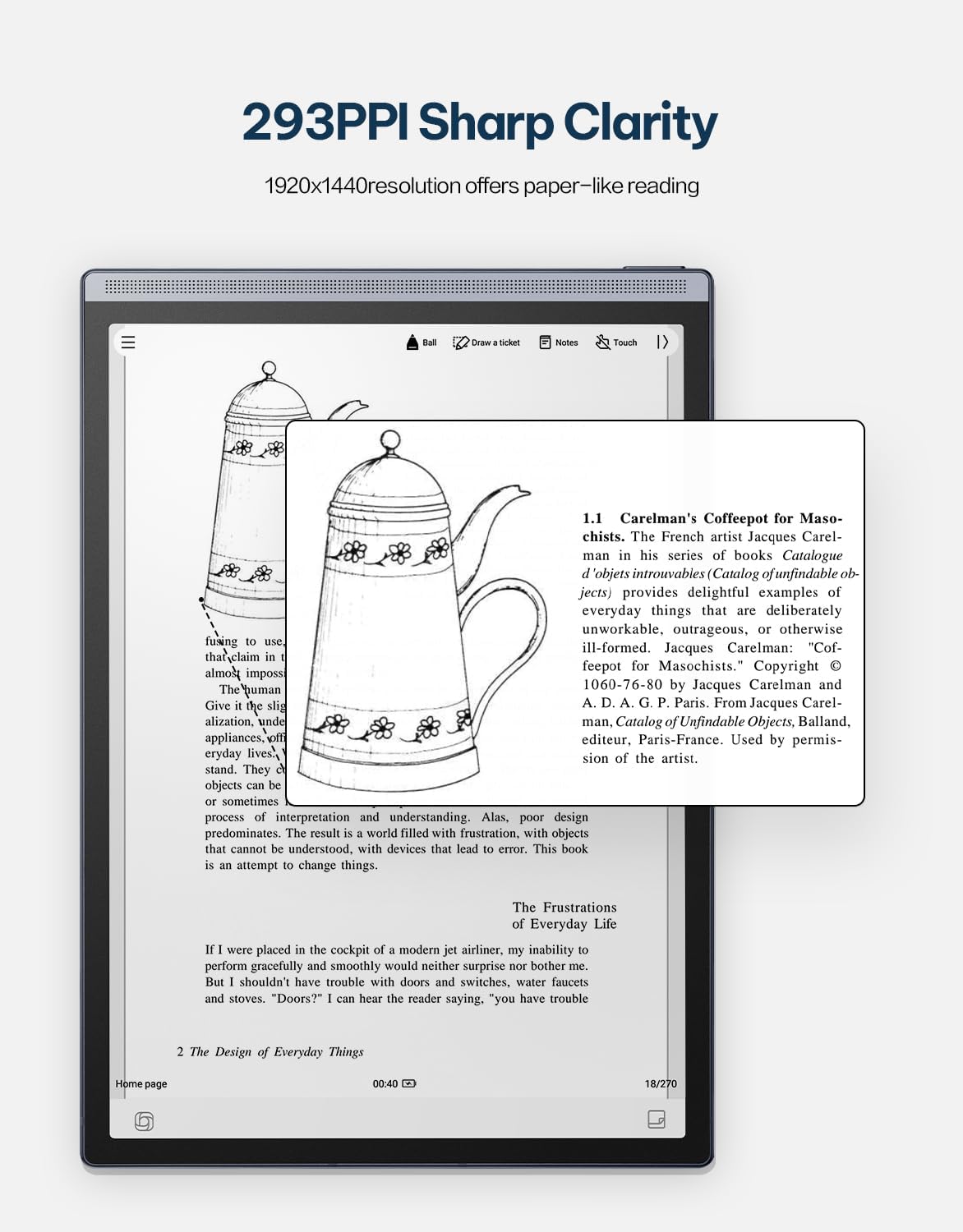
Image 4.6: The AINOTE Air 2's display quality, showing sharp text and images for reading.
4.4 Schedule Management and AI Features
The tablet integrates AI for efficient schedule management and enhanced productivity.
- Ухаалаг хуваарь: Mark handwritten notes with special symbols (stars, triangles, circles) using the stylus to automatically create to-dos and highlight important items, syncing them with your schedule.
- ChatGPT интеграци: Engage in intelligent dialogues with ChatGPT for information retrieval, brainstorming, and task assistance.
- Хиймэл оюун ухаантай хайлт: Utilize semantic retrieval to quickly locate key points in meetings and documents, supporting text, voice, and handwriting search.

Image 4.7: Various productivity features of the AINOTE Air 2, including smart scheduling and cloud synchronization.

Image 4.8: The AINOTE Air 2's integration with ChatGPT for interactive assistance.
4.5 Cloud Sync and Storage
The AINOTE Air 2 supports secure cloud syncing for your notes and documents.
- OneDrive Integration: Sync your content with OneDrive for access across multiple devices and secure storage.
- Google Play: The tablet integrates with Google Play, allowing access to a wider range of applications.
5. Засвар үйлчилгээ
5.1 Төхөөрөмжийг цэвэрлэх
- Use a soft, lint-free cloth to gently wipe the screen and body of the tablet.
- Do not use abrasive cleaners, alcohol, or chemical solvents, as these can damage the screen and finish.
- Төхөөрөмжийг цэвэрлэхийн өмнө цахилгаан тэжээлээс салгаж, ямар ч тэжээлийн эх үүсвэрээс салгасан эсэхийг шалгаарай.
5.2 Батерейны арчилгаа
- Avoid exposing the tablet to extreme temperatures (hot or cold) as this can affect battery life and performance.
- Батерейг хамгийн сайн удаан ашиглахын тулд батерейг байнга бүрэн цэнэггүй болгохоос зайлсхий.
- If storing the device for an extended period, charge it to approximately 50% before storage.

Image 5.1: The AINOTE Air 2's USB-C port and battery capacity information.

Image 5.2: Visual representation of the AINOTE Air 2's 2600 mAh battery and its extended usage time.
6. Алдаа засах
6.1 Нийтлэг асуудал ба шийдвэрлэх арга замууд
| Асуудал | Боломжит шалтгаан | Шийдэл |
|---|---|---|
| Төхөөрөмж асахгүй байна | Батерей бага; Системийн гэмтэл | Төхөөрөмжийг дор хаяж 30 минут цэнэглэ. Асаах товчийг 10-15 секундын турш дарж албадан дахин асаана уу. |
| Stylus хариу өгөхгүй байна | Stylus tip worn; Software glitch | Check if the stylus tip needs replacement. Restart the tablet. Ensure the stylus is within operating range. |
| Wi-Fi холболтын асуудал | Incorrect password; Router issue; Software bug | Verify Wi-Fi password. Restart your router. Restart the tablet and try connecting again. |
| Удаан гүйцэтгэл/Хоцрогдол | Too many apps open; Low storage; Outdated software | Close unnecessary applications. Free up storage space. Check for and install system updates. |
7. Техникийн үзүүлэлтүүд
| Онцлог | Дэлгэрэнгүй |
|---|---|
| Загварын нэр | AINOTE Air 2 (XF-DX-B282E) |
| Дэлгэцийн хэмжээ | 8.2 инч |
| Дэлгэцийн төрөл | E Ink, 1920x1440 resolution (293 PPI) |
| Үйлдлийн систем | Android |
| Процессор | RK3566 Дөрвөн цөмт 1.8 GHz |
| Санах ой | 4 ГБ LPDDR4x |
| Хадгалах | 32 ГБ EMMC |
| Батерей | 2600 mAh (Up to 1 week daily use, 3 weeks standby) |
| Холболт | USB 2.0 Type-C |
| Хэмжээ | 7.5 x 0.2 x 5.3 inches (Ultra-slim 5mm) |
| Жин | 1.06 фунт (230 гр) |
| Зүүг | 4096 pressure sensitivity, built-in eraser, no charging required |
| Гэрэлтүүлэг | Dual-color temperature reading light, 24 adjustable levels |

Image 7.1: Physical dimensions and weight of the portable AINOTE Air 2 tablet.

Image 7.2: Internal specifications of the AINOTE Air 2, including CPU, memory, and operating system.
8. Баталгаат хугацаа ба дэмжлэг
8.1 Бүтээгдэхүүний баталгаа
The iFLYTEK AINOTE Air 2 comes with a standard manufacturer's warranty. Please refer to the warranty card included in your product packaging or visit the official iFLYTEK webнарийвчилсан баталгаат нөхцөлийг сайтаас авна уу.
8.2 Хэрэглэгчийн дэмжлэг
For technical assistance, troubleshooting, or general inquiries, please contact iFLYTEK customer support through their official webсайт эсвэл таны бүтээгдэхүүний баримт бичигт заасан холбоо барих мэдээлэл.
9. Бүтээгдэхүүн дууссанview Видео
Үзүүлэн үзэхийн тулд энэ видеог үзээрэйview of the AINOTE Air 2 tablet's features and functionality.
Video 9.1: An official product video demonstrating the key features and usage of the AINOTE Air 2 tablet.