1. Бүтээгдэхүүн дууссанview
The Macap MI40 Touch Instant Burr Coffee Grinder is a high-performance appliance designed for precise and consistent coffee grinding. Featuring 65mm flat burrs, a responsive 3.5-inch touchscreen, and multiple operating modes, it is suitable for various brewing methods from espresso to cold brew. Its robust construction ensures quiet operation and stability.
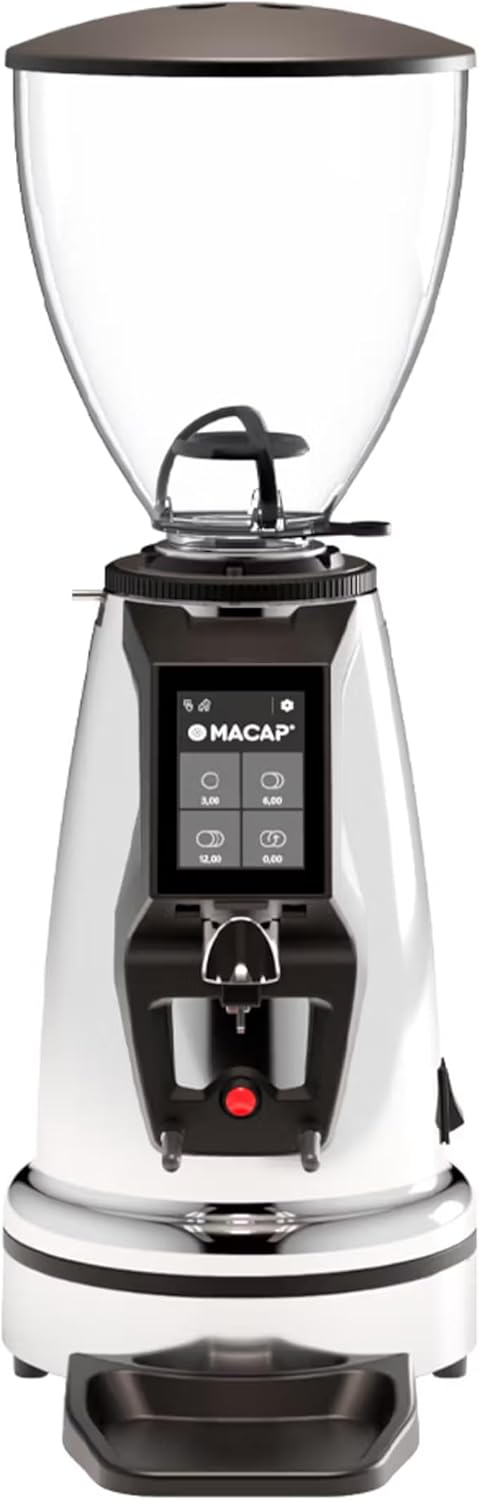
Урд view of the Macap MI40 Touch Instant Burr Coffee Grinder, showcasing its sleek chrome finish and integrated touchscreen display.
2. Аюулгүй байдлын мэдээлэл
Please read all safety instructions carefully before operating the grinder to prevent injury or damage.
- Always unplug the grinder from the power outlet before cleaning, maintenance, or if it will be left unattended.
- Do not immerse the grinder, power cord, or plug in water or any other liquid.
- Keep hands and utensils out of the bean hopper and grind chute during operation.
- Ensure the bean hopper lid is securely in place before grinding.
- This appliance is intended for grinding whole roasted coffee beans only. Do not grind other substances.
- Do not operate the grinder with a damaged cord or plug, or if the appliance malfunctions or has been damaged in any manner.
- Төхөөрөмжийг хүүхдэд хүрэхгүй газар хадгална уу.
3 дугаартай. Бүрэлдэхүүн хэсгүүд
Familiarize yourself with the main components of your MI40 Touch coffee grinder:
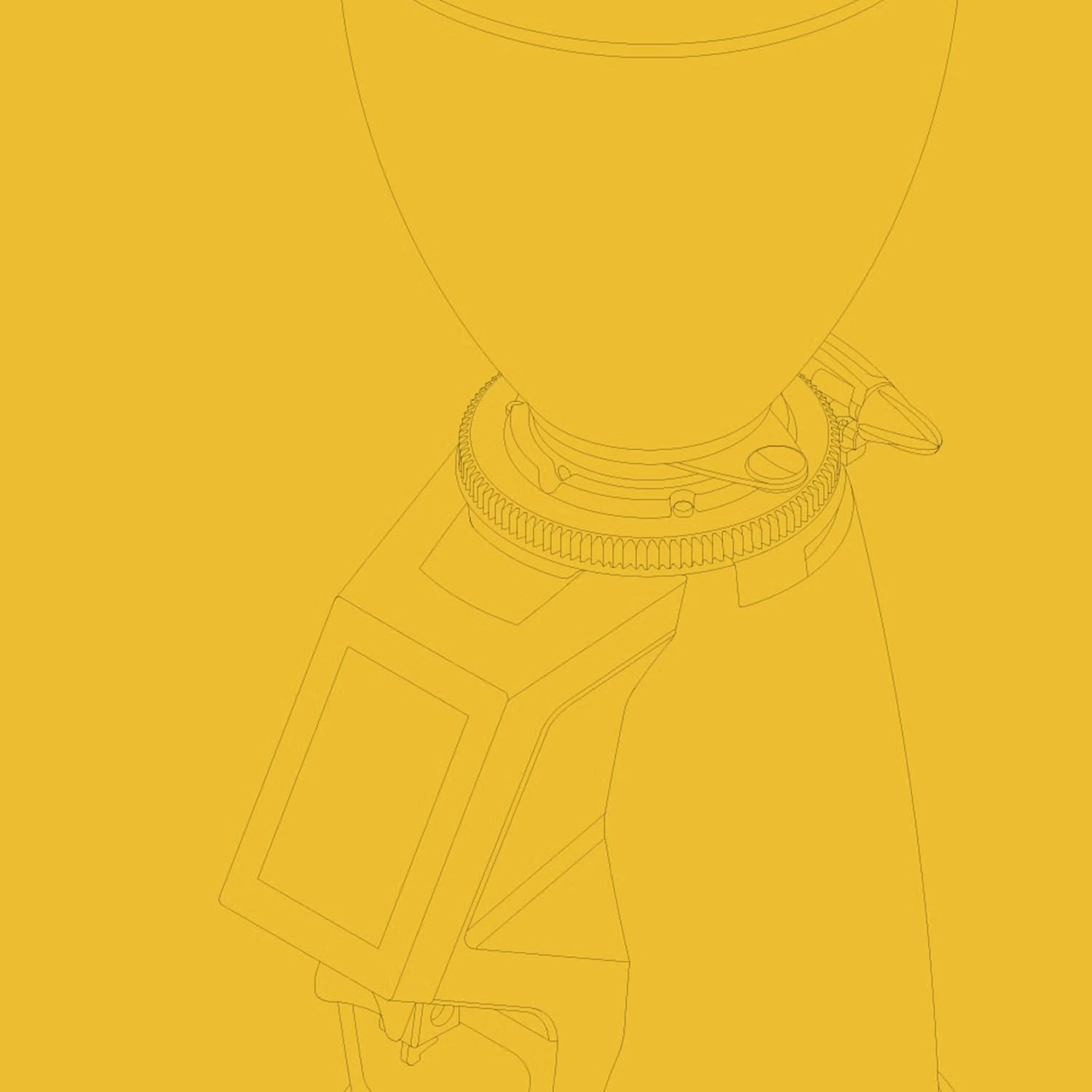
Буурцагны бункер: Transparent container for holding whole coffee beans. Capacity: 1.2 Kilograms.

3.5'' Touchscreen Display: Intuitive interface for controlling grind settings, dose programming, and operating modes.

Grind Adjustment Collar: Stepless micrometric adjustment for precise control over grind particle size.

Portafilter Fork & Drip Tray: Adjustable fork to hold your portafilter for hands-free grinding, with a removable drip tray for easy cleaning.
4. Тохиргоо
Follow these steps to set up your Macap MI40 Touch grinder:
- Савлах: Carefully remove the grinder and all accessories from the packaging. Retain the packaging for future transport or storage.
- Байршил: Place the grinder on a stable, flat, and dry surface. Ensure there is adequate ventilation around the unit.
- Бункер суурилуулах: Place the bean hopper onto the grinder body, aligning the tabs. Rotate the hopper clockwise until it locks securely into place.
- Дуслын тавиур суурилуулах: Slide the removable drip tray into its designated slot at the base of the grinder.
- Эрчим хүчний холболт: Цахилгааны утсыг газардуулсан цахилгааны залгуурт холбоно уу.
- Анхны цэвэрлэгээ: Before first use, wipe down the exterior with a damp cloth. Ensure the burrs and grind chute are free of any packing debris.

Хажуу тал view of the Macap MI40 Touch grinder, illustrating its compact design and the placement of the bean hopper and drip tray.
5. Ашиглалтын заавар
5.1. Нунтаглах тохируулга
The MI40 Touch features stepless micrometric grind adjustment, allowing for precise control over particle size. To adjust the grind:
- Ensure the grinder is off or not actively grinding.
- Rotate the grind adjustment collar located below the bean hopper.
- Эргүүлэх цагийн зүүний дагуу for a finer grind (e.g., for espresso).
- Эргүүлэх цагийн зүүний эсрэг for a coarser grind (e.g., for drip, French press, or cold brew).
- Make small adjustments and test the grind to achieve the desired consistency for your brewing method.
Ойролцоогоор view of the grind adjustment collar, showing the numerical markings for reference.
5.2. Мэдрэгчтэй дэлгэцийн интерфейс
The 3.5-inch touchscreen allows for intuitive control and customization of your grinding experience. It features four programmable dose buttons and various settings.
The 3.5-inch touchscreen display showing the main interface with programmable dose buttons.
For a detailed demonstration of the touchscreen interface and its functionalities, please refer to the official video below:
This video demonstrates the various features and customization options of the 3.5-inch touchscreen interface on the Macap MI Series coffee grinders, including dose programming, color customization, and different operating modes.
5.3. Үйлдлийн горимууд
The MI40 Touch offers three primary operating modes:
- Стандарт горим: Allows you to select a pre-programmed dose by pressing the corresponding button on the touchscreen. The grinder will dispense the set amount of coffee.
- Түлхэх ба нунтаглах горим: Grinding starts when the portafilter activates the button on the fork and stops when the portafilter is removed. This mode is ideal for manual control.
- Barista Hands-Free Mode: Similar to Push and Grind, but designed for continuous grinding as long as the portafilter is in place, allowing baristas to multitask.
6. Засвар үйлчилгээ, цэвэрлэгээ
Regular cleaning and maintenance will ensure optimal performance and longevity of your grinder.
6.1. Өдөр тутмын цэвэрлэгээ
- Нунтаглах хоолой: Use a brush or vacuum to clear any residual coffee grounds from the grind chute after each use.
- Дуслын тавиур: Remove and empty the drip tray regularly. Wipe it clean with a damp даавуугаар сайтар хатаана.
- Гадна: Нунтаглагчийн гадна талыг зөөлөн арчиж, damp даавуу. Зүлгүүрийн цэвэрлэгч, уусгагчийг бүү ашигла.

The removable drip tray and portafilter fork area, designed for easy cleaning.
6.2. Deep Cleaning (Weekly/Bi-Weekly)
- Нунтаглагчийг салга.
- Буурцагны бункерийг арилгах: Empty any remaining beans. Rotate the hopper counter-clockwise to unlock and remove it.
- Цэвэр цорго: Use a stiff brush or a specialized grinder brush to remove accumulated coffee oils and grounds from the burrs. You may need to remove the upper burr for thorough cleaning (refer to specific instructions in the full manual for burr removal).
- Clean Grind Chamber: Use a vacuum cleaner with a narrow attachment to remove grounds from the grind chamber.
- Дахин угсрах: Reinstall the burrs (if removed) and the bean hopper securely.
7. Алдаа засах
If you encounter issues with your MI40 Touch grinder, refer to the table below for common problems and solutions.
| Асуудал | Боломжит шалтгаан | Шийдэл |
|---|---|---|
| Нунтаглагч асахгүй байна. | Залгаагүй байна; цахилгаан унтраалга унтарсан; хэлхээний таслуур тасарсан байна. | Цахилгааны холболтыг шалгана уу; цахилгаан унтраалга асаалттай байгаа эсэхийг шалгана уу; хэлхээний таслуурыг дахин тохируулна уу. |
| Кофе өгөхгүй. | Hopper empty; grind chute clogged; burrs jammed. | Fill hopper; clean grind chute; clear any foreign objects from burrs (unplug first). |
| Тогтворгүй нунтаглах. | Burrs dirty or worn; grind setting too coarse/fine. | Clean burrs thoroughly; adjust grind setting incrementally. Consider burr replacement if worn. |
| Grinder is excessively noisy. | Foreign object in burrs; loose components. | Unplug and inspect burrs for foreign objects; check for loose parts. If noise persists, contact support. |
| Мэдрэгчтэй дэлгэц хариу өгөхгүй байна. | Түр зуурын програм хангамжийн алдаа; цахилгааны асуудал. | Unplug the grinder for 30 seconds, then plug back in. If issue persists, contact support. |
8. Техникийн үзүүлэлтүүд
Key technical specifications for the Macap MI40 Touch Instant Burr Coffee Grinder:
| Онцлог | Тодорхойлолт |
|---|---|
| Загвар | MI40 Touch |
| Бөррийн төрөл | Flat Burrs |
| Burr Diameter | 65 мм |
| Моторын хүч | 480 Вт |
| Бункерийн багтаамж | 1.2 кг |
| Нунтаглах тохируулга | Шатлалгүй микрометр |
| Дэлгэц | 3.5'' Touchscreen |
| Бүтээгдэхүүний хэмжээ (L x W x H) | 12" x 7.63" x 22" |
| Зүйлийн жин | 19.58 фунт |
| Гарал үүслийн улс | Итали |
9. Баталгаат хугацаа ба дэмжлэг
Macap products are manufactured to high standards and undergo rigorous quality control. For warranty information, technical support, or service inquiries, please refer to the warranty card included with your product or visit the official Macap website. Please have your model number (MI40 Touch) and purchase date available when contacting support.


