1. Бүтээгдэхүүн дууссанview
The WVX Gaming Laptop R9-6900HX (Model A02) is a high-performance portable computer designed for demanding tasks such as gaming, content creation, and multitasking. It features an AMD Ryzen 9 6900HX processor, AMD Radeon 680M integrated graphics, and fast DDR5 memory.
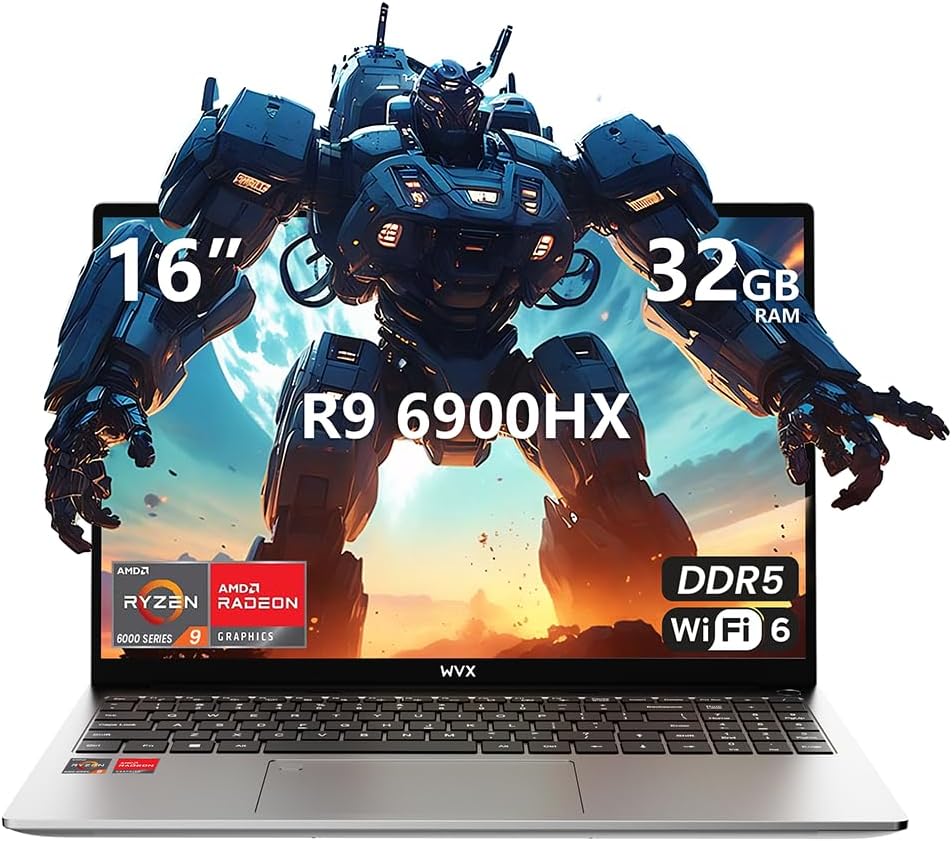
Image 1.1: WVX Gaming Laptop R9-6900HX
Гол онцлогууд:
- High-Performance CPU: AMD Ryzen 9 6900HX with 8 cores and 16 threads, up to 4.9 GHz.
- Нэгдсэн график: AMD Radeon 680M, delivering strong visual performance.
- Хурдан санах ой: 32 ГБ DDR5 RAM, 64 ГБ хүртэл өргөтгөх боломжтой.
- AmpХадгалах сан: 512GB SSD, 2TB хүртэл өргөжүүлэх боломжтой.
- Хурц дэлгэц: 16-inch Full HD (1920x1200) screen.
- Нарийвчилсан холболт: Wi-Fi 6 and Bluetooth 5.2.
- Үйлдлийн систем: Windows 11 Pro дээр урьдчилан суулгасан.
2. Тохиргоо
2.1 Хайрцагнаас задлах, анхны үзлэг
Carefully remove the laptop and its accessories from the packaging. Ensure all components listed in the 'What's in the Box' section are present and undamaged.
- R9-6900HX laptop
- PD100W adapter (charger)
2.2 Цахилгаан хувиргагчийг холбох
Connect the PD100W adapter to the laptop's power input port and then plug it into a power outlet. It is recommended to fully charge the laptop before its first use.
2.3 Анхны ачаалах болон Windows тохиргоо
Press the power button located on the laptop. The system will guide you through the initial Windows 11 Pro setup process. Follow the on-screen instructions to configure your language, region, network, and user account.
3. Ашиглалтын заавар
3.1 Гар ба мэдрэгчтэй самбар
The laptop features a full-size keyboard with a numeric keypad and a responsive touchpad. The keyboard is backlit for comfortable use in low-light conditions. The touchpad supports multi-touch gestures for enhanced navigation.

Image 3.1: Laptop keyboard and touchpad layout.
3.2 Дэлгэц ба график
The 16-inch FHD display offers a resolution of 1920x1200 pixels, providing clear and vibrant visuals. The AMD Radeon 680M graphics processor handles demanding visual tasks efficiently.

Image 3.2: Display features including 300 nits brightness, IPS, and low blue light.
3.3 Портууд ба холболтууд
The laptop is equipped with various ports for external devices and connectivity:
- 4x USB 3.0 порт
- HDMI порт
- Full-function Type-C Port (supports charging, data transfer, external 4K monitor)
- 3.5 мм чихэвчний үүр
- SD карт уншигч
For wireless connectivity, the laptop supports Wi-Fi 6 for high-speed internet and Bluetooth 5.2 for connecting peripherals.
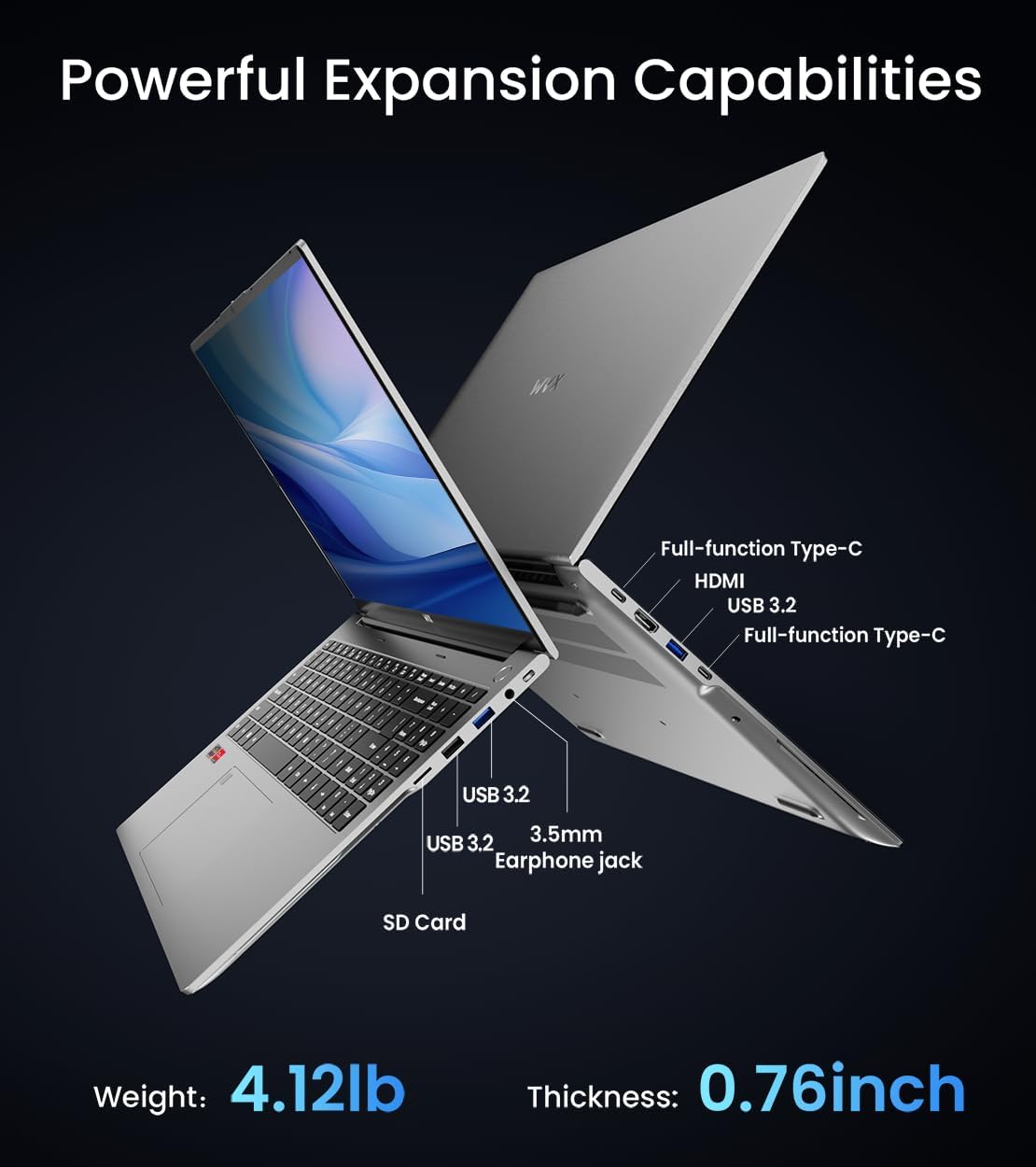
Зураг 3.3: Дууслааview of available ports and physical dimensions.
4. Засвар үйлчилгээ
4.1 Цэвэрлэгээ
To maintain optimal performance and appearance, regularly clean your laptop. Use a soft, lint-free cloth for the screen and exterior. For stubborn smudges, a slightly dampened cloth with water or a specialized screen cleaner can be used. Avoid harsh chemicals.
4.2 Програм хангамжийн шинэчлэлтүүд
Regularly update your Windows operating system and drivers to ensure system stability, security, and optimal performance. Windows Update can be accessed through the Settings menu.
4.3 Хадгалах сан болон санах ойн шинэчлэлтүүд
The laptop's RAM can be upgraded to a maximum of 64GB, and the SSD storage can be expanded up to 2TB. Consult a qualified technician for hardware upgrades to avoid voiding your warranty.

Image 4.1: Illustration of memory and storage upgrade capabilities.
5. Алдаа засах
5.1 Эрчим хүчний асуудал
- Зөөврийн компьютер асахгүй байна: Цахилгаан адаптер найдвартай холбогдсон, батерей хангалттай цэнэгтэй байгаа эсэхийг шалгаарай. Өөр залгуурыг туршаад үзээрэй.
- Зай цэнэглэгдэхгүй байна: Verify the power adapter is functioning correctly. Check the charging port for any obstructions.
5.2 Дэлгэцийн асуудал
- Хоосон дэлгэц: Connect an external monitor to check if the issue is with the laptop's display. Restart the laptop.
- Дэлгэц анивчдаг: График драйверуудыг шинэчлэх. Windows тохиргоонд дэлгэцийн сэргээх хурдыг тохируулна уу.
5.3 Гүйцэтгэлийн асуудлууд
- Удаан гүйцэтгэл: Шаардлагагүй програмуудыг хаа. Хортой програм байгаа эсэхийг шалгана уу. Хадгалах хангалттай зайг хангах.
- Хэт халалт: Ensure ventilation vents are clear. Consider using a cooling pad.

Image 5.1: Illustration of the laptop's cooling system with pure copper heat pipes and fan speed.
6. Техникийн үзүүлэлтүүд
| Онцлог | Тодорхойлолт |
|---|---|
| Брэнд | WVX |
| Загварын нэр | R9-6900HX (A02) |
| Процессор | AMD Ryzen 9 6900HX (4.9 GHz, 8 Cores, 16 Threads) |
| График процессор | AMD Radeon 680M |
| RAM | 32 GB DDR5 (дээд тал нь 64 ГБ) |
| Хатуу диск | 512 GB SSD (Max 2TB) |
| Дэлгэцийн хэмжээ | 16 инч |
| Хамгийн их дэлгэцийн нягтрал | 1920x1200 пиксел |
| Үйлдлийн систем | Windows 11 Pro |
| Утасгүй төрөл | 802.11ax (Wi-Fi 6) |
| Bluetooth | 5.2 |
| USB 3.0 портын тоо | 4 |
| Бүтээгдэхүүний хэмжээс | 14 x 9.7 x 0.78 инч |
| Зүйлийн жин | 5.89 фунт |
| Батерей | 58Wh |
| Онцлог шинж чанарууд | Backlit Keyboard, Fingerprint Reader, HD Audio |
7. Баталгаат хугацаа ба дэмжлэг
WVX offers comprehensive support for your laptop:
- Техникийн дэмжлэг: Enjoy unlimited technical support.
- Засвар үйлчилгээ: 12 months of repair service for all customers.
- Хариу өгөх хугацаа: Online connection within 24 hours for inquiries.
For any questions or concerns, please reach out to the WVX support team.

Зураг 7.1: Дууслааview of WVX customer support services.
8. Бүтээгдэхүүний албан ёсны видео
Видео 8.1: Албан ёсны видео шоуasing the WVX R9 6900HX Laptop, highlighting its features and design.


