1. Танилцуулга
Thank you for choosing the GOBOULT Flex On-Ear Bluetooth Headphones. This manual provides essential information for setting up, operating, and maintaining your headphones. Please read it carefully before use to ensure optimal performance and longevity of your device.

Image: GOBOULT Flex On-Ear Bluetooth Headphones in Jet Black, showcasing дэгжин загвар.
2. Хайрцагт юу байна
Таны багцад бүх зүйл байгаа эсэхийг шалгана уу:
- GOBOULT Flex On-Ear Bluetooth Headphones
- С хэлбэрийн хурдан цэнэглэгч кабель
- AUX Cable (for wired connection)
- Хэрэглэгчийн гарын авлага (энэ баримт бичиг)
- Баталгаат карт
3. Бүтээгдэхүүн дууссанview
The GOBOULT Flex headphones feature an adjustable headband and soft earcups designed for comfort during extended use. Key components include:
- Тохируулах боломжтой толгойн тууз: Өөртөө тохируулан тохируулах зориулалттай.
- Чихний чих: Padded for comfort, housing the 40mm audio drivers.
- Хяналтын товчлуурууд: Power, Volume Up/Down, Multi-function Button.
- Type-C цэнэглэх порт: Дотоод зайг цэнэглэхэд зориулагдсан.
- AUX порт: Утастай аудио холболтын хувьд.
- Микрофон: Integrated Zen™ ENC mic for clear calls.

Image: Close-up of the GOBOULT Flex headphones highlighting the adjustable headband and earcups for comfortable wear.
4. Тохиргоо
4.1 Чихэвчийг цэнэглэх
Before first use, fully charge your headphones. Connect the provided Type-C charging cable to the headphone's charging port and the other end to a USB power source (e.g., wall adapter, computer USB port).
- Бүрэн цэнэглэхэд ойролцоогоор 60 минут болно.
- 10 минутын цэнэглэлт нь 5 цаг хүртэл тоглох боломжийг олгоно.
- LED үзүүлэлт нь цэнэглэх төлөвийг харуулах болно (жишээлбэл, цэнэглэж байгаа бол улаан, бүрэн цэнэглэгдсэн бол цэнхэр).
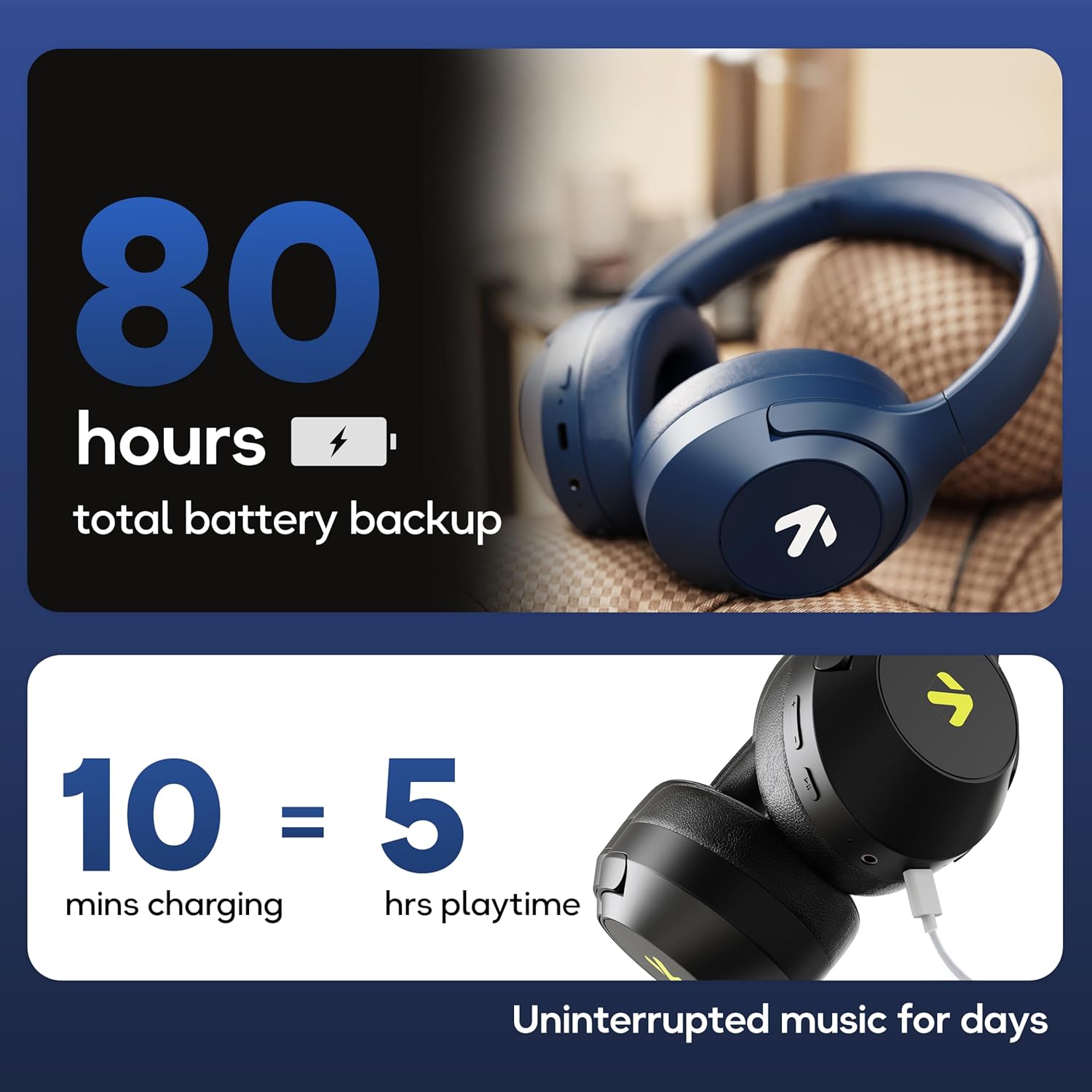
Image: Visual representation of the GOBOULT Flex headphones' battery life and fast charging capability.
4.2 Асаах/унтраах
- Асаахын тулд: Press and hold the Power button for 3 seconds. The LED indicator will flash.
- Унтраахын тулд: Асаах товчийг 5 секундын турш дарна уу. LED индикатор унтарна.
4.3 Bluetooth холболт
The GOBOULT Flex headphones utilize Bluetooth 5.4 for stable and fast connections.
- Чихэвч унтарсан эсэхийг шалгаарай.
- LED индикатор улаан, цэнхэр өнгөөр ээлжлэн анивчих хүртэл асаах товчийг ойролцоогоор 5-7 секундын турш дарж, хослуулах горимыг заана.
- Төхөөрөмж дээрээ (ухаалаг утас, таблет, зөөврийн компьютер) Bluetooth-г идэвхжүүлж, боломжтой төхөөрөмжүүдийг хайж олоорой.
- Select "GOBOULT Flex" from the list of devices.
- Холбогдсоны дараа LED заагч аажмаар цэнхэр өнгөөр анивчих болно.

Image: Illustration of the GOBOULT Flex headphones connecting via Bluetooth 5.4, highlighting the fast pairing feature.
4.4 AUX холболт
You can use the headphones with a wired connection when the battery is low or for devices without Bluetooth. Connect one end of the 3.5mm AUX cable to the headphone's AUX port and the other end to your audio source's 3.5mm jack.
5. Ашиглалтын заавар
5.1 Үндсэн удирдлага
| Чиг үүрэг | Үйлдэл |
|---|---|
| Тоглуулах/түр зогсоох | Олон үйлдэлт товчлуурыг нэг удаа дар. |
| Дууны хэмжээг нэмэгдүүлэх | Дууг нэмэгдүүлэх (+) товчийг дарна уу. |
| Дууг багасгах | Дууг багасгах (-) товчийг дарна уу. |
| Дараагийн дуу | Дууг нэмэгдүүлэх (+) товчийг удаан дар. |
| Өмнөх зам | Дууг багасгах (-) товчийг удаан дар. |
5.2 Дуудлагын удирдлага
The integrated Zen™ ENC (Environmental Noise Cancellation) microphone ensures clear communication during calls.

Зураг: Нарийвчилсан view of the GOBOULT Flex headphones highlighting the Zen™ ENC mic for noise-reduced calls.
| Чиг үүрэг | Үйлдэл |
|---|---|
| Дуудлагад хариулах/дуусах | Олон үйлдэлт товчлуурыг нэг удаа дар. |
| Дуудлагаас татгалзах | Олон үйлдэлт товчлуурыг 2 секундын турш дарна уу. |
5.3 Дуут туслах
Activate your device's voice assistant (e.g., Google Assistant, Siri) directly from your headphones.
- Дуут туслахыг идэвхжүүлэх: Олон үйлдэлт товчлуурыг давхар дар.

Image: GOBOULT Flex headphones showing compatibility with voice assistants and IPX5 water resistance.
5.4 Тоглоомын горим (бага хоцролт)
Тоглоомын туршлагыг оновчтой болгохын тулд 60мс хэт бага latency Combat™ тоглоомын горимыг идэвхжүүлнэ үү.
- Тоглоомын горимыг идэвхжүүлэх: Refer to your device's specific instructions or the product's quick start guide for the button combination to toggle gaming mode.

Image: GOBOULT Flex headphones illustrating the Combat™ Gaming Mode with 60ms ultra-low latency for mobile gaming.
5.5 EQ горим
The headphones feature 4 EQ modes to customize your audio experience:
- Басс
- Рок
- Поп
- Дуу хоолой
To switch between EQ modes, refer to the specific button press sequence in your quick start guide or product packaging. This functionality allows you to tailor the sound profile таны хүссэнээр.

Зураг: Дууслааview of GOBOULT Flex features, including the 4 EQ modes for sound customization.
6. Засвар үйлчилгээ
6.1 Цэвэрлэгээ
Wipe the headphones with a soft, dry cloth. Do not use abrasive cleaners or solvents. For earcups, gently wipe with a damp даавуугаар хийж, хэрэглэхийн өмнө агаарт бүрэн хатаана.
6.2 Хадгалалт
Store the headphones in a cool, dry place away from direct sunlight and extreme temperatures. The foldable design allows for compact storage.
6.3 Усны эсэргүүцэл (IPX5)
The GOBOULT Flex headphones are rated IPX5, meaning they are resistant to sweat and light splashes of water. They are not designed for submersion in water. Avoid exposing them to heavy rain or showering.
7. Алдаа засах
| Асуудал | Боломжит шийдэл |
|---|---|
| Чихэвч асахгүй байна. | Чихэвч цэнэглэгдсэн эсэхийг шалгана уу. Type-C кабелиар тэжээлийн эх үүсвэрт холбогдоно уу. |
| Bluetooth-ээр холбох боломжгүй. | Ensure headphones are in pairing mode (flashing red/blue). Turn off and on your device's Bluetooth. Move closer to the device. |
| Дуу алга. | Check volume levels on both headphones and connected device. Ensure headphones are properly paired or AUX cable is fully inserted. |
| Дуудлагын чанар муу. | Микрофон бөглөрөөгүй эсэхийг шалгаарай. Илүү чимээгүй орчинд шилжинэ үү. |
8. Техникийн үзүүлэлтүүд
| Онцлог | Дэлгэрэнгүй |
|---|---|
| Загварын нэр | Flex (ProBass) |
| Холболт | Bluetooth 5.4, AUX |
| Аудио драйверын хэмжээ | 40 мм |
| Тоглоомын цаг | 80 цаг хүртэл |
| Цэнэглэх порт | Төрөл-C |
| Цэнэглэх хугацаа | Ойролцоогоор 60 минут |
| Микрофон | Zen™ ENC микрофон |
| Хоцролт бага горим | 60мс (Combat™ Тоглоомын Горим) |
| Усны эсэргүүцэл | IPX5 |
| Давтамжийн хариу үйлдэл | 20 Гц |
| Мэдрэмж | 118 дБ |
| Эсэргүүцэл | 32 Ом |
| Зүйлийн жин | 214 грамм |
9. Баталгаат хугацаа ба дэмжлэг
The GOBOULT Flex headphones come with a 1-year warranty. To avail of the extended warranty and for any support inquiries, please register your product on the official GOBOULT website. For technical assistance or customer service, refer to the contact information provided on your warranty card or the GOBOULT official webсайт.
Manufacturer: Exotic Mile Private Limited
Гарал үүслийн улс: Хятад


