Танилцуулга
Welcome to the instruction manual for your Dubstep Buzz X8 Wireless Earbuds. These earbuds are designed to provide a high-quality audio experience with advanced features. This manual will guide you through the setup, operation, and maintenance of your device.
Хайрцагт юу байна
Багц нь дараахь зүйлийг агуулна.
- Утасгүй чихэвч
- Утасгүй цэнэглэх хайрцаг
- Type-C кабель
- Хэрэглэгчийн гарын авлага
- Чихний дэр (янз бүрийн хэмжээтэй)

Image: Contents of the Dubstep Buzz X8 Earbuds box, showing the earbuds, charging case, Type-C charging cable, and additional ear cushions.
Бүтээгдэхүүн дууссанview
The Dubstep Buzz X8 Wireless Earbuds feature a sleek design and are equipped with 13mm dynamic drivers for powerful sound. The charging case provides extended battery life and convenient storage.

Image: Dubstep Buzz X8 Wireless Earbuds in Neon Green, placed within their open charging case.
Чихэвчний бүрэлдэхүүн хэсгүүд
- Мэдрэгчтэй хяналтын хэсэг: Тоглуулах, дуудлага, дуут туслахыг удирдахад зориулагдсан.
- Микрофонууд: Dual microphones with Environmental Noise Cancellation (ENC) for clear calls.
- Чихний зөвлөмж: Silicone ear tips for a comfortable and secure fit.
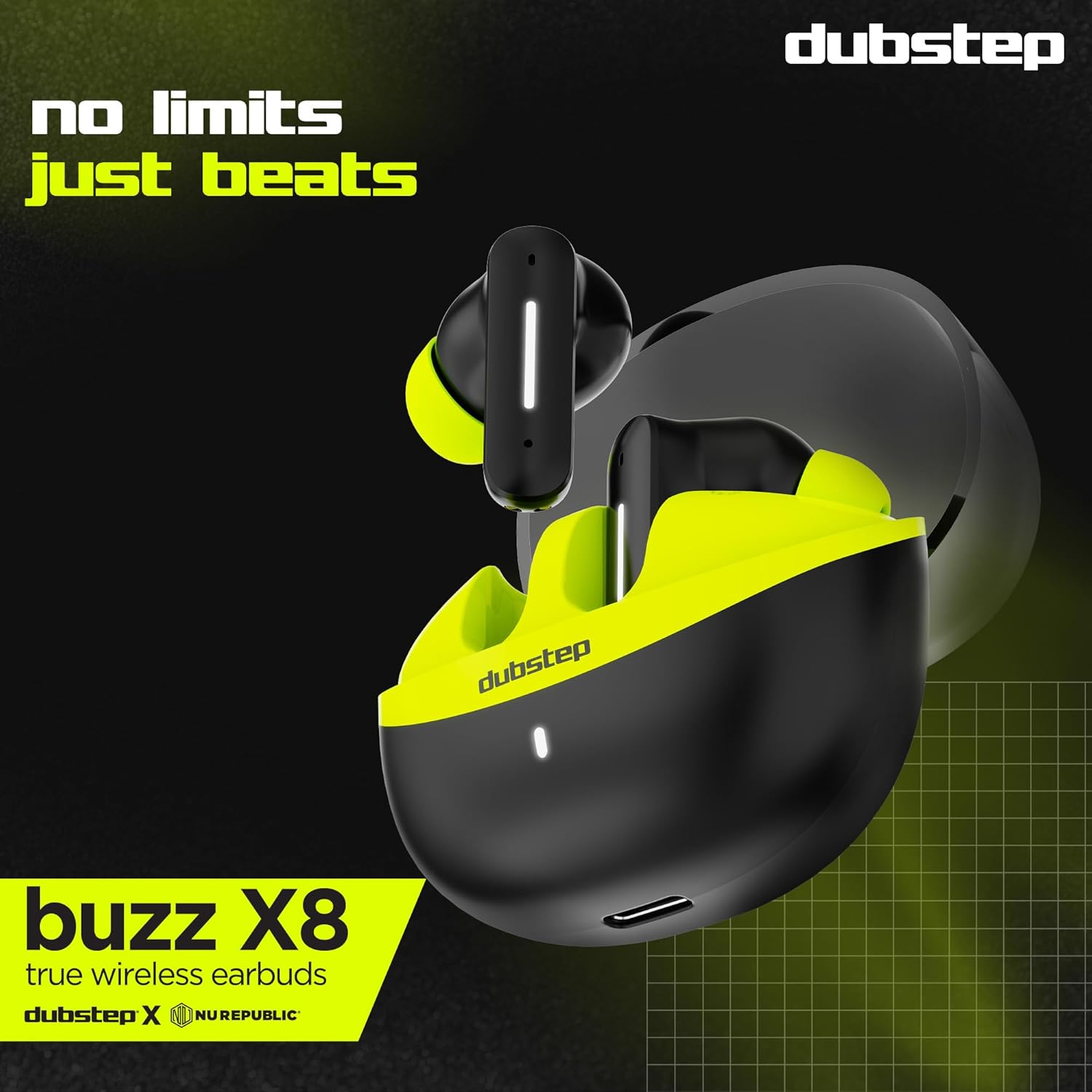
Зураг: Нарийвчилсан view of the earbuds and charging case, illustrating their internal and external features.
Тохиргоо
1. Чихэвч болон гэрийг цэнэглэж байна
Анх ашиглахаасаа өмнө чихэвч болон цэнэглэгч гэрийг бүрэн цэнэглэнэ үү. Өгөгдсөн Type-C кабелийг гэр дээрх цэнэглэгч порт болон тохирох USB тэжээлийн эх үүсвэрт холбоно уу. Гэр дээрх LED индикатор нь цэнэглэлтийн төлөвийг харуулна.
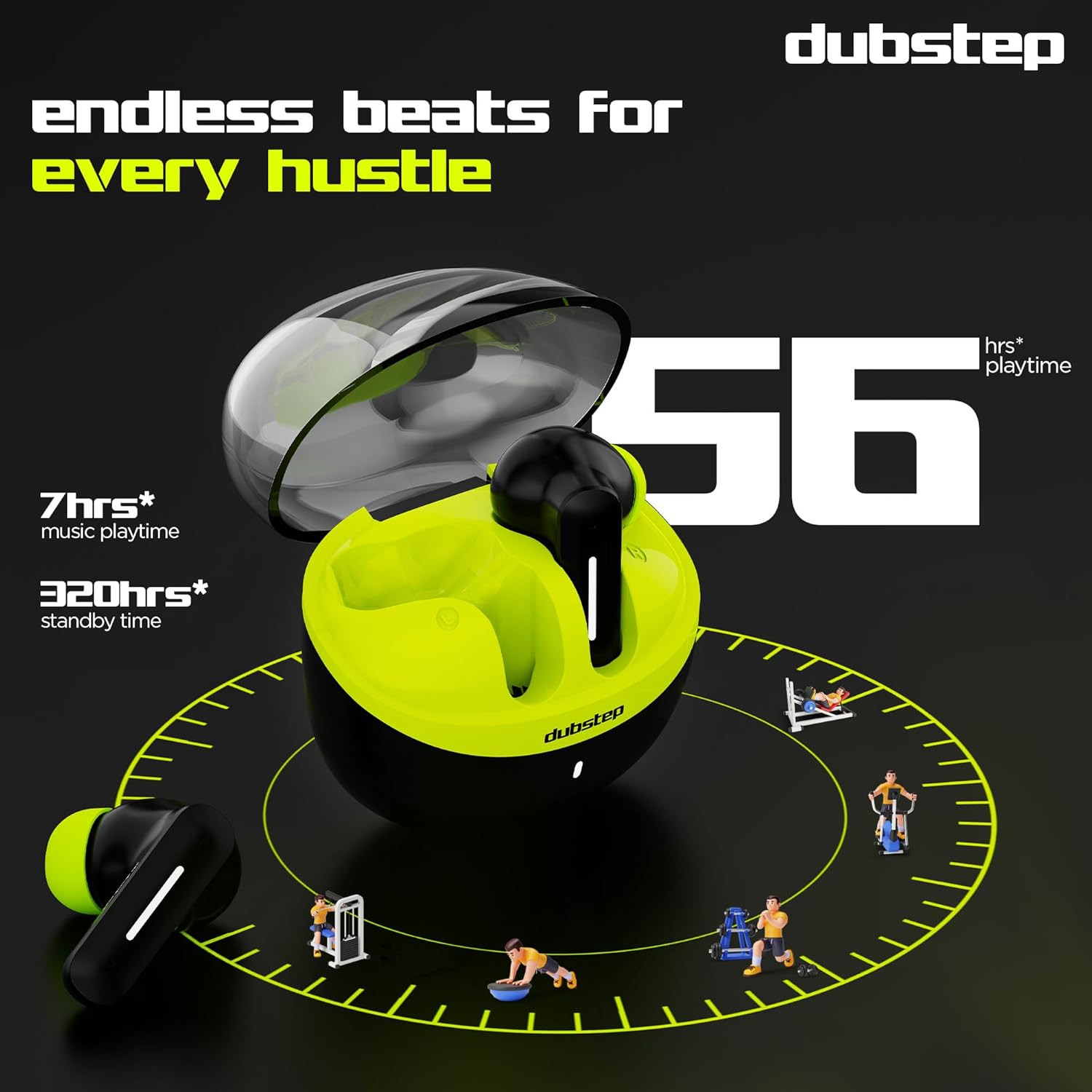
- A 15-minute quick charge provides approximately 200 minutes of playtime.
- Total playtime with the charging case is up to 56 hours.
- Earbuds provide 7 hours of continuous music playback on a single charge.

Image: The charging case of the Dubstep Buzz X8 earbuds connected to a Type-C cable for charging.
2. Таны төхөөрөмжтэй хослуулах
- Цэнэглэх хайрцгийг нээнэ үү. Чихэвч автоматаар хослуулах горимд орно.
- Төхөөрөмж дээрээ (ухаалаг утас, таблет, зөөврийн компьютер) Bluetooth-г идэвхжүүлнэ үү.
- хайх "Dubstep Buzz X8" in the list of available Bluetooth devices.
- Select "Dubstep Buzz X8" to connect. Once connected, you will hear an audio prompt.
- The earbuds feature Bluetooth v5.3 for stable and efficient wireless connectivity.

Image: A smartphone displaying the Bluetooth connection screen, showing the Dubstep Buzz X8 earbuds successfully paired.
Ашиглалтын заавар
Удирдлагад хүрнэ үү
The Dubstep Buzz X8 earbuds feature intuitive touch controls on each earbud. Refer to the following table for common functions:
| Үйлдэл | Чиг үүрэг |
|---|---|
| Нэг товшилт | Хөгжим тоглуулах/түр зогсоох, Дуудлагад хариулах/ дуусгах |
| Давхар товшилт | Volume Up (+) / Volume Down (-) |
| Гурав дахин товш | Өмнөх зам / дараагийн зам |
| Удаан дарах | Дуут туслахыг идэвхжүүлэх/идэвхгүй болгох |
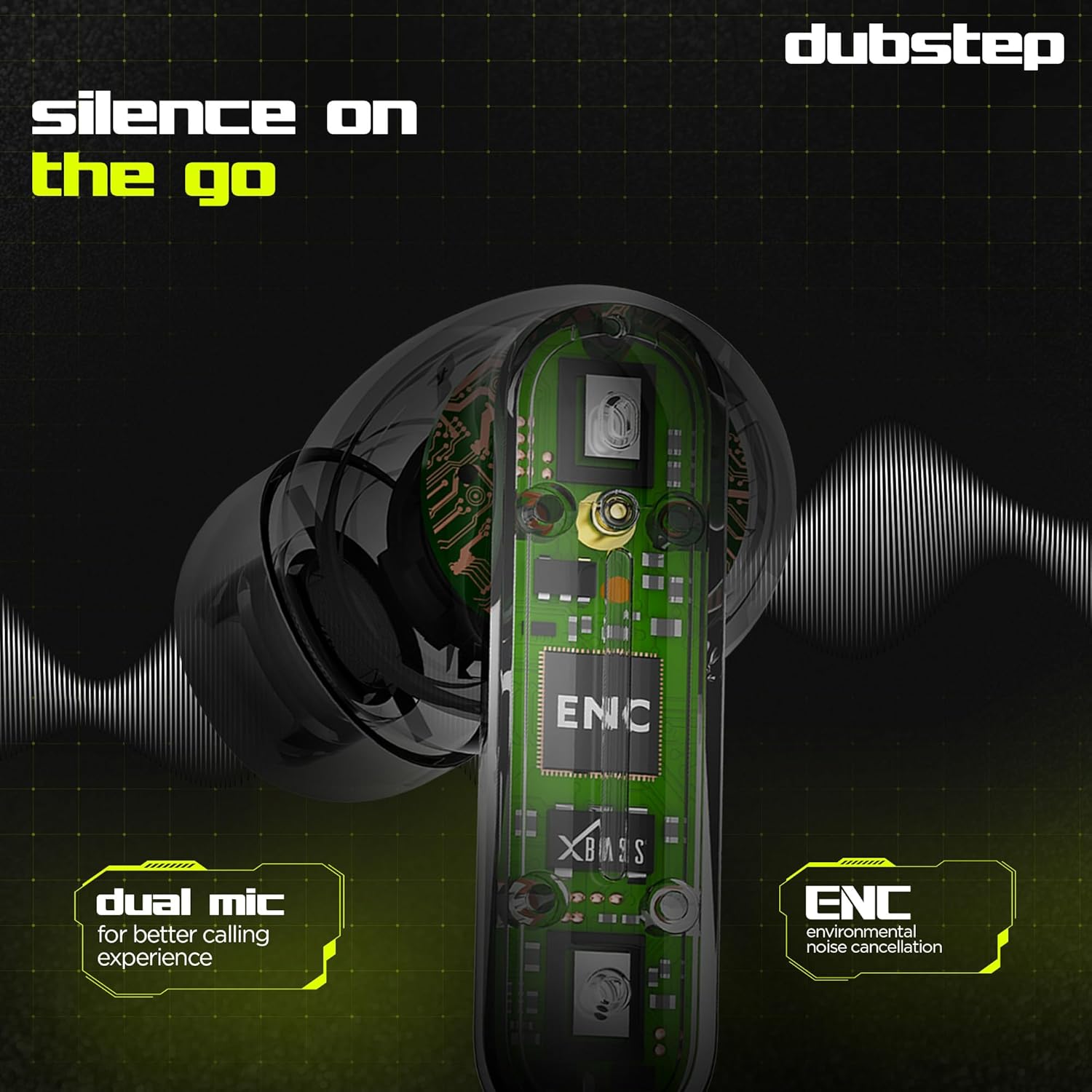
Image: Visual guide to the touch control gestures on the earbuds and their corresponding functions.
Байгаль орчны дуу чимээг бууруулах (ENC)
The earbuds are equipped with ENC technology and dual microphones to reduce ambient noise during calls, ensuring clear communication.
Зураг: Дотоод view of the earbud highlighting the ENC technology and dual microphone system.
Засвар үйлчилгээ
To ensure the longevity and optimal performance of your Dubstep Buzz X8 Wireless Earbuds, follow these maintenance guidelines:
- Цэвэрлэгээ: Чихэвч болон цэнэглэгчийн хайрцгийг зөөлөн, хуурай, хөвөнгүй даавуугаар тогтмол цэвэрлэ. Химийн хатуу бодис, зүлгүүрийн материалыг бүү ашигла.
- Чихний зөвлөмж: Remove and clean the ear tips periodically with water and mild soap, then dry thoroughly before reattaching.
- Усны эсэргүүцэл: The earbuds are splash and sweat resistant, making them suitable for workouts. However, they are not waterproof. Avoid submerging them in water.
- Хадгалах: Ашиглаагүй үед чихэвчийг хамгаалж, цэнэгтэй байлгахын тулд цэнэглэгчдээ хадгалаарай.
- Температур: Чихэвчийг хэт температур (халуун эсвэл хүйтэн) эсвэл нарны шууд тусгалд удаан хугацаагаар байлгахаас зайлсхий.
Алдааг олж засварлах
If you encounter issues with your Dubstep Buzz X8 Wireless Earbuds, refer to the following common solutions:
| Асуудал | Шийдэл |
|---|---|
| Чихэвчийг хослуулахгүй байна | Ensure earbuds are charged. Turn off and on Bluetooth on your device. Place earbuds back in case, close, then reopen to re-enter pairing mode. |
| Нэг чихний чихнээс ямар ч дуу гарахгүй | Check battery level of both earbuds. Try re-pairing the earbuds with your device. Clean earbud mesh for any blockages. |
| Дуу багатай | Adjust volume on both your device and the earbuds. Ensure ear tips provide a good seal. |
| Цэнэглэх хайрцаг цэнэглэхгүй байна | Verify the Type-C cable is properly connected to both the case and the power source. Try a different cable or power adapter. |
| Дуут туслах хариу өгөхгүй байна | Ensure the earbuds are connected to your device. Check your device's settings for voice assistant activation. Perform a long press on the earbud touch area. |
Үзүүлэлтүүд
| Онцлог | Дэлгэрэнгүй |
|---|---|
| Загварын нэр | Buzz X8 |
| Холболтын технологи | Bluetooth 5.3 |
| Аудио драйверын хэмжээ | 13 миллиметр |
| Нийт тоглох хугацаа | 56 цаг хүртэл (цэнэглэгч хайрцагтай) |
| Чихэвчний Playtime (нэг удаагийн цэнэглэлтээр) | 7 цаг |
| Зогсоолын цаг | 320 цаг |
| Хурдан цэнэглэх | 15 минут цэнэглэх = 200 минут тоглох хугацаа |
| Цэнэглэх порт | Төрөл-C |
| Дуу чимээний хяналт | Байгаль орчны дуу чимээг бууруулах (ENC) |
| Микрофонууд | Хос микрофон систем |
| Хяналтын төрөл | Touch Control, Voice Assistant |
| Усны эсэргүүцлийн түвшин | Splash and Sweat Resistant |
| Зүйлийн жин | 40 грамм |
| Бүтээгдэхүүний хэмжээс | 3.5 x 2.5 x 4.5 см |
Баталгаат болон дэмжлэг
Your Dubstep Buzz X8 Wireless Earbuds come with a standard brand warranty. For detailed warranty information, troubleshooting guides, and further support, please visit the official user manuals page:


