Танилцуулга
Thank you for choosing the NIMO 15.6 FHD-Laptop. This powerful and versatile laptop is designed to enhance your productivity and entertainment experience. Featuring an Intel Core i3-1215U processor, 16GB RAM, and a 1TB SSD, it delivers fast and efficient performance for all your tasks. This manual provides essential information on setting up, operating, maintaining, and troubleshooting your new laptop.

Image: The NIMO 15.6 FHD-Laptop, showcasing its sleek design and key features like Full HD display, 16GB RAM, 1TB SSD, Type-C PD Charger, Fingerprint reader, and Backlit keyboard.
Хайрцагт юу байна
Бүх зүйл байгаа эсэхийг шалгахын тулд багцынхаа агуулгыг шалгана уу:
- 1 x Nimo N154 зөөврийн компьютер
- 1 x Type-C 65W PD хурдан цэнэглэгч
- 1 х хэрэглэгчийн гарын авлага
- Windows 11 Home (урьдчилан суулгасан)
Тохиргоо
Анхдагч асаалт болон цэнэглэлт
- Unpack your NIMO laptop and the Type-C 65W PD Fast Charger.
- Connect the Type-C charger to the laptop's Type-C charging port and plug the adapter into a power outlet.
- Allow the laptop to charge for at least 30 minutes before the first use, or until the battery indicator shows sufficient charge.
- Press the power button located on the top right side of the keyboard to turn on the laptop.
Windows 11 тохиргоо
Follow the on-screen instructions to complete the initial Windows 11 setup. This typically includes:
- Бүс нутаг болон гарын байрлалаа сонгох.
- Wi-Fi сүлжээнд холбогдож байна.
- Лицензийн гэрээг хүлээн зөвшөөрч байна.
- Майкрософт бүртгэл үүсгэх эсвэл нэвтрэх.
- Нэвтрэхийн тулд PIN эсвэл нууц үг тохируулж байна.
- Нууцлалын тохиргоог тохируулж байна.
Зөөврийн компьютерээ ажиллуулах
Дэлгэц ба дүрслэл
The NIMO laptop features a stunning 15.6-inch Full HD (1920x1080) display with an 85% screen-to-body ratio and razor-thin bezels, providing vibrant colors and sharp details for an immersive viewтуршлага.

Image: The NIMO laptop screen displaying a vibrant image, highlighting its Full HD (1920x1080) resolution, IPS technology, bright view, мөн нүдний хамгаалалтын функцүүд.
Гүйцэтгэл
Equipped with an Intel Core i3-1215U processor, 16GB DDR4 RAM, and a 1TB SSD, your NIMO laptop delivers powerful performance for multitasking, productivity, and entertainment. The 12th Gen Intel Core i3-1215U processor offers 6 cores and 8 threads, with a turbo boost up to 3.7 GHz, ensuring smooth and responsive operation.

Зураг: Нарийвчилсан view of the 12th Gen Intel Core i3-1215U Processor, illustrating its 6 cores, 8 threads, 15W power consumption, and 3.7 GHz Turbo Boost frequency, with a performance improvement indicator.
Гар болон оролт
The laptop features a backlit keyboard for comfortable typing in various lighting conditions, a responsive touchpad, and a numeric keypad for efficient data entry. The integrated fingerprint reader provides seamless and secure login.
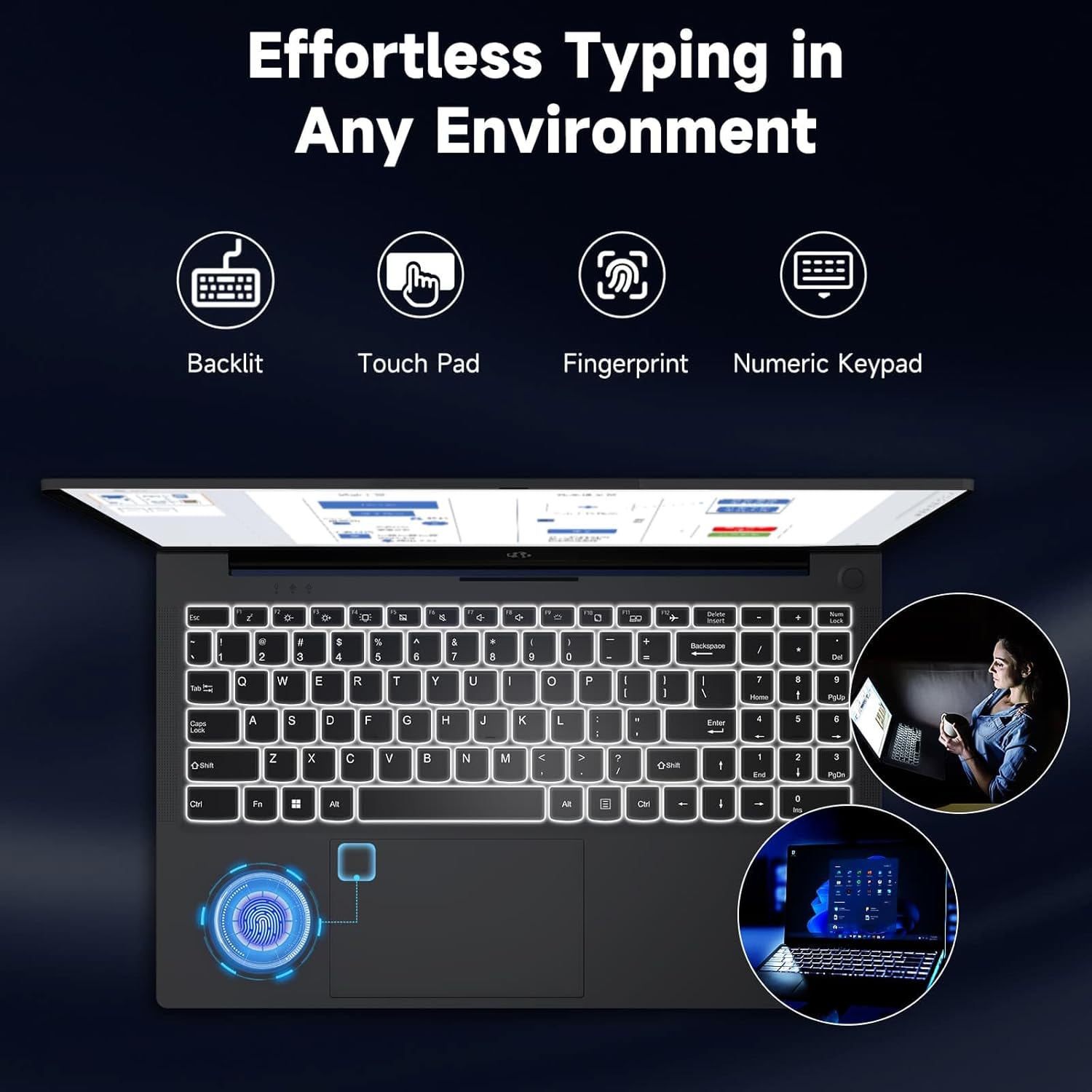
Image: The NIMO laptop keyboard, highlighting its backlit keys, touchpad, fingerprint sensor, and numeric keypad for effortless typing in any environment.
Аюулгүй байдал ба нууцлал
Unlock your laptop with ease and speed using the integrated fingerprint scanner. For privacy, the 2.0MP webcam includes a physical privacy switch, allowing you to control when your camera is active.
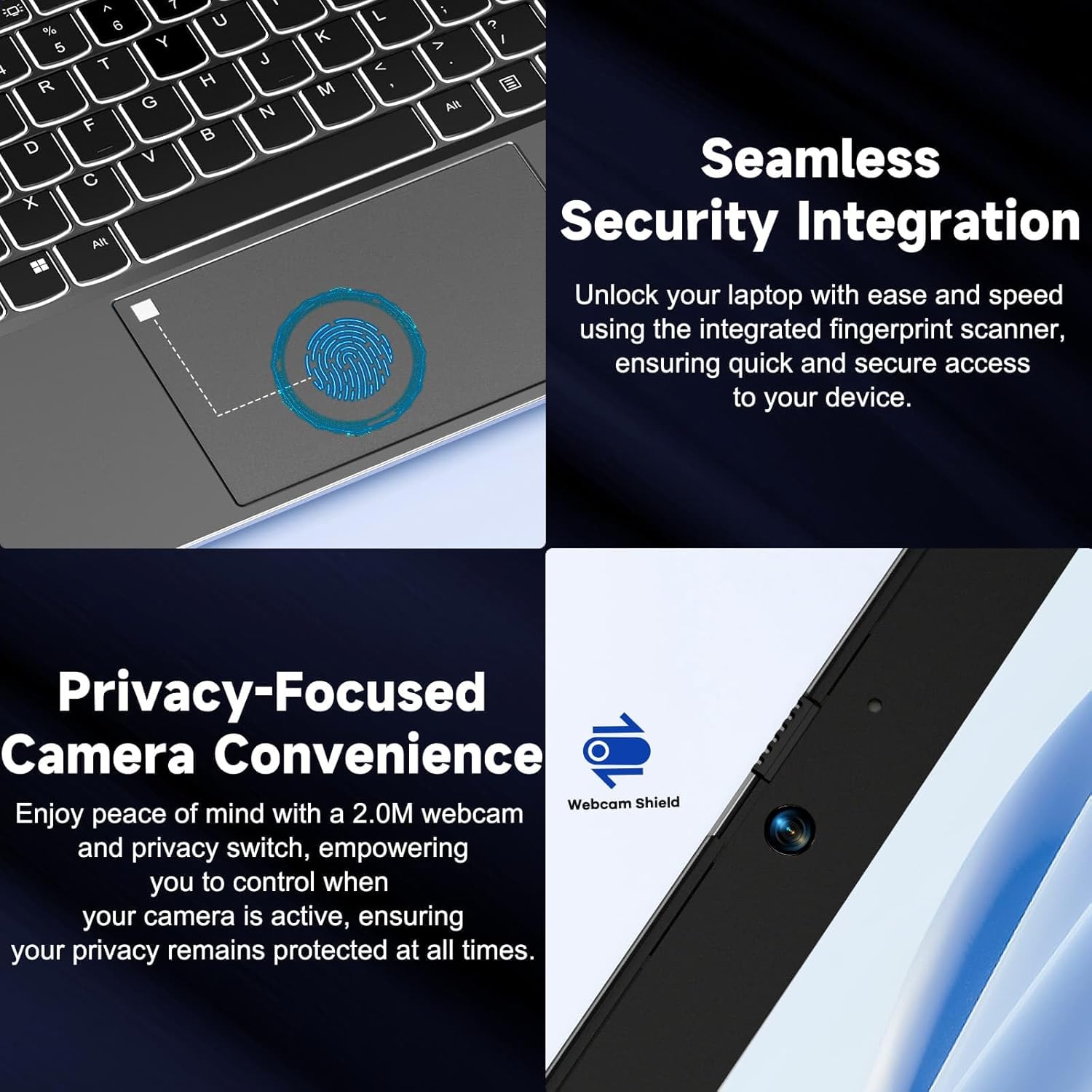
Зураг: Ойролцоогоор views of the laptop's fingerprint sensor for seamless security integration and the webcam with its privacy shield for enhanced privacy.
Холболт
The NIMO laptop offers multiple ports for versatile connectivity, including USB 2.0, USB 3.0, HDMI, and Type-C ports (one for charging, one for multifunction). It also features a Micro SD card reader, a headphone combo jack, and a Kensington lock slot.

Зураг: дэлбэрсэн view of the NIMO laptop, highlighting the location and type of its multiple ports, including USB, HDMI, Type-C, Micro SD, headphone combo, and Kensington lock.
180° хавтгай нугас
The laptop is equipped with a 180° lay-flat hinge, allowing the screen to lie completely flat. This feature expands usage scenarios, making it easier to share content or collaborate with others.

Image: The NIMO laptop demonstrating its 180° lay-flat hinge, showing the screen fully opened and flat, ideal for sharing content.
Засвар үйлчилгээ
Цэвэрлэгээ
- Зөөлөн, хөвөнгүй даавууг бага зэрэг хэрэглээрэй dampДэлгэцийг арчихын тулд ус эсвэл дэлгэц цэвэрлэгчээр арчина.
- Гар болон явах эд ангиудыг зөөлөн, хуурай даавуугаар арчина. Хүчтэй химийн бодис эсвэл зүлгүүрийн материалаас зайлсхий.
- Гарны товчлуур болон агааржуулалтын сараалжнаас тоосыг цэвэрлэхийн тулд шахсан агаар ашиглана уу.
Батерейны арчилгаа
- Байнга зайгаа бүрэн цэнэглэхээс зайлсхий.
- Зөөврийн компьютерээ удаан хугацаагаар ашиглаагүй бол сэрүүн, хуурай газар хадгална уу.
- Use only the provided NIMO 65W PD fast charger.
Програм хангамжийн шинэчлэлтүүд
- Regularly check for Windows updates to ensure your system has the latest security patches and performance improvements.
- Keep your drivers updated for optimal hardware performance.
Алдааг олж засварлах
| Асуудал | Боломжит шалтгаан | Шийдэл |
|---|---|---|
| Зөөврийн компьютер асахгүй байна | Батерей бага байна; Цахилгаан адаптерийн асуудал | Ensure charger is properly connected and plugged in. Allow to charge for a few minutes before attempting to power on again. |
| Wi-Fi холболтын асуудал | Driver issue; Router problem; Wi-Fi disabled | Check if Wi-Fi is enabled (Fn+F5). Restart your router. Update Wi-Fi drivers via Device Manager. |
| Удаан гүйцэтгэл | Too many background apps; Low disk space; Malware | Шаардлагагүй програмуудыг хаах. Дискний зайг чөлөөлөх. Вирусны эсрэг програм хангамж ашиглан системийн бүрэн скан хийх. |
| Гарны арын гэрэлтүүлэг ажиллахгүй байна | Арын гэрэлтүүлэг идэвхгүй болсон | Press Fn + F10 (or the key with the backlight icon) to toggle the backlight on/off or adjust brightness. |
| Fingerprint reader not responding | Sensor dirty; Driver issue; Incorrect setup | Clean the sensor with a soft cloth. Re-register your fingerprint in Windows Settings. Update fingerprint reader drivers. |
Үзүүлэлтүүд
| Онцлог | Дэлгэрэнгүй |
|---|---|
| Загварын нэр | NIMO N154G |
| Дэлгэцийн хэмжээ | 15.6 инч |
| Дэлгэцийн нягтрал | 1920 x 1080 пиксел (Full HD) |
| Процессор | Intel Core i3-1215U (4.4 GHz хүртэл) |
| RAM | 16 ГБ DDR4 (3200 МГц) |
| Хадгалах | 1 TB SSD |
| График процессор | Нэгдсэн график |
| Үйлдлийн систем | Windows 11 Нүүр хуудас |
| Утасгүй төрөл | 802.11a/b/g/n/ac |
| USB портууд | 1 х USB 2.0, 2 х USB 3.0 |
| Бусад портууд | HDMI, 2 x Type-C (1 Charge Only, 1 Multifunction), Micro SD Reader, Headphone Combo, Kensington Lock |
| Webкамер | 2 МП Арын Webкамерын нягтрал |
| Зайны хугацаа (дундаж) | 5 цаг |
| Эрчим хүчний эх үүсвэр | Battery Powered (65W PD Type-C Charger) |
| Зүйлийн жин | 5 фунт |
| Бүтээгдэхүүний хэмжээс | 14.07 x 8.98 x 0.76 инч |
| Өнгө | Саарал |
| Онцлог шинж чанарууд | Fingerprint Reader, HD Audio, Backlit Keyboard, Memory Card Slot, Numeric Keypad, 180° Lay-Flat Hinge |
Баталгаат болон дэмжлэг
NIMO is committed to providing reliable products and excellent customer service. Your NIMO laptop comes with comprehensive warranty and support:
- 2-Year Laptop Protection: Үйлдвэрлэлийн согогийг хамарсан 2 жилийн баталгаат хугацаатайгаар сэтгэлийн амар амгаланг мэдрээрэй.
- 90 хоногийн үнэгүй буцаалт: If you are not satisfied with your purchase, you can return it within 90 days.
- 24/7 Customer Service Support: Our dedicated team of laptop experts is available around the clock to provide instant assistance and resolve any issues you may encounter.
For support, please refer to the contact information provided on the NIMO official website or the packaging. Please have your model number (NIMO N154G) and purchase details ready when contacting support.

Image: An illustration of NIMO's after-sales excellence, showing domestically partial assembly, 90-day free returns, 2-year after-sales support, and 24/7 customer service support.


