1. Танилцуулга
This manual provides essential information for the safe and efficient use of your Philips B4000 Soundbar. Please read these instructions carefully before using the product and retain them for future reference. The Philips B4000 Soundbar is designed to enhance your television's audio experience with clear 2.0 channel sound and versatile connectivity options.

Image: The Philips B4000 Soundbar, its remote control, and a television displaying colorful content, illustrating the product in use.
2. Багцын агуулга
Таны багцад бүх зүйл байгаа эсэхийг шалгана уу:
- Philips B4000 Soundbar
- Алсын удирдлага
- 2 x AAA батерей (алсын удирдлагад зориулагдсан)
- Ханын бэхэлгээ
- Түргэн эхлүүлэх гарын авлага
- Баталгаат карт
3. Бүтээгдэхүүн дууссанview
The Philips B4000 Soundbar features a compact design with integrated speakers and various input options for seamless integration with your home entertainment system.

Image: The Philips B4000 Soundbar positioned below a television in a living room, emphasizing its 2.0 channel audio, 60W maximum output power, and dual full-range speakers.
4. Тохиргоо ба суурилуулалт
4.1 Байршуулах сонголтууд
The soundbar offers flexible placement to suit your setup:
- ТВ тавиурын байршил: Place the soundbar on a flat surface directly in front of your TV. Ensure it does not obstruct the TV's remote sensor.
- Ханын бэхэлгээ: Use the included wall mount brackets to attach the soundbar to the wall below your TV. Refer to the Quick Start Guide for detailed wall mounting instructions.
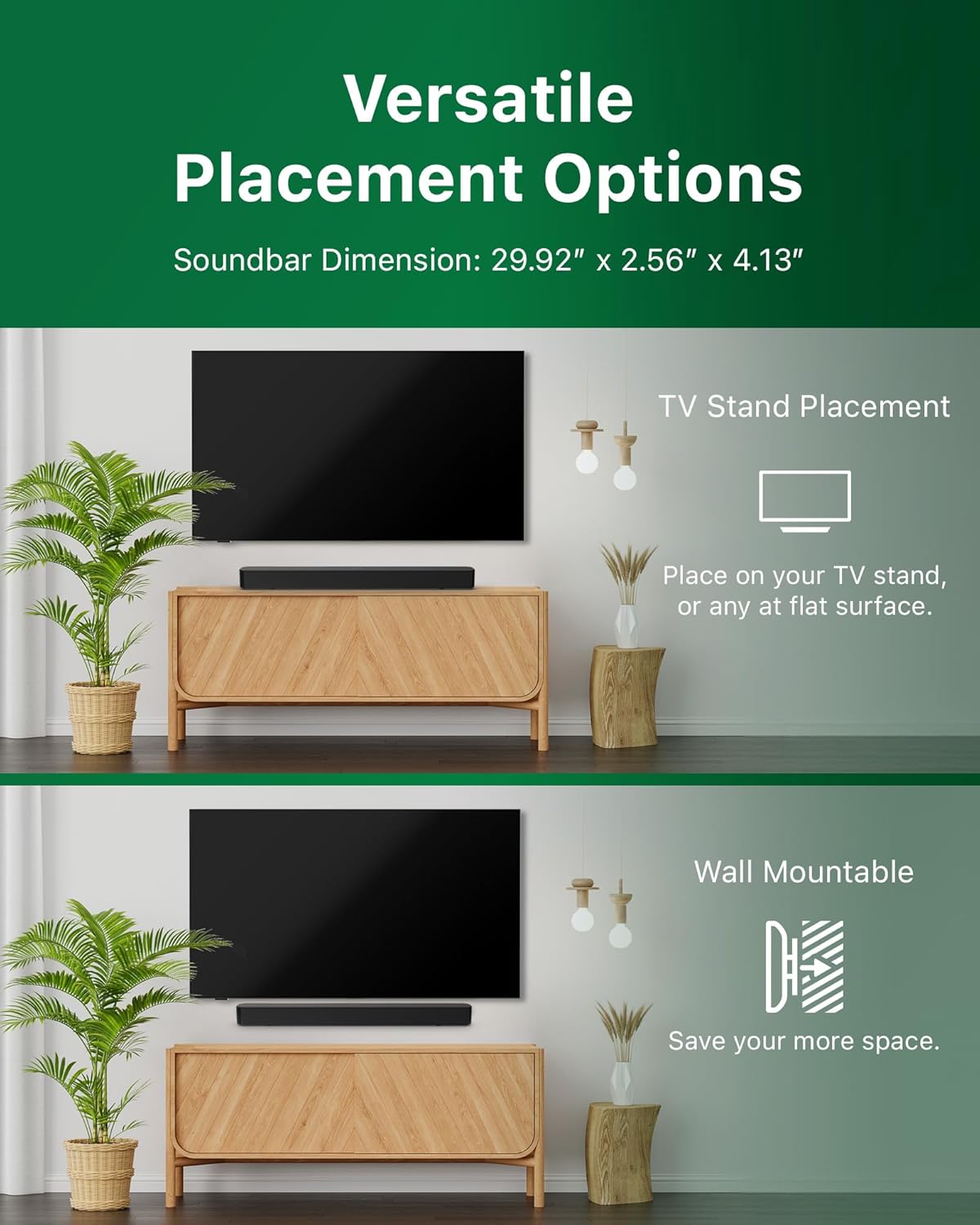
Image: Illustrations demonstrating the two primary placement methods for the soundbar: resting on a TV stand and securely mounted on a wall.
4.2 ТВ-ээ холбох
The soundbar supports multiple connection types:
- HDMI ARC (санал болгож байна): Connect an HDMI cable (not included) from the HDMI ARC port on your TV to the HDMI ARC port on the soundbar. This allows for audio return and control via your TV remote.
- Bluetooth: For wireless audio streaming, pair your soundbar with a Bluetooth-enabled device.
- USB: Connect a USB device for audio playback.
- DC IN: Connect the power adapter to the DC IN port.

Image: A visual representation of the soundbar's available audio input ports, including HDMI (ARC), USB, Bluetooth, and DC IN for power.
4.3 Roku TV-д бэлэн тохиргоо
The Philips B4000 Soundbar is Roku TV Ready certified, simplifying setup and control when paired with a Roku TV.
- Connect the soundbar to your Roku TV via HDMI ARC.
- Your Roku TV should automatically detect and configure the soundbar.
- Use your Roku TV remote to control the soundbar's power and volume.

Image: The Philips B4000 Soundbar seamlessly integrated with a television, illustrating its 'Roku TV Ready' certification for simplified setup and control.
4.4 Алсын удирдлагатай тохиргоо
Insert the two included AAA batteries into the remote control, ensuring correct polarity.
5. Үйл ажиллагаа
5.1 Асаах/унтраах
Төхөөрөмжийг асаах, унтраахын тулд дууны самбар эсвэл алсын удирдлага дээрх цахилгаан товчийг дарна уу.
5.2 Оролтын сонголт
Press the 'Source' button on the remote control to cycle through available input sources (HDMI ARC, Bluetooth, USB).
5.3 Дууны хяналт
Use the 'Volume Up' and 'Volume Down' buttons on the remote control to adjust the audio level. If connected via HDMI ARC to a Roku TV, your TV remote may also control the volume.
5.4 Bluetooth холболт
- Press the 'Bluetooth' button on the remote control to enter Bluetooth pairing mode. The indicator light on the soundbar will flash.
- On your mobile device, search for Bluetooth devices and select 'Philips B4000'.
- Хослуулсны дараа заагч гэрэл тогтворжиж, та аудиог утасгүйгээр дамжуулах боломжтой болно.
5.5 Sound Modes and Equalizer
The soundbar may offer various sound modes or equalizer settings to optimize audio for different content types (e.g., Movie, Music, News). Use the remote control to access and adjust these settings. While specific equalizer details are not extensively documented, experimentation with available settings is encouraged to find your preferred audio profile.

Image: The Philips soundbar remote control in the foreground, with a television screen in the background displaying the EasyLink 2.0 menu for adjusting sound styles, including Bass, Treble, and Custom Equalize options.
6. Засвар үйлчилгээ
Дууны самбарынхаа урт наслалт, оновчтой ажиллагааг хангахын тулд дараах засвар үйлчилгээний удирдамжийг дагана уу.
- Цэвэрлэгээ: Use a soft, dry cloth to clean the surface of the soundbar. Do not use liquid cleaners or abrasive materials, as they may damage the finish.
- Агааржуулалт: Ensure the soundbar's ventilation openings are not blocked. Proper airflow prevents overheating.
- Хадгалах: Хэрэв дууны самбарыг удаан хугацаагаар хадгалах бол цахилгаанаас нь салгаад сэрүүн, хуурай газар хадгална уу.
7. Алдаа засах
If you encounter issues with your Philips B4000 Soundbar, refer to the following common problems and solutions:
| Асуудал | Боломжит шалтгаан | Шийдэл |
|---|---|---|
| Дууны самбараас дуу гарахгүй |
|
|
| Статик эсвэл гажуудсан дуу чимээ |
|
|
| Bluetooth холболттой холбоотой асуудлууд |
|
|
| Алсын удирдлага ажиллахгүй байна |
|
|
8. Техникийн үзүүлэлтүүд
| Онцлог | Дэлгэрэнгүй |
|---|---|
| Загварын нэр | TAB4000/37 |
| Чанга яригчийн төрөл | Дууны самбар |
| Хүрээлэн буй орчны дууны сувгийн тохиргоо | 2.0 |
| Чанга яригчийн хамгийн их гаралтын чадал | 60 ватт |
| Холболтын технологи | Bluetooth (5.4), HDMI ARC, USB |
| Онцлог шинж чанарууд | Advanced Bluetooth 5.4 Connectivity, Bass Boost, Roku TV Ready™ Certification, Wall mountable |
| Бүтээгдэхүүний хэмжээс | 4.1"D x 30"W x 2.56"H |
| Зүйлийн жин | 4.89 фунт (2.22 килограмм) |
| Эрчим хүчний эх үүсвэр | Battery Powered (for remote), AC Power (for soundbar) |
| Оролтын хэмжээtage | 120 вольт |
| Оруулсан бүрэлдэхүүн хэсгүүд | Battery, Quick Start Guide, Remote, Wall Mount Bracket, Warranty Card |
9. Баталгаат хугацаа ба дэмжлэг
9.1 Баталгаат хугацааны мэдээлэл
The Philips B4000 Soundbar comes with a Limited Warranty. Please refer to the included Warranty Card for specific terms, conditions, and duration of coverage. Retain your proof of purchase for warranty claims.
9.2 Хэрэглэгчийн дэмжлэг
Нэмэлт тусламж, техникийн дэмжлэг эсвэл үйлчилгээний лавлагаа авахыг хүсвэл Philips-ийн албан ёсны дэмжлэгт зочилно уу website or contact their customer service. Contact details can typically be found on the Philips webсайт эсвэл Түргэн эхлүүлэх гарын авлагад.


