Танилцуулга
Thank you for choosing Bluedee Computer Speakers. These speakers are designed to provide clear, balanced audio for your desktop PC, laptop, or projector. Featuring 10W high-power drivers, they deliver crisp vocals and rich sound, enhancing your gaming, movie-watching, and music listening experiences. With a simple plug-and-play USB/Type-C connection and dynamic RGB lighting, these speakers offer both convenience and aesthetic appeal.
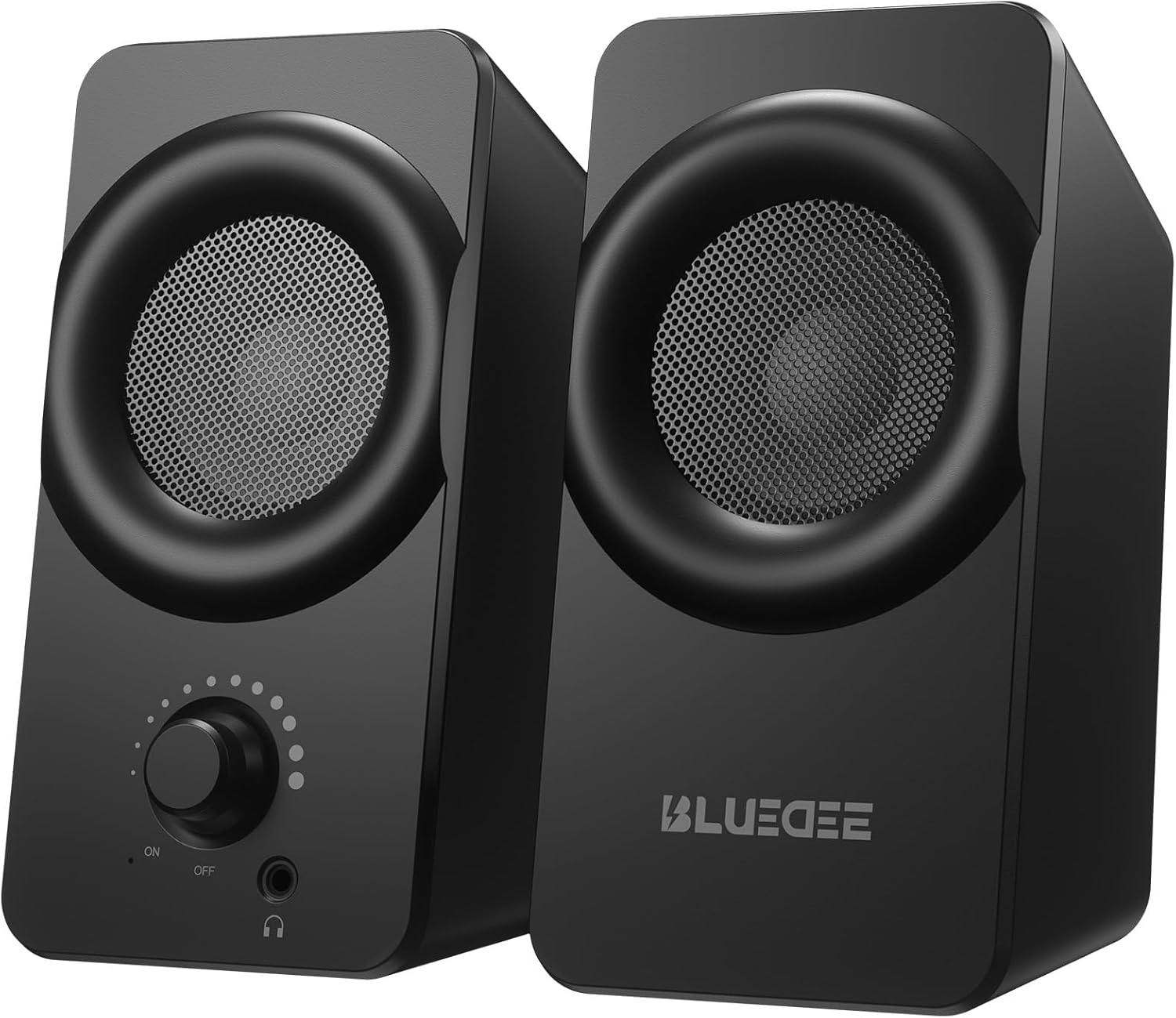
Зураг: Урд view of the two Bluedee computer speakers, showcasing their compact black design with circular speaker grilles and a volume knob on the right speaker.
Хайрцагт юу байна
Upon opening your Bluedee Computer Speakers package, you will find the following items:
- Two (2) Bluedee Computer Speakers
- Integrated USB/Type-C Cable (Undetachable)
- Хэрэглэгчийн гарын авлага (энэ баримт бичиг)
Video: An unboxing and setup guide for the Bluedee computer speakers, demonstrating what's included in the package and how to connect the speakers.
Тохиргоо
Setting up your Bluedee Computer Speakers is quick and straightforward, thanks to their plug-and-play design.
- Байршил: Position the two speakers on your desk or desired surface. Ensure they are stable and the non-slip pads on the bottom are making full contact to minimize vibrations.
- Connect to Power/Audio: The speakers are powered and receive audio via a single USB/Type-C cable.
- If your device has a USB-C port, connect the Type-C end of the cable directly.
- If your device has a standard USB-A port, use the included USB-A adapter to connect the cable.
- Асаах: Rotate the volume knob on the front of the right speaker clockwise until you hear a click to turn the speakers ON.

Image: A close-up of the USB/Type-C cable connecting to a laptop, illustrating the versatile connectivity options for the speakers.
For a visual guide on connecting your speakers, please refer to the "What's in the Box & How to Use" video in the previous section, specifically from the 0:18 mark.
Ашиглалтын заавар
Your Bluedee speakers are designed for intuitive control.
- Дууны хяналт: The large knob on the front of the right speaker controls both power and volume.
- Дууны хэмжээг нэмэгдүүлэхийн тулд цагийн зүүний дагуу эргүүл.
- Дууг багасгахын тулд цагийн зүүний эсрэг эргүүлнэ үү.
- Rotate fully counter-clockwise until it clicks to turn the speakers OFF.
- RGB гэрэлтүүлэг: The speakers feature dynamic RGB lights that can be controlled with a touch-sensitive symbol on top of the right speaker.
- Tap the light symbol once to turn the RGB lights ON or OFF.
- The lights will pulse with your music or game audio, creating an immersive atmosphere.
- Чихэвчний Жак: A 3.5mm headphone jack is located on the front of the right speaker.
- Plug in your headphones for a private listening experience.
- Connecting headphones will automatically mute the speakers.

Зураг: Нарийвчилсан view of the right speaker's controls, highlighting the volume knob, headphone jack, and the touch-sensitive RGB light control symbol.
For a demonstration of the controls, including power, volume, and RGB light operation, please refer to the "What's in the Box & How to Use" video from the 0:29 mark.
Засвар үйлчилгээ
To ensure the longevity and optimal performance of your Bluedee Computer Speakers, follow these simple maintenance guidelines:
- Цэвэрлэгээ: Чанга яригчийн гадаргууг зөөлөн, хуурай даавуугаар арчина. Зүлгүүрийн цэвэрлэгч, уусгагч эсвэл хүчтэй химийн бодис хэрэглэхээс зайлсхий, учир нь эдгээр нь өнгөлгөөг гэмтээж болно.
- Тоос арилгах: Чанга яригчийн сараалж дээрх тоосыг зөөлөн сойз эсвэл шахсан агаарын лааз ашиглан зөөлөн арилгана.
- Хадгалах: Удаан хугацаагаар ашиглаагүй тохиолдолд чанга яригчийг нарны шууд тусгал, хэт температураас хол, сэрүүн, хуурай газар хадгална.
- Шингэнээс зайлсхийх: Do not expose the speakers to water or other liquids. They are not waterproof.
Алдааг олж засварлах
If you encounter any issues with your Bluedee Computer Speakers, please refer to the following troubleshooting steps:
| Асуудал | Боломжит шалтгаан | Шийдэл |
|---|---|---|
| Чанга яригчаас дуу гарахгүй |
|
|
| Дуу гажиг эсвэл тодорхойгүй байна |
|
|
| RGB гэрэл ажиллахгүй байна |
|
|
If the problem persists after trying these steps, please contact Bluedee Customer Support for further assistance.
Үзүүлэлтүүд
Detailed specifications for your Bluedee Computer Speakers:
| Онцлог | Дэлгэрэнгүй |
|---|---|
| Загварын нэр | BD-SK800 |
| Чанга яригчийн төрөл | Компьютерийн чанга яригч |
| Холболтын технологи | USB (includes Type-C adapter) |
| Чанга яригчийн хамгийн их гаралтын чадал | 10 ватт |
| Бүтээгдэхүүний хэмжээ (L x W x H) | 3.74"D x 3.15"W x 6.11"H |
| Зүйлийн жин | 1.6 фунт |
| Материал | Металл, хуванцар |
| Хяналтын арга | Touch (for RGB lights) |
| Хянагчийн төрөл | Knob (for volume/power) |
| Аудио гаралтын горим | Стерео |
| Эрчим хүчний эх үүсвэр | Утастай цахилгаан (USB-ээр) |
| UPC | 732133620731 |

Image: The two speakers shown with their dimensions (length, width, height) overlaid, emphasizing their compact size.
Баталгаат болон дэмжлэг
Bluedee stands behind the quality of its products. Your Bluedee Computer Speakers are backed by an 18 сарын чанарын баталгаа.
If you encounter any issues or have questions regarding your product, please do not hesitate to contact Bluedee Customer Support. We are committed to resolving any concerns within 24 hours.
For support, please reach out to the seller, HanMeng Direct, through the platform where you made your purchase.
Additional protection plans may be available for purchase separately. Please refer to your purchase details for more information on extended warranty options.


