Танилцуулга
This manual provides detailed instructions for the safe and effective use of your KiCA Jet Fan Ultra and Jetfan 1.0 Electric Air Dusters. Please read this manual thoroughly before operating the devices and retain it for future reference.

Image: The KiCA Jet Fan Ultra (left) and Jetfan 1.0 (right) electric air duster units. The Jet Fan Ultra is a rectangular, gun-shaped device with a nozzle, while the Jetfan 1.0 is a smaller, T-shaped device.
Аюулгүй байдлын мэдээлэл
- Do not point the air duster at eyes, face, or body.
- Хүүхдийн гар хүрэхгүй газар хадгална.
- Do not operate in wet conditions or near flammable liquids or gases.
- Цэнэглэгчийг холбохоосоо өмнө цэнэглэх порт хуурай байгаа эсэхийг шалгаарай.
- Төхөөрөмжийг задлах, өөрчлөхийг хориглоно.
- Зөвхөн өгсөн цэнэглэгч кабель болон адаптерийг ашиглана уу.
Багцын агуулга
Таны багцад бүх зүйл байгаа эсэхийг шалгана уу:
- KiCA Jet Fan Ultra
- KiCA Jetfan 1.0
- Цэнэглэх кабель (USB-C)
- Nozzle Attachments (if applicable)
- Хэрэглэгчийн гарын авлага (энэ баримт бичиг)
Тохиргоо
Анхны цэнэглэлт
Before first use, fully charge both devices. Connect the provided USB-C charging cable to the charging port on each device and to a suitable USB power adapter. The indicator lights will show charging status.
Attaching Nozzles (Jet Fan Ultra)
Align the desired nozzle attachment with the air outlet of the Jet Fan Ultra and push firmly until it clicks into place. Ensure it is securely attached before operation.
Ашиглалтын заавар
KiCA Jet Fan Ultra
- Асаах/унтраах: Төхөөрөмжийг асаах эсвэл унтраахын тулд асаах товчийг удаан дарна уу.
- Агаарын хурдыг тохируулах: Use the speed adjustment buttons (often marked '+' and '-') to cycle through different air speed levels. The indicator lights will show the current speed setting.
- LED гэрэл: The Jet Fan Ultra features double-sided LEDs. Press the light button to activate or deactivate the integrated LED lights for improved visibility in dark areas.

Image: The KiCA Jet Fan Ultra demonstrating its double-sided LED lights, illuminating a dark area within a car engine bay for precise cleaning.
KiCA Jetfan 1.0
- Асаах/унтраах: Төхөөрөмжийг асаах эсвэл унтраахын тулд асаах товчийг удаан дарна уу.
- Гар горим: Press the trigger button to activate the airflow. Release the button to stop.
- Авто горим: After powering on, press the trigger button and then single-tap the power button to switch between manual and auto mode. In auto mode, the fan will run continuously until switched off or back to manual mode.
- Adjusting Air Speed (Jetfan 1.0): The Jetfan 1.0 typically has multiple gears. Single-tap the power button (after initial power-on) to cycle through the gears (speed settings). Blue indicator lights will show the current gear.
- Эхний араа: 1 blue indicator, approx. 18,000rpm, 2.5m/s
- Хоёр дахь араа: 2 blue indicators, approx. 36,000rpm, 6.5m/s
- Гурав дахь араа: 3 blue indicators, approx. 60,000rpm, 9.0m/s
- Дөрөв дэх араа: 4 blue indicators, approx. 86,000rpm, 11.5m/s

Image: The KiCA Jetfan 1.0 illustrating its four gear settings, with corresponding RPM and wind speed values indicated by blue lights.

Image: The KiCA Jetfan 1.0 demonstrating its manual mode (trigger press for airflow) and auto mode (continuous airflow after a specific button sequence).
Засвар үйлчилгээ
- Цэвэрлэгээ: Use a soft, dry cloth to wipe the exterior of the devices. Do not use harsh chemicals or abrasive materials.
- Агаарын оролтын шүүлтүүр: Periodically check the air inlet for dust or debris accumulation. Gently clean the filter area with a soft brush or another air duster to ensure optimal performance.
- Хадгалах: Төхөөрөмжүүдийг нарны шууд тусгал, хэт температураас хол, сэрүүн, хуурай газар хадгална.
- Батерейны арчилгаа: For prolonged storage, charge the devices to approximately 50% every three months to maintain battery health.
Алдааг олж засварлах
| Асуудал | Боломжит шалтгаан | Шийдэл |
|---|---|---|
| Төхөөрөмж асахгүй байна. | Батерей бага. | Төхөөрөмжийг бүрэн цэнэглэ. |
| Агаарын урсгал сул. | Low battery; obstructed air inlet. | Charge the device; clean the air inlet filter. |
| Төхөөрөмж гэнэт зогссон. | Хэт халалт; батерей бага байна. | Allow the device to cool down; charge the device. |
| LED lights not working (Jet Fan Ultra). | Light function not activated. | Press the dedicated light button to activate. |
Үзүүлэлтүүд
KiCA Jet Fan Ultra
- Салхины хурд: Up to 109 MPH (approx. 48.7 m/s)
- Эрчим хүч: 171W Industrial Power
- Max Thrust: 185 гр
- Онцлогууд: Double-sided LEDs

Image: The KiCA Jet Fan Ultra showcasing its high-performance motor with specifications including 171W industrial power, 109mph hurricane speed, and 185g max thrust.
KiCA Jetfan 1.0
- Жин: 220 гр
- Салхины хамгийн их хурд: 11.5 m/s (Fourth Gear)
- Мотор: 9.99Wh Motor
- Горимууд: Гарын авлага, Авто
- Хэмжээ: Approximately 124mm (length) x 73mm (width) x 35mm (height of nozzle section)
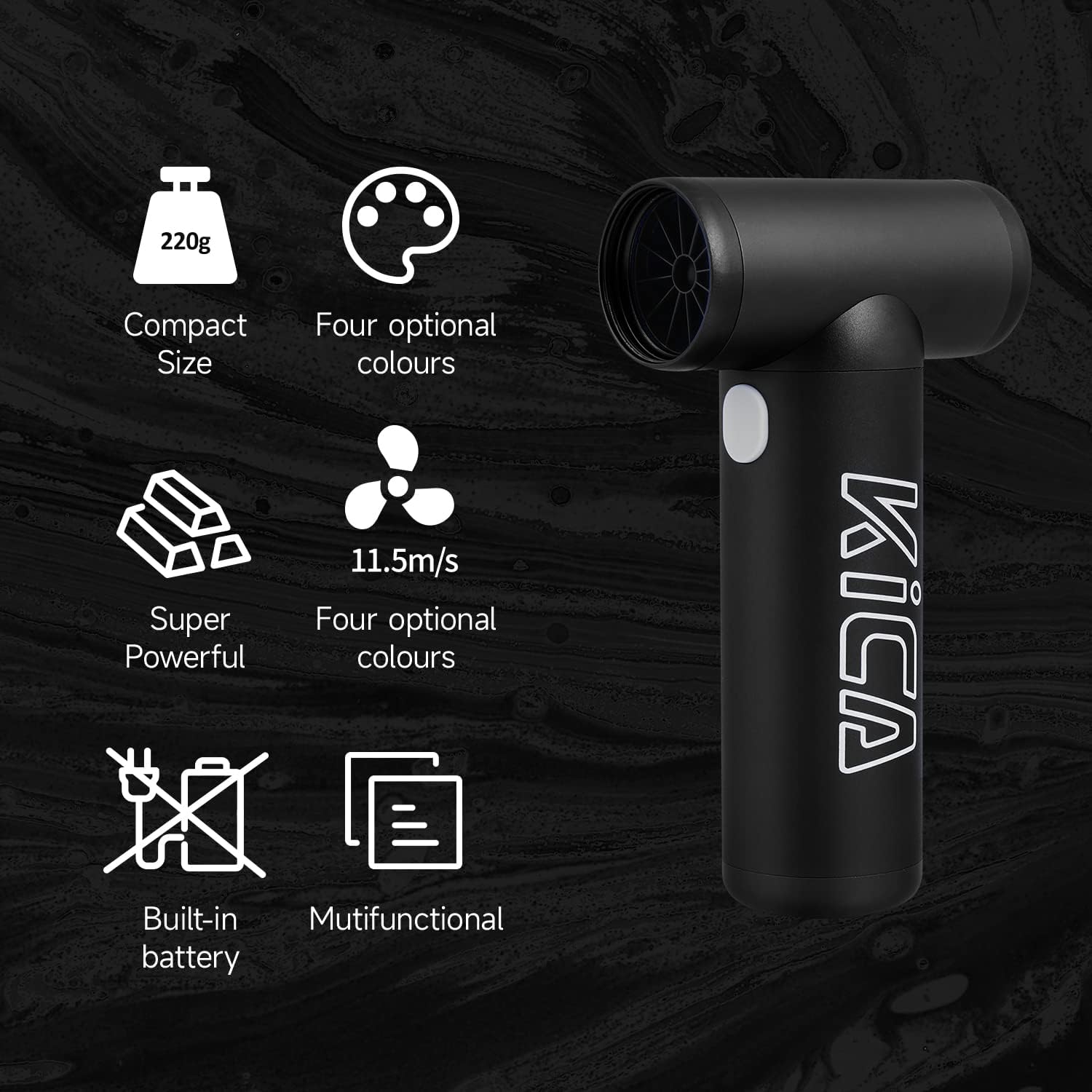
Image: The KiCA Jetfan 1.0 illustrating its compact size (220g), super powerful airflow (11.5m/s), built-in battery, and multifunctional capabilities.
Image: The KiCA Jetfan 1.0 with dimensions indicated: 124mm length, 73mm width, and 35mm height of the nozzle section.
Баталгаат болон дэмжлэг
For warranty information and technical support, please refer to the official KiCA webсайтад зочлох эсвэл тэдний харилцагчийн үйлчилгээтэй шууд холбогдоно уу. Холбоо барих мэдээллийг ихэвчлэн бүтээгдэхүүний сав баглаа боодол эсвэл үйлдвэрлэгчийн заавар дээрээс олж болно. webсайт.
Үйлдвэрлэгч: Кика
Эхний боломжтой огноо: 24 оны дөрөвдүгээр сарын 2025


