1. Танилцуулга
This manual provides essential information for the safe and efficient operation of your new TCL 55P89K 55-inch QLED 4K Google TV. Please read this manual thoroughly before using the television and retain it for future reference. Your TCL 55P89K television features a 55-inch QLED display with 4K Ultra HD resolution, Google TV operating system, HDR, Dolby Vision, Wi-Fi, and Bluetooth connectivity.
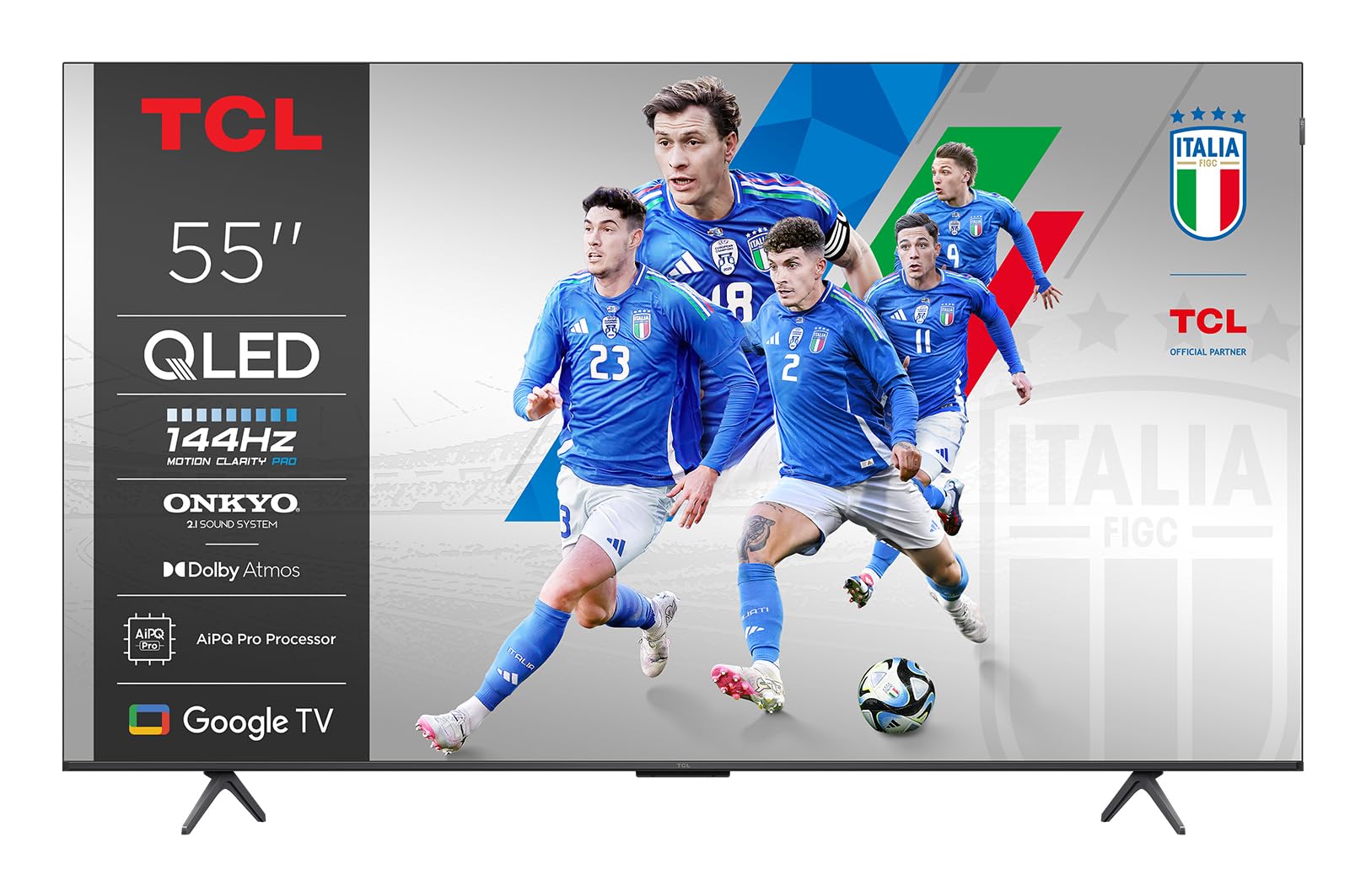
Зураг 1.1: Урд view of the TCL 55P89K 55-inch QLED 4K Google TV. This image displays the television's slim bezel design and central stand, highlighting its modern aesthetic.
2. Аюулгүй байдлын мэдээлэл
Always observe the following safety precautions to prevent fire, electric shock, or injury.
- Эрчим хүчний эх үүсвэр: ТВ-ийг зөвхөн заасан хэмжээний хувьсах гүйдлийн тэжээлийн залгуурт холбоно ууtagд. Цахилгааны утас гэмтээгүй эсвэл чимхээгүй эсэхийг шалгаарай.
- Агааржуулалт: Агааржуулалтын нүхийг хааж болохгүй. Агаарын урсгалыг хэвийн болгохын тулд ТВ-ийн эргэн тойронд хангалттай зай гарга.
- Ус ба чийг: Зурагтыг бороо, чийгэнд бүү тавь. Зурагт дээр ваар зэрэг шингэнээр дүүрсэн зүйлийг бүү байрлуул.
- Дулаан: ТВ-г радиатор, халаалтын төхөөрөмж, зуух болон бусад төхөөрөмж (үүнд ... орно) зэрэг дулааны эх үүсвэрээс хол байлга. ampөргөгч) дулаан үүсгэдэг.
- Цэвэрлэгээ: Цэвэрлэхийн өмнө ТВ-ээ ханын залгуураас салга. Зөөлөн, хуурай даавуу хэрэглээрэй. Шингэн цэвэрлэгч, аэрозол цэвэрлэгч хэрэглэж болохгүй.
- Суурилуулалт: When mounting the TV on a wall, ensure the wall mount is compatible with the TV's weight and VESA standards. Follow the wall mount manufacturer's instructions carefully.
- Хүүхдүүд: Do not allow children to climb on the TV or stand. Ensure the TV is securely installed to prevent tipping.
3. Багцын агуулга
Шинэ телевизороо тохируулахаасаа өмнө дараах зүйлсийг шалгах хэрэгтэй.
- TCL 55P89K 55-inch QLED 4K Google TV
- Алсын удирдлага
- Цахилгааны утас
- ТВ тавиур (2 ширхэг)
- Телевизийн тавиурын шураг
- Түргэн эхлүүлэх гарын авлага
- Баталгаат карт
Note: The actual contents may vary slightly depending on the region. Please refer to the packaging for exact details.
Зураг 3.1: Illustration of typical package contents for the TCL 55P89K TV. This image would typically show the TV, remote control, power cord, and stand components laid out.
4. Тохиргоо
4.1 Телевизийн тавиурыг бэхлэх
- Place the TV face-down on a soft, flat surface (e.g., a blanket or foam) to prevent screen damage.
- Тавиурын хэсэг бүрийг ТВ-ийн доод талд байгаа харгалзах үүртэй зэрэгцүүлнэ.
- Суурилуулалтын хэсэг бүрийг өгөгдсөн боолтоор бэхлэнэ үү. Тэдгээрийг сайтар чангалсан эсэхийг шалгаарай.
Зураг 4.1: Diagram illustrating the process of attaching the stand to the TCL 55P89K television. This image would show the stand pieces being screwed into the TV's base.
4.2 Хананд суурилуулах (заавал биш)
The TCL 55P89K is compatible with VESA wall mounts. Refer to your wall mount's instructions for installation. Ensure the wall mount can support the TV's weight of approximately 14.8 kg (32.6 lbs).
- Remove the TV stand if already attached.
- Attach the wall mount bracket to the TV's VESA mounting holes on the back.
- Mount the TV to the wall according to the wall mount manufacturer's instructions.
4.3 Захын төхөөрөмжүүдийг холбох
Гадаад төхөөрөмжүүдээ тохирох портуудыг ашиглан телевизортой холбоно уу.
- HDMI: For Blu-ray players, game consoles, cable/satellite boxes.
- USB: For USB drives to play media or connect accessories.
- Эрчим хүч: Цахилгааны утсыг ТВ-ийн тэжээлийн оролтод, дараа нь ханын залгуурт холбоно.
Зураг 4.2: Ойролцоогоор view of the rear connection ports on the TCL 55P89K TV, showing HDMI, USB, and power input locations.
4.4 Анхны асаалт ба анхны тохиргоо
- ТВ-ээ цахилгаан залгуурт холбоно уу.
- Алсын удирдлага эсвэл ТВ дээрх Power товчийг дарна уу.
- Хэл сонгох, сүлжээний холболт (Wi-Fi), Google бүртгэлд нэвтрэх зэрэг анхны тохиргоог дуусгахын тулд дэлгэцэн дээрх зааврыг дагана уу.
5. Ажиллаж байгаа
5.1 Алсын удирдлагатайview
The remote control allows you to navigate the TV's features. Familiarize yourself with the buttons:
- Эрчим хүч: ТВ-г асаах эсвэл унтраана.
- Google Туслах: Дуут командыг идэвхжүүлдэг.
- Навигацийн самбар (дээш/доошоо/зүүн/баруун/ОК): Цэс рүү шилжиж, зүйлсийг сонгоно.
- Буцах: Өмнөх дэлгэц рүү буцна.
- Нүүр хуудас: Google TV-ийн үндсэн дэлгэц рүү нэвтэрнэ.
- Эзлэхүүн +/-: Дууны хэмжээг тохируулна.
- Суваг +/-: Телевизийн сувгийг өөрчилдөг.
- Оруулах: Оролтын эх үүсвэрийг сонгоно (HDMI 1, HDMI 2 гэх мэт).
- Програмын товчлуурууд: Алдартай стрийминг үйлчилгээнд (жишээ нь, Netflix, YouTube) шууд хандах боломжтой.
Зураг 5.1: Layout of the TCL 55P89K remote control, indicating key buttons and their functions.
5.2 Google TV интерфейсийн навигаци
The Google TV interface organizes your content from various apps and subscriptions. Use the navigation pad and OK button on your remote to browse:
- Үндсэн дэлгэц: Displays personalized recommendations, recently watched content, and installed apps.
- Програмууд: Access the Google Play Store to download and manage applications like Netflix, YouTube, and Google Play Movies & TV.
- Номын сан: Find your purchased movies and shows.
- Хайх: Use the search function or Google Assistant for voice search to find content across all your services.
5.3 Холболтын онцлогууд
- Wi-Fi: Connect to your home wireless network for internet access and streaming. Navigate to Тохиргоо > Сүлжээ ба Интернет тохируулах.
- Bluetooth: Pair Bluetooth devices such as headphones, soundbars, or game controllers. Go to Тохиргоо > Алсын удирдлага, Дагалдах хэрэгсэл Bluetooth холболтыг удирдах.
- Chromecast суурилуулсан: Тохирох гар утас эсвэл компьютерээсээ шууд телевизор руу контент дамжуул.
6. Засвар үйлчилгээ
6.1 ТВ цэвэрлэх
- Цэвэрлэхийн өмнө ТВ-ээ үргэлж салга.
- Дэлгэц болон шүүгээг арчихдаа зөөлөн, хуурай, хөвөнгүй даавуугаар арчина.
- Дэлгэц дээрх зөрүүд толбоны хувьд хөнгөнөөр хараарайampen the cloth with water or a specialized screen cleaner (ensure it's safe for QLED displays) and wipe gently. Do not spray liquid directly onto the screen.
- Зүлгүүрийн цэвэрлэгч, лав, уусгагч хэрэглэхээс зайлсхий.
6.2 Програм хангамжийн шинэчлэлтүүд
Your TCL Google TV may receive software updates to improve performance and add new features. Ensure your TV is connected to the internet. Updates are typically downloaded and installed automatically. You can manually check for updates by going to Тохиргоо > Систем > Тухай > Системийн шинэчлэлт.
7. Алдаа засах
Хэрэв танд ТВ-тэй холбоотой асуудал тулгарвал дараах нийтлэг асуудал, шийдлүүдийг үзнэ үү.
| Асуудал | Боломжит шийдэл |
|---|---|
| Хүч чадалгүй | Ensure the power cord is securely plugged into both the TV and a working wall outlet. Try a different outlet. Check if the power indicator light is on. |
| Зураг байхгүй ч дуу чимээ байна | Оролтын эх үүсвэрийг шалгана уу. дээр дарна уу Оруулах button on the remote to cycle through sources. Ensure external devices are powered on and connected correctly. |
| Дуу алга, гэхдээ зураг байна | Check the volume level. Ensure the TV is not muted. Check audio cables for external sound systems. If using an external sound system, ensure the TV's audio output is correctly configured in settings. |
| Алсын удирдлага ажиллахгүй байна | Replace the batteries. Ensure there are no obstructions between the remote and the TV's IR sensor. Re-pair the Bluetooth remote if applicable (refer to the remote's specific instructions). |
| Wi-Fi-д холбогдох боломжгүй байна | Ensure your router is on and working. Check the Wi-Fi password. Try restarting your router and the TV. Go to Тохиргоо > Сүлжээ ба Интернет to re-scan for networks. |
| Зураг гажуудсан эсвэл бүдэг байна | Check the resolution settings of the input source. Ensure the cables are securely connected. Try adjusting picture settings in the TV menu. |
For more detailed troubleshooting, please refer to the full user manual available on the TCL support webсайт.
8. Техникийн үзүүлэлтүүд
| Онцлог | Тодорхойлолт |
|---|---|
| Загварын нэр | 55P89K |
| Дэлгэцийн хэмжээ | 55 инч |
| Дэлгэцийн технологи | QLED |
| Шийдвэр | 4K Ultra HD (3840 x 2160) |
| Сэргээх хурд | 120 Гц |
| Үйлдлийн систем | Google TV |
| HDR дэмжлэг | HDR, Dolby Vision |
| Холболт | WiFi, Bluetooth, HDMI, USB |
| Аудио гаралт | 5.1 or 7.1 Surround Sound Channel Configuration (via external system) |
| Жин (Бүтээгдэхүүн) | 14.8 кг (ойролцоогоор 32.6 фунт) |
| Суурилуулах нийцтэй байдал | Ханын бэхэлгээ (VESA нийцтэй) |
| Дэмжигдсэн интернет үйлчилгээ | Netflix, YouTube, Google Play Movies & TV |
9. Баталгаат хугацаа ба дэмжлэг
Баталгаат мэдээлэл: Your TCL 55P89K television comes with a limited manufacturer's warranty. Please refer to the warranty card included in your package for specific terms, conditions, and duration applicable to your region. Keep your proof of purchase for warranty claims.
Хэрэглэгчийн дэмжлэг: For technical assistance, troubleshooting beyond this manual, or warranty service, please contact TCL Customer Support. You can find contact information (phone numbers, email, or live chat) on the official TCL webтанай улс эсвэл бүс нутагт зориулсан сайт.
Онлайн нөөцүүд: Албан ёсны TCL дэмжлэгт зочилно уу website for updated manuals, FAQs, software downloads, and additional support resources. www.tcl.com/global/en/support