1. Танилцуулга
The RunCam XF Z-1Mini is an advanced 4K camera system featuring full-color night vision and a 3-axis stabilized gimbal. Designed for various applications including Unmanned Ground Vehicles (UGVs), Unmanned Surface Vehicles (USVs), RC planes, FPV drones, and robots, it offers intelligent multi-object detection and tracking capabilities. This manual provides essential information for the proper setup, operation, and maintenance of your Z-1Mini camera system.
Гол онцлогууд:
- 4K Resolution with AI-Enhanced Full-Color Night Vision: Delivers clear and vibrant full-color images in low-light conditions, even in complete darkness.
- AI-Powered Multi-Object Detection & Tracking: Intelligently detects and tracks multiple objects like people and vehicles, ensuring precise monitoring.
- Micro 3-Axis Stabilized Gimbal: Lightweight (69g) nonorthogonal mechanical gimbal provides superior stability and flexible mounting options (upward/downward).
- Versatile Control and Image Transmission: Supports network, UART, and S.BUS control, compatible with private protocols and MAVLink. Real-time image transmission via network or HDMI.
- Advanced Software Integration: Seamless integration with Dragonfly software for live video and control, and customized QGC software for full functionality with open-source autopilots. Includes OSD overlays for geolocation and EXIF image coordinates.
2. Тохиргоо ба суурилуулалт
Тохиромжтой гүйцэтгэлийн хувьд зөв суурилуулалт маш чухал юм. Эдгээр алхмуудыг анхааралтай дагана уу.
2.1 Бүрэлдэхүүн хэсэг дууссанview
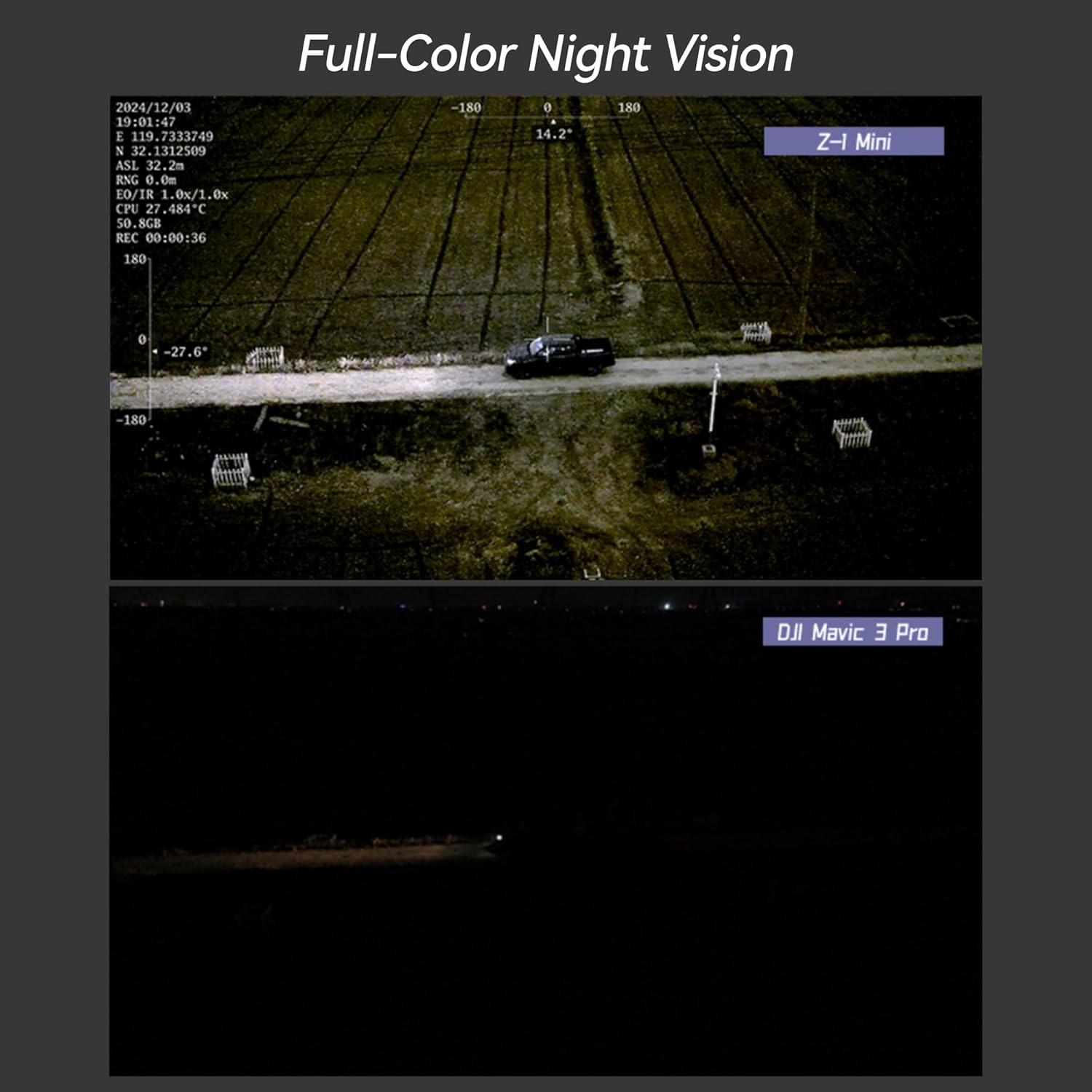
Figure 2.1: RunCam XF Z-1Mini camera with gimbal pod.
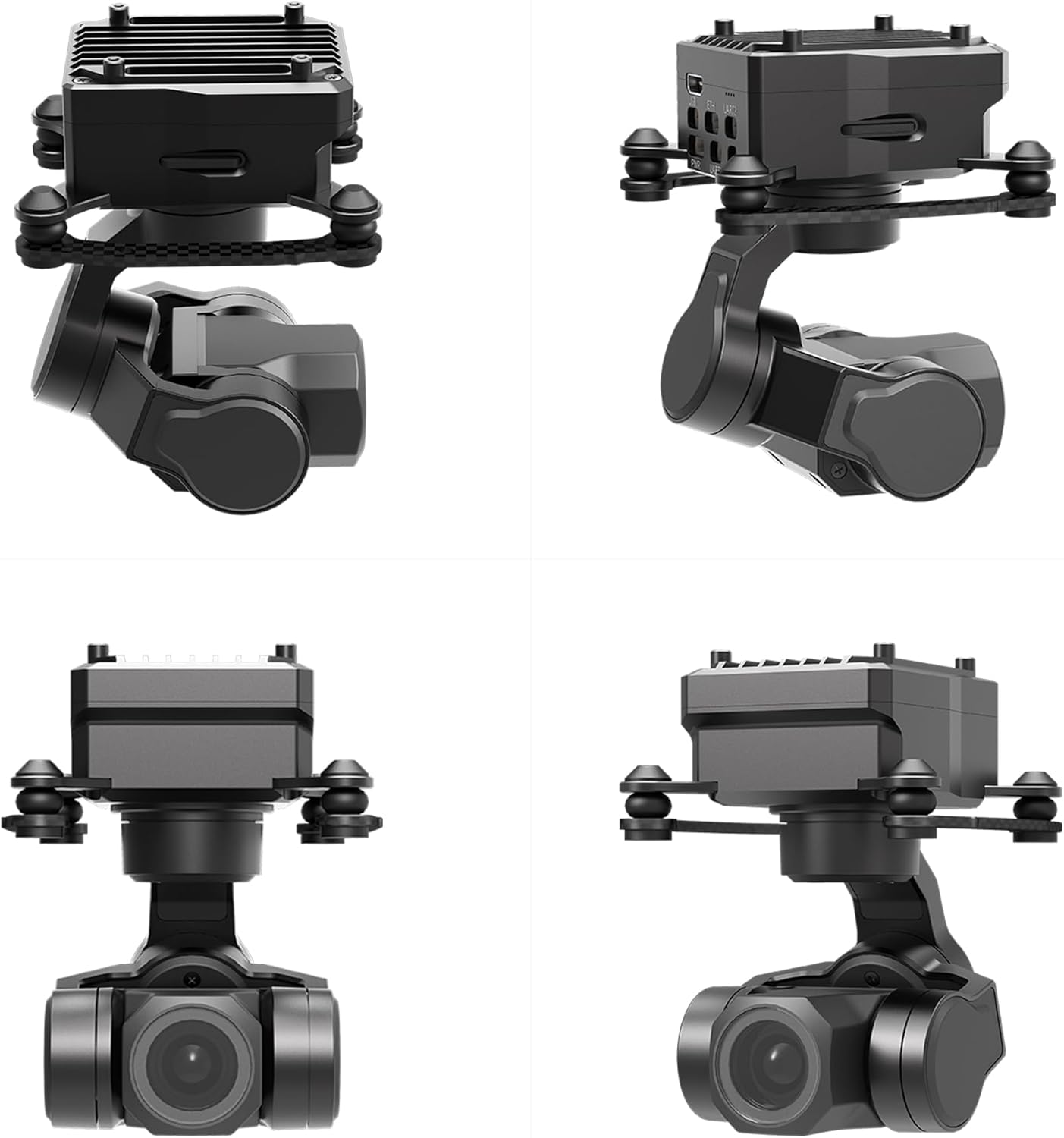
Зураг 2.2: Төрөл бүрийн views of the RunCam XF Z-1Mini, showing its compact design and gimbal structure.
2.2 Gimbal and Camera Assembly
The following videos demonstrate the assembly process for similar gimbal cameras. Please refer to these for guidance on handling the coaxial cables and securing components.
Video 2.1: General installation guide for a similar gimbal camera (O3 Version). This video illustrates the process of disassembling the camera housing, disconnecting/connecting coaxial cables, and securing the lens. Exercise caution as coaxial cables and connectors are delicate.
Video 2.2: Installation steps for a similar gimbal camera (O4Pro Version). This video details the process of fixing the camera onto the gimbal and emphasizes careful cable management to avoid motor issues.
Video 2.3: Assembly of a similar gimbal camera onto an integrated base plate (O4 Version without housing). This demonstrates connecting the gimbal to a base plate and attaching the air unit.
3. Ашиглалтын заавар
Understand the core functionalities and control methods of your Z-1Mini camera system.
3.1 Imaging Capabilities
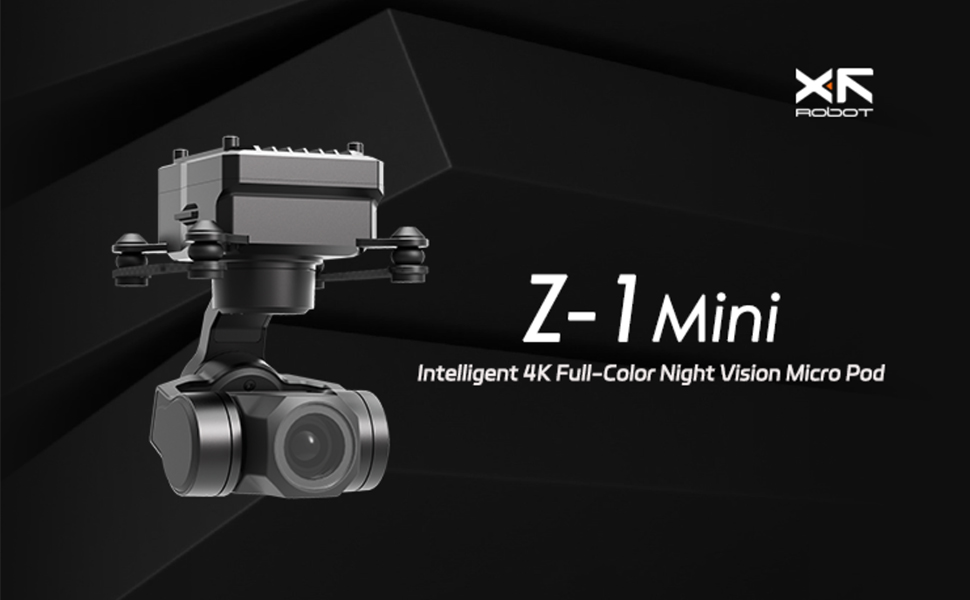
Figure 3.1: Comparison of Full-Color Night Vision performance, highlighting the Z-1Mini's capability in low-light conditions.
Figure 3.2: Demonstrates the crisp detail captured by the 4K resolution camera in a daytime urban environment.

Figure 3.3: Visual representation of the AI Multi-object Detection & Tracking feature, showing identified objects within the camera's view.
3.2 Control and Connectivity

Figure 3.4: Close-up of the Z-1Mini's abundant interfaces, including USB, ETH, UART, PWR, and S.BUS ports.

Figure 3.5: Illustrates the Z-1Mini's compatibility with MAVLink protocol and integration with open-source autopilots like PX4 and ArduPilot via QGC software.
3.3 Usage Scenarios and Integration
Video 3.1: Demonstrates general usage of the gimbal camera, including mounting on an RC vehicle and viewing through FPV goggles.
Video 3.2: Shows the 3-Axis Head Tracking Control feature, allowing the camera to follow head movements for an immersive experience.
Video 3.3: Explains how to set up Channel Mapping for MAVLink Control, configuring the gimbal's pitch and yaw axes via a radio controller.
Video 3.4: Demonstrates First-Person View (FPV) immersion when using the Z-1Mini with a Walksnail FPV System, showcasing its application in RC planes and cars.
Video 3.5: Illustrates the Z-1Mini's use with Walksnail Avatar HD Goggles L, providing a clear FPV experience.
4. Засвар үйлчилгээ
Regular maintenance ensures the longevity and performance of your Z-1Mini camera system.
- Цэвэрлэгээ: Gently clean the lens and camera body with a soft, dry cloth. Avoid abrasive materials or harsh chemicals.
- Програм хангамжийн шинэчлэлтүүд: Periodically check the RunCam official website for the latest firmware updates. Follow the provided instructions for updating to ensure optimal performance and access to new features.
- Хадгалах: Store the camera in a dry, cool environment, away from direct sunlight and extreme temperatures. Use the original packaging or a protective case when transporting.
5. Алдаа засах
If you encounter issues, refer to these common troubleshooting tips.
- Gimbal Motor Unsmooth/Rebounds: As shown in the installation videos, this can be caused by a tense coaxial cable. Carefully organize the cable to ensure it does not impede gimbal movement.
- No Image Transmission: Check all cable connections, especially the coaxial cable between the camera and the air unit. Ensure power is supplied correctly to all components. Verify software settings for image transmission.
- Хяналтын асуудлууд: Confirm that your radio controller is properly bound and configured with the gimbal. Check channel mapping in the GimbalConfig software. Ensure all control cables (UART, S.BUS) are securely connected.
- Software Connection Problems: Ensure the correct COM port is selected in the GimbalConfig software. Reinstall drivers if necessary.
6. Техникийн үзүүлэлтүүд
| Ангилал | Тодорхойлолт |
|---|---|
| Бүтээгдэхүүний нэр | Z-1Mini |
| Хэмжээ | 50.2 x 48.4 x 67.4mm (Product) / 3.5 x 3.5 x 4 inches (Shipping) |
| Жин | 69g (Product) / 8.8 ounces (Shipping) |
| Үйл ажиллагааны ботьtage | 10 ~ 26.4VDC байна |
| Хүч | 4.5W (AVG) / 18W (Stall) |
| Суурилуулалт | Downward / Upward / Surface Mount |
| Гимбалын төрөл | 3-axis Nonorthogonal Mechanical Stabilization |
| Өнцгийн нарийвчлал | ±0.01° |
| Controllable Range (Pitch) | ±120° |
| Controllable Range (Roll) | ±60° |
| Controllable Range (Yaw) | ±160° |
| Хамгийн их хянах хурд | ± 200 °/сек |
| Зургийн мэдрэгч | 1/2.8-inch CMOS, Effective Pixels: 8.29M |
| Линзний фокусын урт | Actual: 6.0mm (Equivalent: 40.6mm) |
| Линзний аптек | f/1.0 |
| Lens HFOV | 54.7° |
| Lens VFOV | 30.2° |
| Lens DFOV | 63.2° |
| Шийдвэр | 3840(H) x 2160(V) |
| Пикселийн хэмжээ | 1.45µm(H) x 1.45µm(V) |
| Equivalent Digital Zoom Rate | 8x |
| Онцлог шинж чанарууд | 4K Recording, Full-color Night Vision, Gimbal Stabilization, Night Vision |
| Тохиромжтой төхөөрөмжүүд | Drones, Gimbals |
| Загварын дугаар | 2504-XF-Z1MINI |
| Батерей | 1 9V batteries required (not included) |
| Хайрцагт юу байна | Камер болон дагалдах хэрэгсэл |
7. Баталгаат хугацаа ба дэмжлэг
For warranty information, technical support, or service inquiries, please contact RunCam customer service through their official webбүтээгдэхүүнийг худалдаж авсан сайт эсвэл жижиглэнгийн худалдаачин. Баталгаат хугацааны нэхэмжлэлийн хувьд худалдан авалтын баримтаа хадгална уу.


