1. Тохиргоо ба анхны тохиргоо
The OBDMATE OM201 Car Scanner is designed for ease of use with its plug-and-play functionality. Follow these steps for initial setup.
1.1 Төхөөрөмжийг холбох
Locate the 16-pin OBDII diagnostic link connector (DLC) in your vehicle. This port is typically found under the dashboard on the driver's side. Connect the OM201 scanner's cable to the vehicle's DLC. The device will power on automatically upon successful connection.

Image: The OBDMATE OM201 Car Scanner connected to a vehicle's OBDII port, ready for use.
1.2 Ignition Requirements
For the scanner to communicate with your vehicle's systems, ensure the vehicle's ignition is turned to the 'ON' position. The engine does not need to be running unless performing specific live data tests.
1.3 Анхны тохиргоо
Upon powering on, you may access the 'Settings' menu to configure language and units of measure. The OM201 supports 8 languages: English, French, Spanish, German, Russian, Italian, Dutch, and Portuguese.
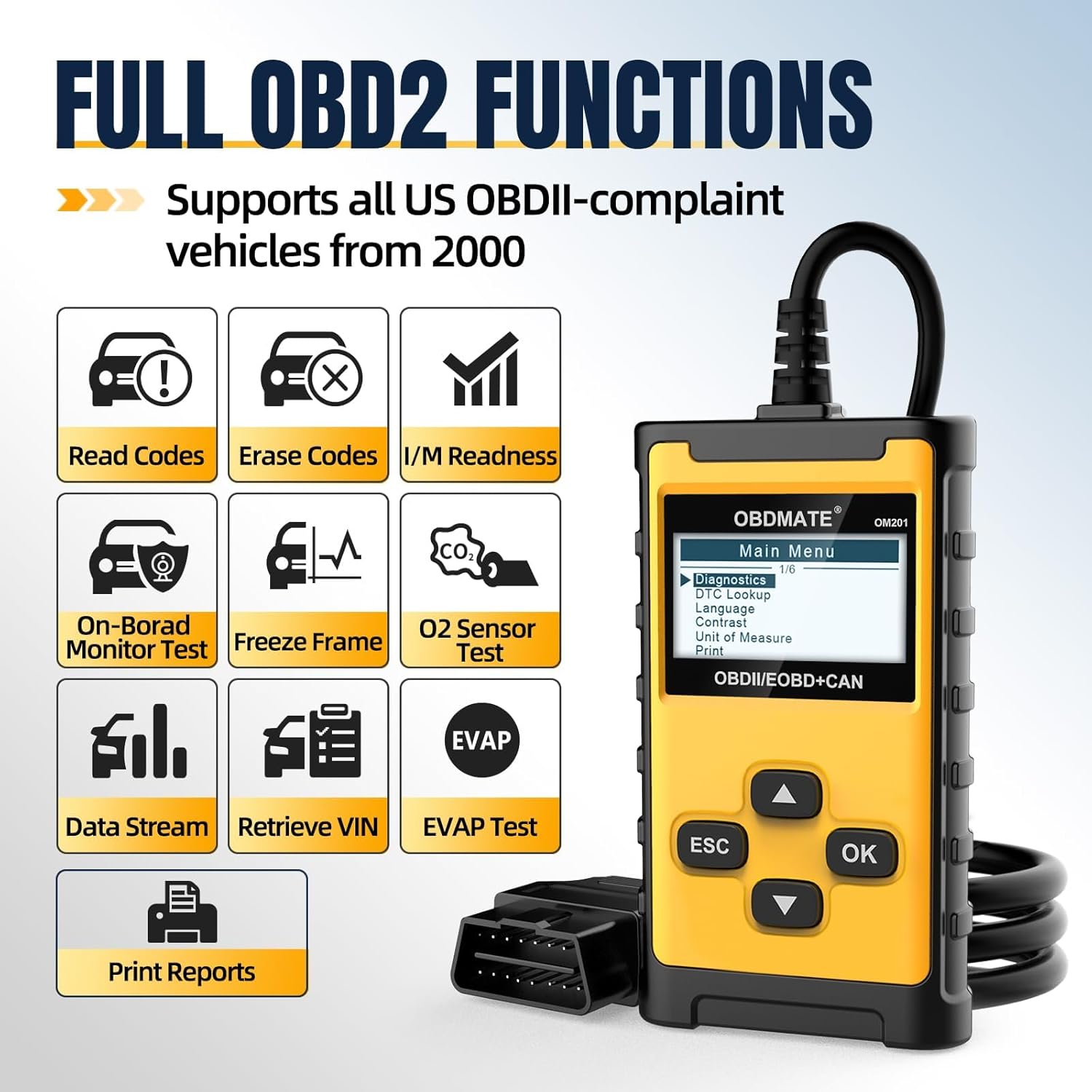
Image: The main menu of the OM201 Car Scanner, displaying options like Diagnostics, DTC Lookup, Language, Contrast, Unit of Measure, and Print.
2. Operating the OM201 Car Scanner
The OBDMATE OM201 provides a range of OBDII functions to help diagnose and monitor your vehicle's health.
2.1 Оношлогооны алдааны кодуудыг (DTC) унших ба арилгах
The primary function of the OM201 is to read and clear DTCs. This allows you to identify why your check engine light (MIL) is illuminated and to turn it off after addressing the issue.
- Код унших: Select 'Read DTC' from the main menu to retrieve current, pending, and permanent trouble codes stored in the vehicle's computer.
- Кодуудыг цэвэрлэх: Select 'Clear DTC' to erase trouble codes and turn off the Malfunction Indicator Lamp (MIL). Ensure the underlying issue is resolved before clearing codes to prevent immediate re-illumination.
- DTC хайлт: The device has over 40,000 built-in code definitions. Use the 'DTC Lookup' function to understand the meaning of a specific code without needing external resources.

Image: The OM201 Car Scanner displaying the 'Erase Codes' prompt, asking for confirmation to clear trouble codes.
2.2 Шууд өгөгдлийн урсгал
Monitor real-time engine data, including RPM, vehicle speed, coolant temperature, O2 sensor readings, and more. This data can be viewed numerically or graphically for easier analysis.

Image: The OM201 Car Scanner showing live graphic data for various engine parameters, providing real-time monitoring.
2.3 I / M бэлэн байдал
Check the readiness status of your vehicle's emission monitoring systems. This function is crucial for determining if your vehicle is ready for an emissions inspection.

Image: The OM201 Car Scanner displaying the I/M Readiness status, indicating whether the vehicle's emission systems are ready for testing.
2.4 EVAP Test
Perform the Evaporative Emission Control System (EVAP) test to check for leaks in the fuel system. This helps identify issues that could trigger the check engine light.
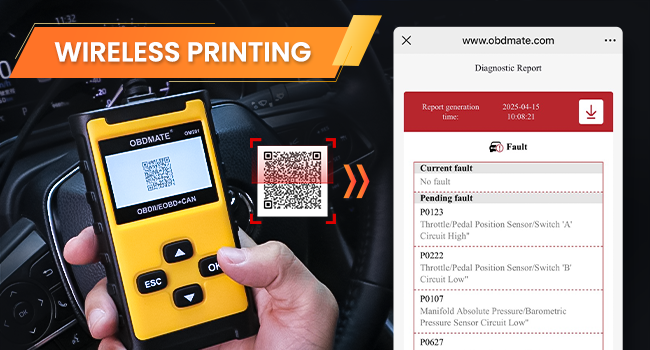
Image: The OM201 Car Scanner displaying the EVAP Test function, used to check for leaks in the evaporative emission system.
2.5 Утасгүй хэвлэх
After a diagnostic scan, the OM201 can generate a detailed report. Scan the QR code displayed on the screen with your smartphone to instantly view and share the report. This report includes DTCs, VIN, live data, and freeze frame information.
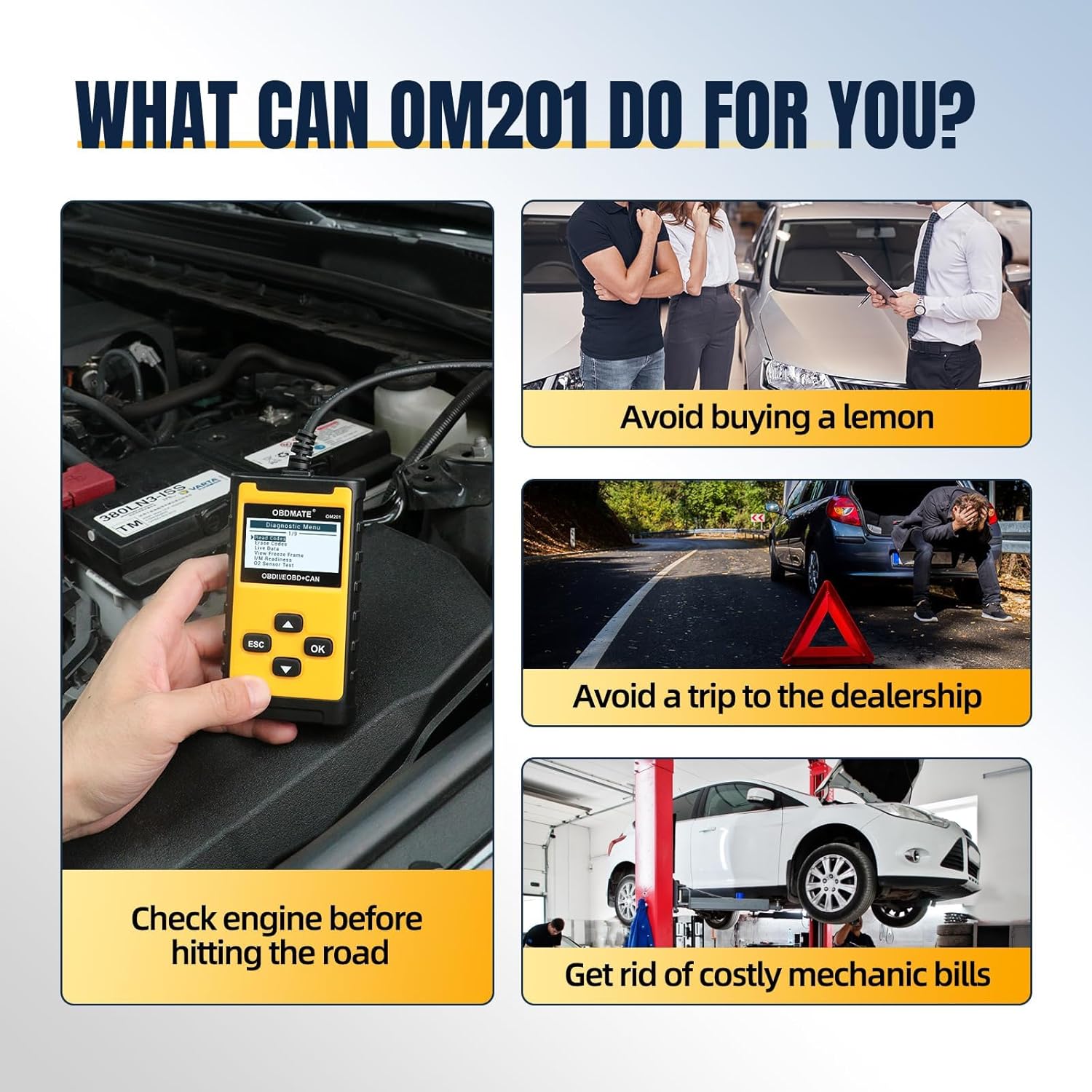
Image: The OM201 Car Scanner displaying a QR code on its screen, which can be scanned by a smartphone to access a diagnostic report for wireless printing.
2.6 Retrieve Vehicle Information
Access important vehicle information such as the Vehicle Identification Number (VIN), Calibration ID (CID), and Calibration Verification Numbers (CVN).
3. Алдаа засах
If you encounter issues while using your OBDMATE OM201 Car Scanner, refer to the following common problems and solutions.
- Device Does Not Power Up:
- Verify the OBDII cable connector is securely connected to the vehicle's DLC.
- Ensure the vehicle's ignition is in the 'ON' position.
- Тээврийн хэрэгслийн зайны багтаамжийг шалгана ууtage. A low battery may prevent the scanner from powering on.
- Холболтын алдаа:
- Ensure the vehicle is OBDII compliant (most vehicles manufactured after 2000 in USA, 2002 in EU, and 2008 in Asia).
- Try connecting the scanner to another OBDII compliant vehicle to rule out a device malfunction.
- Буруу уншилтууд:
- Ensure the correct unit of measure is selected in the 'Settings' menu.
- Verify the vehicle's VIN matches the vehicle being scanned.
For specific Diagnostic Trouble Codes (DTCs), use the built-in 'DTC Lookup' function to understand the code's meaning and potential causes.
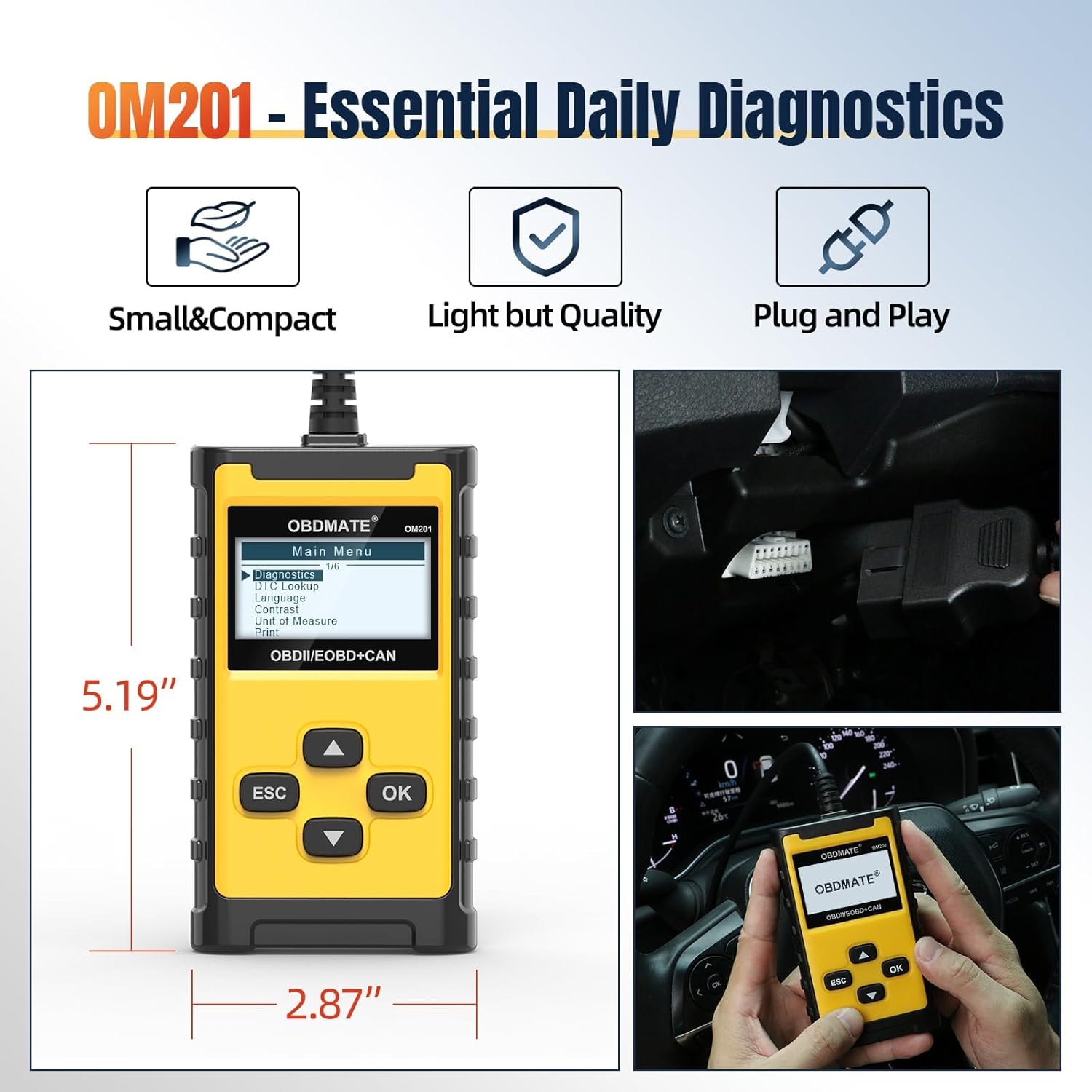
Image: The OM201 Car Scanner displaying the DTC Lookup function, allowing users to search for code definitions directly on the device.
4. Техникийн үзүүлэлтүүд
- Загвар: OM201
- Брэнд: OBDMATE
- Барааны жин: 9.1 унц
- Бүтээгдэхүүний хэмжээ: 2.87"L x 0.95"W x 5.19"H
- Дэлгэцийн хэмжээ: 2.4 инч
- Эрчим хүчний эх үүсвэр: Corded Electric (powered by vehicle OBDII port)
- Үйлдлийн систем: Plug and Play
- Дэмжигдсэн протоколууд: All 9 standard OBDII protocols (CAN, KWP2000, J1850 VPW, J1850 PWM, ISO9141)
- Дэмжигдсэн хэлүүд: English, French, Spanish, German, Russian, Italian, Dutch, Portuguese
5. Засвар үйлчилгээ
To ensure the longevity and optimal performance of your OBDMATE OM201 Car Scanner, follow these maintenance guidelines:
- Цэвэрлэгээ: Төхөөрөмжийг цэвэрлэхдээ зөөлөн, хуурай даавуу ашиглаарай. Зүлгүүрийн цэвэрлэгч эсвэл уусгагч хэрэглэхээс зайлсхий.
- Хадгалах: Store the scanner in a cool, dry place away from direct sunlight and extreme temperatures. Keep it in its original packaging or a protective case when not in use.
- Кабель арчилгаа: Avoid bending or twisting the OBDII cable excessively. Inspect the cable regularly for any signs of damage.
- Програм хангамжийн шинэчлэлтүүд: Үйлдвэрлэгчийг үе үе шалгаж байгаарай website for any available software or firmware updates to ensure compatibility with the latest vehicle models and diagnostic protocols.
6. Бүтээгдэхүүний албан ёсны видеонууд
Watch these official videos from OBDMATE for visual demonstrations of the OM201 Car Scanner's features and usage.
OBDMATE OM201 OBD2 Code Reader - Check Engine Light
Видео: Энэ видео бичлэгийг дуусгах боломжийг олгодогview of the OBDMATE OM201 OBD2 Code Reader, demonstrating how it can be used to check and understand engine light codes.
Quick Start: OBDMATE OM201 Car Scanner
Video: A quick start guide for the OBDMATE OM201 Car Scanner, showing basic setup and initial use.
OBDMATE OM201 Car Scanner Read&Clear Codes
Video: This video demonstrates the process of reading and clearing diagnostic trouble codes using the OBDMATE OM201 Car Scanner.
7. Баталгаат хугацаа ба дэмжлэг
For warranty information, technical support, or any inquiries regarding your OBDMATE OM201 Car Scanner, please refer to the manufacturer's official website or contact their customer service directly. The user manual included in the product packaging also contains detailed contact information.