1. Оршил ба түүнээс дээшview
The Edifier G2000 Pro Bluetooth Computer Speakers are designed to deliver an immersive audio experience for gaming, movies, and music. Featuring 7.1 virtual surround sound, customizable RGB lighting, and multiple connectivity options, these speakers are ideal for various desktop setups.
Гол онцлогууд:
- Compact Size, Big Soundstage: 32W RMS, 64W peak power and virtual 7.1 surround sound deliver explosive bass (75Hz) and precise enemy positioning for PC/PS5/Xbox gaming. 3-inch full-range drivers with dual bass reflex boost cinematic immersion. Compact 5.5×4.6×6.3-inch each, ideal for desktop setups.
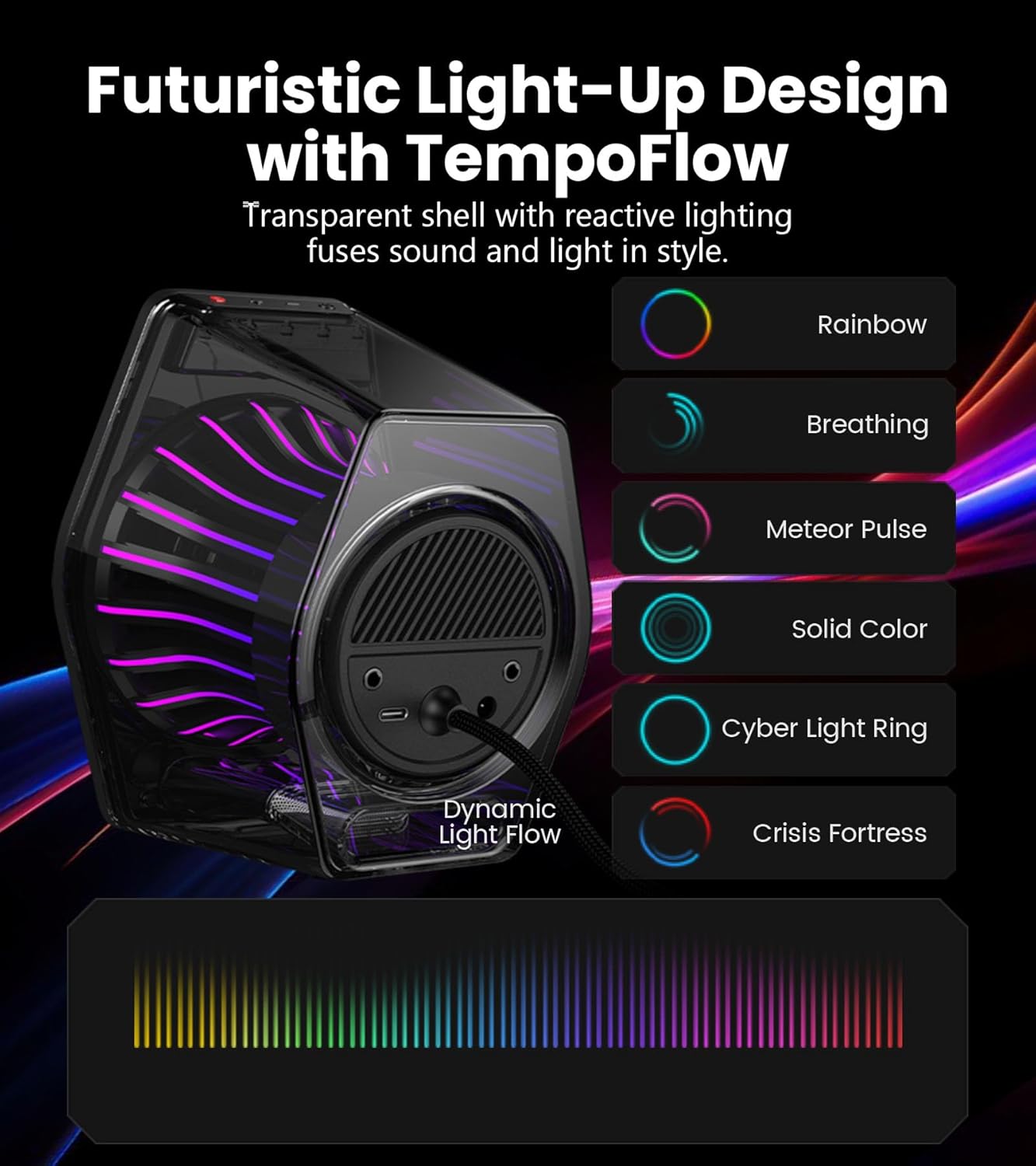
- 270° RGB Light TempoFlow Tech: Unleash the TempoFlow dynamic lighting engine – 20 LED strips + 100 RGB beads sync with gameplay via 7 modes. Control with HECATE software or buttons. Transparent enclosure amplifies 270° dynamic glow, creating a futuristic gaming zone.
- Multi-Device - Bluetooth 5.4/USB/AUX: Bluetooth 5.4 (33ft range) for wireless freedom, USB-C (ultra-low latency) for PC/PS5, 3.5mm AUX for Xbox/Switch. Includes USB-C to USB-A cable, 3.5mm audio cable, and power adapter.
- Pro Acoustic Design & Durability: MDF drivers + DSP chip eliminate distortion. Anti-slip feet isolate vibrations, aluminum caps resist scratches. Tested for 500+ hours in extreme temperatures.
- Game/Movie/Music Modes: Game Mode sharpens footsteps, Movie Mode activates 7.1 surround, Music Mode boosts vocals. Save EQ presets or use tactile buttons for instant switching.

2. Тохиргоо
Follow these steps to set up your Edifier G2000 Pro speakers:
- Unpack the Speakers: Сав баглаа боодолоос бүх бүрэлдэхүүн хэсгүүдийг болгоомжтой арилгана.
- Position the Speakers: Place the speakers on your desktop, ensuring they are angled towards your listening position for optimal sound. The compact size is ideal for various desk setups.
- Чанга яригчийг холбоно уу: Use the provided cable to connect the two speakers together.
- Эрчим хүчний холболт: Connect the power adapter to the main speaker and then to a power outlet.
- Choose Your Audio Source: Connect your desired device using one of the following methods:
- USB-C: For PC or PS5, use the included USB-C to USB-A cable.
- 3.5 мм AUX: For Xbox or Switch, use the included 3.5mm audio cable.
- Bluetooth 5.4: For wireless connection with mobile phones or tablets.

Official unboxing video for the Edifier Hecate G2000 RGB Gaming Speakers, demonstrating the contents and initial setup.
3. Ашиглалтын заавар
The Edifier G2000 Pro speakers offer intuitive controls and multiple audio modes for a tailored listening experience.
Хяналтууд:
- Цахилгаан товч: Long press to power on/off. Short press to switch between input modes (Bluetooth, USB, AUX).
- Дууны хяналт: Adjust volume using the dedicated knob or buttons.
- Гэрлийн эффектийн товчлуур: Double tap the 'G' button to cycle through 7 RGB lighting modes.
- Горим солих: Use tactile buttons to instantly switch between Game, Movie, and Music modes.
Аудио горимууд:
- Тоглоомын горим: Enhances specific audio cues like footsteps for a competitive gaming advantage.
- Киноны горим: Activates 7.1 virtual surround sound for an immersive cinematic experience.
- Хөгжмийн горим: Boosts vocals and optimizes sound for general music listening.

4. RGB Lighting (TempoFlow Tech)
The G2000 Pro speakers feature Edifier's TempoFlow dynamic lighting engine, offering 7 distinct modes with 20 LED strips and 100 RGB beads. The transparent enclosure amplifies the 270° dynamic glow, creating a futuristic gaming atmosphere.
- Идэвхжүүлэх: Double tap the 'G' button on the speaker to cycle through the available lighting effects.
- Тохируулга: Further customization and synchronization with gameplay can be achieved using the HECATE software.
5. Хайрцагт юу байна
Your Edifier G2000 Pro speaker package includes:
- Edifier G2000 Pro Speakers (2 units)
- Цахилгаан кабель
- USB-C-аас USB-A кабель
- 3.5 мм аудио кабель
- Хэрэглэгчийн гарын авлага

6. Техникийн үзүүлэлтүүд
| Онцлог | Дэлгэрэнгүй |
|---|---|
| Загварын нэр | G2000Pro |
| Чанга яригчийн төрөл | Хүрээлэн буй орчны дуу чимээ |
| Өнгө | Цагаан |
| Чанга яригчийн хамгийн их гаралтын чадал | 64 Ватт (Оргил) / 32Вт RMS |
| Холболтын технологи | Bluetooth 5.4, USB-C, 3.5 мм AUX |
| Чанга яригчийн хэмжээ | 3 Inches (Full-range drivers) |
| Дуу шуугианы харьцаа | 96 дБ |
| Бүтээгдэхүүний хэмжээс | 11.69"D x 9.88"W x 7.08"H |
| Зүйлийн жин | 3.52 фунт (1.6 килограмм) |
| Материал | БСХС |
7. Засвар үйлчилгээ
Edifier G2000 Pro чанга яригчныхаа урт наслалт, оновчтой ажиллагааг хангахын тулд эдгээр засвар үйлчилгээний удирдамжийг дагана уу.
- Цэвэрлэгээ: Use a soft, dry cloth to wipe the speaker surfaces. Avoid abrasive cleaners or solvents that may damage the finish.
- Байршил: Place speakers on a stable surface to prevent accidental falls. Ensure adequate ventilation around the speakers.
- Температур: Avoid exposing the speakers to extreme temperatures or high humidity.
- Хамгаалалт: The aluminum caps are designed to resist scratches, but handle with care to maintain their appearance.
8. Алдаа засах
If you encounter issues with your Edifier G2000 Pro speakers, try the following troubleshooting steps:
- Дуугүй:
- Ensure the speakers are powered on and the volume is turned up.
- Verify that the correct input mode (Bluetooth, USB, AUX) is selected on the speaker. Short press the power button to cycle through modes.
- Бүх аудио кабелийг найдвартай холболтын хувьд шалгана уу.
- Confirm that the audio output on your connected device (PC, console, phone) is not muted and volume is sufficient.
- Bluetooth холболтын асуудал:
- Ensure the speakers are in Bluetooth pairing mode (indicated by a flashing light).
- Төхөөрөмж дээрээ Bluetooth-ийг идэвхгүй болгож, дахин идэвхжүүлнэ үү.
- Remove the speakers from your device's paired list and attempt to pair again.
- Гажуудсан дуу:
- Lower the volume on both the speakers and the connected device.
- Сул холболттой кабелийг шалгана уу.
- Ensure the speakers are not placed too close to other electronic devices that might cause interference.
- RGB гэрэл ажиллахгүй байна:
- Double tap the 'G' button to cycle through lighting modes.
- Чанга яригч асаалттай байгаа эсэхийг шалгаарай.
9. Баталгаат хугацаа ба дэмжлэг
For warranty information and technical support, please refer to the official Edifier website or contact Edifier customer service directly. Keep your purchase receipt as proof of purchase for warranty claims.


