1. Танилцуулга
The Ugoos SK2 TV Box is a high-performance streaming media player designed to transform your television into a smart entertainment hub. Running on Android 12.0 with Google TV, it offers seamless access to a vast library of movies, TV shows, and applications. Equipped with a Realtek RTD1325 ARM Cortex-A55 Quad-Core CPU, 4GB RAM, and 32GB ROM, the SK2 ensures smooth 4K HDR playback and efficient multitasking. Its advanced connectivity options, including WiFi 6 and Bluetooth 5.2, provide a stable and fast streaming experience.
2. Багцын агуулга
Please verify that all items are present in the box:
- Ugoos SK2 TV Box
- BT + IR Remote Control
- 12V/1A Power Adapter (US Plug)
- HDMI кабель
- Англи хэлний хэрэглэгчийн гарын авлага

Figure 2.1: Ugoos SK2 TV Box and its accompanying remote control.
3. Бүтээгдэхүүн дууссанview
The Ugoos SK2 TV Box features a compact design with essential ports for connectivity.
3.1 Урд ба хажуу Views

Зураг 3.1: Хажуу тал view of the Ugoos SK2 TV Box, showing the USB-C, Reset button, and USB 2.0 (5V===) port.
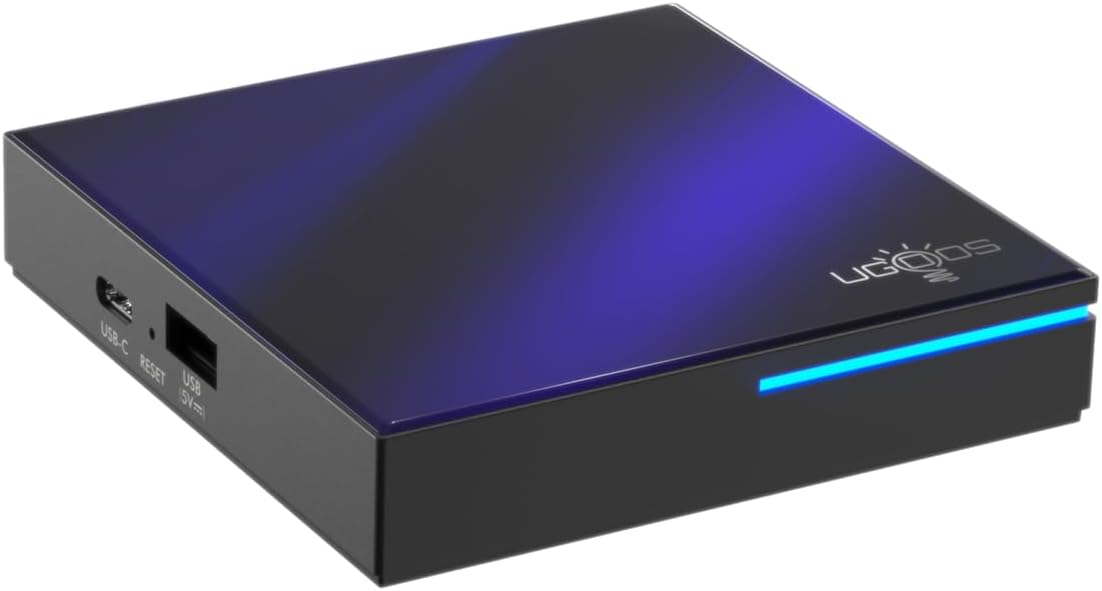
Зураг 3.2: Урд ба хажуу view highlighting the indicator light strip, which illuminates when the device is powered on.
3.2 Арын View (Портууд)
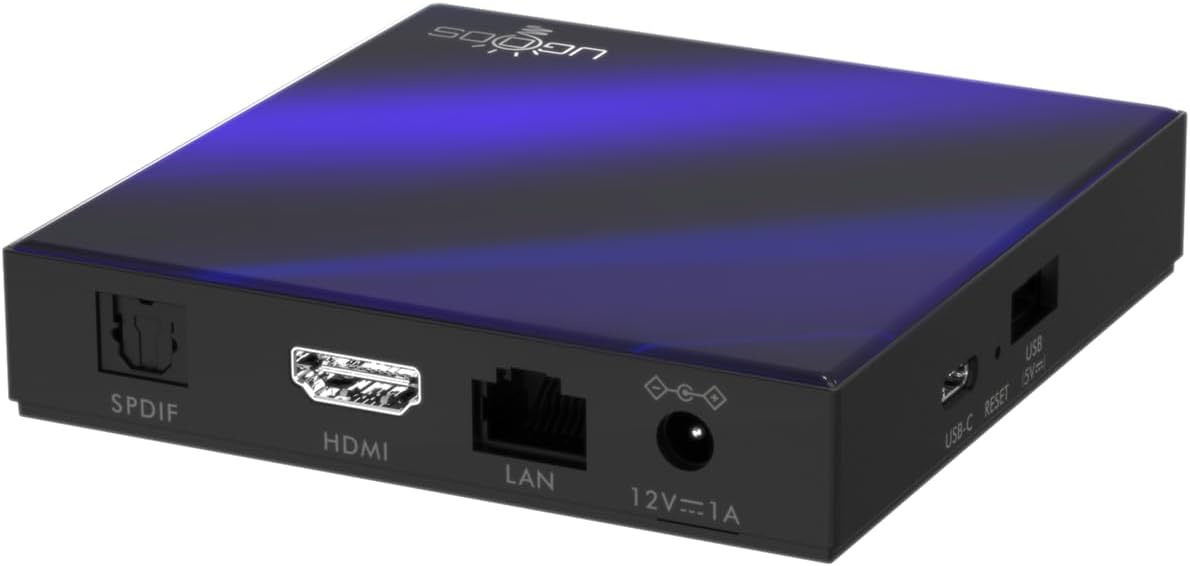
Зураг 3.3: Ар талд view of the Ugoos SK2 TV Box, displaying the SPDIF, HDMI, LAN (Ethernet), and 12V/1A Power input ports.
Видео 3.1: Хайрцгийг задлах ба дуусгахview of the Ugoos SK2 ATV Box, showcasing its design and available ports.
4. Тохируулах гарын авлага
Follow these steps to set up your Ugoos SK2 TV Box:
- ТВ-д холбогдох: Connect one end of the provided HDMI cable to the HDMI port on the Ugoos SK2 TV Box and the other end to an available HDMI input on your television.
- Эрчим хүчийг холбох: Plug the 12V/1A power adapter into the DC IN port on the TV Box and then plug the adapter into a wall outlet. The indicator light on the front of the device will illuminate.
- Алсын зайны батерейг оруулах: Open the battery compartment on the back of the BT + IR Remote Control and insert two AAA batteries (not included), ensuring correct polarity.
- Асаах: Power on your television and select the correct HDMI input source corresponding to where the TV Box is connected. The Ugoos SK2 TV Box should automatically power on.
- Анхны тохиргоо: Follow the on-screen instructions to complete the initial setup, including language selection, region/country, and network connection (Wi-Fi or Ethernet).
- Алсын удирдлагыг хослуулах: During the initial setup, you may be prompted to pair the remote control. Press and hold the 'Home' and 'Back' buttons simultaneously for 5 seconds until the indicator light on the remote flashes, indicating successful pairing.
- Сүлжээнд холбогдох: For optimal performance, connect the device to your home network. You can use either the built-in WiFi 6 (2.4/5/6Ghz) or connect an Ethernet cable to the LAN port for a wired connection.
5. Ашиглалтын заавар
The Ugoos SK2 TV Box runs on Google TV, providing a user-friendly interface for content discovery and streaming.
5.1 Навигаци ба Аппликейшнууд
Use the remote control to navigate through the Google TV interface. The home screen provides personalized recommendations, quick access to installed apps like YouTube, Netflix, Prime Video, and Disney+, and a search function powered by Google Assistant.
5.2 Voice Control (Google Assistant)
Press the Google Assistant button on your remote to activate voice control. You can use voice commands to search for content, control playback, get answers, and manage smart home devices.
5.3 Агуулга дамжуулах (Chromecast суулгасан)
The device features Chromecast built-in, allowing you to cast movies, shows, photos, and more directly from your phone or tablet to your TV.
5.4 4K HDR тоглуулах
The Ugoos SK2 supports 4K 60fps resolution, H.265, AV1, and 4K HDR content, including Dolby Vision and HDR10+. This ensures a vibrant and detailed viewing experience with smooth playback.
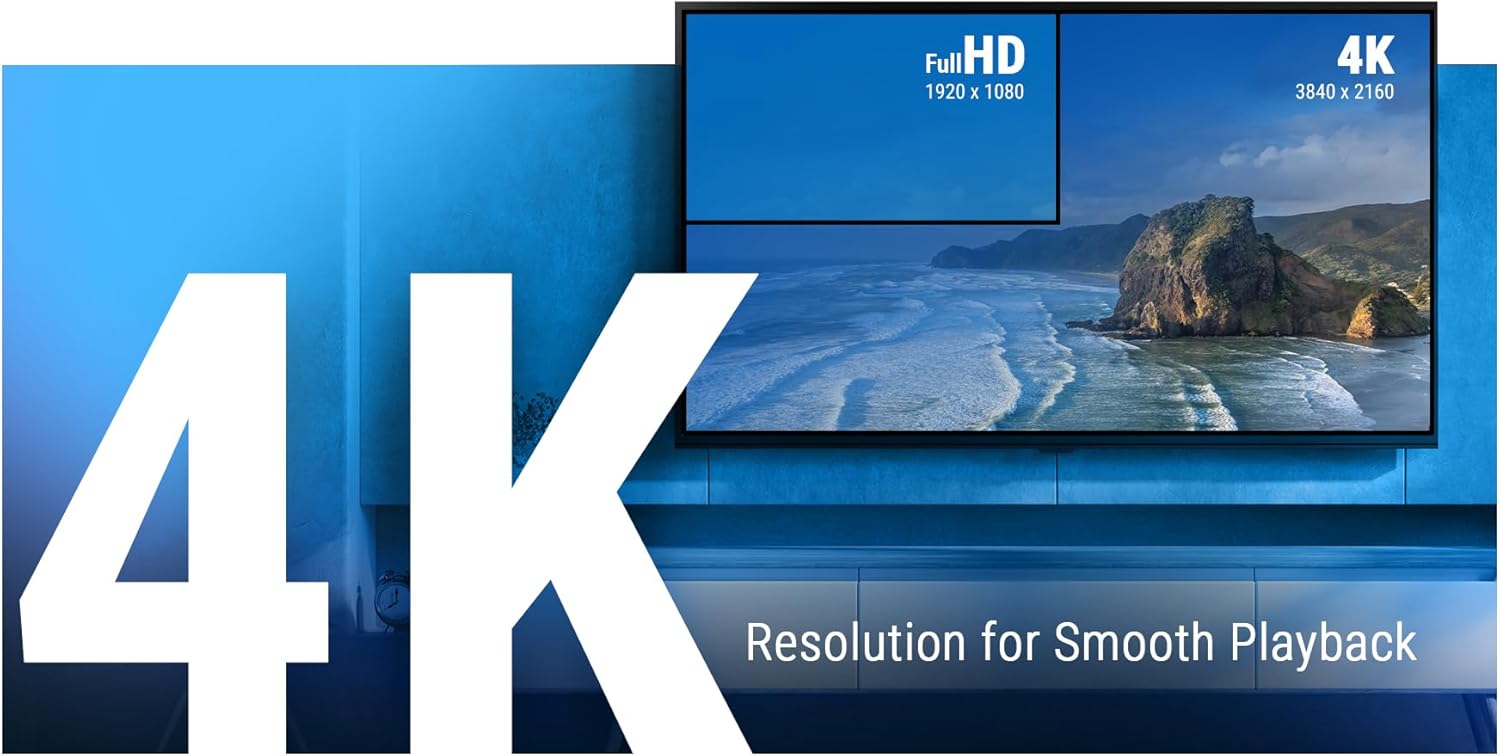
Figure 5.1: The Ugoos SK2 supports 4K resolution for smooth and high-quality video playback.

Figure 5.2: The device supports advanced video technologies like AV1, HDR10+, and Dolby Vision for enhanced visual fidelity.

Figure 5.3: The Automatic Frame Rate (AFR) system ensures optimal resolution and frequency matching for smooth video playback.
6. Засвар үйлчилгээ
To ensure the longevity and optimal performance of your Ugoos SK2 TV Box, follow these maintenance guidelines:
- Цэвэрлэгээ: Төхөөрөмжийн гадна талыг цэвэрлэхийн тулд зөөлөн, хуурай даавуугаар цэвэрлээрэй. Шингэн цэвэрлэгч, зүлгүүрийн материал ашиглахаас зайлсхий.
- Агааржуулалт: Хэт халалтаас сэргийлж төхөөрөмжийг агааржуулалт сайтай газар байрлуулсан эсэхийг шалгаарай. Агааржуулалтын нүхийг бүү таглаарай.
- Програм хангамжийн шинэчлэлтүүд: Periodically check for and install software updates to ensure you have the latest features and security patches. This can usually be done through the device's settings menu.
- Хадгалах менежмент: While the device has 32GB of internal storage, regularly manage your installed apps and media to prevent performance degradation due to full storage.
7. Алдаа засах
If you encounter issues with your Ugoos SK2 TV Box, refer to the following common problems and solutions:
- Эрчим хүчгүй:
- Цахилгаан адаптер нь төхөөрөмж болон ажиллаж байгаа цахилгаан залгуурт найдвартай холбогдсон эсэхийг шалгаарай.
- Цахилгаан залгуур ажиллаж байгаа эсэхийг өөр төхөөрөмжид залгаж шалгана уу.
- Зураг/Дохио алга:
- HDMI кабель нь ТВ хайрцаг болон ТВ хоёуланд нь найдвартай холбогдсон эсэхийг шалгана уу.
- ТВ-ээ зөв HDMI оролтын эх үүсвэрт тохируулсан эсэхийг шалгаарай.
- ТВ дээрээ өөр HDMI кабель эсвэл HDMI порт ашиглаж үзнэ үү.
- Алсын удирдлага хариу өгөхгүй байна:
- Алсын удирдлага дахь батерейг шалгаж, солино уу.
- Re-pair the remote control by pressing and holding the 'Home' and 'Back' buttons simultaneously for 5 seconds.
- Wi-Fi холболтын асуудал:
- Wi-Fi чиглүүлэгчээ асаалттай, зөв ажиллаж байгаа эсэхийг шалгаарай.
- Move the TV Box closer to the router or consider using an Ethernet connection.
- ТВ хайрцаг болон Wi-Fi чиглүүлэгчээ дахин эхлүүлнэ үү.
- Аппликешн хөлдөх/гацах:
- Асуудалтай програмыг хааж, дахин нээнэ үү.
- Clear the app's cache and data through the device settings.
- Төхөөрөмжийн програм хангамж шинэчлэгдсэн эсэхийг шалгаарай.
For persistent issues, consider performing a factory reset (refer to the device settings for this option). Note that a factory reset will erase all personal data and installed applications.
8. Техникийн үзүүлэлтүүд
Detailed technical specifications for the Ugoos SK2 TV Box:
| Онцлог | Тодорхойлолт |
|---|---|
| Загварын нэр | SK2 |
| Брэнд | Ugoos |
| Үйлдлийн систем | Андройд 12.0 (Google TV) |
| Processor (SOC) | Realtek RTD1325, ARM Cortex-A55 Quad-Core CPU |
| GPU | Мали-G57 MC1 |
| RAM | 4 ГБ DDR4 |
| Дотоод санах ой | 32 ГБ eMMC |
| Утасгүй холболт | WiFi 6 (2.4/5/6Ghz, IEEE 802.11 a/b/g/n/ac/ax 2x2 MIMO) |
| Bluetooth | Bluetooth 5.2 |
| Видео гаралт | HDMI (4K 60fps, HDR, AV1, VP9, H.265) |
| Аудио дэмжлэг | Dolby Vision-Atmos |
| Ethernet | 100 сая LAN порт |
| USB портууд | USB-C, USB 2.0 |
| Бусад портууд | SPDIF, Reset |
| Эрчим хүчний оролт | 12V/1A |
| Хэмжээ | 3.78 x 3.78 x 0.75 инч |
| Зүйлийн жин | 1.35 фунт |
| Онцлог шинж чанарууд | Chromecast built-in, Google Assistant |

Зураг 8.1: Илүүview of the Ugoos SK2's core technical specifications.

Figure 8.2: Comparison illustrating the improved data transfer speed of Bluetooth 5.2 supported by the Ugoos SK2.
9. Аюулгүй байдлын мэдээлэл
Төхөөрөмжид гэмтэл учруулах эсвэл өөрийгөө гэмтээхээс сэргийлэхийн тулд эдгээр аюулгүй байдлын урьдчилан сэргийлэх арга хэмжээг уншиж, дагаж мөрдөнө үү.
- Зөвхөн өгсөн тэжээлийн адаптерийг ашиглана уу.
- Төхөөрөмжийг ус, чийг, хэт өндөр температурт бүү тавь.
- Төхөөрөмжийг дулааны эх үүсвэрийн ойролцоо эсвэл нарны шууд тусгалд байрлуулахаас зайлсхий.
- Төхөөрөмжийг задлах, өөрчлөхийг бүү оролд.
- Төхөөрөмж болон дагалдах хэрэгслийг хүүхдэд хүрэхгүй газар хадгална уу.
10. Баталгаат хугацаа ба дэмжлэг
The Ugoos SK2 TV Box is covered by a standard manufacturer's warranty. Please refer to the warranty card included in your package or contact Ugoos customer support for detailed information regarding warranty terms, service, and technical assistance.
For further support, visit the official Ugoos webсайт эсвэл харилцагчийн үйлчилгээний багтай холбогдоно уу.


