1. Танилцуулга
This manual provides essential instructions for the safe operation and maintenance of your VTech Advanced HD Plus 5.5" HD 1 Cam Video Baby Monitor. Please read this manual thoroughly before using the product to ensure proper setup and functionality. Keep this guide for future reference.

Image 1.1: The VTech Advanced HD Plus 5.5" HD 1 Cam Video Baby Monitor, featuring the parent unit and baby unit.
2. Үндсэн шинж чанарууд
The VTech Advanced HD Plus Video Baby Monitor is designed to provide reliable monitoring of your baby. Key features include:
- 5.5" HD IPS LCD Screen: Offers clear 720p video resolution with wide viewing angles and enhanced color accuracy.
- Батерейны урт наслалт: Up to 13 hours of continuous video streaming or 19 hours of audio-only streaming on a single charge.
- Pan-Tilt-Zoom Camera: Remote control for 360-degree panoramic view, 122-degree vertical view, and 4x digital zoom.
- Өргөн өнцөг View: A 110-degree wide-angle lens captures more of the nursery.
- Adaptive Night Light: Touch-controlled, dimmable 7-color night light to create a soothing environment.
- Хоёр талын яриа: Allows communication with your baby from the parent unit.
- Lullabies & Soothing Sounds: Five calming melodies and five ambient sounds to help soothe your baby.
- Температурын хяналт: Displays the nursery's ambient temperature on the parent unit.
- Хөдөлгөөн ба дуут дохиолол: Notifies you of activity in the baby's room.
- Automatic Infrared Night Vision: Provides clear video in low-light conditions.
- Secure 2.4GHz Wireless Connection: Ensures a private and interference-free connection up to 1,000 feet. No Wi-Fi required.

Image 2.1: Visual representation of the monitor's main features.
3. Багцын агуулга
Таны багцад бүх зүйл байгаа эсэхийг шалгаарай:
- Эцэг эхийн хэсэг
- Хүүхдийн хэсэг (Камер)
- 2 AC Adapters (one for Parent Unit, one for Baby Unit)
- Түргэн эхлүүлэх гарын авлага
4. Тохируулах заавар
4.1. Эцэг эхийн төхөөрөмжийг цэнэглэх
- Эцэг эхийн төхөөрөмжийн тэжээлийн адаптерийн жижиг үзүүрийг эцэг эхийн төхөөрөмжийн хажуу талд байрлах тэжээлийн залгуурт холбоно уу.
- Цахилгаан адаптерийн том үзүүрийг ханын залгуурт залгаарай.
- Charge the parent unit for at least 12 hours before initial use. The battery icon will indicate charging status.
4.2. Хүүхдийн тасгийг тэжээх (Камер)
- Хүүхдийн төхөөрөмжийн тэжээлийн адаптерийн жижиг үзүүрийг хүүхдийн төхөөрөмжийн ар талд байрлах тэжээлийн залгуурт холбоно уу.
- Цахилгаан адаптерийн том үзүүрийг ханын залгуурт залгаарай.
- The baby unit will power on automatically once connected to power.
4.3. Positioning the Baby Unit
Хүүхдийн төхөөрөмжийг цэвэр агаартай газар байрлуулна уу view of your baby in their crib or play area. For optimal performance:
- Place the baby unit at least 3 feet (1 meter) away from your baby to avoid potential hazards.
- Ensure the baby unit is on a flat, stable surface or securely mounted to a wall (mounting hardware not included).
- Avoid placing the baby unit near other electronic devices that may cause interference.
- Keep the power cords out of reach of children.
5. Ашиглалтын заавар
5.1. Эцэг эхийн нэгжийн хяналт
Familiarize yourself with the buttons on your parent unit:
- ЦЭС/СОНГОХ: Press to open the menu or confirm a selection.
- Сумны товчлуурууд (Дээш, Доош, Зүүн, Баруун): Navigate menu options and control camera pan/tilt.
- VOL + / VOL -: Сонсох дууны хэмжээг тохируулна уу.
- ЯРИЛЦ: Хүүхдийн төхөөрөмжөөр дамжуулан хүүхэдтэйгээ ярихын тулд дараад барина уу.
- LCD асаах/унтраах: Press to turn the screen on or off while audio monitoring continues.
- Томруулах: Press to zoom in or out on the video feed.
- Цахилгаан товч: Эцэг эхийн хэсгийг асаах, унтраахын тулд удаан дар.
5.2. Video Monitoring
Once both units are powered on and linked, the parent unit will automatically display live video from the baby unit. The 5.5" IPS screen provides a clear view.
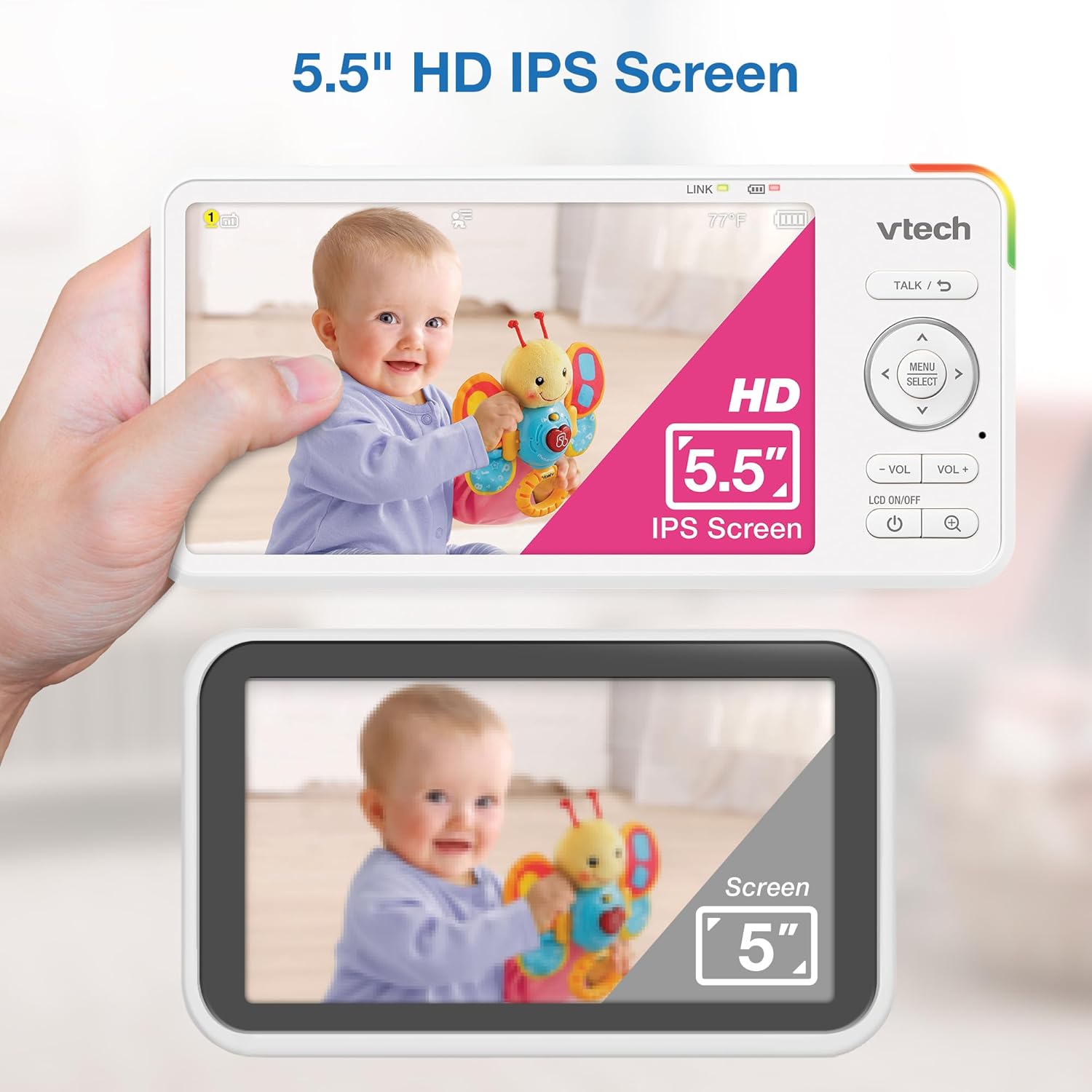
Image 5.1: The 5.5" HD IPS screen offers a larger and clearer view compared to standard screens.
5.3. Pan, Tilt, and Zoom
Use the arrow buttons on the parent unit to remotely adjust the camera's view:
- дээр дарна уу Дээш/Доош arrows to tilt the camera vertically (122-degree vertical view).
- дээр дарна уу Зүүн/Баруун arrows to pan the camera horizontally (360-degree panoramic view).
- дээр дарна уу ZOOM button to activate the 4x digital zoom for a closer look.

Image 5.2: Remote pan, tilt, and 4x zoom functionality for comprehensive nursery coverage.
5.4. Хоёр талын яриа
Хүүхэдтэйгээ ярихын тулд товчлуурыг дараад барина уу ЯРИА button on the parent unit. Release the button to stop talking and resume listening.

Image 5.3: Using the two-way talk feature to communicate with your baby.
5.5. Night Light, Lullabies, and Soothing Sounds
Access these features through the parent unit's menu:
- Шөнийн гэрэл: Select the night light option to choose from 7 colors or adjust brightness. The adaptive feature adjusts to nursery brightness.
- Lullabies & Soothing Sounds: Choose from five melodies and five ambient sounds to play through the baby unit.
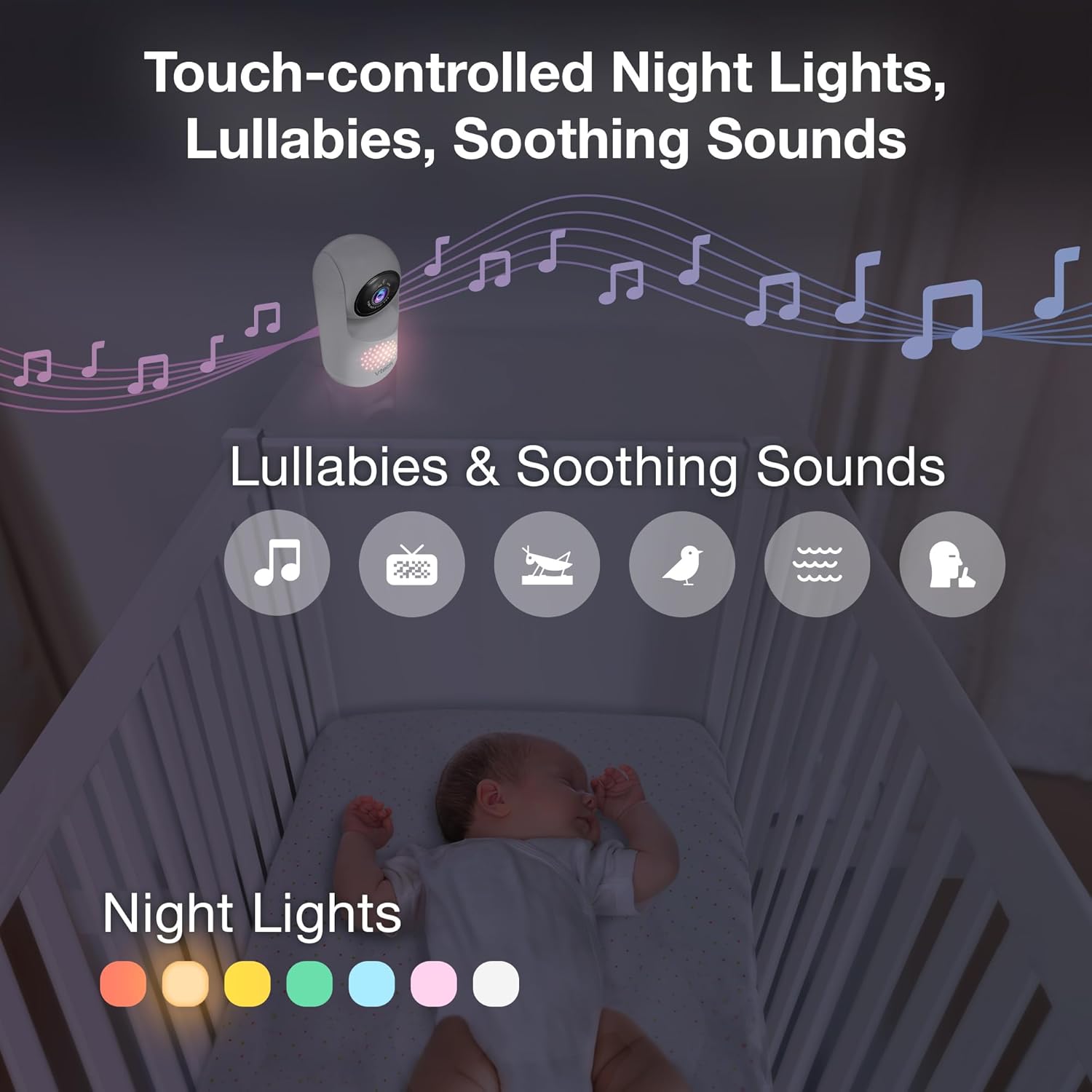
Image 5.4: The camera unit provides touch-controlled night lights, lullabies, and soothing sounds.
5.6. Температурын хяналт
The parent unit displays the current temperature of the baby's room, measured by the baby unit. This helps ensure a comfortable environment for your baby.
5.7. Motion and Sound Alerts
The monitor is equipped with motion and sound detection. When activity is detected, the parent unit will provide an alert. You can adjust the sensitivity settings in the menu.

Image 5.5: Motion and temperature alerts displayed on the parent unit.
5.8. Шөнийн хараа
The baby unit automatically activates infrared night vision in low-light conditions, providing a clear black-and-white image on the parent unit.

Image 5.6: Automatic infrared night vision for clear monitoring in the dark.
6. Засвар үйлчилгээ
6.1. Цэвэрлэгээ
- Clean the monitor units with a soft, damp даавуу.
- Цэвэрлэх шүршигч, шингэн цэвэрлэгч хэрэглэж болохгүй.
- Ensure units are unplugged before cleaning.
6.2. Зайны арчилгаа
- To prolong battery life, fully charge the parent unit before first use.
- Батерейны гүйцэтгэлд нөлөөлж болзошгүй хэт температураас зайлсхий.
- If storing the unit for an extended period, charge the battery periodically.

Image 6.1: The 5,000mAh rechargeable battery provides extended monitoring time.
7. Алдаа засах
If you experience issues with your VTech Advanced HD Plus monitor, refer to the following common solutions:
| Асуудал | Боломжит шийдэл |
|---|---|
| No link / Poor connection |
|
| Зураг байхгүй / Хар дэлгэц |
|
| Дуу байхгүй / Дуу бага |
|
| Батерей хурдан дуусдаг |
|
If the problem persists after trying these solutions, please contact VTech customer support.
8. Техникийн үзүүлэлтүүд
| Онцлог | Дэлгэрэнгүй |
|---|---|
| Загварын нэр | Advanced HD Plus |
| Дэлгэцийн хэмжээ | 5.5 инчийн IPS LCD |
| Видеоны нягтрал | 720p |
| Холболтын технологи | 2.4G FHSS Wireless (No Wi-Fi) |
| Хүрээ | 1,000 фут хүртэл (харах шугам) |
| Зайны багтаамж | 5000 мАч |
| Battery Life (Video Streaming) | 13 цаг хүртэл |
| Battery Life (Audio-only) | 19 цаг хүртэл |
| Пан өнцөг | 360 degrees panoramic |
| Налалтын өнцөг | 122 degrees vertical |
| Томруулах | 4x Дижитал |
| Өргөн өнцөг View | 110 градус |
| Шөнийн хараа | Автомат хэт улаан туяа |
| Сэрэмжлүүлгийн төрлүүд | Аудио ба хөдөлгөөн |
| Эрчим хүчний эх үүсвэр | Утастай цахилгаан (5V, 7.5W) |
| Dimensions (Parent Unit) | 6.58 x 3.23 x 0.71 инч |
| Зүйлийн жин | 1.6 фунт (0.73 кг) |
| UPC | 735078058157 |
9. Дэмжлэг ба баталгаа
For technical support, product registration, or warranty information, please visit the official VTech webсайт эсвэл харилцагчийн үйлчилгээтэй холбоо барина уу:
- Webсайт: www.vtechbabycare.com
- Имэйл: support@vtechbabycare.com
Please refer to your product packaging or the VTech website for specific warranty details applicable to your region.


