1. Танилцуулга
This manual provides essential information for the installation, operation, and maintenance of your ZOTAC Gaming GeForce RTX 5060 Twin Edge OC graphics card. Designed for high-performance gaming, this card features the NVIDIA Blackwell architecture, DLSS 4, 8GB GDDR7 memory, and PCIE 5.0 support, all within a compact, SFF-ready design. Please read this manual thoroughly before installation and use to ensure optimal performance and longevity of your product.
2. Хайрцагт юу байна
Бүх зүйл багцад байгаа эсэхийг шалгана уу:
- ZOTAC GAMING GeForce RTX 5060 Twin Edge OC graphics card
- Хэрэглэгчийн гарын авлага (энэ баримт бичиг)
- Түргэн эхлүүлэх гарын авлага
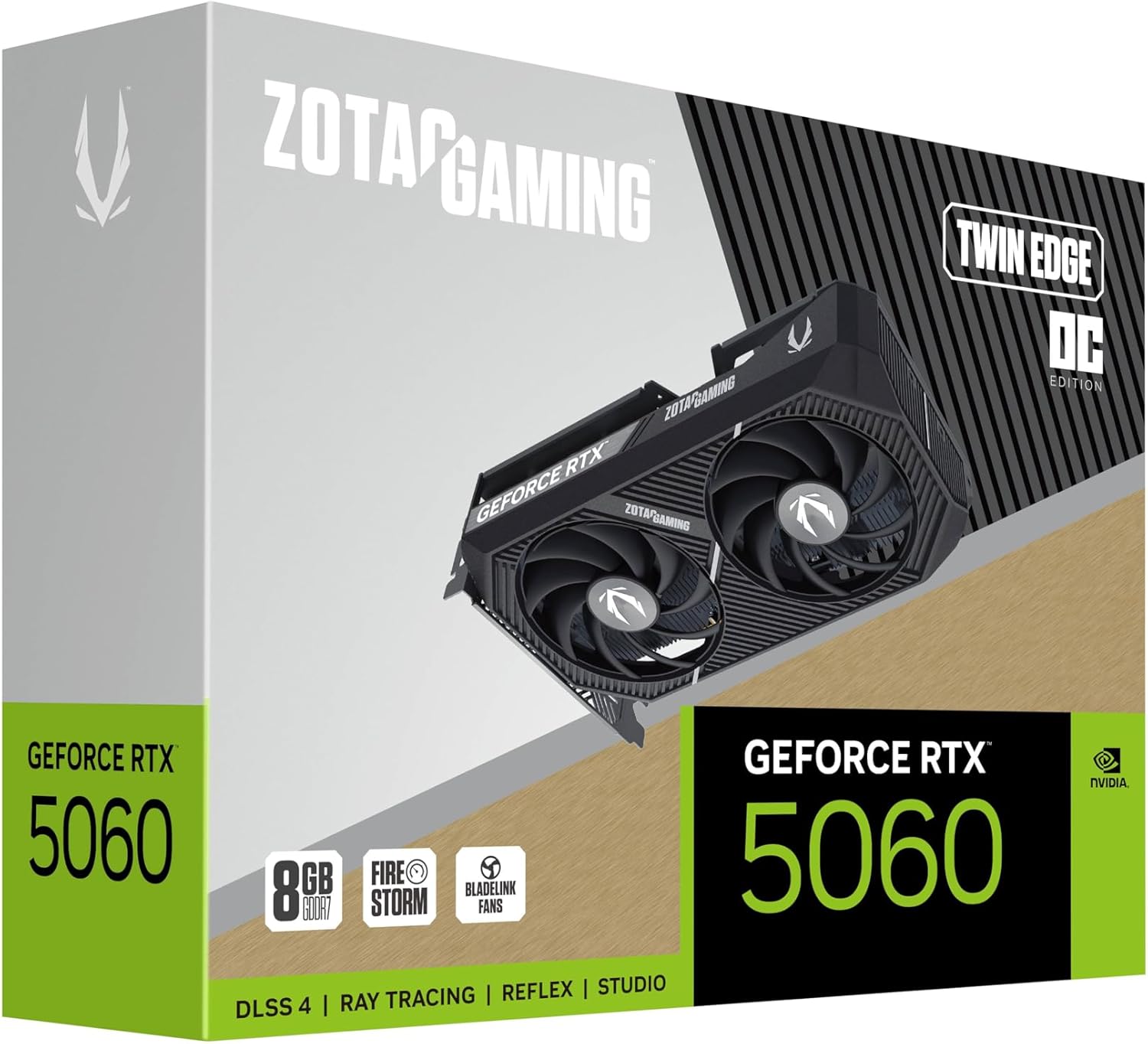
Image: The retail packaging for the ZOTAC Gaming GeForce RTX 5060 Twin Edge OC graphics card.
3. Бүтээгдэхүүн дууссанview
Familiarize yourself with the physical components of your graphics card.

Зураг: Урд view график карт, showcasing the dual 90mm BladeLink fans and ZOTAC GAMING branding.

Зураг: Ар талд view of the graphics card, showing the 3 DisplayPort 2.1b and 1 HDMI 2.1b output ports.

Зураг: хажуу тал view of the graphics card, highlighting its compact two-slot design.
4. Техникийн үзүүлэлтүүд
Key technical specifications of the ZOTAC Gaming GeForce RTX 5060 Twin Edge OC graphics card:
| Онцлог | Тодорхойлолт |
|---|---|
| График процессор | GeForce RTX 5060 |
| Чипсет брэнд | NVIDIA |
| Видео санах ой | 8 ГБ GDDR7 |
| Санах ойн интерфейс | 128-бит |
| Санах ойн хурд | 28 Gbps |
| PCIe интерфейс | PCIE 5.0 |
| Гаралтыг харуулах | 3 x DisplayPort 2.1b, 1 x HDMI 2.1b |
| Макс тогтоол | 7680x4320 (8K Ready) |
| Олон дэлгэцийн дэмжлэг | 4 Дэлгэц |
| Хөргөлтийн систем | Dual 90mm BladeLink fans, Composite Heatpipes, Pass-thru Airflow Design |
| Цахилгаан холбогч | 8-pin PCIe |
| Хэмжээ (LxWxH) | 8.7 x 1.6 x 0.1 инч (220.5 x 41.6 x 120.25 мм) |
| Жин | 1.57 фунт |
5. Тохиргоо ба суурилуулалт
5.1 Суулгахаас өмнөх шалгах хуудас
- Таны цахилгаан хангамжийн нэгж (PSU) санал болгосон ваттай нийцэж байгаа эсэхийг шалгаарайtage for your system, including the new graphics card.
- Компьютерээ унтраагаад цахилгааны кабелийг хананы залгуураас салга.
- Ground yourself to discharge any static electricity before handling components.
5.2 Техник хангамж суурилуулах
- Компьютерийнхээ гэрийг нээ.
- Эх хавтан дээрээ байгаа PCI Express 5.0 x16 слотыг олоорой.
- Remove any expansion slot covers that correspond to the graphics card's two-slot width.
- Carefully align the graphics card with the PCIe slot and press down firmly until it is securely seated. Ensure the retention clip on the PCIe slot locks into place.
- График картыг хайрцагт боолтоор бэхлээрэй.
- Connect the 8-pin PCIe power connector from your PSU to the graphics card. Ensure a firm connection.
- Компьютерийнхаа хайрцгийг хаа.
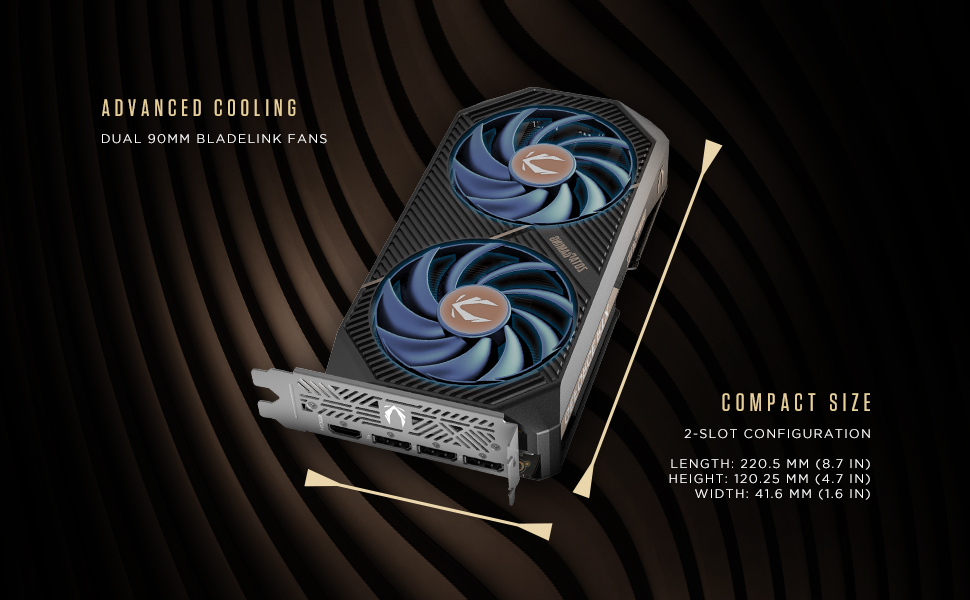
Image: Illustration of the graphics card's compact dimensions and dual fan cooling system, aiding in installation planning.
5.3 Драйвер суурилуулах
- Reconnect the power cable and turn on your computer.
- График картаас дэлгэцийн кабелийг (HDMI эсвэл DisplayPort) дэлгэц рүү холбоно уу.
- Once the operating system loads, download the latest NVIDIA drivers for your GeForce RTX 5060 from the official NVIDIA webсайт (www.nvidia.com/drivers).
- Драйверын суулгалтыг дуусгахын тулд дэлгэц дээрх зааврыг дагана уу. Системийг дахин асаах шаардлагатай байж магадгүй.
6. График картаа ажиллуулах
6.1 Драйверын шинэчлэлтүүд
Regularly update your graphics drivers to ensure optimal performance, stability, and access to the latest features and game optimizations. NVIDIA releases new drivers frequently, which can be downloaded from their official website or through the GeForce Experience application.
6.2 ZOTAC GAMING Utilities
ZOTAC provides utility software, such as FireStorm, which allows you to monitor your graphics card's performance, adjust fan speeds, and customize lighting (if applicable). Refer to the ZOTAC webДэлгэрэнгүй мэдээлэл болон татан авалтыг сайтаас авна уу.
6.3 Дэлгэцийн тохиргоо
Utilize the NVIDIA Control Panel to configure display settings, including resolution, refresh rate, and multi-monitor setups. This software is installed with the graphics drivers.
7. Засвар үйлчилгээ
7.1 Цэвэрлэгээ
- Periodically clean the fans and heatsink of your graphics card to prevent dust buildup, which can impede cooling performance.
- Use compressed air to gently blow dust out of the heatsink fins and fan blades. Hold the fan blades in place to prevent them from spinning excessively during cleaning.
- Ensure your computer is powered off and unplugged before performing any cleaning.
7.2 Агаарын урсгал
Maintain good airflow within your PC case. Ensure that case fans are properly configured to draw cool air in and expel hot air out. Avoid obstructing the graphics card's fans or exhaust vents.

Image: Visual representation of the card's pass-through airflow design for faster heat release and the metal backplate for enhanced rigidity.
8. Алдаа засах
Энэ хэсэгт таны график карттай холбоотой нийтлэг асуудлуудыг авч үзэх болно.
| Асуудал | Боломжит шалтгаан | Шийдэл |
|---|---|---|
| Дэлгэцийн гаралт байхгүй | Incorrect cable connection, unseated card, no power, driver issue | Ensure display cables are securely connected. Reseat the graphics card. Verify the 8-pin PCIe power connector is fully inserted. Install or update drivers. |
| Системийн тогтворгүй байдал эсвэл эвдрэл | Outdated drivers, overheating, insufficient PSU power | Update graphics drivers. Monitor temperatures using ZOTAC FireStorm or other tools. Ensure PSU meets requirements. |
| Fans not spinning or excessive noise | Dust buildup, fan control settings, faulty fan | Clean fans and heatsink. Check fan speed settings in ZOTAC FireStorm. Contact support if a fan is faulty. |
| Low performance in games | Outdated drivers, incorrect game settings, CPU bottleneck | Ensure latest drivers are installed. Adjust in-game graphics settings. Verify other system components are not limiting performance. |
9. Баталгаат хугацаа ба дэмжлэг
ZOTAC provides dedicated customer support and warranty coverage for its products.
9.1 Баталгаат хугацаа
Your ZOTAC Gaming GeForce RTX 5060 Twin Edge OC graphics card typically comes with a 3-year coverage. Please register your product on the official ZOTAC website to activate and verify your warranty terms and conditions, as they may vary by region.
9.2 Хэрэглэгчийн дэмжлэг
For technical assistance, troubleshooting, or warranty claims, please utilize ZOTAC's support resources:
- Онлайн чат: Access 24/7 online chat support via the ZOTAC webсайт.
- RMA хөтөлбөр: For hardware issues requiring repair or replacement, refer to the Return Merchandise Authorization (RMA) program details on the ZOTAC support page.
- Онлайн нийгэмлэгүүд: Engage with other users and find solutions on ZOTAC's official forums and social media channels.
Visit the official ZOTAC webхамгийн сүүлийн үеийн дэмжлэгийн мэдээллийг авах сайт: www.zotac.com/support

Зураг: Дууслааview of ZOTAC's online communities and dedicated customer support services, including warranty coverage and RMA program.