1. Танилцуулга
This manual provides essential information for setting up, operating, maintaining, and troubleshooting your Roku Smart TV 2025 – 24-Inch Select Series 720p HD TV. Please read these instructions carefully before using your television.
The Roku Select Series HD TV offers a streamlined entertainment experience. It features bright HD picture quality, auto speech clarity, and a night mode. Access free live television directly from the home screen and utilize the voice remote for content discovery across various applications. This television is suitable for various rooms including bedrooms, living rooms, kitchens, or children's rooms.
2. Хайрцагт юу байна
Савлагаанд бүх бүрэлдэхүүн хэсгүүд байгаа эсэхийг шалгана уу:
- Roku Select Series 24" HD TV
- Stands and screws
- Roku Voice Remote with batteries
- Түргэн эхлүүлэх гарын авлага

Image: The Roku Select Series TV box contents, showing the television, remote, and stand components.
3. Тохиргоо
3.1 Телевизийн тавиурыг холбох
- Зурааснаас сэргийлэхийн тулд зурагтын дэлгэцийг зөөлөн, цэвэр гадаргуу дээр болгоомжтой байрлуул.
- Тавиур бүрийг ТВ-ийн доод талд байгаа харгалзах шурагны нүхтэй зэрэгцүүлнэ.
- Өгөгдсөн эрэг ашиглан тулгууруудыг бэхлэнэ. Тэдгээрийг сайтар чангалж байгаа эсэхийг шалгаарай.
3.2 Захын төхөөрөмжүүдийг холбох
Your Roku TV includes multiple ports for connecting external devices:
- HDMI портууд: Connect devices such as cable boxes, gaming consoles, or Blu-ray players. The HDMI 1 (ARC) port supports Audio Return Channel for simplified audio connections.
- USB порт: For media playback from a USB drive or powering compatible devices.
- Антен/Кабель оролт: Агаарын нэвтрүүлэг эсвэл кабелийн телевизийн холболтод зориулсан антеныг холбоно уу.
- Оптик аудио гаралт: Дууны самбар эсвэл аудио хүлээн авагчтай холбогдоход зориулагдсан.
- AV оролт: Нийлмэл видео болон стерео аудио кабель ашиглан хуучин төхөөрөмжүүдийг холбоход зориулагдсан.

Image: Close-up of the back of the Roku TV, highlighting the HDMI, USB, optical, and AV input ports.
3.3 Анхдагч асаалт ба сүлжээний холболт
- Цахилгааны кабелийг зурагт, дараа нь ханын залгуурт холбоно уу.
- Insert the included AAA batteries into the voice remote.
- ТВ-ийг асаахын тулд удирдлага дээрх цахилгаан товчийг дарна уу.
- Follow the on-screen instructions to select your language, connect to your Wi-Fi network, and activate your Roku account.
4. Roku телевизороо ажиллуулах
4.1 Using the Voice Remote
The Roku Voice Remote simplifies navigation and content search. It features dedicated buttons for popular streaming services and voice control capabilities.
- Дуут товчлуур: Press and hold to speak commands for searching content, launching apps, or controlling playback.
- Навигацийн самбар: Цэсүүдээр гүйлгэж, зүйлсийг сонгохын тулд чиглэлтэй сум болон OK товчийг ашиглана уу.
- Програмын товчлол: Dedicated buttons provide quick access to services like Netflix, Disney+, and Prime Video.
- Дууны хяналт: Adjust TV volume directly from the remote.
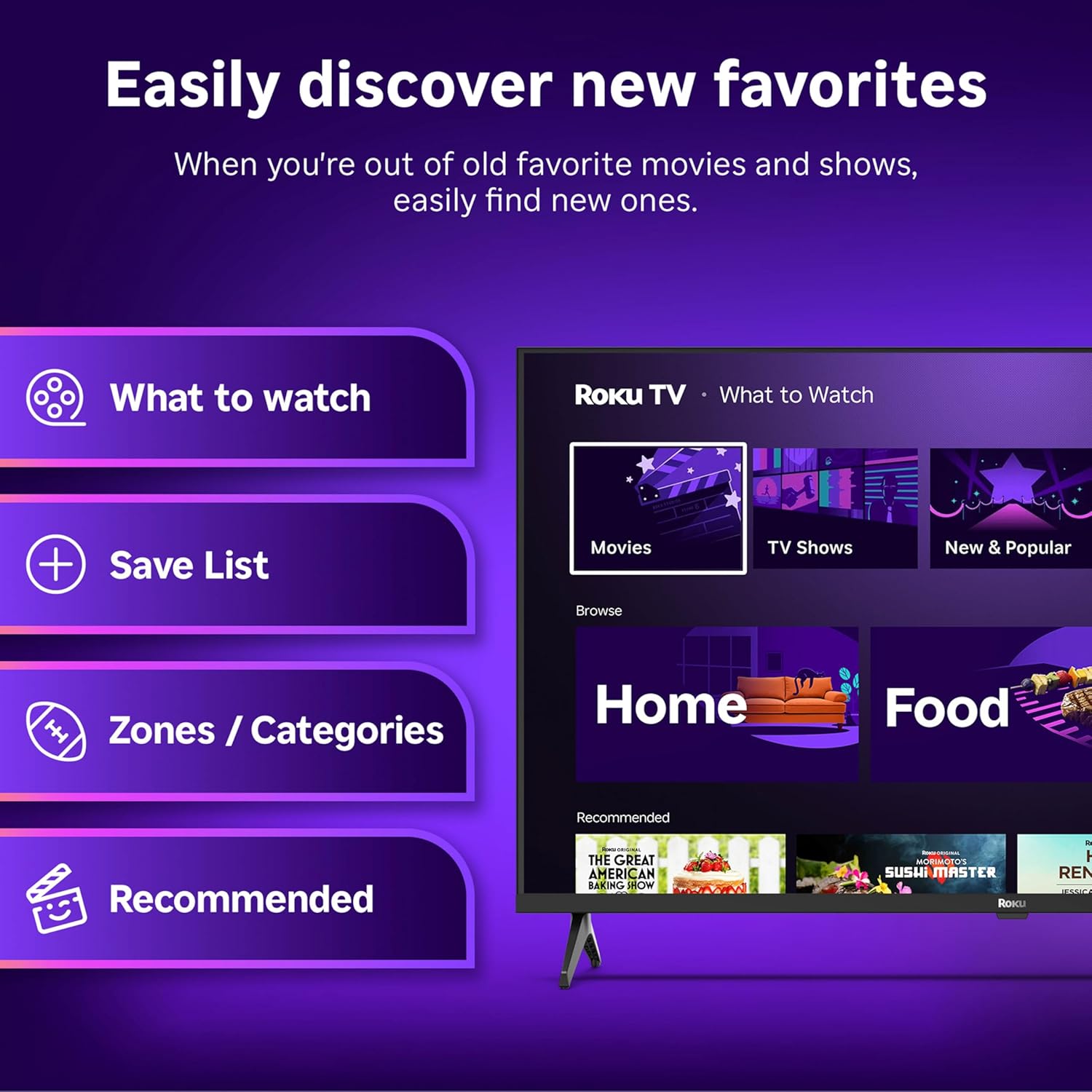
Image: The Roku Voice Remote, showing its layout and key functions.
4.2 Streaming and App Navigation
The Roku TV home screen provides quick access to all your streaming channels and inputs. You can customize the order of your apps for personalized access.
- Үндсэн дэлгэц: Displays your installed apps, recommended content, and TV inputs.
- Дамжуулах дэлгүүр: Browse and add new streaming channels.
- Шууд ТВ: Access free live television channels directly from the home screen.
- Хайх: Use the search function or voice remote to find movies, shows, actors, or directors across various services.

Image: The Roku TV user interface, showing the home screen with app tiles and menu options.
4.3 Зураг болон дууны тохиргоо
Your Roku TV features Smart Picture technology to optimize viewing and offers enhanced audio features.
- Smart Picture: Automatically adjusts picture settings based on the content being viewed (e.g., movie, sports, vivid, standard).
- Аудио тод байдал: Designed for clear speech and louder sound.
- Bluetooth чихэвчний горим: Connect your wireless headphones for private listening.

Image: A vibrant nature scene displayed on the Roku TV, demonstrating the clear picture quality.
4.4 Ухаалаг гэрийн интеграци
The Roku TV integrates with various smart home ecosystems for convenient voice control and content sharing.
- Дуут удирдлага: Compatible with Roku Voice, Siri, Alexa, and Google Assistant for hands-free operation.
- Apple AirPlay: Effortlessly share videos, photos, and music from your Apple devices to your TV.

Image: A Roku TV screen with a smart speaker nearby, illustrating voice control integration with smart home systems.
5. Засвар үйлчилгээ
5.1 ТВ-ээ цэвэрлэх
- Цэвэрлэхийн өмнө ТВ-ээ үргэлж салга.
- Дэлгэц болон шүүгээг зөөлөн, хөвөнгүй даавуугаар арчина.
- Зөрүүд тэмдгийн хувьд хөнгөнөөр dampдаавуунд ус эсвэл зөөлөн, зүлгүүргүй дэлгэц цэвэрлэгчээр угаана. Цэвэрлэгчийг дэлгэц рүү шууд цацаж болохгүй.
- Хүчтэй химийн бодис, зүлгүүрийн дэвсгэр, уусгагч хэрэглэхээс зайлсхий.
5.2 Програм хангамжийн шинэчлэлтүүд
Your Roku TV receives automatic software updates to provide new features and improve performance. Ensure your TV is connected to the internet to receive these updates.
6. Алдаа засах
If you encounter issues with your Roku TV, try the following basic troubleshooting steps:
- Эрчим хүчгүй: Цахилгааны кабелийг ТВ болон ажиллаж байгаа цахилгааны залгуурт найдвартай залгасан эсэхийг шалгаарай. Өөр залгуураар оролдоно уу.
- Зураг/дуу чимээ байхгүй: Зөв оролтын эх үүсвэр сонгогдсон эсэхийг шалгана уу. Бүх кабелийн холболтууд (HDMI, AV гэх мэт) найдвартай эсэхийг шалгана уу.
- Алсын удирдлага хариу өгөхгүй байна: Алсын удирдлагын батерейг солино уу. Алсын удирдлага болон телевизийн хооронд ямар нэгэн саад байхгүй эсэхийг шалгаарай.
- Сүлжээний холболтын асуудлууд: Restart your Wi-Fi router. Go to the TV's network settings to reconnect to your Wi-Fi.
- Апп ачаалахгүй байна: Try restarting the app. If the issue persists, remove the app and reinstall it from the Streaming Store.
- Үйлдвэрийн анхны байдал: As a last resort, a factory reset can resolve many software issues. This will erase all personal settings and installed apps. Access this option through the TV's Settings menu.
7. Техникийн үзүүлэлтүүд
| Онцлог | Тодорхойлолт |
|---|---|
| Брэнд | Року |
| Загварын дугаар | 24R2D5 |
| Дэлгэцийн хэмжээ | 24 инч |
| Дэлгэцийн технологи | LED |
| Шийдвэр | 720p |
| Сэргээх хурд | 60 Гц |
| Харьцаа | 16:9 |
| Холболтын технологи | Bluetooth, WiFi |
| Онцлог шинж чанарууд | Bluetooth Headphone Mode, Dolby Audio, Voice Remote |
| Зүйлийн жин | 5.7 фунт |
| Бүтээгдэхүүний хэмжээс | 7 x 21.1 x 14.3 инч |
| Батерей шаардлагатай | 2 AAA батерей (алсын зайнаас) |
8. Баталгаат хугацаа ба дэмжлэг
For warranty information and technical support, please refer to the documentation included with your product or visit the official Roku support webсайт. Баталгаат зардлаа авахын тулд худалдан авалтын баримтаа хадгална уу.
Roku offers various support resources, including online FAQs, troubleshooting guides, and customer service contact options.


